


Searching for a media kit maker usually means one thing: you are done winging it. Maybe a brand asked you for one and you didn't have it ready, or maybe you just watched someone with a fraction of your following land a deal because their pitch looked ten times more put-together than yours. Either way, you are in the right place.
A media kit is genuinely one of the highest-leverage things you can build for yourself, whether you are an influencer, a blogger, a freelancer, or running a small business on the side. It's the difference between explaining your value in a rambling DM and just... showing it. And once you know how to make a media kit properly, you will never go back to sending brands a folder of random screenshots again.
Here's the part most guides skip. A media kit is only as good as what's inside it. You can drop your stats into the prettiest template on the internet, and it'll still fall flat if your logo looks homemade or your visuals are stretched, pixelated screenshots.
That's really where Blend can help you out. Before you even touch a layout, Blend gives you the tools to build the actual brand behind the kit, logos, mockups, product visuals, marketing graphics, the works, so that everything you put on the page looks like it belongs together.
Key Takeaways: How to Make a Media Kit
- Build Visuals First: High-resolution logos, product mockups, and cohesive AI graphics establish immediate trust before layout design begins.
- Lead with Engagement Metrics: Highlight audience demographics, reach, and engagement rates over raw follower numbers.
- Show, Don't Tell: Feature 4–6 of your highest-performing campaign examples rather than a cluttered portfolio.
- Keep It Concise: Brand managers skim media kits in under 2 minutes—prioritize clean spacing and clear contact options.
Quick Definition: What Is a Media Kit
Strip away the jargon and a media kit is just a short, well-organized snapshot of who you are and why someone should work with you. Think resume meets portfolio meets sales pitch, minus the boring parts.
Most media kits cover some version of:
- A quick intro or brand story
- Your audience numbers and engagement
- Who your audience actually is (age, location, interests)
- Past brands or clients you have worked with
- What you offer and how much it costs
- A few samples of your best work
- How to get in touch
You can call it a media kit, a press kit, or an EPK (electronic press kit, common in music). They are all built on the same idea. Show, don't tell.
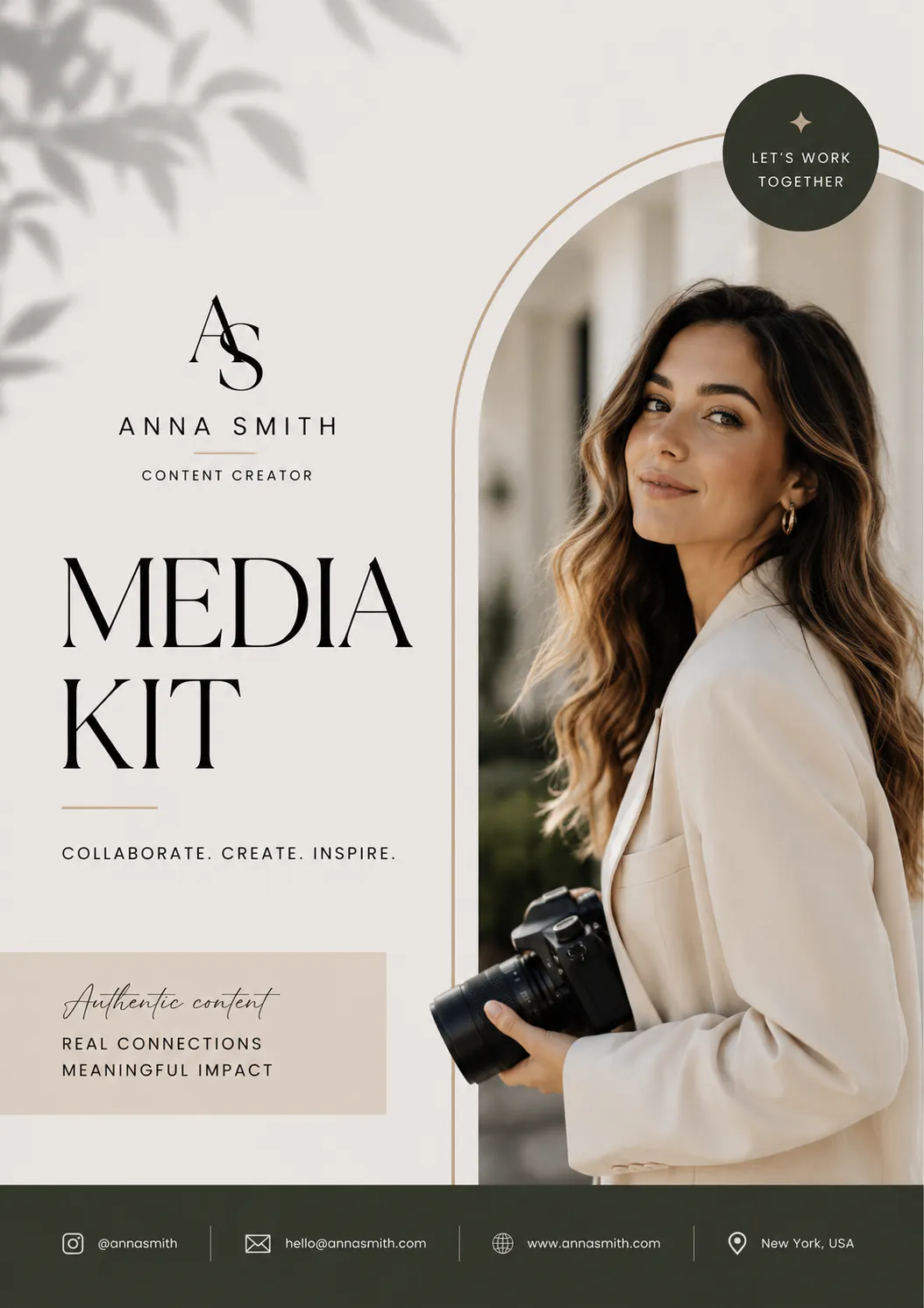
(Image created using Blend's AI Image feature)
RELATED READING: How to Start a Luxury Clothing Brand (Without Burning Through Your Savings)
Why People Wait Too Long to Make One
Here's the honest truth: most creators don't build a media kit until a brand specifically asks for one. Then it's a mad scramble, digging through analytics dashboards, cropping screenshots, trying to remember which brands you have actually worked with.
Having one ready ahead of time means you can reply to an opportunity in minutes instead of days. It also just makes you look like someone who takes their work seriously, which, fair or not, brands notice immediately.
A solid media kit helps you:
- Come across as established, even if you are just starting out
- Answer the "who are you and why should I care" question instantly
- Skip the back-and-forth emails asking for basic info
- Close deals faster because everything's already in one place
Who Actually Needs to Learn How to Make a Media Kit
It's not just influencers with six-figure followings. If you are trying to get paid for your work or attention in any capacity, a media kit helps.
Content creators and bloggers - If you are figuring out how to make a media kit for bloggers, the focus usually shifts toward website traffic, email subscribers, and past sponsored posts rather than just follower counts.
Influencers - Learning how to make a media kit as an influencer means leading with engagement rate and audience demographics, since that's what brands actually care about, not just raw numbers.
Freelancers - Designers, photographers, copywriters, and consultants can use one instead of juggling five different portfolio links.
Small businesses and startups - A business version usually leans more into your story, your product, and press-worthy milestones.
Whichever bucket you fall into, the process of how to make a media kit for influencers or bloggers or businesses stays roughly the same. Only the specific data points change.
RELATED READING: Thank You Card Design: Create Beautiful Cards in Minutes
Build the Brand First, Then the Kit
This is the step people skip, and it's the one that actually determines whether your media kit looks premium or thrown together in twenty minutes.
Picture two media kits side by side. One has a blurry logo, mismatched fonts, and a hero photo that's clearly a phone screenshot. The other has a clean, consistent logo, polished visuals, and a layout that feels like it belongs to an actual brand. You already know which one gets the reply.
Before you open any media kit maker or template, it's worth spending a bit of time building out your actual visual identity. Blend is built for exactly this part of the process.
1. Get a logo that doesn't look like an afterthought
Your logo shows up everywhere in your media kit, the cover page, the header, probably your contact section too. If it looks off, everything built around it looks off. Blend's Logo Maker lets you generate a clean, professional logo without hiring a designer or wrestling with design software you have never used before.
2. Show your branding in the real world
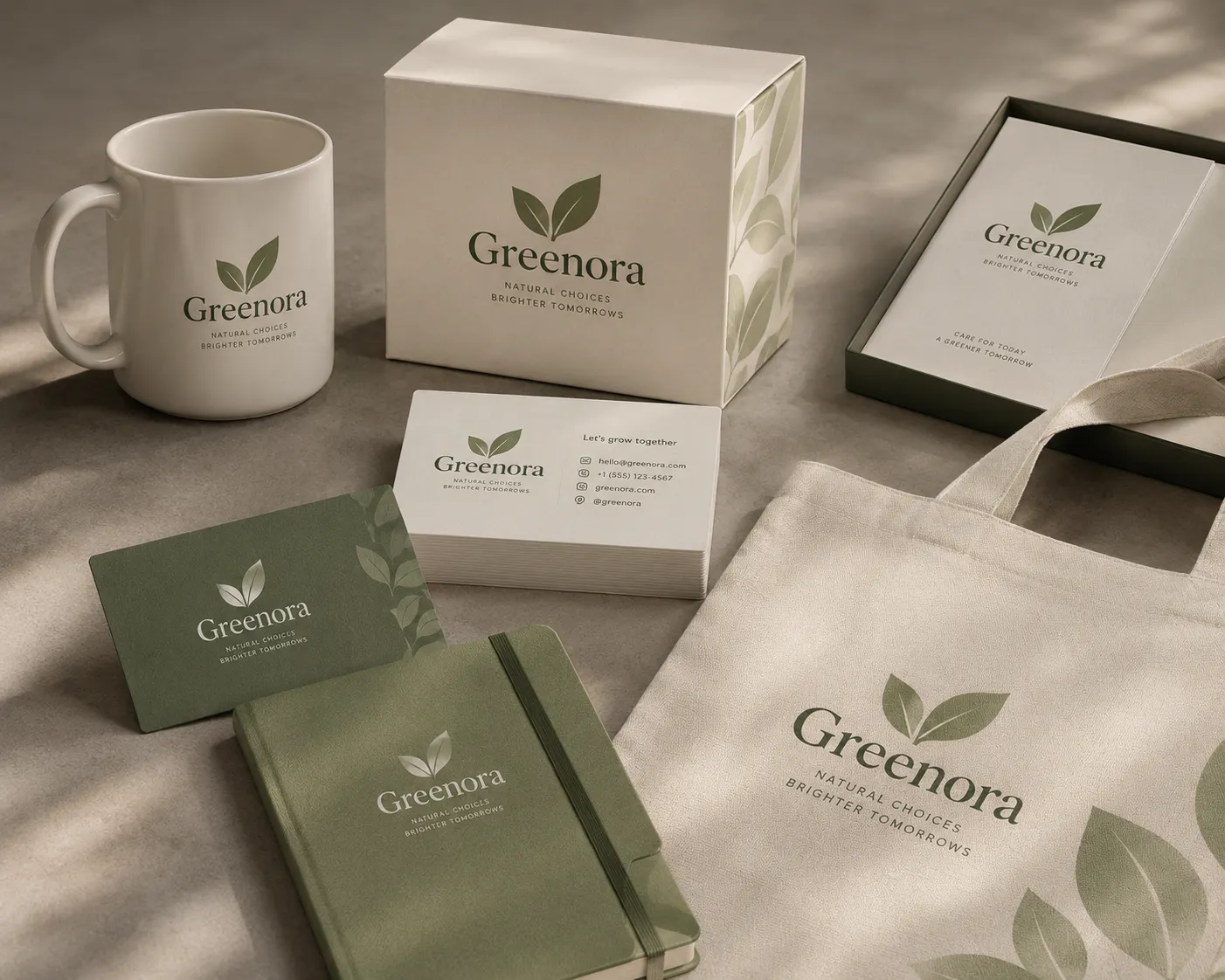
A logo sitting on a white background only tells half the story. Seeing it on a mug, a hoodie, packaging, or signage helps brands picture your brand as something tangible, not just a file on your laptop. It's a small addition, but it makes a kit feel a lot more "real business" and a lot less "made this in five minutes."
(Image created using Blend's AI Image feature)
3. Design visuals that don't look like stock photos
This is where Blend's AI Image tools genuinely change the game. Instead of pulling from the same generic stock libraries everyone else is using, you can generate original, on-brand visuals from a text prompt, lifestyle shots, hero images, product photography, promotional graphics, whatever your kit needs. It's the same underlying tech creators use to build things like custom Spotify playlist covers, just pointed at your media kit instead.
4. Show actual work, not just claims
If you are a designer, marketer, or content creator, don't just say your work is good, show it. Blend's DesignGPT / AI Designs tool helps you generate branded promo graphics, social posts, and campaign creatives you can drop straight into your portfolio section. A few strong visuals communicate more than three paragraphs of self-description ever will.
RELATED READING: 20 Seasonal Marketing Ideas to Increase Sales Throughout the Year
What Goes Into a Great Media Kit
Once your visuals are sorted, here's the actual structure worth following. Keep in mind the goal isn't to include everything, it's to include only what matters.
- Cover page: Name, logo, a strong hero image, and your website or handle. This is the first impression, so don't skimp on it.
- Your story: Skip the formal bio-speak. Write like you are explaining what you do to someone over coffee, not filling out a LinkedIn summary.
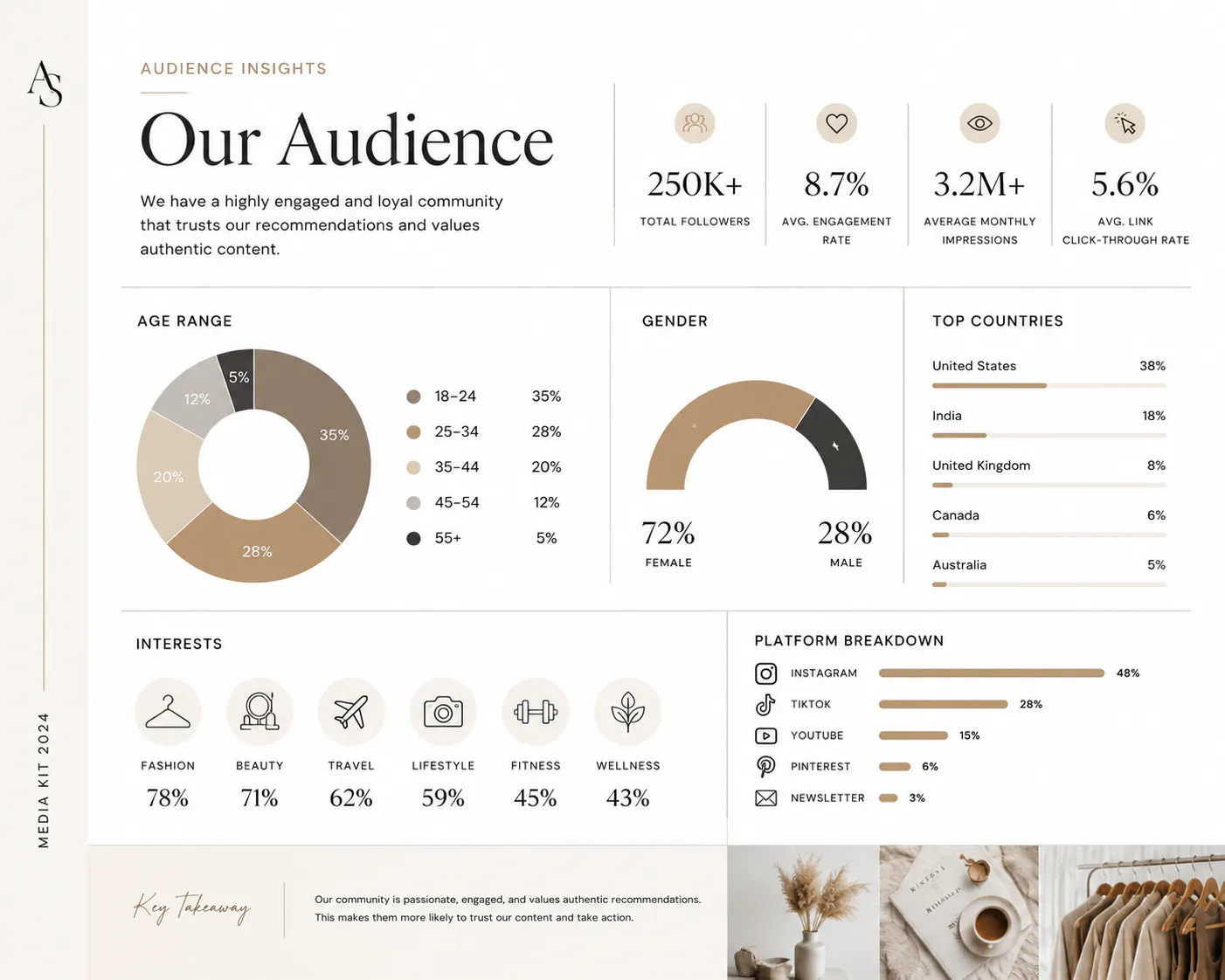
- Audience insight: Age range, location, engagement rate, monthly reach, whatever's relevant to your niche. Charts and simple icons make this section far easier to skim than a wall of numbers.
- What you offer: Sponsored posts, UGC, photography, consulting, whatever your services are. Be specific so nobody has to ask.
- Portfolio: Five or six strong pieces beat twenty mediocre ones every time.
- Testimonials: One good quote from a past client does more work than an entire paragraph about how great you are.
Contact info. Obvious, but easy to forget. Make it painfully simple for someone to reach you.
How to Make a Media Kit, Step by Step
Step 1: Figure out your brand before you design anything. What do you want people to remember? Who's your dream client or brand partner? What colors and tone actually represent you? Answer these first, and the design decisions basically make themselves.
Step 2: Build your assets. This is where you lean on Blend, generate your logo, create a few mockups, and produce polished visuals with AI Image so everything shares the same look before you start assembling pages.
Step 3: Pick a layout and drop everything in. Whether you are using a dedicated media kit maker or building it in a design tool, keep the layout clean. White space is doing more work for you than you think.
Step 4: Add your current numbers. Followers, engagement rate, website traffic, email list size, whatever applies. Stale stats are one of the fastest ways to lose credibility.
Step 5: Review it like a stranger would. Would this impress you if you received it cold? If not, tighten it up before sending it out.
RELATED READING: Wedding Invitation Card Maker Online Free: Create Stunning Wedding Invites in Minutes
Media Kit Example vs. Press Kit Template vs. EPK Template
People use these terms almost interchangeably, but there are subtle differences worth knowing. Take a look at the differences here:
Feature | Media Kit | Press Kit | EPK (Electronic Press Kit) |
Primary Purpose | Secure brand partnerships, sponsorships, and client collaborations | Provide information for journalists, bloggers, and media outlets | Promote musicians, bands, artists, actors, and entertainers |
Target Audience | Brands, agencies, clients, sponsors | Journalists, editors, publishers, media professionals | Record labels, event organisers, promoters, music journalists |
Focus | Audience insights, services, portfolio, and previous collaborations | Company story, leadership, news, and downloadable media assets | Artist bio, music, performances, and press coverage |
Typically Includes | About section, audience demographics, social media stats, portfolio, testimonials, services, contact details | Company overview, founder bios, press releases, logos, brand guidelines, media contacts, downloadable assets | Artist biography, high-resolution photos, music links, videos, tour dates, discography, press mentions, contact details |
Use Cases | Influencers, creators, freelancers, agencies, startups, and businesses | Product launches, company announcements, PR campaigns, media outreach | Album releases, concerts, festivals, media interviews, talent promotion |
Visual Style | Brand-focused and portfolio-driven | Professional, informative, and easy for media to navigate | Creative, personality-driven, and visually engaging |
Key takeaway: While the names are often used interchangeably, the purpose is different. A media kit is designed to attract clients and brand partnerships, a press kit helps journalists cover your business or organisation, and an EPK (Electronic Press Kit) is tailored for artists and entertainers. Regardless of the format, a clean layout, compelling visuals, and well-organised information are what make the document effective.
Design Tips That Separate "Fine" From "Impressive"
- Stick to one or two fonts across the entire kit. More than that starts to feel chaotic.
- Choose two or three brand colors and use them consistently, not a rainbow spread across each page.
- Keep your image style uniform. Mixing screenshots with polished photography instantly makes a kit look inconsistent, another reason AI-generated visuals work so well here since they share the same aesthetic throughout.
- Give your layout room to breathe. Cramming every inch of a page with content overwhelms the reader instead of impressing them.
- Cut anything that doesn't earn its place. If a section doesn't add value, it's just noise.
RELATED READING: Social Media Marketing Tips: A Simple Guide to Grow Faster in 2026
Can You Make a Media Kit for Free?
Yes, and you probably should start there. Most media kit makers, Blend included, let you get started for free, so you can build your first version, test it with a few pitches, and only upgrade later if you need higher-res exports or more AI-generated visuals. There's no reason to over-invest before you know what actually gets replies.
Conclusion
A media kit maker gives you the framework. What actually makes people stop scrolling and reply is the quality of what you put inside it, sharp visuals, a clear story, and branding that feels intentional rather than thrown together the night before a pitch.
That's the gap Blend is built to close. Before you even think about layout, you can use Blend to create your logo, generate realistic mockups, and design polished, original visuals with AI Image and DesignGPT, so every page of your media kit already looks like it belongs to a real, established brand. Start building your visuals with Blend before your next pitch goes out.