


A free online wedding invitation card maker is an AI-powered design tool that helps couples create, customize, and share beautiful wedding invitations in minutes without any graphic design experience. With Blend's Wedding Invitation Maker, you can create a professional wedding invitation card online for free by simply entering your names, wedding date, venue, and personal preferences. Blend's AI automatically generates elegant layouts, fonts, colors, and typography, making invitation design quick and effortless.
Whether you're creating a traditional Indian wedding card, a modern digital wedding invitation, or a WhatsApp-ready e-invite, Blend gives you professionally designed templates that are fully customizable. Simply choose a design, personalize the text and photos, and download or share your invitation instantly. No software installation or design skills are required.
With Blend's free online wedding invitation card maker, you can generate multiple invitation designs in seconds, compare different styles, and refine them using simple text prompts. Whether you need a single wedding invitation or matching designs for all your wedding events, Blend makes it easy to create elegant invitations online in just a few clicks.
Why Use a Wedding Invitation Card Maker Online?
Wedding planning already comes with enough pressure. From finalizing outfits and venues to managing guest lists, there is always something to handle. Your invitation design should not add more stress to the process.
That is exactly why many couples now prefer using a wedding invitation maker online free instead of traditional designing methods.
An online wedding invitation card maker allows you to create invitations anytime and from anywhere. You do not need expensive software or graphic design experience. You can simply choose a template, customize it, and download your invitation within minutes.
Some major benefits of using a wedding invitation maker include:
- Easy customization without design skills
- Instant downloads and sharing
- Budget-friendly invitation creation
- Access to editable wedding invitation templates
- Mobile-friendly editing and previewing
Most importantly, online invitation makers give you full creative freedom. You can personalize fonts, colors, photos, layouts, and decorative elements to match your wedding theme perfectly.
How to Create Wedding Invitations Online Using Blend
Creating a wedding invitation using Blend is quick, simple, and beginner-friendly. Whether you want a traditional Indian wedding card, a modern wedding e invite, or a digital wedding invitation for WhatsApp, Blend helps you design stunning invitations within minutes. Read the steps below and create a beautiful wedding invitation card online effortlessly.
Step 1: Visit the Blend App or Website and Open the AI Image Feature
To start creating your wedding invitation, visit the Blend app or website and select the AI Image feature.
Next, click on “Create Anything.” This section is perfect for designing elegant and customizable wedding invitation cards online.
Once you enter the feature, simply type your wedding invitation details such as:
- Couple names
- Wedding date
- Time
- Venue
- RSVP details
Blend’s AI will automatically transform your text into a professionally designed invitation layout by handling the fonts, spacing, typography, and alignment for you.This makes the process incredibly easy, even if you have no design experience.
Step 2: Add Your Wedding Invitation Details and Choose a Format
Inside the Typography section, you’ll find a box labeled “Type-in to create…” Enter your wedding invitation content there.
For example, you can include:
- Bride and groom names
- Wedding ceremony date
- Reception timing
- Venue address
- RSVP details
- Wedding hashtag
After entering your details, choose the format size for your invitation.
If you are planning to share your digital wedding invitation on WhatsApp, Instagram, or email, the 1:1 ratio works especially well because it fits perfectly on mobile screens and social platforms.
Click Generate, and Blend will instantly create multiple wedding invitation designs for you.
The platform automatically applies:
- Elegant font pairings
- Balanced spacing
- Stylish layouts
- Professional typography
This helps your wedding invitation look polished and premium without requiring manual design work.
Step 3: Customize and Download Your Wedding Invitation
Once your invitation designs are generated, choose the one that best matches your wedding style.
You can further customize your wedding invitation by:
- Editing the text and layout
- Changing colors to match your wedding theme
- Adjusting or removing backgrounds
- Uploading couple photos
- Refining the design using AI tools
Blend also allows you to describe changes using simple prompts. For example, you can ask the AI to create:
- A luxury wedding invitation
- A floral wedding card
- A traditional Indian wedding invitation
- A modern minimal wedding invite
The AI will instantly update the design according to your preferences.
Once everything looks perfect, download your wedding invitation card in high quality or share it instantly with your guests online.
Take a look at these wedding invitations I made using Blend:
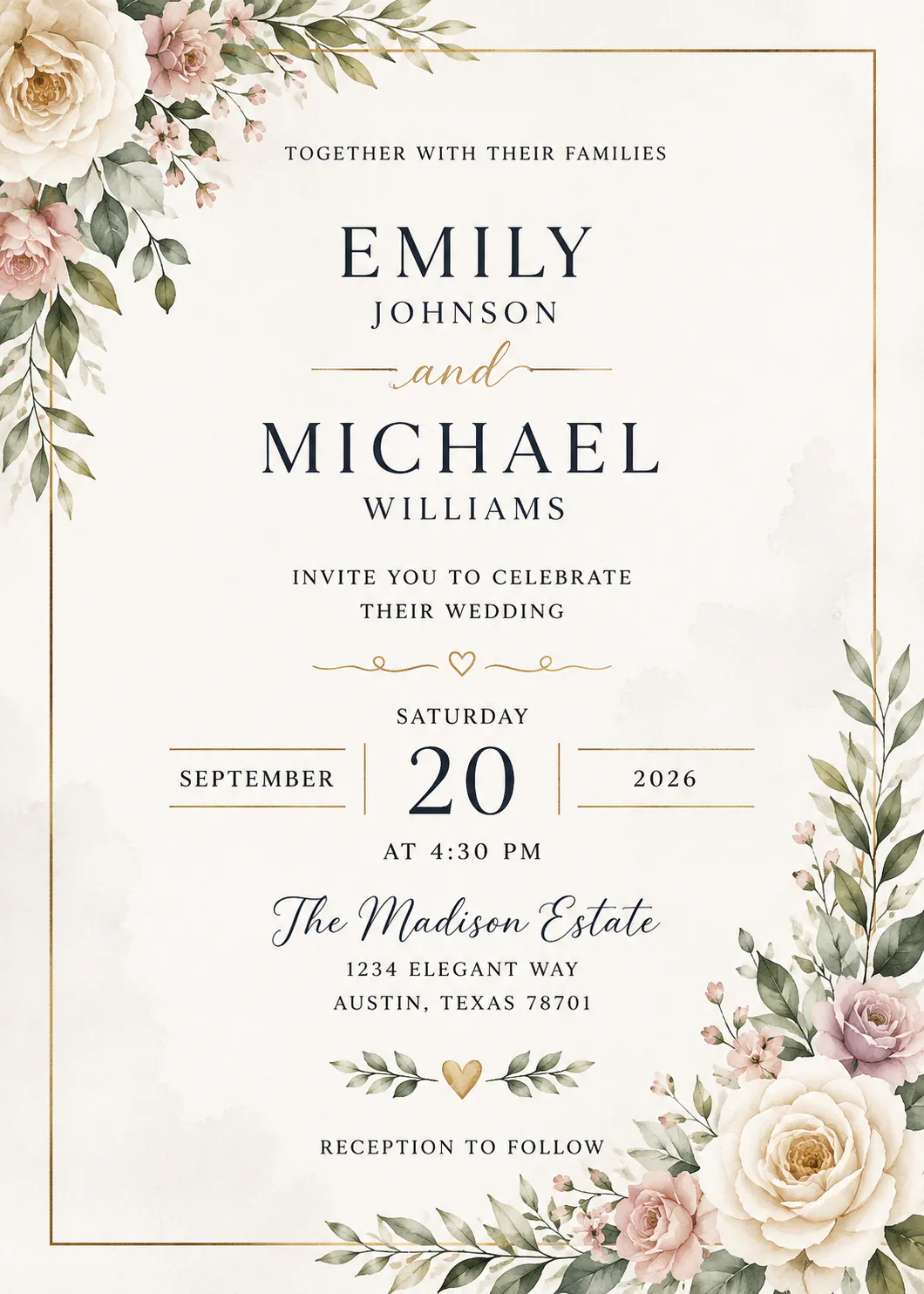
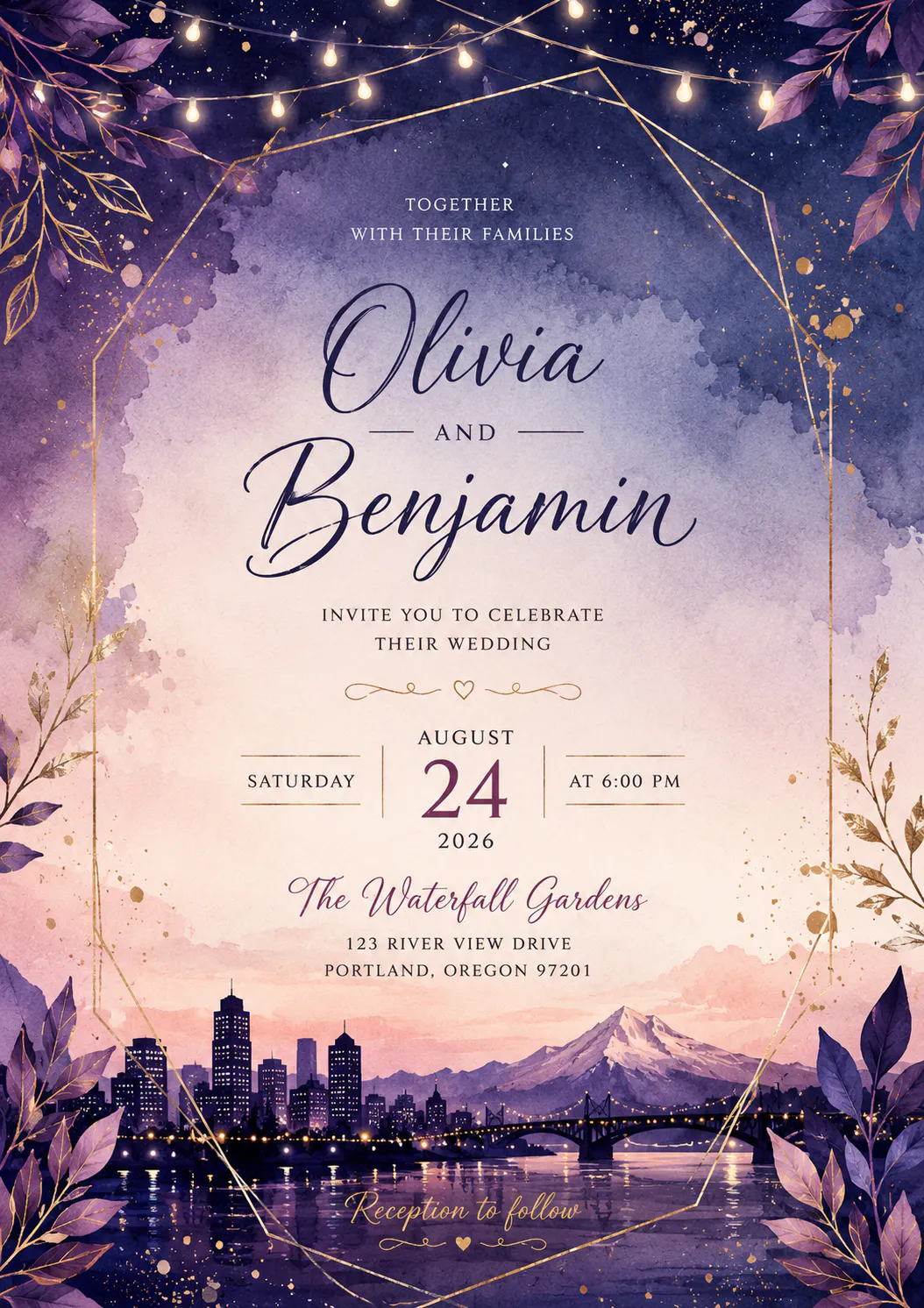
Types of Wedding Invitation Cards You Can Create with a Free Online Maker
A free online wedding invitation card maker gives you the flexibility to create invitation designs for every wedding style and occasion. With Blend, you can design different invitation formats that are easy to customize, download, and share.
Digital Wedding Invitations
Digital wedding invitations are perfect for sharing through WhatsApp, email, or social media. They're quick to send, cost-effective, and ideal for guests who prefer digital communication. Square designs work especially well for mobile viewing and Instagram.
Printable Wedding Cards
Printable wedding invitations are created in high-resolution formats, making them suitable for professional printing or home printing. They can be downloaded as PDF or PNG files and are ideal for traditional invitation cards.
Indian Wedding Invitation Cards
Create beautiful Indian wedding invitation cards featuring traditional motifs, floral elements, elegant typography, and regional language support. Simply describe your preferred theme, colors, or cultural style, and Blend's AI generates a personalized design in seconds.
Save-the-Date Cards
Save-the-date cards help announce your wedding well in advance, giving guests enough time to plan before the official invitation is sent. They are perfect for destination weddings or celebrations planned several months ahead.
Whether you need a digital invite, a printable card, a traditional Indian wedding invitation, or a save-the-date design, Blend's free online wedding card maker lets you create professional invitations without any design experience.
Why Blend Is a Great Online Wedding Invitation Card Maker
Blend makes wedding invitation designing simple, fast, and stress-free. One of the biggest advantages of Blend is its beginner-friendly interface. Even if you have never designed anything before, you can still create professional-looking invitations effortlessly.
Blend is also ideal for creating wedding e-invite AI Videos for WhatsApp and social media sharing. Since many guests view invitations on their phones, the designs are optimized for mobile viewing.
Best Wedding Invitation Styles Trending Right Now
If you are unsure which style to choose, here are some wedding invitation trends couples are loving right now.
- Minimalist Wedding Invitations: Simple typography, neutral colors, and clean layouts create an elegant modern look.
- Floral Wedding Invitation Cards: Floral designs remain timeless and romantic. Watercolor flowers are especially popular.
- Traditional Indian Wedding Invitations: Rich colors like red, gold, and maroon combined with cultural elements create stunning traditional invites.
- Modern Luxury Invitations: Black, gold, and metallic accents give invitations a premium feel.
- Photo Wedding Invitations: Couples love adding engagement photos to make invitations more personal.
You can also make birthday invitation card with the help of Blend.
Tips to Make Your Wedding Invitation Stand Out
Your invitation should feel memorable and exciting. Here are a few tips to elevate your design.
- Keep the Design Clean: Avoid overcrowding the invitation with too much text or too many graphics.
- Choose Readable Fonts: Fancy fonts may look beautiful, but readability matters most.
- Match Your Wedding Theme: Your invitation should reflect your wedding colors, decor, and overall style.
- Use High-Quality Images: Blurry photos can ruin the final look of your invitation.
- Add a Personal Message: A short heartfelt note makes your invitation feel warm and genuine.
Frequently Asked Questions
How do I create a wedding invitation card online for free?
You can create a wedding invitation card online for free using Blend's Wedding Invitation Maker. Simply choose a template, enter your wedding details such as the couple's names, date, time, and venue, then customize the design with your preferred colors, fonts, and photos. Once you're happy with the design, download or share your invitation instantly.
What should a wedding invitation card include?
A wedding invitation should include the couple's names, wedding date, ceremony time, venue address, RSVP details, dress code (if applicable), and any additional information such as a wedding website, map, or registry link to help guests prepare.
What is the standard size for a wedding invitation card?
The traditional wedding invitation card size is 5 × 7 inches, making it ideal for printed invitations. For digital invitations shared on WhatsApp, Instagram, or email, a 1:1 square format is commonly used because it displays well on mobile devices.
How far in advance should wedding invitations be sent?
Wedding invitations are typically sent 6–8 weeks before the wedding. If you're planning a destination wedding, it's recommended to send save-the-date cards 4–6 months in advance, followed by the formal invitation closer to the event.
Conclusion
Creating wedding invitations no longer needs to feel complicated or expensive. With a wedding invitation card maker online free like Blend, you can design elegant and personalized invitations within minutes. Start designing your dream wedding invitation today and give your guests a beautiful first glimpse of your special celebration.