


You know that feeling when you take a hundred photos on a trip, a birthday, or just a random Tuesday afternoon, and only three of them actually look "share-worthy"? Yeah, that's not a talent problem. That's an editing problem.
Good photo editing ideas aren't about slapping on a filter and calling it a day. They are about knowing which small tweaks turn a flat, boring photo into something people stop scrolling for. And the best part? You don't need a fancy camera or a design degree to pull it off. You just need the right ideas, the right tools, and maybe a few tricks the pros don't always talk about.
In this guide, you will find editing ideas for basically every situation life throws at you: birthdays, couple photos, baby pictures, Instagram posts, and everything in between. And along the way, you will pick up a few habits that separate "meh" edits from ones that actually look professional.
Start With the Basics Before You Get Fancy
Before you dive into filters and effects, it helps to nail the fundamentals of basic photo editing first. Think of this as the foundation everything else sits on.
1. The Double Exposure Blend
Combine two overlapping photos into a single surreal image such as a silhouette of a person filled with a forest, cityscape, or starry sky.
- Best for: Creative portraits and artistic mood boards.
2. Selective Color Splash
Convert the entire photo to black-and-white, then reintroduce full color to a single focal point (like a red dress, a yellow taxi, or a flower).
- Best for: Directing viewer eyes straight to key details.
3. Retro Film Grain and Light Leaks
Overlay subtle warm light flares, dusty textures, and film grain to recreate the raw, organic feel of 35mm film photography.
- Best for: Travel shots, street scenes, and candid lifestyle pictures.
4. High-Contrast Duotone Toning
Limit the image color palette to two contrasting shades (such as deep navy and vibrant neon orange or cool blue and warm yellow) for an editorial poster aesthetic.
- Best for: Album artwork, social media graphics, and digital flyers.
5. Text Behind Subject (Depth Layering)
Separate the foreground subject from the background, placing typography behind the subject so they pop out from the words.
- Best for: YouTube thumbnails, blog banners, and magazine-style posts.
Once these basics are locked in, you are ready to get creative.
RELATED READING: AI Photo Editing for Luxury and High-End Product Brands
Photo Editing Ideas for Birthdays & Celebrations
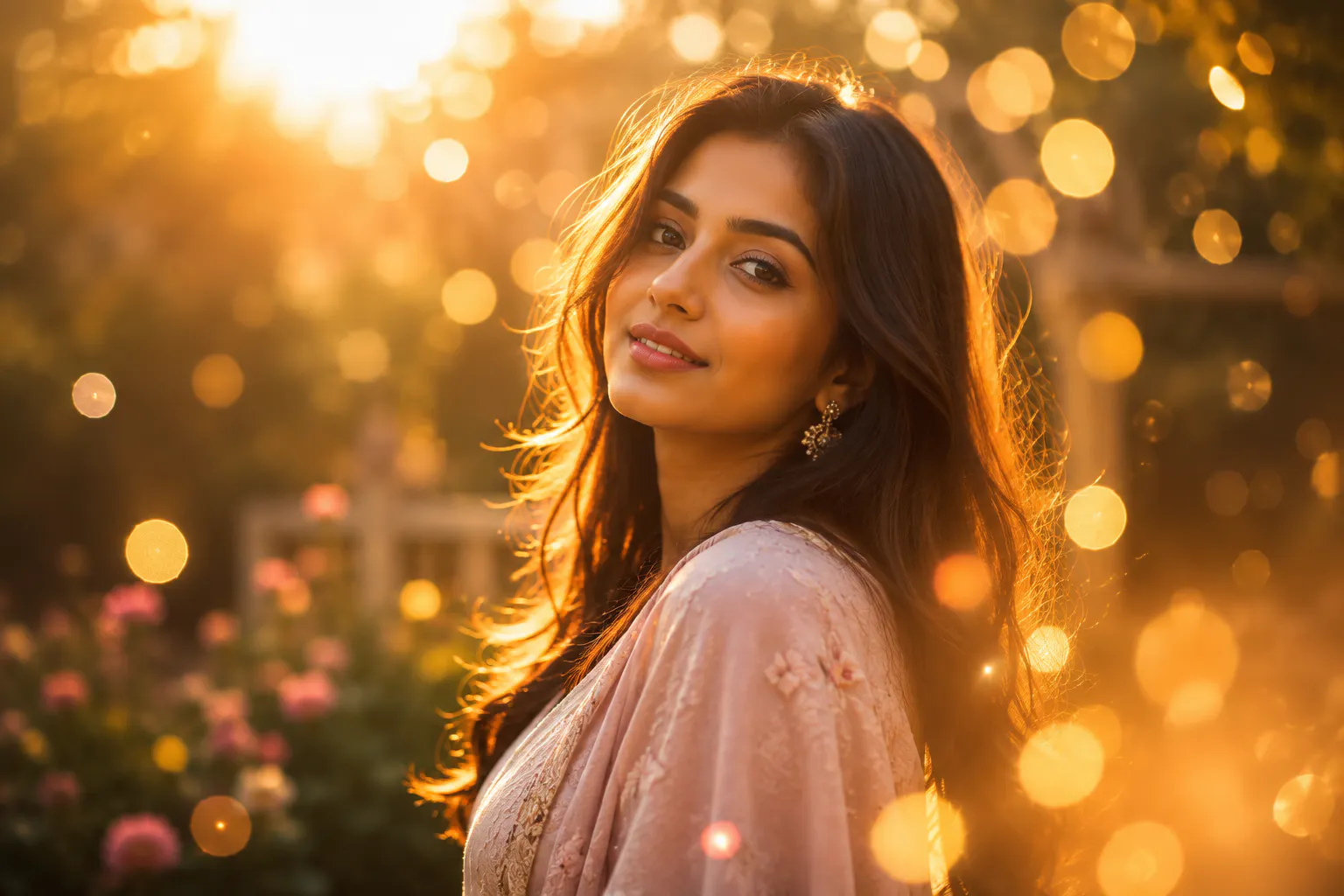
6. Golden Bokeh and Glow Effects
Enhance ambient party lighting by applying a warm, soft glow or digital bokeh circles around birthday cake candles, string lights, or sparklers.
7. Digital Confetti and Sparkle Overlays
Incorporate realistic metallic confetti or glowing light trails around subjects to add festive energy without physical mess or cleanup.
8. Custom Aesthetic Photo Frames
Enclose celebration shots inside minimalist, vintage Polaroid, or themed graphical borders featuring event dates, names, or milestone numbers.
9. Selective Candle and Cake Brightening
Use a localized radial mask to increase exposure on the birthday cake and candles while keeping the surrounding room slightly darker to pull focal priority to the celebration centerpiece.
10. Multi-Moment Party Story Collages
Combine four or five candid party shots. Mix wide group shots, close-ups of food, and laughter into a grid frame with uniform borders and color grading.
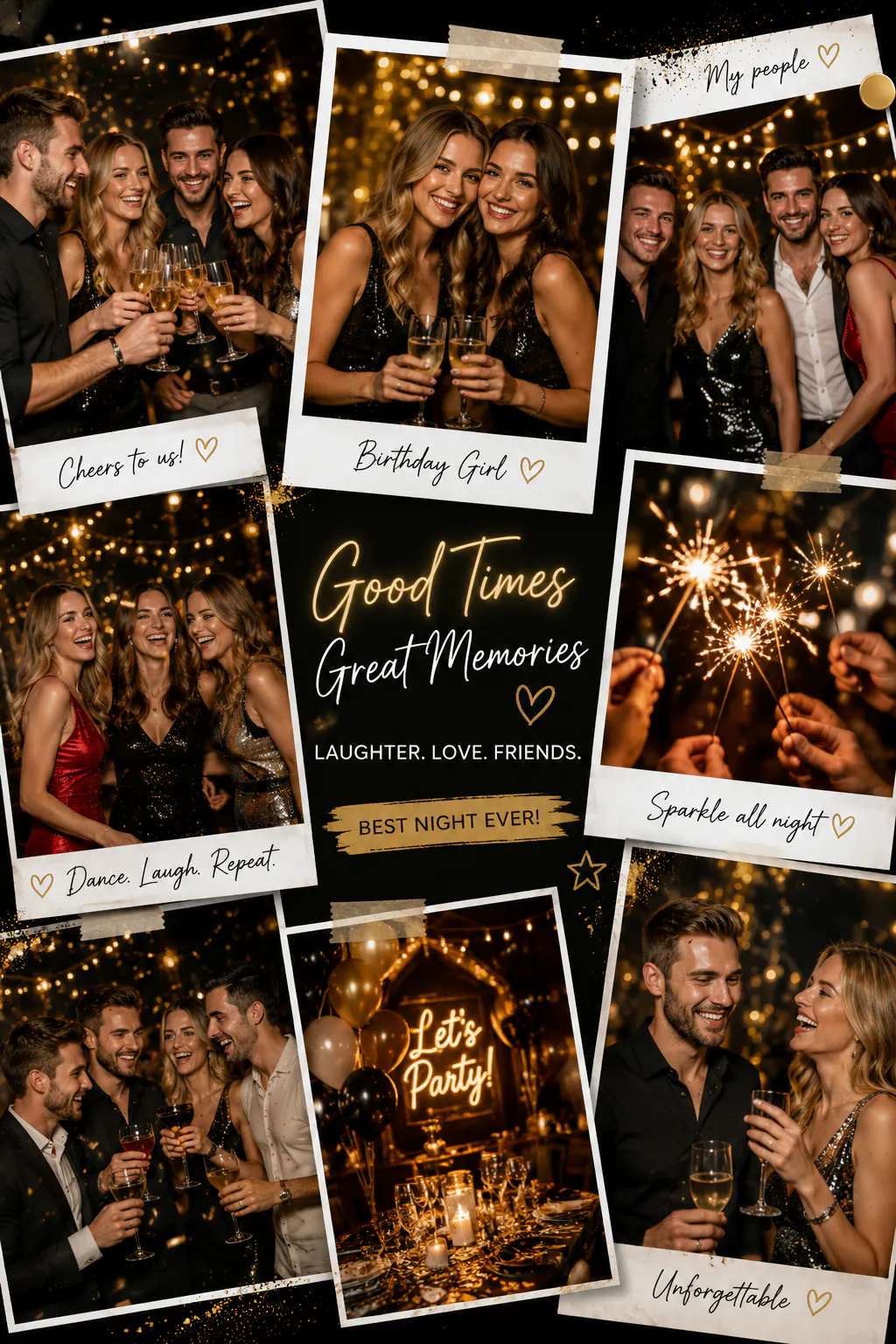
Photo Frame Editing Ideas for Extra Depth
11. Nostalgic Polaroid Snapshots
Place shots inside classic white or pastel Polaroid frames, adding handwritten digital fonts across the bottom margin for a retro look.
RELATED READING: How to Use AI Photo Editing to Improve Home Décor and Furniture E-commerce Sales
12. Minimalist Fine-Line Borders
Add thin, solid black or white outer margins around high-resolution portraits to replicate physical gallery matting.
13. Seasonal & Themed Graphic Borders
Frame holiday, autumn, or beach shots with thematic overlays, such as subtle floral vine corners, falling autumn leaf graphics, or geometric beach borders.
14. Scrapbook & Torn-Paper Edges
Give personal journal or memory-board photos a textured, torn-paper or tape-bound outline for a tactile, handmade feel.
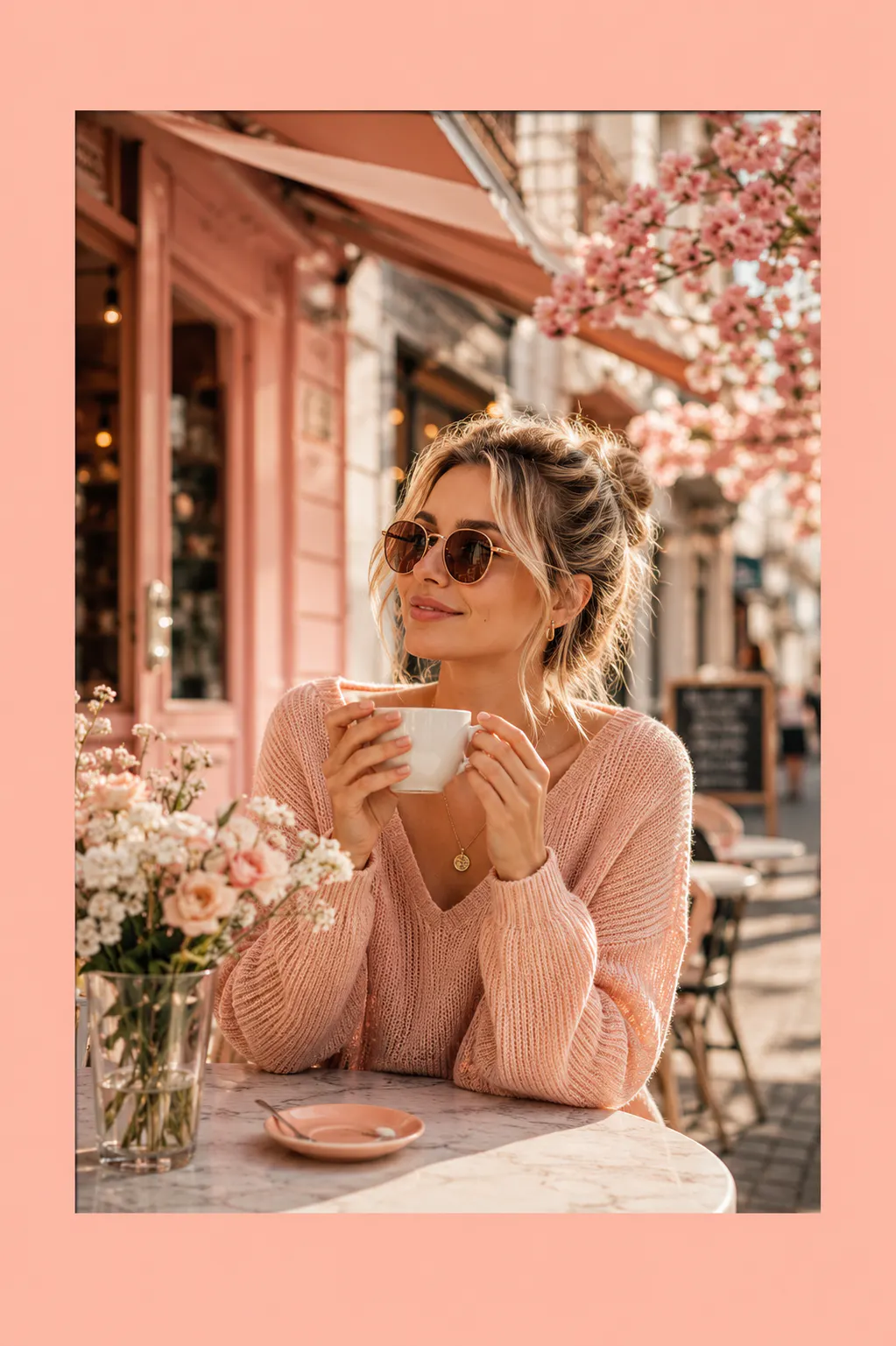
15. Aesthetic Color-Block Frames
Extract a prominent pastel or brand color from inside your photo and use it as a thick surrounding frame border to integrate images seamlessly into social feeds.
Warm & Romantic Photo Editing Ideas for Couples
16. Warm Sunset Color Grading
Shift overall color temperature toward amber, gold, and magenta hues while softening shadows to give couple shots a timeless "golden hour" atmosphere.
RELATED READING: Batch Photo Editor: The Best Way to Edit Photos in Bulk
17. Depth-of-Field Blur (Portrait Mode Enhancement)
Apply a realistic background blur behind couples while maintaining sharp focus on faces to pull attention away from busy environments.
18. Cohesive Preset Matching
Apply matching color balances and film tones across an entire gallery of couple photos so multi-photo posts feel unified.
Soft & Clean Baby Photo Editing Ideas
19. Gentle Skin-Tone Smoothing
Reduce minor skin red tones gently without erasing natural textures or making skin appear unnaturally airbrushed.
20. Soft Eyes Brightening
Use local adjustment brushes to apply minor exposure and clarity boosts strictly to eyes, making expressions pop without changing overall photo lighting.
21. Clutter Removal (Spot Healing)
Remove distracting background items like floor cords, stray toys, or furniture edges by using AI object-removal or clone-stamp tools.
RELATED READING: How to Create YouTube Thumbnail Quickly and Easily in 2026
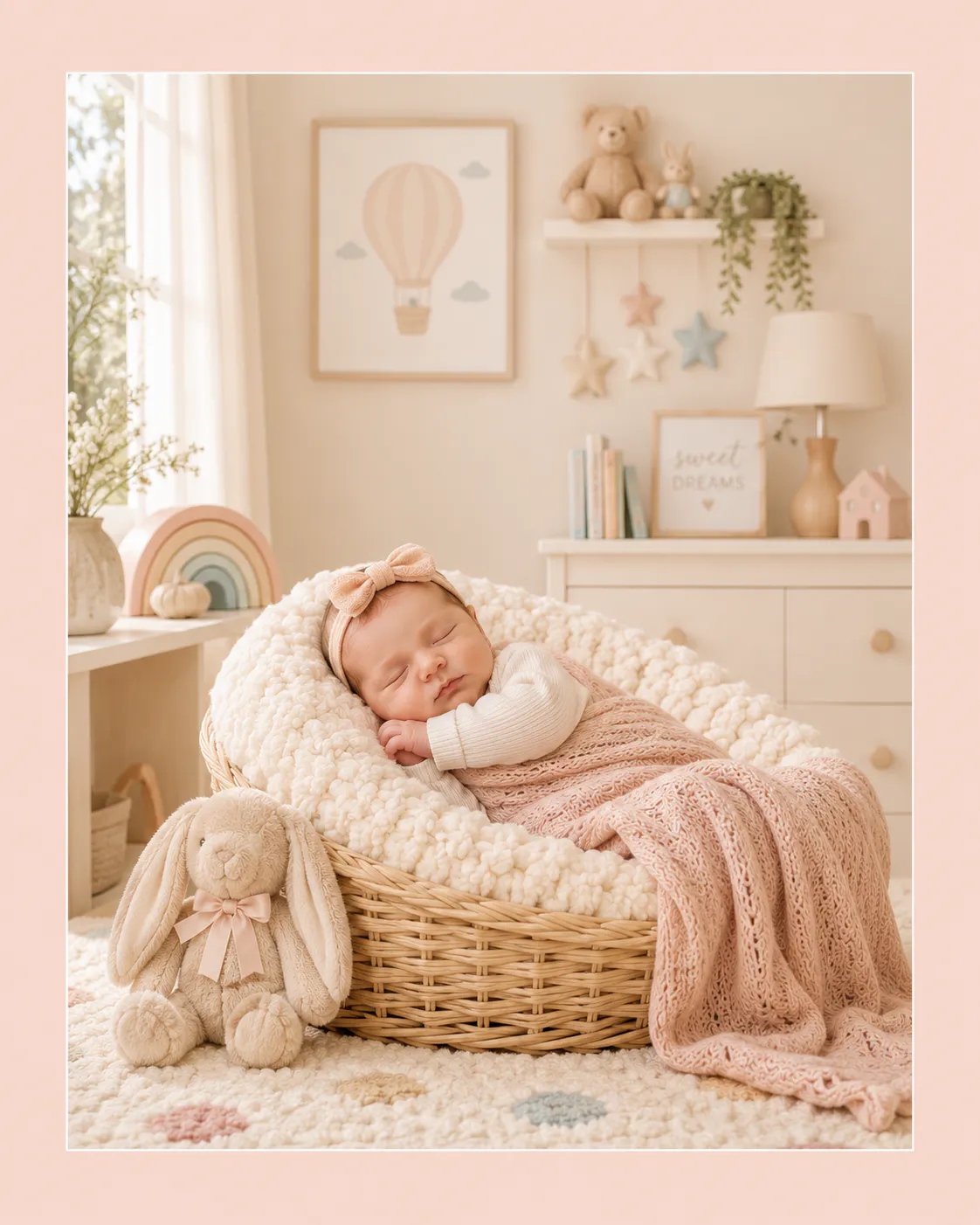
22. Soft Pastel Color Toning
Mute harsh primary colors in favor of soft cream, beige, pink, and baby-blue tones for a calm, nursery-friendly aesthetic.
Strategic Photo Editing Ideas for Instagram & Feeds
23. Mobile Screen Calibration
Edit photos with mobile screen brightness in mind, keeping contrast slightly higher and shadows lifted so images look striking on small displays.
24. Grid Color Palette Harmonization
Target a consistent recurring accent color across your photos so your profile page looks intentionally styled.
25. High-Contrast Moody Edges
Desaturate background tones while maintaining rich contrast on central subjects to stand out during high-speed feed scrolling.
Editing With Photoshop, Picsart, or an AI Tool Like Blend
You have got options here, and each one serves a different kind of person. Photoshop photo editing ideas are great if you want full manual control, layers, masks, precise color grading, the works. It's powerful, but it comes with a learning curve that can take weeks (or longer) to feel comfortable with.
Picsart photo editing ideas are a solid middle ground. It's mobile-friendly, has a ton of built-in effects, and doesn't require any design background to get decent results. Picsart edit ideas like double exposure, background replacement, and text effects are popular for a reason, they are quick and look good with minimal effort.
But if what you are actually trying to do is make a product, a brand photo, or a business-related image look professional, without spending hours learning software, that's where a tool like Blend quietly changes the game.
RELATED READING: Best AI Photo Editing and Video Apps for Small Businesses in 2026
How to Get Professional Edits Instantly with Blend
While advanced programs like Photoshop offer manual control, most everyday photos, creator posts, and business shots just need fast, polished results without a steep learning curve. That’s where Blend simplifies the process by automating complex photo editing tasks using AI:
- AI Product Staging & Studio Backgrounds: Drop subjects or products directly into realistic scenes like wooden countertops, cozy living rooms, or sleek marble displays without setting up a physical photo studio.
- Text Behind Subject Templates: Recreate high-end editorial and graphic-poster styles effortlessly without manually tracing cutout layers.
- Time-Saving Batch Editing: Apply consistent lighting, background replacements, and crop dimensions across dozens of images in seconds.
Conclusion
At the end of the day, editing is less about technical perfection and more about telling the story you actually want your photo to tell. Whether you are using Photoshop, Picsart, or something faster like Blend, the goal stays the same: make the photo look like it belongs.