


If you have ever typed "movie poster maker" into Google at 1 AM because your short film premieres next week and you have zero visuals ready, you are not alone. Whether you are a film student, an indie director, a YouTuber dropping a fake trailer for fun, or someone just designing a poster for a movie night party, you have arrived at the right place.
Thanks to AI apps like Blend, you don't need Photoshop skills or a design degree to pull this off anymore. An AI movie poster maker using Blend’s DesignGPT feature can take you from a rough idea to a cinematic, ready-to-share poster in minutes, and that's exactly what this guide is going to walk you through. Let's get started.
Why Your Movie Poster Matters More Than You Think
A poster is basically a promise. It tells your audience what kind of ride they are in for before they've watched a single frame. Think about the last time a poster made you stop scrolling . It probably had a strong visual, a bold title treatment, and a mood that matched the genre instantly.
Horror posters feel unsettling before you even read the tagline. Comedies feel light and colorful. Thrillers feel tense and shadowy. That's not an accident, it's design doing its job. So when people search for things like "how to make a movie poster online" or "free movie poster maker," what they are really asking is: how do I make something that looks like it belongs in a real theater lobby, not something that screams "made in five minutes on my phone."
What You Actually Need Before You Start Designing
Before you even open a poster maker app, it helps to have a few things sorted:
- The film's title and tagline – short, punchy, memorable
- A hero image or visual concept – your lead actor, a symbolic object, a location, whatever represents the story
- Genre and mood – this decides your color palette and fonts
- Credits block info – cast, crew, release date, production company (if you want that authentic theatrical look)
Once you have got these, the design part becomes way easier because you are not making decisions from scratch, you are just arranging pieces that already make sense together.
RELATED READING: How to Make a Vintage Postcard Template That Actually Looks Like It Traveled Through Time
Choosing the Right Movie Poster Maker
There are dozens of tools out there claiming to be the best online poster maker, and honestly, most of them fall into two categories. There are template-based editors, where you drag and drop pre-made layouts and swap out text and images. Then there are AI-powered poster generators, where you type a description of what you want and the tool builds the design for you, sometimes photo, text, and layout all in one shot.
Both approaches have their place. Template editors give you more manual control if you already know exactly what you want. AI poster makers are faster if you are starting with just an idea and a rough concept in your head and don't want to fuss with layers and alignment.
This is where a tool like Blend stands out a little from the crowd. Instead of making you hunt through a library of templates hoping something fits your genre, Blend’s AI Poster Maker lets you just describe your poster in plain language.
From the mood to the colors and the style you are going for, it generates a ready-to-use design around that prompt. You can mention your brand or film colors for a more personalized result, and if the first version isn't quite it, you simply describe the changes and regenerate until it clicks.
Ready to bring your film concept to life? Turn your story ideas into high-resolution key art without touching Photoshop. Try Blend’s AI Movie Poster Maker.
How to Make a Movie Poster Online with Blend, Step by Step
If you already have a concept in your head but don't know how to turn it into an actual poster, here's exactly how the process works using Blend's DesignGPT toolkit instead of a traditional drag-and-drop editor.
Step 1: Open DesignGPT in the Blend app
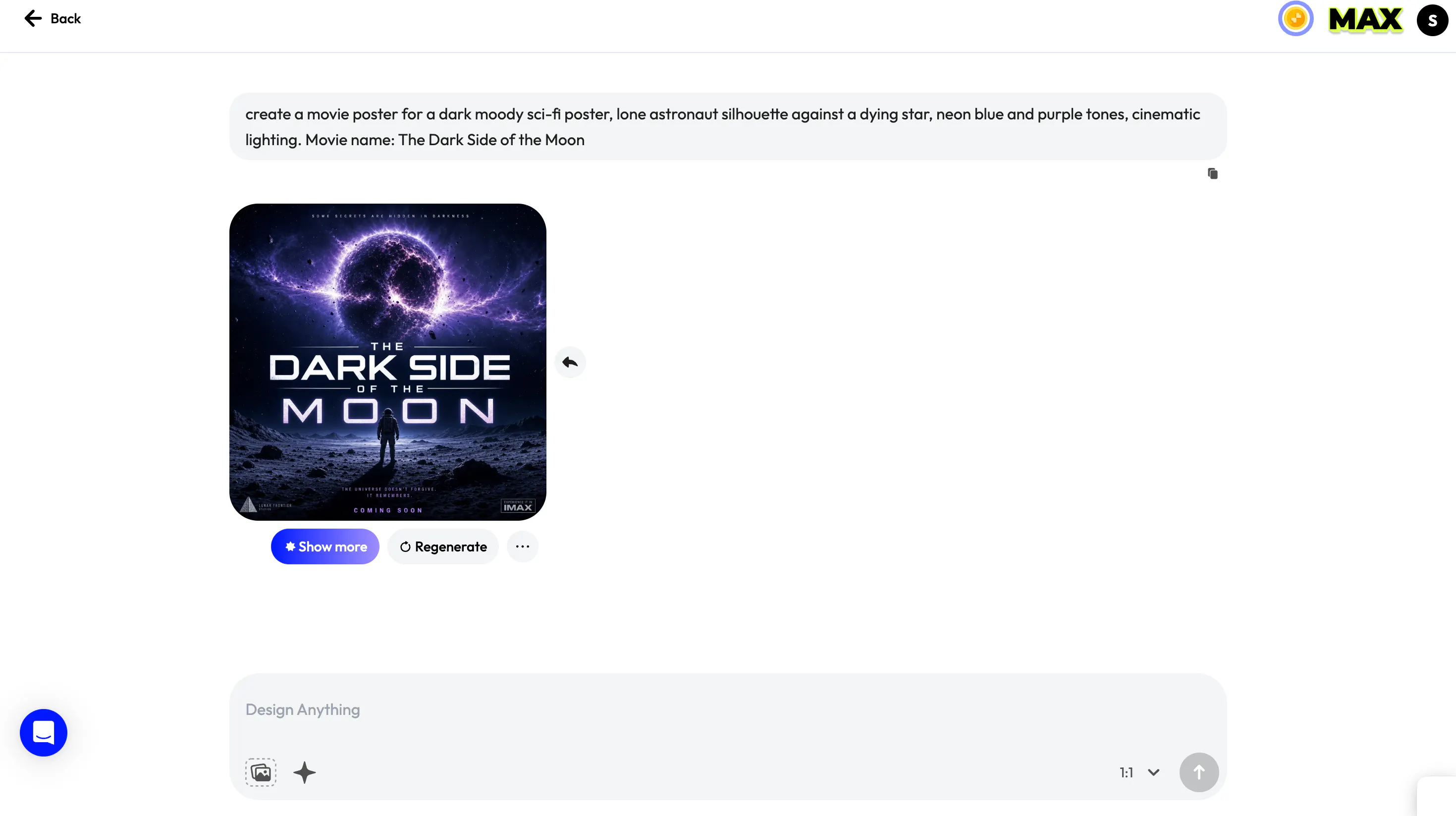
Open Blend and tap DesignGPT from the home screen. This is the tool that lets you generate professional-quality posters from a simple text prompt, no layering, no manual alignment, no design background required. Once you are in, tap the "Create anything" prompt box to get started.
A few example prompts to get you thinking in the right direction:
- Dark moody sci-fi poster, lone astronaut silhouette against a dying star, neon blue and purple tones, cinematic lighting.
- Gritty crime thriller poster, rain-soaked city street at night, single figure under a streetlamp, high contrast black and amber tones.
- Whimsical animated comedy poster, bright pastel colors, exaggerated character poses, playful hand-drawn style.
- Gothic horror poster, decaying mansion silhouette against a blood-red sky, distressed textures, ominous fog.
Step 2: Describe your poster
Instead of typing something generic like "movie poster," get specific about mood, lighting, color palette, and subject. The more detail you feed it, the closer your first result lands to what you actually pictured. Something like:
"Create a theatrical poster for an indie sci-fi drama, lone figure standing in a wheat field under a stormy sky, warm gold and deep blue tones, dramatic lighting, minimal text."
Blend reads plain, natural language, so there's no need to learn any special prompt syntax. Tap the arrow and your poster generates in seconds.
Pro Tip: Want to generate matching visuals for your main character first? Use Blend's AI Background Remover and photo enhancer to isolate your subject before generating cinematic backgrounds around them.
Step 3: Edit your design with the smart editing tools
Once your poster is generated, tap Edit to fine-tune it without starting from scratch. From here you can:
- Add or edit your title, tagline, and credits text
- Replace objects, backgrounds, or specific elements
- Add new design elements
- Remove anything you don't want in frame
- Adjust the color scheme
So if Blend generates a placeholder title you don't love, you can just use the Replace feature to swap it for your actual film title in a couple of taps.
Step 4: Refine further with Assist
For more granular changes, use the Assist feature and simply describe what you want adjusted in plain language. You can also switch between built-in style themes like Minimal, Vintage, Bold Colourful, Futuristic, or Hand Drawn, and change the background style to Nature, Urban, Studio, or Abstract depending on your genre.
Keep typing instructions and regenerating until the poster matches your film's tone exactly. Once it's ready, download it in high resolution to print for a screening, festival submission, or lobby display, or export it in a size ready for Instagram, YouTube, or your film's social pages.
What's genuinely useful here is that Blend remembers your style choices as you go, so if you are building a whole campaign including a teaser poster, character posters, and a final theatrical one-sheet, then everything stays visually consistent instead of looking like it was designed by five different people.
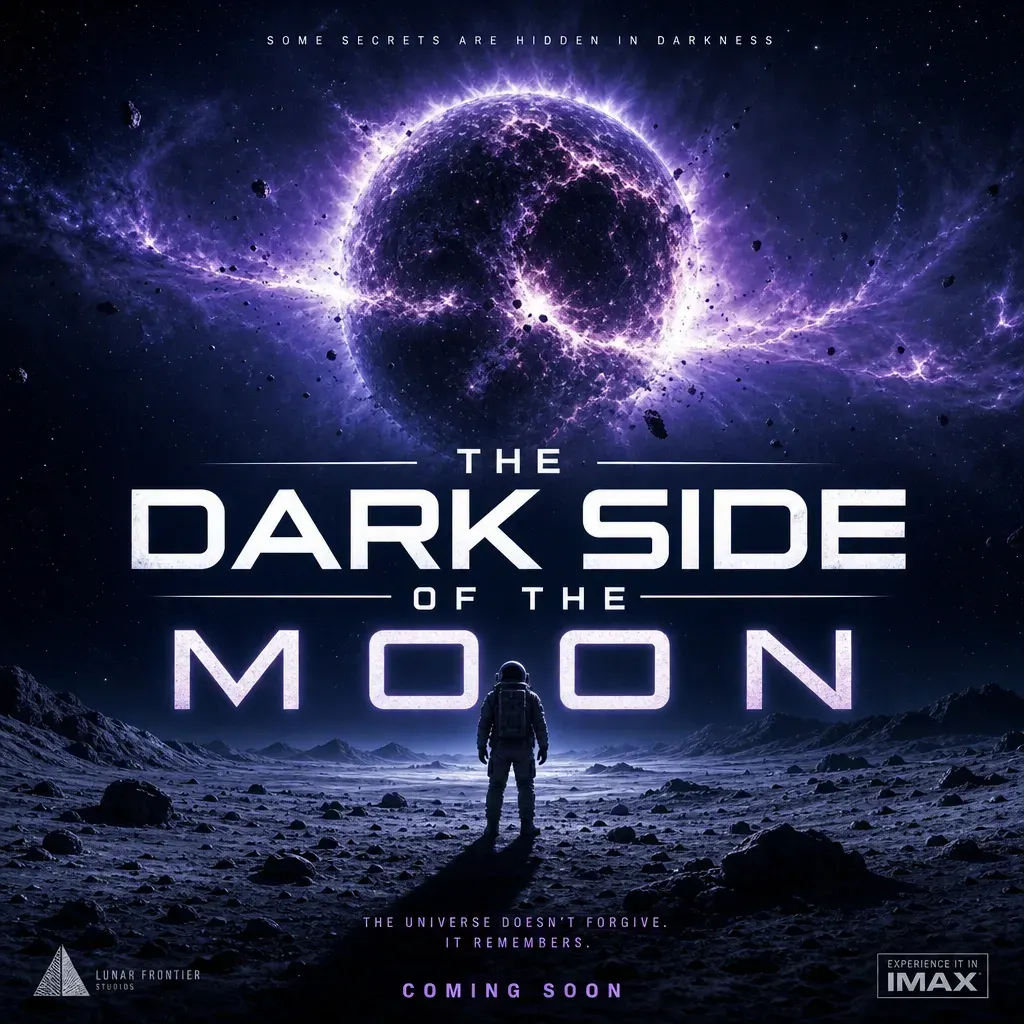
Here's the final result:
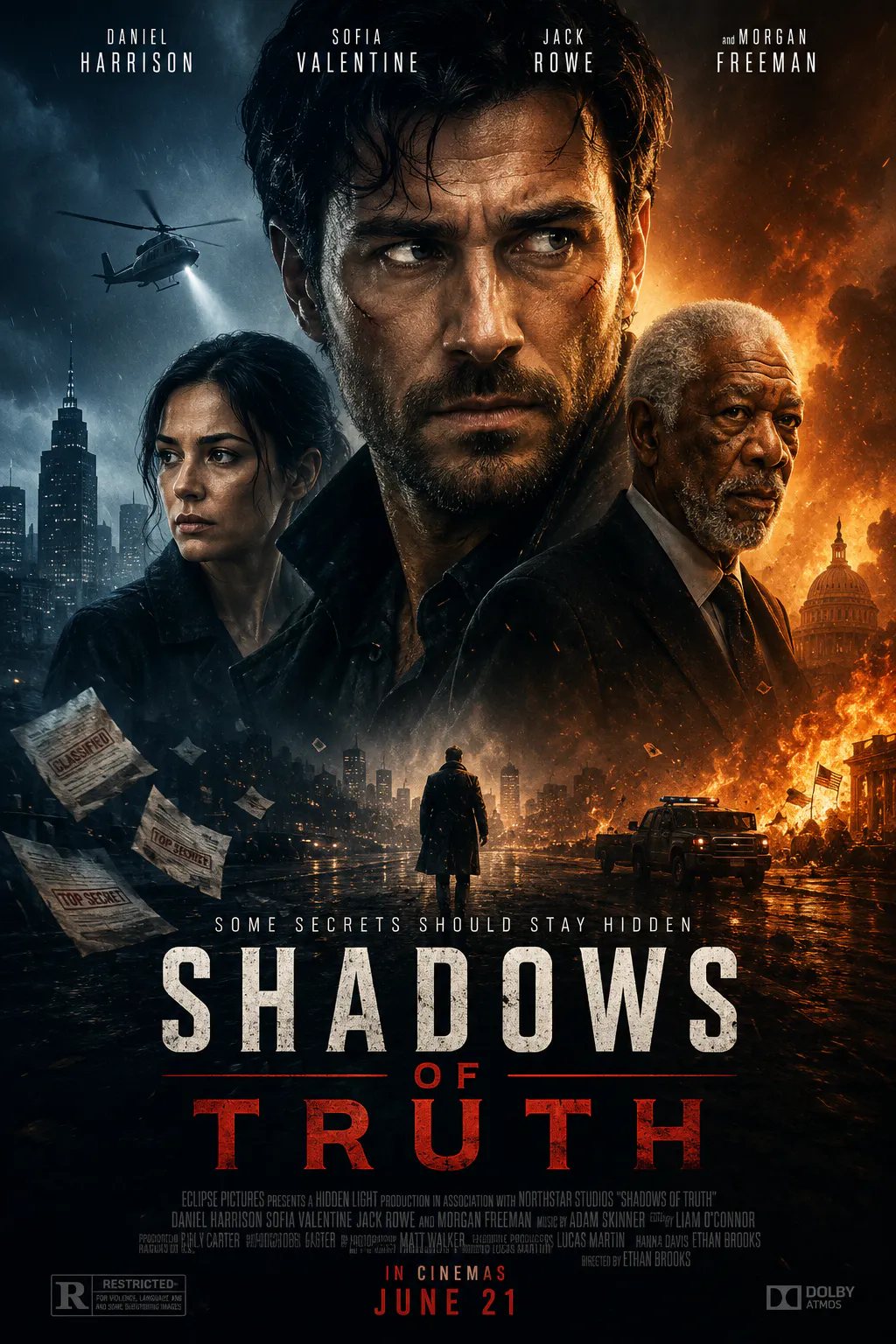
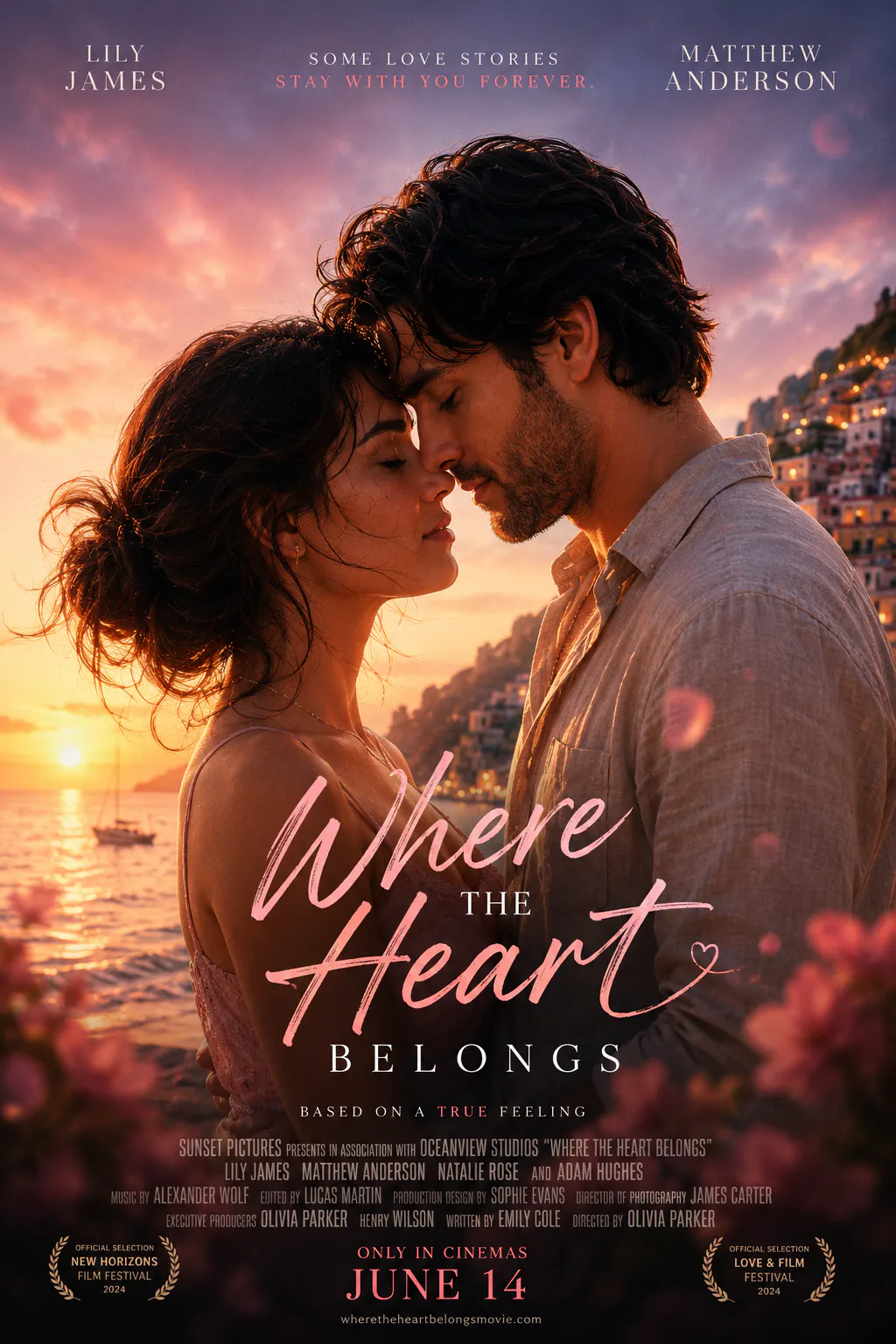
Take a look at some more posters generated by Blend's DesignGPT feature:
RELATED READING: Magazine Cover Maker: How to Design Professional Covers Online
Movie Poster Style Ideas by Genre
If you are not sure where to start creatively, genre conventions are a great shortcut, and they also make solid inspiration for your AI prompt.
Movie genre | Recommended aesthetic | Example prompt |
Horror | Dark, distressed, high contrast | Decaying house silhouette against a blood-red sky, gothic fonts, fog, minimal color palette of red, black, and white |
Romantic drama | Soft lighting, warm tones, elegant type | Close-up of two silhouettes at sunset, warm golden light, soft focus, elegant serif title |
Action/thriller | Bold, gritty, high saturation | Explosive cityscape at night, bold sans-serif title, gritty texture, high contrast orange and blue |
Comedy | Bright, playful, exaggerated | Pastel background, exaggerated character poses, playful rounded font, vibrant colors |
Sci-fi/fantasy | Futuristic or ornate, otherworldly color | Lone figure against a glowing alien horizon, metallic title treatment, deep blues and purples |
Indie/coming-of-age | Nostalgic, film-grain, muted palette | Handheld-style photo, warm muted tones, vintage film grain, minimal text |
You don't have to follow these conventions exactly. Plenty of memorable posters break the mold on purpose, but they are a solid jumping-off point if you are staring at a blank prompt box.
Common Mistakes People Make With DIY Movie Posters
A few things tend to trip people up when they are designing their first poster:
- Cramming too much text onto the page instead of trusting the visual to do the storytelling
- Using low-resolution images that look blurry or pixelated once printed or blown up
- Picking fonts that don't match the tone. For example, a horror movie in a cheerful rounded font just feels off
- Ignoring composition and just centering everything, which flattens the whole design
- Forgetting the credits block, which instantly makes a poster look unfinished or unofficial
Keeping your design simple, legible, and tonally consistent will get you 90% of the way to something that looks professional.
RELATED READING: Thank You Card Design: Create Beautiful Cards in Minutes
Beyond Movie Posters: Building a Full Promotional Kit
Here's something a lot of first-time filmmakers don't think about until it's crunch time: your movie poster is rarely the only visual asset you will need. you will probably also want promotional banners for social media, event posters for screenings, maybe a few teaser images leading up to launch, and thumbnails if you are releasing a trailer on YouTube.
This is honestly where having a tool that goes beyond just "poster maker" pays off. Since Blend is built as a broader AI Design Studio, the same describe-and-generate workflow you use for your poster carries over to your other promotional assets too (like social posts or YouTube Thumbnail Design), so your whole campaign ends up feeling like it came from the same creative hand instead of five different apps stitched together.
Blend vs. Traditional Template-Based Poster Makers
Template editors aren't going anywhere, and they are genuinely useful if you already know exactly what layout you want. But if you are starting from an idea rather than a layout, here's how the two approaches stack up:
Feature | Blend (DesignGPT) | Traditional Template Editor |
Starting point | A text description of your idea | A pre-made template you adapt |
Original artwork | Generates unique visuals per prompt | Reuses the same stock templates as everyone else |
Learning curve | Type what you want, no design skills needed | Requires some familiarity with layers and alignment |
Consistency across a campaign | Remembers your style for future posters | Manual. You rebuild the look each time |
Best for | Original concepts, fast iteration | Quick edits when you already have a fixed layout in mind |
RELATED READING: 50+ Video Prompts: The Complete Guide to Writing AI Video Prompts That Actually Work
Conclusion
Making a movie poster used to mean either hiring a designer or spending a weekend wrestling with design software you barely understood. These days, that's not really the case anymore. Whether you go the traditional template route or try an AI-first approach like Blend's Poster Maker, what matters most is starting with a clear idea of your film's tone and story, and letting the tool handle the heavy lifting from there.
So next time you are staring at a blank canvas wondering how to turn your film into something people will actually stop and look at, just describe what you are picturing and let the design come to you.