
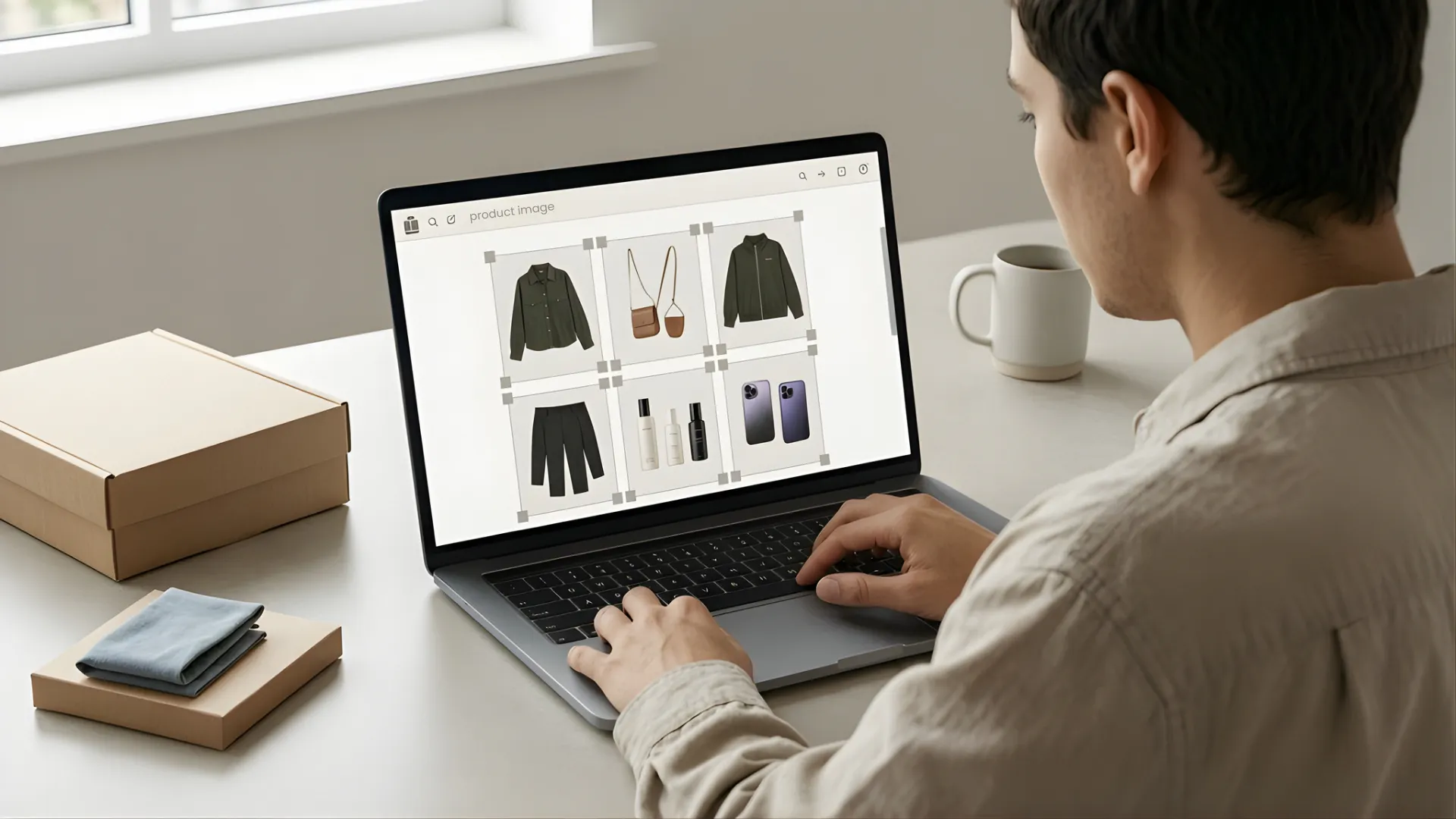


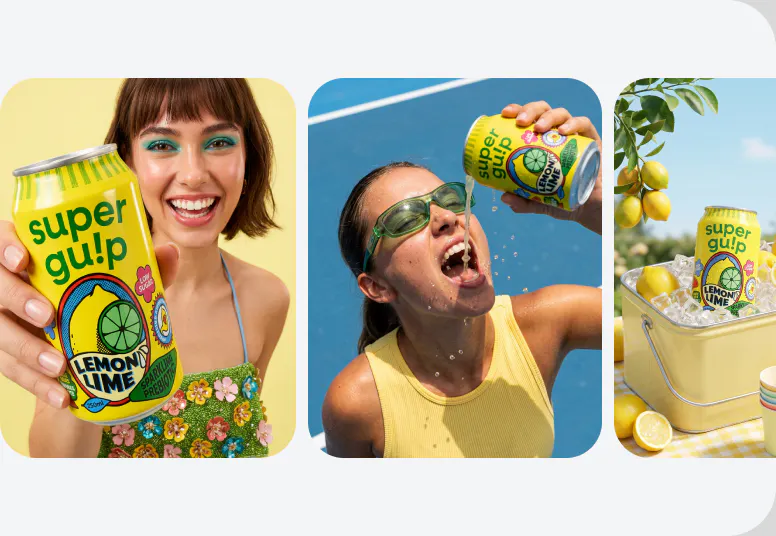
Running an online store in 2026 means producing a constant stream of visual content. Product photos for your listings. Lifestyle images for your website. Social posts for Instagram and TikTok. Ad creatives that need refreshing every few weeks. And with 9 out of 10 online shoppers saying image quality directly influences their purchase decisions, the stakes on every visual are real.
The right ai tools for online sellers handle most of that visual workload without a design team, a photographer, or a subscription to five different apps. But "AI design tool" covers a wide range, from background removal utilities to full creative suites, and not every tool fits every seller's workflow.
Here are seven ai graphic design tools worth your time in 2026, what each one actually does well, and how to build a stack that covers your visual needs without unnecessary overlap.
What to Look for Before You Pick a Tool
Not all design tools solve the same problem. Before signing up for anything, a couple of filters help narrow the field.
Speed and Simplicity Over Feature Bloat
Most sellers don't need a tool with 200 features. A tool that does three things fast and well, like generating product backgrounds, removing clutter, and creating social-ready images, is worth more than one that does everything but takes 30 minutes to figure out.
Output That's Actually Ready for Your Sales Channels
A design tool is only useful if the output works where you sell. Images need to be sized correctly for Amazon, Shopify, Etsy, and social platforms. White-background options matter for marketplace compliance. Export quality should be high enough for paid ads and retina displays. Roughly 22% of online product returns happen because the item looked different than expected in the listing photos. The best ai creative tools ecommerce sellers use produce publish-ready assets that accurately represent the product, not drafts that need further editing.
RELATED READING: 11 Powerful AI Visual Content Creation Tools and Their Use Cases in 2026
Best AI Design Tools for E-Commerce Sellers in 2026
Here are seven tools that cover the core design automation tools sellers actually need, from product photography to social content to video. Stores that upgrade their product visuals with high-quality imagery can see conversion lifts of up to 40% (SQ Magazine), so the tool you choose here has a direct line to revenue.
1. Blend
Blend is built specifically for e-commerce sellers who need professional product visuals without a studio. Upload a product photo and access a full suite of tools from one platform, including AI lifestyle shots, on-model photography with diverse model options, background removal, AI background replacement, product videos, logo creation, social posters, and image cleanup.
For e-commerce, Blend can also help create polished catalog images, showcase products in different settings, generate product scenes without a studio additional product angles, and prepare visuals for social media campaigns. Features like Magic Eraser, image enhancement, and creative background tools make it easier to refine product photos without advanced editing skills.
This is especially useful for sellers who regularly need fresh visuals for product listings, seasonal campaigns, ads, and social content. Instead of arranging separate photography and design workflows, sellers can create multiple types of content from a single product image.
What sets Blend apart is its seller-first approach. Every feature is designed around the workflow of managing product listings and marketing content across multiple channels. One product photo in, a complete visual package out.
Best for: E-commerce sellers and small brands who want product photos, model shots, lifestyle images, ai video creation, and marketing creatives from a single platform..
2. Canva
Canva is the most widely used general design tool for a reason. The template library is massive, covering social posts, ad banners, presentations, and email headers. AI features include text-to-image generation, background removal, and Magic Resize for adapting one design across multiple formats. With over 60% of e-commerce traffic now coming from mobile devices, the ability to quickly resize assets for different screens and platforms matters more than ever.
For sellers, Canva works best for social media graphics and promotional banners. Product photography isn't its strength, so pairing Canva with a product-specific tool covers more ground.
Best for: Social media graphics, promotional banners, and branded marketing materials.
3. Photoroom
Photoroom specializes in background removal and product photo editing tools for building your e-commerce listing. With over 150 million downloads, the mobile app is strong for sellers who shoot and list products from their phone. Batch processing handles large catalogs, and the AI background generator creates clean product scenes.
Best for: Background removal, batch editing, and quick product photo cleanup.
4. AdCreative.ai
When your bottleneck is ad creative rather than product photography, AdCreative.ai fills a specific gap. Upload your product images and brand assets, and the platform generates ready-to-run ad creatives for Facebook, Instagram, Google, and more. The AI scores each variant on predicted performance, helping you prioritize which creatives to test first.
Best for: Performance ad creatives, A/B testing variants, and paid campaign management.
5. Pebblely
Pebblely is a focused AI background generator with a deliberately simple interface. Upload a product photo, pick a theme (minimalist, luxury, outdoor, seasonal), and get styled scenes in seconds. No complex settings, no learning curve. The free tier includes 40 images per month.
Best for: Quick AI product backgrounds on a budget, especially for small catalog sellers.
6. InVideo AI
InVideo AI is the fastest path from a text prompt to a finished short-form video. Type a description, select a platform format (Reels, TikTok, Shorts), and get a complete video with stock footage, captions, and voiceover.
Output is optimized for social feeds rather than polished brand campaigns. For product-specific video with dynamic shots, a dedicated product video tool gives better results.
Best for: High-volume social video content, quick product teasers, and ad clips.
7. Figma (With AI Plugins)
Figma is a professional design platform, not an AI tool by default. But with AI plugins like Magician and Relume, it becomes a powerful option for sellers or small teams with design experience who want full creative control.
For most small sellers, Figma is more tool than needed. But for growing brands building custom landing pages or unique visual systems, the combination of collaborative design and AI acceleration is hard to beat.
Best for: Growing brands with design experience who need custom creative assets beyond templates.
RELATED READING: How to Make a Free Product Mockup
How to Build Your Stack Without Tool Overload
Seven tools is a lot of options. Most sellers don't need all of them. Here's how to narrow it down.
Start With Your Biggest Visual Bottleneck
If your product photos look amateur, fix that first. If your listings are solid but your ad creatives are stale, focus there. A single well-chosen ai graphic design tool that solves your most pressing visual problem will deliver more ROI than subscribing to four tools you barely use.
For most sellers starting out, the biggest bottleneck is product photography. A traditional product shoot runs $200 to $500 per image once you factor in studio, photographer, and retouching. Most AI tools cover the same ground for $10 to $30 per month. An all-in-one platform that handles photos, backgrounds, model shots, and video from a single product image covers the widest range of needs in one subscription.
Fewer Tools That Cover More Ground
Tool fatigue is real. Every new subscription means another login, another interface, and another export format to manage. Prioritize platforms that handle multiple visual needs over single-purpose utilities. A tool that produces your product photos, lifestyle scenes, model shots, and video clips from one upload saves more time than stitching output from four separate apps.
Conclusion
The best design automation tools for e-commerce sellers aren't necessarily the ones with the longest feature lists. They're the ones that match how you actually sell, produce output that's ready for your channels, and reduce the time between "new product" and "live listing."
Pick one tool that solves your biggest visual gap, test it on your top-selling products, and build from there.
Need product photos, lifestyle shots, model images, and video from a single platform? Try Blend free and create professional e-commerce visuals in minutes.
Frequently Asked Questions
What is the best all-in-one AI design tool for e-commerce sellers?
Blend covers the widest range of seller-specific needs in one platform: product photos, AI backgrounds, on-model shots, lifestyle scenes, video, logo creation, and social templates.
Are AI design tools good enough to replace professional product photography?
For most e-commerce use cases, yes. AI-generated product photos, backgrounds, and model shots are now difficult to distinguish from studio photography, especially for standard marketplace listings and social ads.
How much do AI design tools cost for online sellers?
Most tools range from free tiers to $30 per month. A full design stack covering photos, video, and social creatives can run $20 to $50 per month total, compared to thousands for traditional photoshoots and design agencies.
Can I use AI-generated designs on Amazon, Shopify, and Etsy?
Yes. AI-generated images export as standard file formats (JPG, PNG, MP4) that meet marketplace requirements for resolution, background, and dimensions.
Do I need design experience to use these tools?
No. Most AI design tools for sellers are built for non-designers. Upload a product photo, select a style, and download the result. Figma is the exception, which benefits from some design background.
How many AI design tools does an e-commerce seller actually need?
Most sellers do well with one to two tools. A product-focused platform for photos, model shots, and video, plus a general design tool for social graphics and marketing materials, covers the majority of visual needs.
For a deeper breakdown of workflows and comparisons, see our guide on best AI tools for product photography.
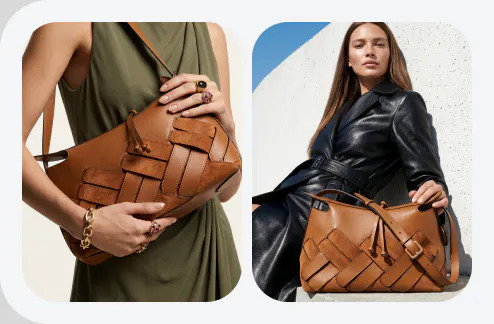
Your product deserves a better backdrop
Places it anywhere, instantly with Blend