




Veo 3 is Google DeepMind's AI video generator that turns text prompts (and optionally a reference image) into 8-second video clips with native audio, camera movement, and realistic physics. For ecommerce sellers, the tool's value is straightforward: you can generate product demo clips, lifestyle scenes, unboxing sequences, and ad-ready shorts from a description instead of a camera setup. Blend's AI Videos tool takes a similar approach but skips the prompt-writing step entirely, generating marketplace-formatted product video from a single photo upload.
The 30 prompts below are structured for Veo 3.1 (the current production model as of mid-2026) and follow a five-part formula that consistently produces usable results: cinematography, subject, action, environment, and audio.
How to Structure a Veo 3 Product Video Prompt
Veo 3 generates better output when prompts follow a predictable structure. Vague descriptions produce vague clips. Specific, layered prompts produce clips you can actually post.
The Five-Part Prompt Formula
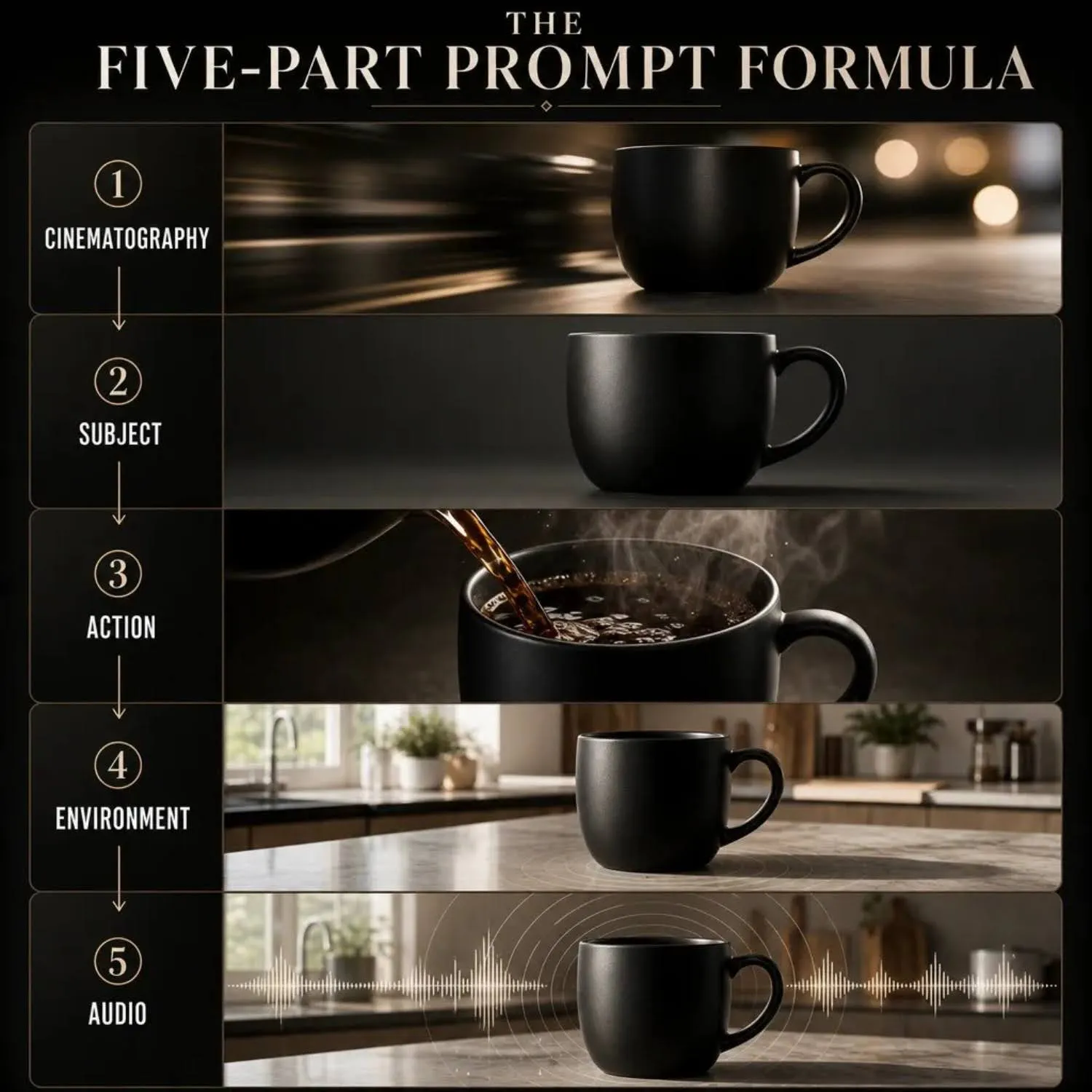
Every prompt in this article follows this sequence:
- Cinematography: Camera angle, movement, and lens type. "Slow tracking shot," "static medium close-up," "overhead dolly" all give Veo 3 specific direction.
- Subject: What the product is, including material, color, and size context. "Matte black ceramic mug" gives more to work with than "coffee mug."
- Action: What happens in the clip. Pouring coffee, opening a box, rotating on a turntable, or placing the product into a scene.
- Environment: The setting where the action takes place. Kitchen counter, studio backdrop, outdoor patio table, retail shelf.
- Audio: Veo 3 generates native audio. Specify ambient sound, dialogue, or sound effects. "Soft ambient cafe noise" or "the click of a lid closing and a satisfied exhale."
Prompt Length and Formatting
Veo 3.1 handles prompts between 50 and 200 words well. Shorter prompts produce generic clips. Prompts over 200 words tend to confuse the model on priority. Aim for 80-120 words per prompt for product videos. Write in complete sentences rather than comma-separated keyword chains.
- Blend Tool: AI Videos
- Product Type: Ceramic mug
- Generation Brief: Side-by-side comparison showing two approaches to product video creation. Left side: a Veo 3 interface with a long text prompt being typed out, showing the five-part structure (cinematography, subject, action, environment, audio) highlighted in different colors. Right side: Blend's AI Videos interface showing a simple photo upload with a one-click generation button. Clean, minimal layout.
- Visible UI Elements: Text prompt input field on the left, Blend's upload-and-generate interface on the right
- Caption: Veo 3 requires detailed prompt writing for every clip. Blend generates product video from a photo upload without any prompt input.
RELATED READING: Turn Product Photos into Instagram Reels with AI
Product Showcase and 360 Rotation Prompts
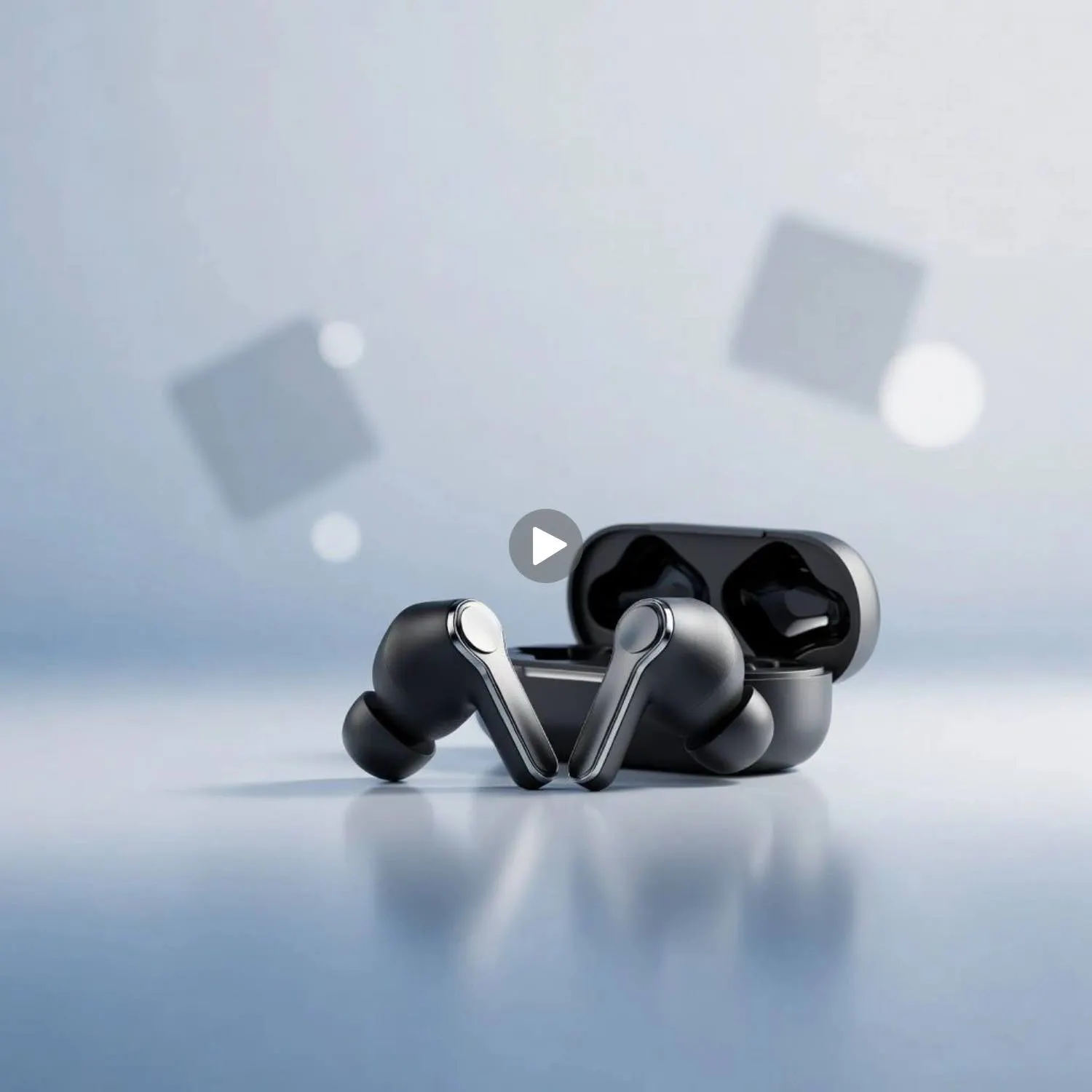
Showcase clips put the product front and center with controlled lighting and minimal distraction. These are your listing-page hero videos.
Prompts 1 Through 6
- Clean turntable rotation: Slow 360-degree turntable rotation of a matte black wireless earbud case on a white seamless backdrop. Soft studio lighting with a subtle shadow underneath. Camera remains static at eye level. No audio except the quiet mechanical hum of the turntable.
- Floating product reveal: A pair of premium leather sneakers slowly descending from above into the center of the frame against a dark charcoal background. Overhead spotlight creating a dramatic pool of light. Camera tilts slightly upward as the shoes land softly. Subtle bass tone and a soft landing thud.
- Macro detail sweep: Extreme close-up tracking shot moving slowly across the surface of a hand-stitched leather wallet, revealing texture, stitching, and embossed logo. Studio ring light creating even illumination. No background visible. Soft ambient tone, the faint sound of leather being handled.
- Color variant lineup: Static wide shot of five color variants of a silicone phone case arranged in a fan pattern on a marble surface. Camera slowly pushes in over 8 seconds, ending on a close-up of the center color. Bright, even studio lighting. Light, upbeat background music.
- Transparent layer reveal: Overhead shot of a skincare bottle placed on a glass surface, with a drop of product being squeezed from the dropper onto the glass. Backlit to show the product's transparency and consistency. Camera remains static. Sound of the squeeze, the drip landing on glass.
- Scale comparison shot: A compact Bluetooth speaker placed next to a standard coffee cup on a kitchen counter. Camera slowly dollies from left to right, showing the size comparison. Natural kitchen lighting from a nearby window. Ambient morning sounds, distant birdsong.
RELATED READING: Top Mistakes to Avoid When Using AI Video Generators from Images
Lifestyle and In-Use Product Prompts
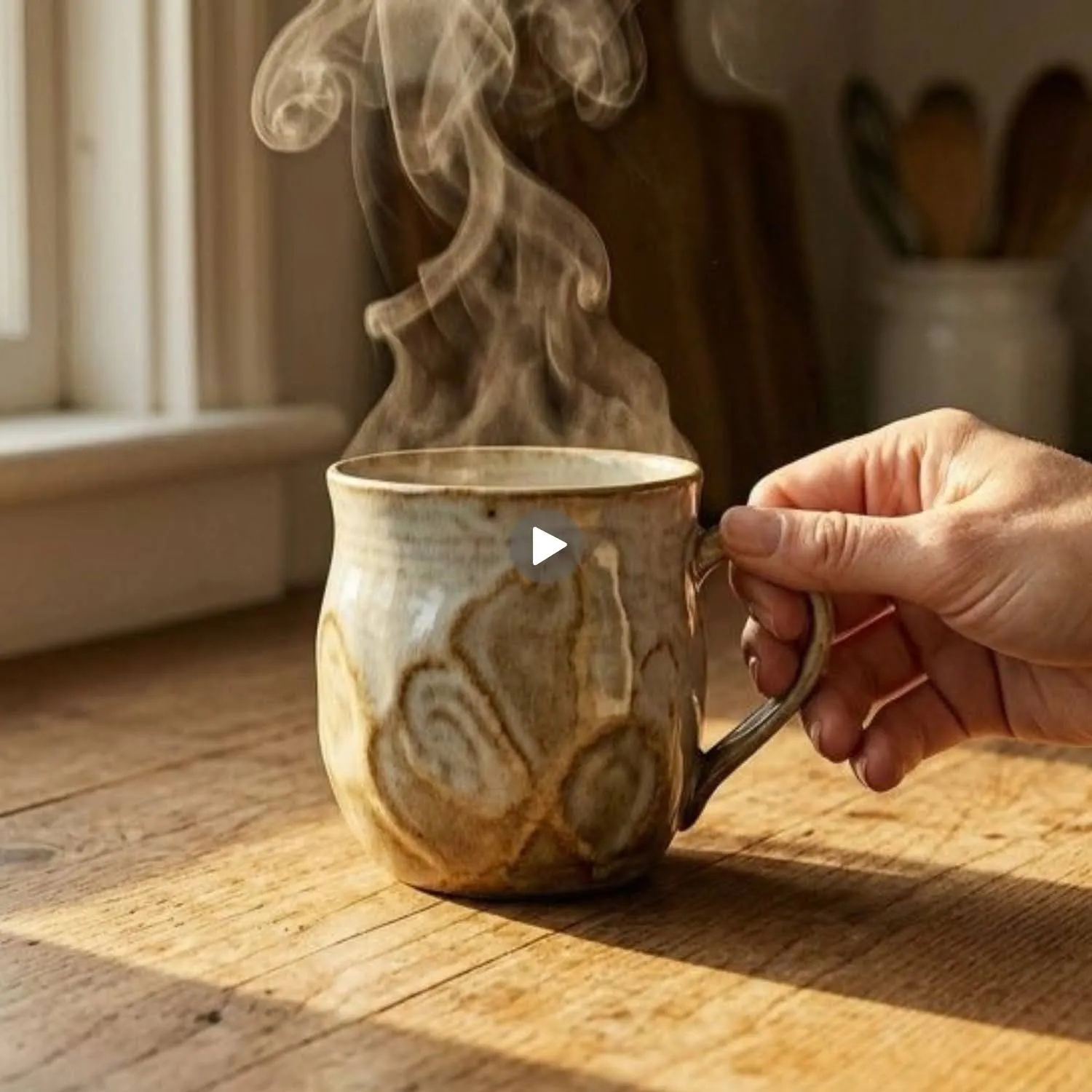
Lifestyle clips show the product in real-world context. Veo 3's physics simulation and audio generation make these prompts feel closer to filmed footage than pure CG.
Prompts 7 Through 14
- Morning coffee ritual: A woman's hand reaches into frame and picks up a handmade ceramic mug from a sunlit wooden kitchen counter. She lifts it to her lips and takes a sip. The camera follows the mug in a slow upward tilt. Warm golden morning light. Sound of the mug being set down, a soft exhale, birds outside the window.
- Workout gear in motion: A runner wearing a neon green moisture-wicking shirt sprints along a coastal path at golden hour. Camera tracks from the side at chest level. Fabric moves naturally with each stride. Wind sound, rhythmic breathing, and the thud of sneakers on packed dirt.
- Desk organization setup: Overhead time-lapse style clip of hands arranging a desk organizer set. Pens, notebooks, and a phone stand are placed into position one by one. Overhead soft lighting. A slight speed ramp gives the sequence energy. Quiet tapping sounds as each item is set down.
- Cooking with the product: Close-up of a non-stick frying pan on a gas stove. An egg is cracked into the pan and slides freely across the surface. Camera slowly pushes in. Warm kitchen lighting. The sizzle of the egg, the click of the gas igniter, ambient kitchen hum.
- Outdoor furniture scene: Wide shot of a modern rattan outdoor chair on a rooftop terrace at dusk. A woman sits down, crosses her legs, and picks up a book from the side table. City skyline softly lit in the background. Ambient city sounds, a gentle breeze, pages turning.
- Pet product in action: A golden retriever chewing on a durable rubber toy in a backyard. Camera at ground level, slightly behind the dog. Natural afternoon light. Enthusiastic chewing sounds, distant kids playing, birds chirping.
- Travel bag packing: Hands packing a canvas duffle bag on a bed. Items placed in sequence: a rolled shirt, a toiletry bag, sunglasses, a passport. Camera overhead, slightly angled. Soft ambient bedroom tone. The zip of the bag closing at the end.
- Jewelry on-body reveal: A woman's hand fastening a delicate gold necklace behind her neck. Camera positioned over her shoulder, angling down to capture the pendant resting on her collarbone. Soft warm light. A quiet clasp click, followed by silence.
Unboxing and First Impression Prompts

Unboxing videos drive conversion because they simulate the buyer experience before purchase. Veo 3's audio generation makes these prompts convincing.
Prompts 15 Through 20
- Premium unboxing sequence: Hands lifting the lid off a white magnetic-closure box, revealing a smartwatch nestled in a foam insert. Camera at table level, pushing in slowly. Studio lighting with a soft vignette. The magnetic snap of the lid, tissue paper rustling, a quiet "wow" exhale.
- Eco-friendly packaging reveal: Top-down shot of hands unwrapping a product from brown kraft paper and hemp twine. A glass jar of face cream is revealed. Natural light from the left. Crinkling paper sounds, the string being pulled, jar placed on wood.
- Subscription box opening: Medium shot of a person sitting at a table, opening a colorful subscription box. Items pulled out one by one and placed on the table. Quick cuts between each reveal. Upbeat, light music. Excited "ooh" reactions on each item.
- Tech gadget reveal: Close-up of a sleek black box being slid open to reveal a pair of wireless earbuds in a charging case. Dramatic lighting with a single overhead spot. Slow, deliberate motion. A smooth slide sound, the case clicking open, a low electronic tone.
- Gift wrapping perspective: First-person perspective of hands wrapping a small jewelry box in gold foil paper, adding a ribbon, and placing it on a table. Camera at hand height, slight shake for realism. Ambient holiday music, tape tearing, ribbon being pulled tight.
- Minimalist single-item unbox: A single candle being removed from a cylindrical tube. Camera at eye level, close-up. The candle is turned slowly in the hand to show the label. Clean white background. Cardboard slide sound, the faint scent-related inhale.
RELATED READING: 50+ AI Photography Prompts for High-Converting Images
Social Media Ad and Short-Form Prompts
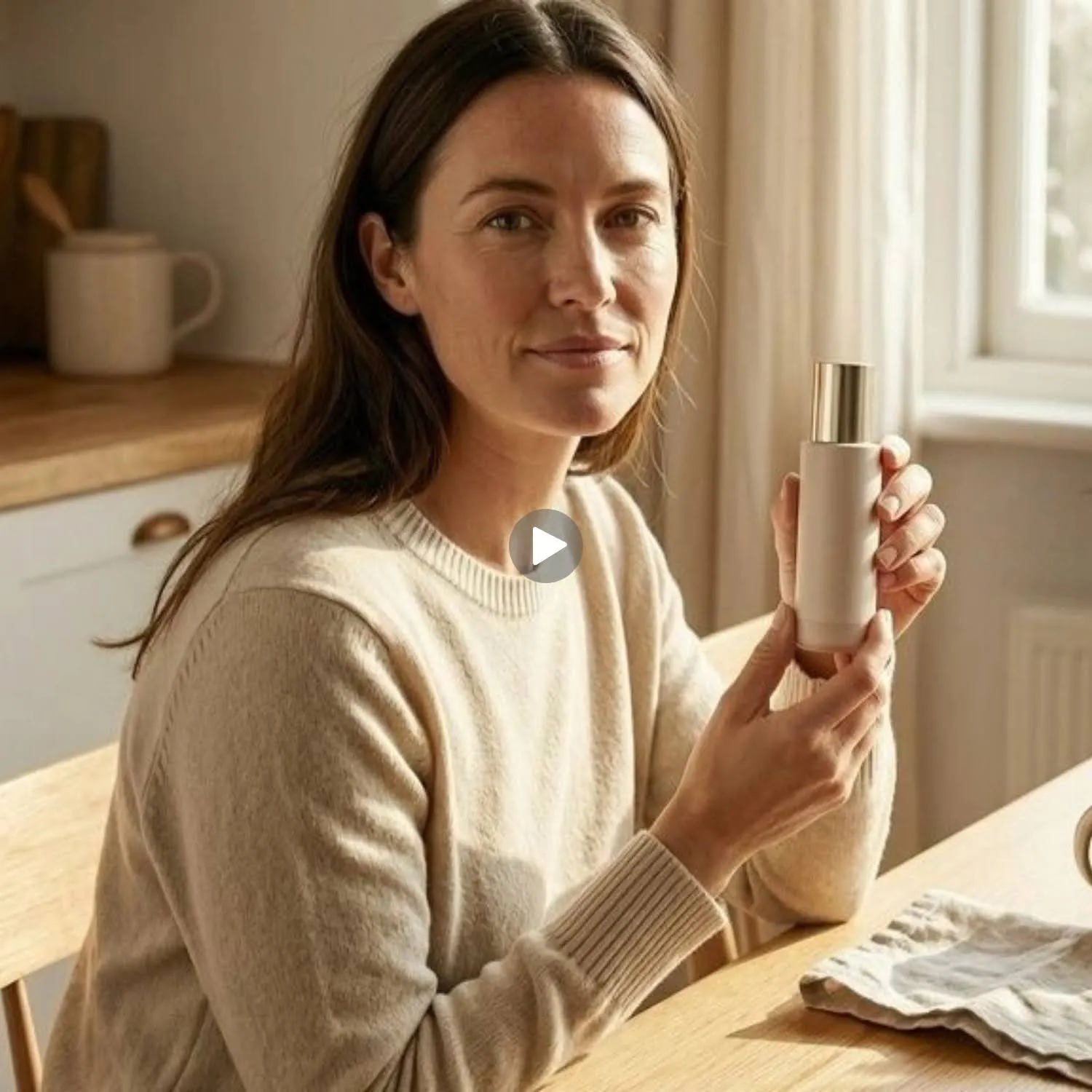
Short-form product clips for TikTok, Instagram Reels, and YouTube Shorts need fast pacing, bold visuals, and immediate product visibility.
Prompts 21 Through 26
- Before and after transformation: Split-screen effect. The left side shows a cluttered, messy desk. The right side shows the same desk organized using a desk organizer set. Camera static. Fast transition wipe from left to right at the 4-second mark. Upbeat electronic beat. Text overlay reading "Same desk. Different energy."
- Product toss and catch: A water bottle tossed in slow motion against a bright blue sky background. The camera tracks the bottle's arc. Sunlight glinting off the surface. Sound of the toss, wind whistling, and a satisfying catch slap.
- Speed assembly: Fast-motion assembly of a flat-pack shelf from parts to finished product. Camera overhead, slightly angled. Modern white room. A snappy background beat synced to the speed ramp. Tools clicking, parts snapping together.
- Ingredient cascade: Overhead shot of individual skincare ingredients (honey, oat extract, aloe gel) falling in slow motion onto a flat surface, merging together, and then a skincare bottle drops into the center of the pool. Clean white background. Liquid splash sounds, a satisfying "thunk" as the bottle lands.
- Day-to-night transition: A wristwatch on a wrist, shown first in bright daylight on a city street, then the lighting transitions smoothly to nighttime. The watch face illuminates. The camera stays tight on the wrist. City sounds shift from daytime bustle to muted evening ambiance.
- Testimonial-style talking head: A woman in her 30s sitting at a kitchen table, looking directly at the camera, holding a skincare bottle. She says: "I stopped using three products and replaced them all with this." Natural home lighting. Conversational tone, ambient kitchen sounds.
Seasonal and Campaign-Specific Prompts

Seasonal prompts generate clips tied to holidays, sales events, and time-limited campaigns.
Prompts 27 Through 30
- Holiday gift guide hero: Slow dolly shot across a styled holiday table with five wrapped products arranged among pine branches and candles. Warm, amber lighting. Soft holiday music. Camera ends on a close-up of the center product with the wrapping partially open.
- Summer sale energy: Quick montage of summer products (sunglasses, flip-flops, beach towel, cooler bag) being tossed one by one onto a sandy beach. Bright, saturated daylight. Upbeat tropical beat. Each item lands with a sandy puff and a fun sound effect.
- Back-to-school essentials: Overhead shot of a backpack being unzipped and filled with school supplies in sequence: notebook, pens, calculator, water bottle. The camera slowly pulls back to reveal the full setup on a clean white desk. Pen clicks, zipper sounds, a locker-slam transition beat.
- New year refresh: A hand wiping a foggy mirror to reveal a fresh, organized bathroom shelf with new skincare products. The camera captures the wipe and the reveal. Bathroom echo acoustics. Water dripping, the squeak of the hand on glass, a calm exhale.
- Blend Tool: AI Videos
- Product Type: Wireless earbuds
- Generation Brief: Two-row comparison. Top row: Veo 3 workflow showing text prompt input, generation wait, and final video output. Bottom row: Blend workflow showing product photo upload, automatic format detection, and instant video output. Clean iconographic style with arrows between each step. Minimal text labels.
- Visible UI Elements: Prompt input field for Veo 3, upload button for Blend
- Caption: Veo 3 generates high-quality video from detailed prompts. Blend generates listing-ready product video from a photo upload with no prompt required.
When Veo 3 Works and When to Use a Dedicated Product Video Tool
Veo 3 excels at creative, narrative-driven product clips where you want full control over camera movement, audio, and storytelling. If you're building a brand film, a social ad with dialogue, or a cinematic product reveal, Veo 3's prompt-based workflow gives you that flexibility.
For sellers processing dozens of SKUs per week who need listing-ready product video across Amazon, Shopify, and social platforms, writing and iterating on 80-word prompts per clip adds up fast. Blend's AI Videos tool generates formatted product video from a single photo upload without prompt writing, making it the faster option for catalog-scale production.
Start Building Complete Listings
Blend converts product photos into marketplace-ready video, studio shots, lifestyle scenes, and model imagery from one dashboard. No prompts required. Start creating for free at blendnow.com.
Frequently Asked Questions
Is Veo 3 free to use for product videos?
Veo 3 is accessible through the Gemini app with a Google AI Pro or Plus subscription, which limits users to a few video generations per day as of mid-2026. Free-tier Gemini users have limited or no access to Veo 3.1. API access through Google Cloud has per-generation pricing. Fully free product video generation at scale is not currently available through Veo 3.
What resolution does Veo 3 output?
Veo 3.1 generates video at 720p or 1080p resolution, 24 frames per second. Clips can be generated in landscape (16:9) or portrait (9:16) format. Maximum duration is 8 seconds per generation, with video extension available.
Can Veo 3 generate product videos from photos?
Yes. Veo 3.1 supports image-to-video generation where you upload a reference photo and add a text prompt describing the desired motion and scene. For ecommerce product videos specifically, Blend's AI Videos tool also converts product photos to video but without requiring a text prompt.
How do Veo 3 prompts differ from Midjourney or ChatGPT image prompts?
Veo 3 prompts need to describe motion, duration, and audio in addition to visual elements. Image generators only handle static composition. A Veo 3 product video prompt should include camera movement, action sequence, environmental audio, and pacing. Write in full sentences rather than keyword lists for the best results.
What is the best free alternative to Veo 3 for product videos?
For free product video generation, options are limited. Veo 3 offers restricted free access through the Gemini app. Kling AI provides a free tier with limited credits. Blend offers a free plan that includes product video generation alongside studio shots, lifestyle imagery, and model photography in one workflow.