
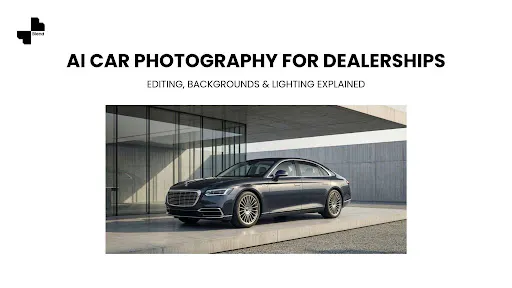



A car sitting on a lot surrounded by other cars, light poles, and pavement does not look like something worth $35,000. The same car placed on a clean studio background with balanced lighting looks like a vehicle a buyer would drive off the lot today. The difference between those two images is not a $5,000 photo studio. In 2026, the difference is a few minutes of AI-powered photo editing, and increasingly, a few minutes of AI-powered video as well.
Dealership photography has always been a bottleneck. Vehicles arrive on the lot and need to be photographed, edited, and listed before they start costing money in floorplan interest, depreciation, and insurance. Every day a car sits unlisted is a day it is not earning. The traditional fix was hiring a photographer, setting up studio lighting, or renting a turntable bay. All of those solutions are expensive, slow, and hard to scale when 30 new units arrive in a single week.
AI car photo editing changes that math. A salesperson with a smartphone can photograph a vehicle on the lot, and AI tools handle the rest: removing cluttered backgrounds, correcting lighting, adding realistic shadows, and exporting images that look like they came from a professional studio. The same source photos can then feed a second AI step, turning a single still image into a short, professional video clip for social ads, marketplace listings, and new-arrival posts, without a second photo shoot. Here is how the whole workflow works, from lot photo to finished listing to marketing video.
Why Dealership Car Photos Need a Different Approach
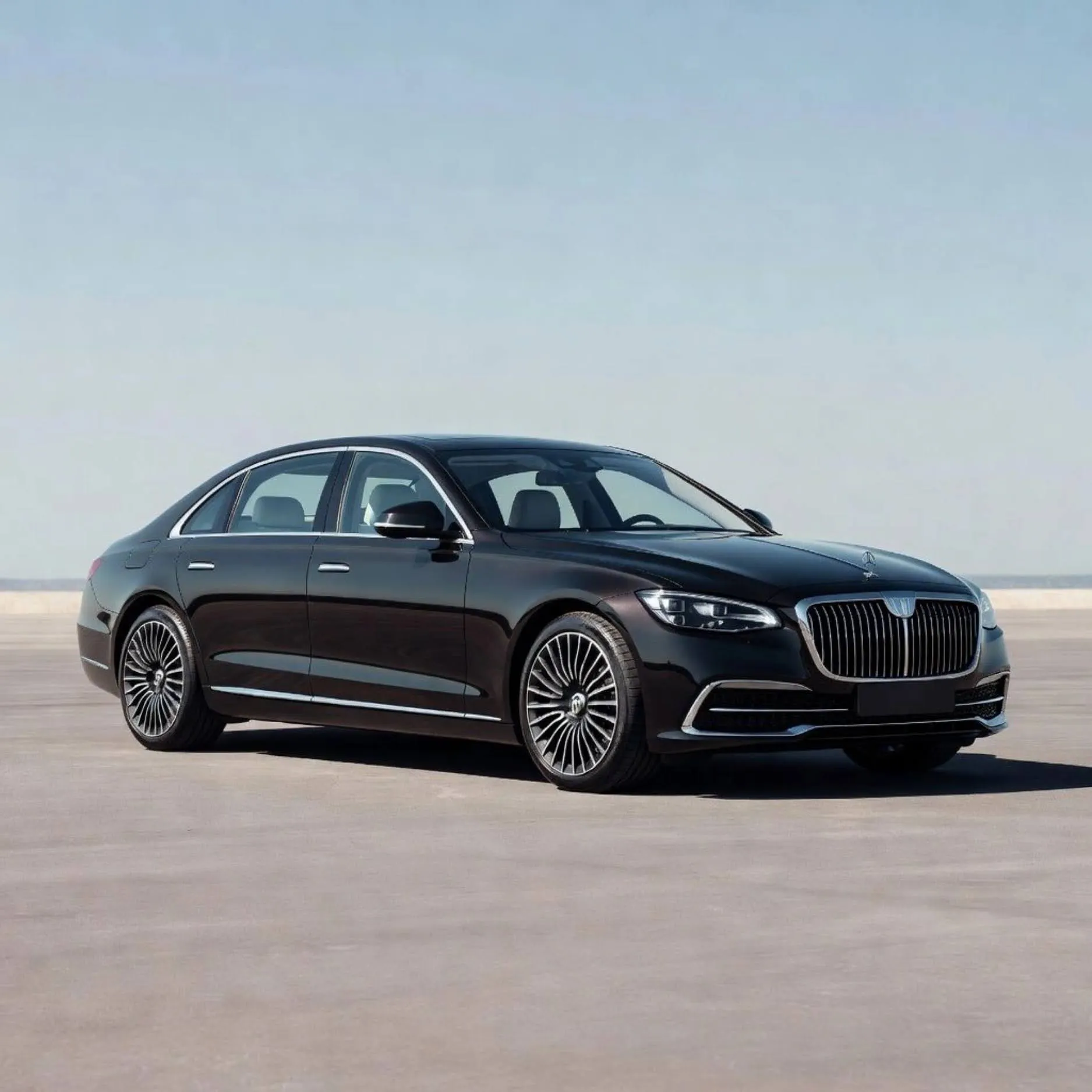
Car photography for dealerships is not the same as car photography for magazines or enthusiasts. The goals are different, the scale is different, and the standards that matter are different. A magazine photographer optimizes for one striking image. A dealership photographer, or the AI tool standing in for one, optimizes for volume, consistency, and speed, because the business model depends on turning inventory over quickly.
Speed Matters More Than Artistry
A lifestyle car magazine might spend a full day shooting a single vehicle. A dealership needs to photograph, edit, and list 10 to 30 vehicles per week. The workflow has to prioritize throughput without sacrificing the visual quality that buyers expect.
Buyers scrolling through listings on AutoTrader, Cars.com, CarGurus, or a dealership’s own website are comparing dozens of vehicles side by side. A listing with dim, cluttered lot photos next to a listing with clean, bright, studio-style images loses the click every time. Speed and quality are not trade-offs in dealership photography. You need both, and that is precisely the gap AI editing tools were built to close: they compress the editing side of the equation from hours to minutes without asking the dealership to compromise on how the final image looks.
Consistency Across Inventory Builds Trust
A dealership’s online inventory page is essentially a product catalog. When every vehicle is photographed against the same clean background, with the same lighting treatment, the same angle sequence, and the same crop framing, the catalog looks professional and trustworthy. When one car is shot at sunset, another in the rain, and a third inside a service bay, the visual inconsistency signals disorganization, and buyers read disorganized photography as a proxy for disorganized service.
Consistency is especially important for multi-location dealer groups. A customer browsing a five-store group’s website should not be able to tell which location photographed which vehicle. Every listing should look like it came from the same studio, even if it came from five different lots on five different days. AI editing tools solve this by applying the same background, lighting profile, and export settings to every photo regardless of who took it or where, which is a level of standardization that is nearly impossible to enforce across a team of human photographers working independently.
Mobile Shoppers Judge Faster
Most vehicle shopping starts on a phone. Buyers scroll through thumbnails, tapping only on the listings that catch their attention. A thumbnail of a car against a cluttered lot background blends into the noise. A thumbnail of the same car against a clean, bright background stops the scroll. AI-edited photos optimized for mobile display give every vehicle in your inventory a competitive edge in the first half-second of a buyer’s attention, before they have read a single word of the listing description.
Short vehicle video clips showing the car from multiple angles or in a lifestyle setting can further boost engagement on social feeds and marketplace galleries. For dealerships running paid ads during sales events, video consistently outperforms still imagery in both click-through rate and time on page, which is why the video workflow later in this guide is not an optional add-on: it is quickly becoming table stakes for dealerships that want their ad spend to work as hard as it can.
RELATED READING: AI Tools Built to Scale Your Ecommerce Visuals
AI Background Removal and Replacement for Vehicle Listings
The single highest-impact edit for dealership photos is the background swap. Removing the lot, the neighboring cars, the traffic, and the sky, and replacing them with a clean, controlled background transforms the image from a snapshot into a listing photo. This one edit does more to lift a listing’s perceived value than any other single change you can make to a dealership photo.
How AI Background Removal Works for Cars

AI background removal tools analyze the image, identify the vehicle as the subject, and separate it from everything behind it. The result is a clean cutout of the car that can be placed onto any background.
Cars present unique challenges for background removal compared to simpler products. Reflective surfaces, curved glass, and transparent windows all require the AI to make careful edge decisions, because a straight-line cutout will clip mirrors, antennas, and side skirts, while an overly aggressive cutout will eat into the tires or wheel wells. Purpose-built automotive AI tools handle these challenges better than general-purpose background removal tools because they are trained specifically on vehicle images and understand where a bumper ends and a shadow begins, something a generic product-photo tool trained mostly on shoes and electronics will frequently get wrong.
Once the background is removed, you have several options:
Clean white or grey studio background. The safest, most universal option. Matches the visual standard of professional dealership photography. Studio shot tools can generate this with realistic floor reflection and balanced lighting, which keeps the vehicle from looking like it is floating in empty space.
Branded dealership background. A consistent background with your dealership’s logo, color scheme, or promotional messaging. AI-generated backgrounds let you create a recognizable visual identity across marketplace listings without photographing every vehicle in the same physical spot, which matters when your inventory is spread across an outdoor lot that changes with the weather and the season.
Scenic or lifestyle background. A mountain road, a city skyline, or a scenic highway. AI lifestyle tools can place the vehicle in an aspirational setting that matches the car’s personality. A rugged SUV on a desert trail. A luxury sedan on a rain-slicked city street. A convertible on a coastal highway. These work well for marketing use but are a poor default for your primary listing photo, since buyers expect to see the actual vehicle clearly rather than a mood shot.
When to Use Which Background
For your primary listing image on dealer websites and marketplace platforms, a clean studio or branded background is the professional standard. For social media ads, promotional banners, and email campaigns, lifestyle backgrounds add emotional appeal and help the vehicle stand out in a feed.
A practical approach is to generate one studio-background hero image for the listing and one or two lifestyle variants for marketing use, all from the same source photo. This is also where the workflow starts to pay for itself twice: the same fifteen-minute photo session produces both your compliance-safe listing image and your scroll-stopping ad creative, instead of requiring two separate shoots for two separate purposes.
RELATED READING: Professional Vehicle Visuals Built for Car Dealerships
Studio-Quality Lighting Without a Studio
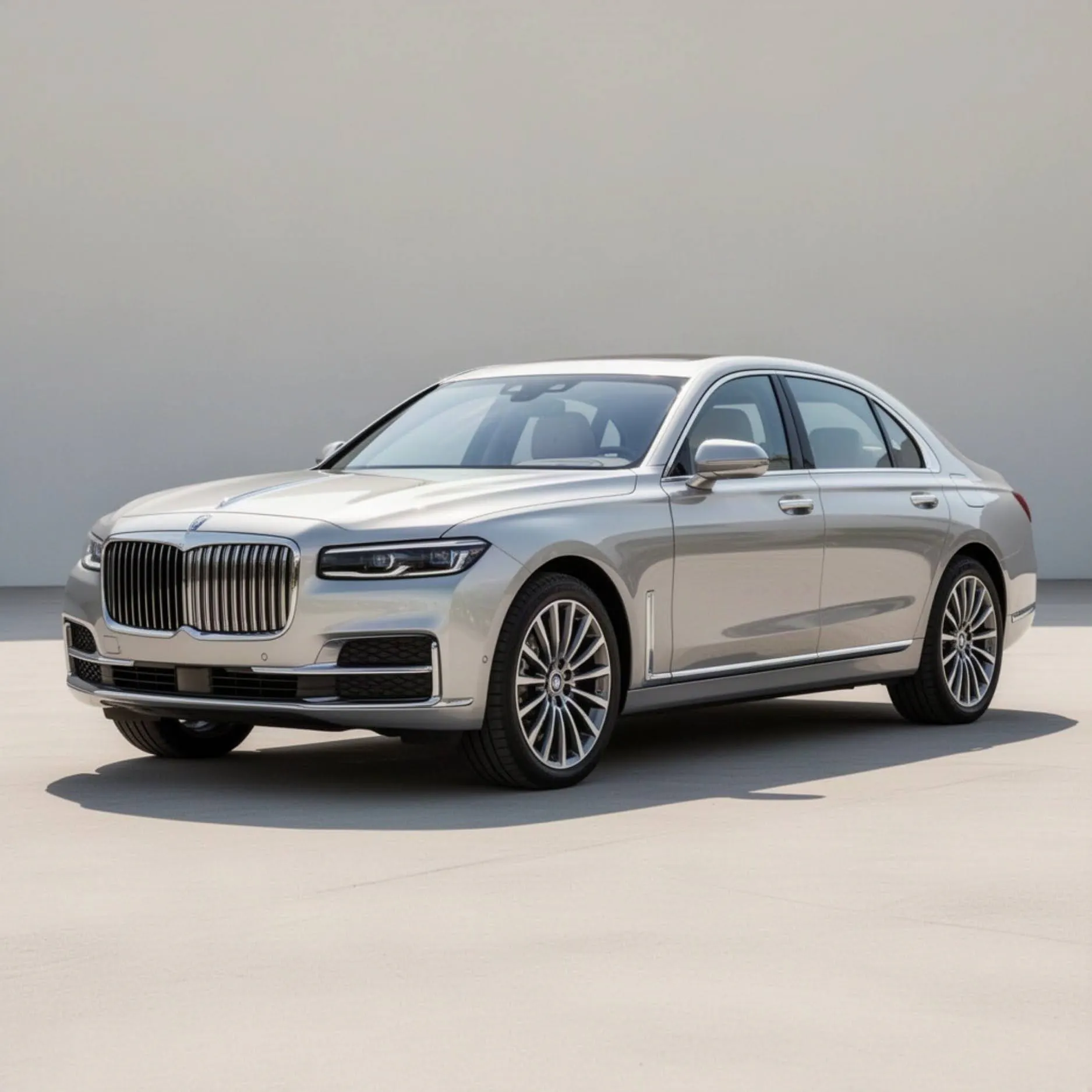
Lighting is what separates a professional car photo from a lot snapshot. Even exposure, balanced shadows, and accurate color reproduction make a vehicle look its best. In a physical studio, achieving this requires diffused overhead lights, fill panels, and careful positioning. With AI, lighting can be corrected and enhanced after the photo is taken, which removes the single biggest reason dealerships avoided proper studio lighting in the first place: the equipment cost and the setup time.
What "High Quality" Actually Means for a Listing Photo
A high-quality dealership listing photo is not about artistic flair. A buyer looking at a listing photo needs to see:
- Accurate color. The car’s paint color should match what the buyer will see in person. An AI photo that shifts a blue car toward purple, or a silver car toward grey, creates a mismatch that leads to disappointed showroom visits, and in some states, exposes the dealership to the kind of misleading-advertising complaint discussed later in this guide.
- Even exposure. No blown-out highlights on the hood. No dark shadows hiding the lower body panels. Every part of the vehicle should be visible and clearly rendered, since a buyer who cannot evaluate the rocker panels or lower bumper in the photo will assume there is something to hide.
- Realistic shadows. A car floating on a background with no shadow looks fake. Realistic ground shadows anchor the vehicle and make the image feel natural, which is a small detail that buyers register subconsciously even when they cannot articulate why one photo looks more trustworthy than another.
- Consistent white balance. All images in the inventory should share the same color temperature. Mixing warm-toned photos with cool-toned photos across listings looks inconsistent and undercuts the catalog effect described earlier in this guide.
How AI Handles Lighting Correction
AI lighting tools analyze the existing light in a photo and adjust it to match a target standard. Common corrections include:
- Brightness and exposure balancing. Evening out underexposed areas, such as wheel wells and lower panels, and toning down overexposed highlights on the roof and hood reflections.
- Color correction. Adjusting white balance so the vehicle’s paint color appears accurate under consistent lighting conditions, regardless of whether the source photo was shot under fluorescent showroom lighting or direct afternoon sun.
- Shadow rendering. Adding or refining ground shadows so the vehicle looks grounded on the background rather than cut and pasted, which is one of the fastest visual tells separating amateur AI editing from a professional result.
- Reflection management. Toning down distracting reflections on windows and paint without eliminating the natural reflective quality that makes a car photo look realistic.
For dealerships that photograph vehicles outdoors, AI lighting correction is especially valuable. Overcast days, harsh midday sun, and mixed shade-and-sunlight conditions all produce inconsistent results. AI normalizes these variations so every vehicle in your inventory looks like it was shot under identical studio conditions, regardless of when or where the photo was actually taken, which is the difference between a lot that looks professionally managed and one that looks like whoever was free that afternoon grabbed a phone.
Editing at Inventory Scale
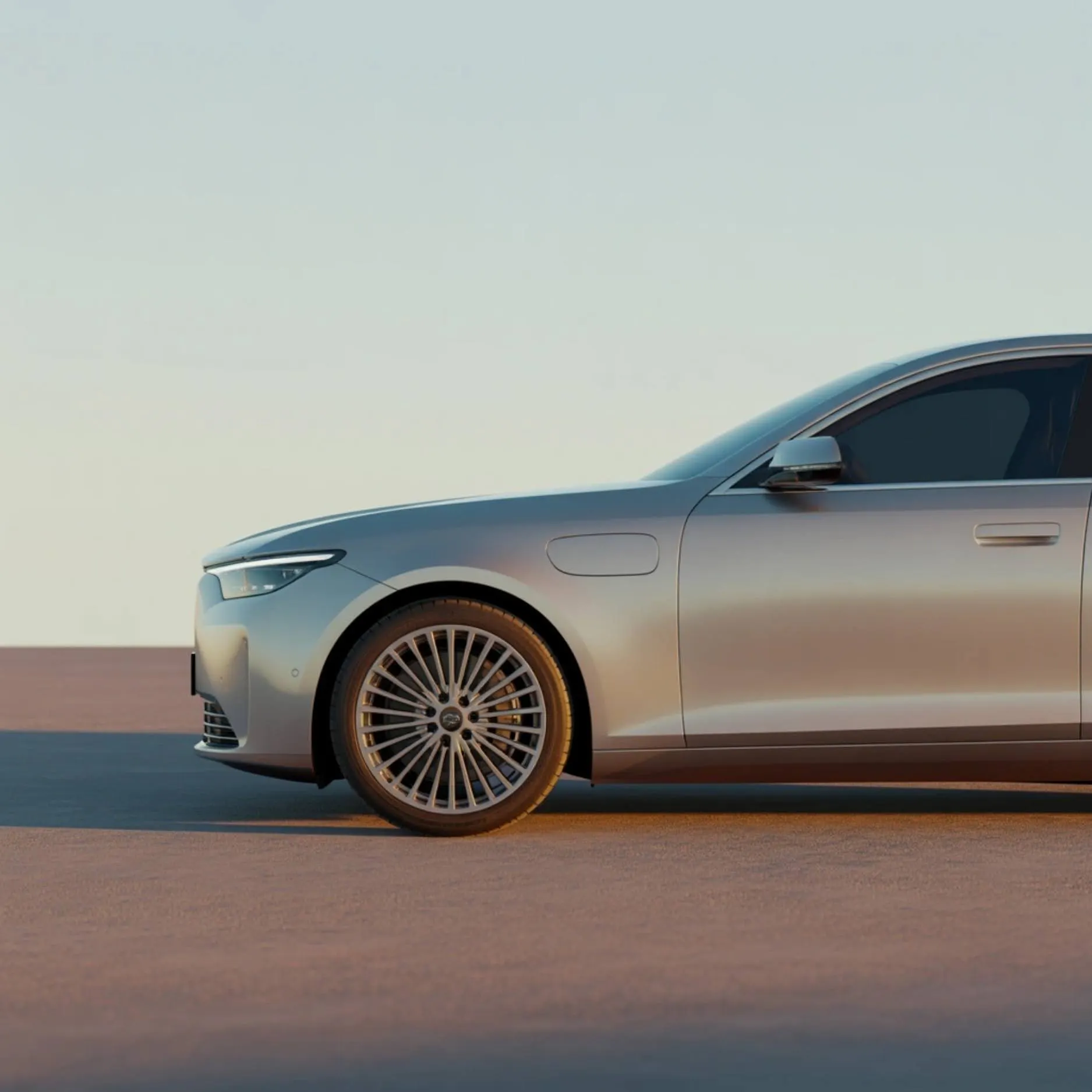
Processing one car photo with AI is fast. Processing 300 photos per week across a full inventory is where the workflow needs to be built for scale, and this is where most dealerships either capture the full benefit of AI editing or leave most of it on the table.
Batch Processing for Volume Dealers
Batch processing lets you apply the same edits, background, lighting standard, and export settings, to dozens or hundreds of photos in a single pass. Instead of editing each image individually, you set your parameters once and run the full batch.
For a dealership receiving 10 to 15 new vehicles per week, each photographed from 15 to 25 angles, that is 150 to 375 photos per week. Manual editing at 5 minutes per photo would take 12 to 31 hours of labor every week. AI batch processing with consistent background and lighting templates can reduce that to under 2 hours, freeing that labor for the parts of the job that still require a person: greeting walk-in customers, following up on leads, and closing deals.
The cost savings go beyond labor hours. Every day a vehicle sits unlisted is a day it accumulates floorplan interest, depreciation, insurance, and lot overhead. At a mid-volume store doing 60 units per month, reducing time-to-list by even a few days can represent significant holding cost savings over the course of a year. Fast photo processing is not just an operational convenience. For dealerships, fast photo processing is a financial lever, and it is one of the few levers that does not require hiring anyone new.
Standardizing the Photo Capture Process
AI editing cannot fix what was not captured in the first place. A missing angle, a dashboard shot taken in the dark, or a blurry exterior photo will produce a blurry or incomplete listing no matter how good the editing tools are.
Standardize your capture process with a consistent shot list:
- Exterior angles. Front three-quarter, rear three-quarter, driver side, passenger side, front straight-on, rear straight-on.
- Detail shots. Wheels, grille, badging, any notable features or damage.
- Interior. Dashboard, steering wheel, center console, rear seat, cargo area.
- Condition documentation. Close-ups of any wear, scratches, or imperfections for transparency.
A consistent shot sequence ensures every vehicle has the same number of images in the same order, making the editing and listing process predictable and fast. When any staff member can follow the same sequence and produce usable source photos, you eliminate the dependency on a single trained photographer and remove a key bottleneck from your workflow. This matters most on the days it matters least: when your one photographer is out sick and eight cars arrived on the truck that morning.
Why Consistency Matters Across Marketplace Listings

Your inventory appears on your dealership website, AutoTrader, Cars.com, CarGurus, Facebook Marketplace, and potentially a dozen other syndication channels. Each platform has its own display format, thumbnail crop, and image compression. The one thing you control is the quality and consistency of the source images.
When every vehicle is photographed against the same clean background with consistent lighting and color, your listings become instantly distinct across platforms. Buyers who see your inventory on three different sites recognize your dealership’s visual standard, even before they read the listing details. That recognition builds trust and makes your inventory stand out in a sea of lot-photo listings, and it compounds: a buyer who has already mentally filed your dealership as “the one with the clean photos” clicks your next listing faster too.
From Photo to Listing in One Workflow
The strongest dealership photo workflows connect capture, editing, and publishing into a single pipeline. Photos taken on the lot flow into the AI editing tool, get batch-processed with the dealership's background and branding, and export directly to the dealer management system (DMS) or website CMS.
Reducing the number of handoffs between capture, editing, and publishing eliminates the delays that keep vehicles off the website. A vehicle photographed Monday morning should be listed Monday afternoon, not sitting in a photo editing queue until Wednesday.
Car Photography Tips for Better Source Images
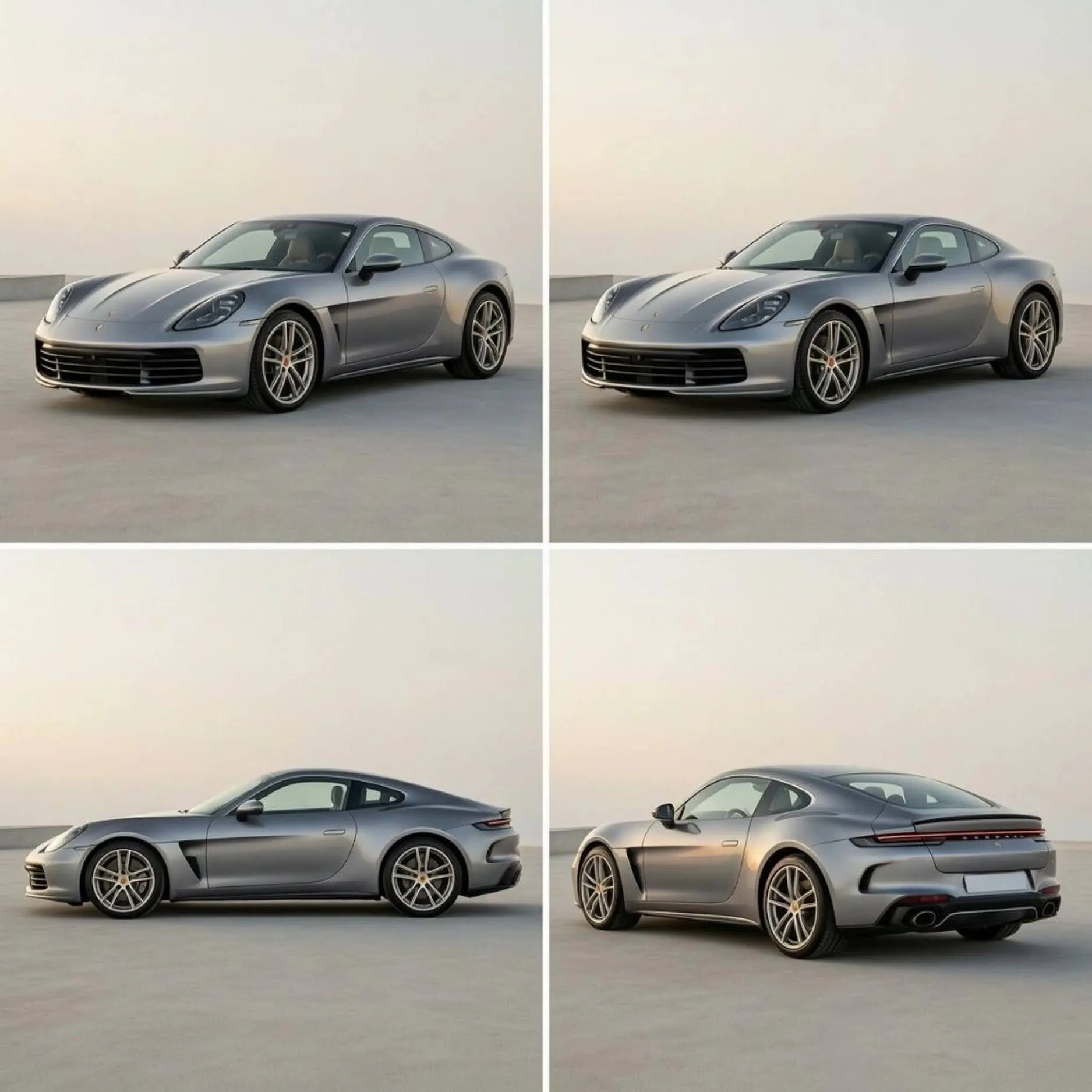
AI can enhance a good photo significantly. What AI cannot do is rescue a fundamentally bad one. Starting with a better source image means the AI produces a better output. Here are a few practical tips for the person behind the camera.
Shoot at the Right Time of Day
Overcast days produce the most even, flattering light for car photography. Harsh midday sun creates strong shadows and blinding reflections that are harder to correct in post-production. If you have to shoot in direct sunlight, position the car so the sun is behind you and slightly to one side.
Early morning and late afternoon (the "golden hour") produce warm, directional light that can look great but also creates long shadows and uneven exposure across the vehicle. For consistency at scale, overcast mid-morning or mid-afternoon is the sweet spot.
Use the Three-Quarter Angle
The classic three-quarter angle (45 degrees from the front corner) is the most flattering for almost any vehicle. The angle shows the front fascia, the side profile, and enough of the roofline to give the buyer a complete picture of the car's proportions. Start your photo sequence with this shot, and it will likely become your hero image.
Keep the Background as Clean as Possible
Even though AI will replace the background, starting with a cleaner environment makes the cutout more accurate. If you can move the car to a spot with fewer objects close to the vehicle (no carts, no trash cans, no adjacent cars crowding the frame), the AI will produce cleaner edges with fewer artifacts.
Watch for Reflections in Windows and Paint
Cars are reflective surfaces. The photographer, the surrounding lot, and other vehicles can all appear as reflections in the paint and glass. Positioning yourself at a slight angle rather than shooting head-on, and wearing neutral-colored clothing, reduces the most distracting reflections.
From Still Photos to Showroom-Ready Video: AI Video for Dealership Marketing
The same AI workflow that turns a lot photo into a studio-quality image can take that finished photo one step further: into a short, professional video clip. This is a different use case than the viral, effects-driven car videos that circulate on social media, where the goal is entertainment and the vehicle is often a prop in someone else’s performance. A dealership’s use case is narrower and more commercial: the video exists to sell a specific, real vehicle currently sitting on the lot, so it needs to look accurate, current, and trustworthy rather than stylized or exaggerated.
That distinction matters operationally. A dealership publishing a video of a vehicle that customers can walk in and buy today has a different bar to clear than a creator publishing an entertainment clip: the car, the color, the trim, and the visible features all need to match the actual unit, because a buyer who shows up expecting the car in the video and finds a different vehicle on the lot is a lost sale and a trust problem. Anything generated for dealership use should stay close to the real photographed vehicle rather than reimagining it.
Turning a Single Listing Photo Into a Cinematic Reveal Clip
The most common and most useful dealership video is a short reveal clip built from the same three-quarter hero photo used for the listing. A slow camera push toward the vehicle, gentle light movement across the paint, and a clean studio or branded background turn a still image into six to ten seconds of motion that stops a scroll far more effectively than a static photo does.
Because the source is the same edited photo already approved for the listing, there is no additional photography step and no risk of the video showing a different angle, color, or condition than what the buyer will see on the lot.
Prompt Structure for Dealership Vehicle Video
Where a viral consumer car video prompt is written to produce something dramatic and stylized, a dealership prompt should be written to produce something calm, accurate, and repeatable across dozens of vehicles a week. The structure that works reliably:
Describe the exact vehicle. Reference the specific photo, not a generic description, so the output matches the real unit rather than an approximation of “a black sedan.”
Specify a simple, professional camera movement. A slow push-in, a gentle side pan, or a controlled orbit. Avoid drama for its own sake: no simulated speed, no unrealistic environments, nothing that could not plausibly represent the vehicle as it exists on your lot today.
Set a clean, consistent environment. Match the studio or branded background already used for your listing photos, so the video and the photo look like they belong to the same catalog.
Lock the vehicle’s identifying details. State explicitly that the color, wheels, trim badges, and any visible damage or wear must stay exactly as shown in the source photo. This is the single most important instruction in a dealership video prompt, because it is the one that keeps the output honest.
Three examples built on that structure:
New arrival reveal: Using the uploaded three-quarter photo of this vehicle, create a six-second video with a slow, smooth push-in toward the front corner. Soft studio lighting shifts gently across the paintwork as the camera moves. Keep the vehicle’s color, wheels, badging, and every visible detail exactly as shown in the source photo. Clean branded background, no added elements, no environment change.
Feature spotlight clip: Using the uploaded interior photo, create a five-second video with a slow pan across the dashboard and center console, highlighting the infotainment screen and trim materials exactly as photographed. Natural, even lighting. No added people, no interior changes, no dramatic camera movement.
Social listing teaser: Using the uploaded studio hero photo, create an eight-second video that opens on a wide shot of the full vehicle, then slowly orbits fifteen degrees toward the front three-quarter angle before settling. Consistent studio lighting throughout. Preserve the vehicle’s exact color, condition, and features as shown in the photo, with no stylization added.
Related Reading: AI Video Maker for E-Commerce That Turns Product Photos into Reels
Where AI Video Fits in the Dealership Marketing Funnel
Video is not a replacement for your listing photo. It is an additional asset generated from the same source material, deployed at specific points in the buying journey where motion outperforms a static image.
Inventory Landing Pages
A short looping clip on a vehicle detail page, placed alongside the full photo gallery, keeps a browsing customer engaged longer without requiring them to click through every still image individually. This is a low-risk, high-value placement, since the customer is already on your site and already interested in this specific unit.
Paid Social and Marketplace Ads
Video ads on Facebook, Instagram, and marketplace platforms consistently draw more attention in a crowded feed than a static photo ad. A six to ten second reveal clip built from an existing listing photo can be dropped directly into an ad campaign without any additional creative production budget.
New Arrival and Sold Announcements
A short clip announcing a new arrival, or celebrating a delivered sale, gives your dealership’s social presence a sense of activity and momentum that a photo post alone does not convey. These posts also tend to perform well organically, since followers engage more readily with a moment than with a product listing.
Feature Spotlight Reels for High-Interest Trims
For a trim level or feature that repeatedly comes up in customer questions, a panoramic sunroof, a specific infotainment system, a third-row seating configuration, a short spotlight clip can answer that question before a customer even asks it, reducing the number of repetitive walk-around explanations your sales team gives in person.
Related Reading: A Guide For Automotive Social Media Marketing
Common Mistakes When Using AI on Dealership Vehicle Photos and Video
Most disappointing results trace back to a handful of avoidable errors rather than a weak tool.
Over-editing toward an unrealistic look. Pushing saturation, contrast, or gloss past what a buyer will actually see in person creates a mismatch that surfaces the moment the customer walks the lot. The goal is accurate, not dramatic.
Incorrect color reproduction. A silver car that renders as pewter, or a blue that shifts toward teal, is not a cosmetic nitpick, it is a mismatch between the advertisement and the product, which is exactly the kind of discrepancy addressed in the legal section below.
Background removal artifacts on chrome and glass. Reflective trim, side mirrors, and antennas are the hardest edges for any background removal tool. A cutout that clips a mirror or leaves a ragged edge around the windshield undercuts the professional impression the whole exercise is meant to create.
Inconsistent angle counts across the inventory. If one vehicle has twenty-two photos and another has six, buyers notice, and the six-photo listing reads as less trustworthy even if nothing is actually wrong with the car.
Treating AI video the same as AI photo editing. A still image error is a bad photo. A video error, a flickering background, an inconsistent vehicle color between frames, an unnatural camera move, is far more noticeable and far more damaging to buyer trust, because motion draws the eye to exactly the kind of inconsistency a still photo can hide.
Skipping a final human review before publishing. AI editing at batch scale is fast enough that it is tempting to publish straight from the tool. A thirty-second glance at each finished image or clip before it goes live catches the rare artifact before a customer does.
What to Evaluate When Choosing an AI Car Photography Tool
Not every AI photo tool built for general ecommerce handles vehicles well, and the gap between “handles products” and “handles cars specifically” shows up fast once you start running real inventory through it. A few criteria are worth checking before committing a dealership’s workflow to any single tool.
Accuracy on chrome, glass, and mirrors. Ask to see a sample edit on a vehicle with a lot of reflective trim, a chrome grille, black-out window trim, curved glass. This is where weak background removal shows itself first, and it is the fastest way to separate a tool built for cars from one adapted from general product photography.
True batch processing, not one-at-a-time with a shortcut. Some tools market “batch” features that still require manual review and adjustment on every image. Confirm the tool can apply one background, lighting profile, and export setting across an entire folder without per-image intervention, since that is the entire point of using AI at inventory scale.
Export compatibility with your DMS or website CMS. A tool that produces beautiful images but requires manually re-uploading each one to your dealer management system reintroduces the exact bottleneck the tool is supposed to remove. Confirm file naming, resolution, and export format match what your DMS or CMS actually accepts.
Branded background support. If a consistent branded look across your inventory matters to you, confirm the tool lets you save and reuse a custom background and color treatment rather than only offering generic studio presets.
Photo-to-video capability in the same tool. Running photo editing in one tool and video generation in a separate one adds a handoff and a second subscription. A tool that produces both from the same source image keeps the workflow, and the vendor relationship, simpler.
Per-image cost at your actual volume. A tool priced attractively for occasional use can become expensive fast at 300-plus images a week. Price out your actual monthly volume before comparing, not the tool’s advertised entry price.
How to Roll Out an AI Photo and Video Workflow at Your Dealership
Switching an entire dealership’s photography process in one week is how rollouts fail. A phased approach gets the workflow running without disrupting the vehicles already moving through your current process.
Week 1: Standardize the shot list. Before touching any AI tool, get every staff member who photographs vehicles onto the same angle sequence described earlier in this guide. This is free, requires no new software, and immediately improves the quality of whatever you feed into an AI tool later.
Week 2: Pilot on a small batch. Run 10 to 15 recently arrived vehicles through the AI background and lighting workflow, but keep publishing your existing photos in parallel. Compare click-through and time-on-listing between the two sets before committing further, since a small, honest comparison is worth more than a vendor’s demo reel.
Week 3: Move background and lighting to the default workflow. Once the pilot data supports it, make AI-processed photos the standard for all new inventory, and set your branded background and lighting template so every staff member’s output looks the same regardless of who took the photo.
Week 4: Add video for your highest-traffic listings. Start with your highest-interest units, the vehicles already generating the most listing views, and add a reveal clip generated from the existing hero photo. Expand to full inventory once you’ve confirmed the video export settings work cleanly with your ad platforms and website.
Throughout the rollout, keep the final human review step in place. AI editing removes the manual editing bottleneck, not the responsibility of confirming every listing accurately represents the vehicle before it goes live.
AI Photo and Video Tool Comparison for Dealerships
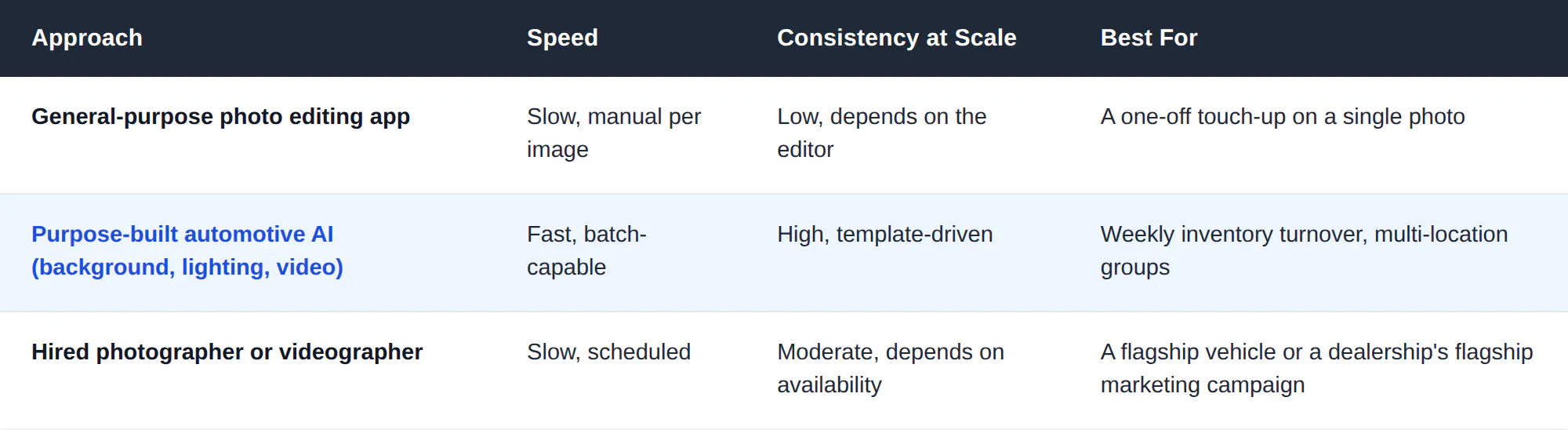
The honest trade-off is not quality versus speed, purpose-built automotive AI tools now produce listing-grade results, it is who is available to run the workflow every single week without becoming a bottleneck themselves. A hired photographer is excellent for a hero shoot twice a year. A dealership moving 60 units a month needs a workflow that does not depend on any one person’s calendar.
Legal and Disclosure Considerations for AI-Edited Vehicle Photos
Editing a photo’s background and lighting is standard practice and does not misrepresent the vehicle. Editing that changes what the buyer will actually see, altering the car’s visible color, hiding damage, or adding features the vehicle does not have, is a different matter, and dealerships should treat that line carefully.
The Federal Trade Commission’s rules on vehicle advertising already require that advertised claims about a vehicle’s condition, features, and price be accurate and not misleading. An AI-edited photo that changes the vehicle’s actual appearance in a way that misleads a buyer falls under the same standard as any other misleading advertisement, regardless of whether a person or an algorithm made the edit. Several states also have their own dealer advertising regulations that go further, so it is worth having your compliance or legal contact confirm your state’s specific requirements rather than assuming federal guidance alone covers you.
The practical standard most dealerships apply: background, lighting, and color-accuracy corrections are fine because they present the real vehicle more clearly. Anything that changes what the buyer will see in person, digitally repairing visible damage, adding trim or features the car does not have, is not, and should not be done regardless of how easy the tool makes it. When in doubt, a vehicle photographed and edited to look exactly as it will appear at delivery is always defensible. A vehicle edited to look better than it will appear at delivery is a liability, however good the intention behind the edit was.
What Faster, Better Photos Actually Save a Dealership
The labor savings from batch AI editing are easy to calculate, but the larger financial impact comes from time-to-list. A vehicle that sits unlisted accumulates cost from three sources simultaneously: floorplan interest on the unit’s cost, ongoing depreciation, and lot insurance and overhead allocated per unit per day.
Consider a mid-volume store moving 60 units a month with an average unit cost of $28,000. If AI-driven photo and video processing shortens the average time from arrival to live listing by three days across the month, that is 180 unit-days recovered. At even a modest combined daily holding cost, that recovered time translates into a meaningful reduction in carrying cost over a year, before accounting for the earlier sale itself, which is the larger benefit: a vehicle listed three days sooner is a vehicle that has three additional days of buyer visibility, which directly shortens average days-on-lot.

None of this requires replacing your sales or photography staff. It requires moving the editing bottleneck out of the critical path between a vehicle arriving on the lot and a vehicle appearing in front of a buyer.
Measuring Whether the Workflow Is Actually Working
A new photo and video workflow is only worth keeping if it moves numbers your dealership already tracks. Four metrics tell you quickly whether it is working, and none of them require new software to measure.
Time from vehicle arrival to live listing. This is the single clearest measure of whether the workflow is removing the bottleneck it was built to remove. Track it before the rollout and again after 30 days.
Average days on lot. A faster time-to-list should show up, over a few months, as a modest reduction in average days-on-lot, since the vehicle spends more of its total lifecycle visible to buyers.
Listing click-through rate on marketplace platforms. Most syndication platforms report impressions and clicks per listing. A meaningful lift here, comparing AI-processed listings against your prior photo standard, is the most direct evidence that the visual quality improvement is translating into buyer interest.
Cost per listing, fully loaded. Add the AI tool’s per-image or subscription cost to the labor time still required for staging, review, and upload, and compare it against what the previous manual editing workflow actually cost, including the labor hours calculated earlier in this guide. Dealerships are frequently surprised that the fully loaded cost of AI editing is lower than what they were previously paying in staff time alone, even before counting the holding-cost savings from faster time-to-list.

If none of these four metrics move after 90 days, the issue is rarely the AI tool itself. It is almost always upstream, an inconsistent shot list, a workflow with too many manual handoffs still built into it, or a rollout that stalled at the pilot stage instead of becoming the default process described in the rollout plan above.
Create Professional Dealership Listings With Blend
Getting vehicles online fast with consistent, high-quality photos is the operational standard that separates high-performing dealerships from everyone else. Blend's AI-powered automotive tools handle background replacement, lighting correction, and batch processing so your inventory looks showroom-ready across every listing, from lot photo to published listing in minutes, not days. Start turning lot photos into professional listings today.
Frequently Asked Questions
Can AI improve car photos for dealership listings?
Yes. AI tools can remove cluttered backgrounds, correct uneven lighting, add realistic shadows, and produce studio-quality results from lot photos taken on a smartphone.
How does AI background removal work for vehicle photos?
AI analyzes the image, identifies the vehicle as the subject, separates it from the background, and lets you replace the lot with a clean studio backdrop, branded background, or lifestyle scene.
What background works best for car listing photos?
A clean white or grey studio background is the safest standard for primary listing images. Lifestyle or scenic backgrounds work well for social media ads and promotional content.
Do I need special lighting equipment to photograph cars for listings?
No. AI lighting correction tools can normalize exposure, balance color, and add realistic shadows after the photo is taken. Shooting on an overcast day with even natural light gives AI the best starting material to work with.
What does "high quality" mean for a car listing photo?
Accurate paint color, even exposure with no blown-out highlights or dark shadows, realistic ground shadows, consistent white balance, and enough resolution for buyers to zoom in on details.
How fast can AI process dealership inventory photos?
A batch of 15 to 25 photos per vehicle can be processed in minutes using AI tools with consistent background and lighting templates. A 15-vehicle week that would take 20 or more hours to edit manually can be completed in under 2 hours.
How many photo angles does a dealership need per vehicle?
Most dealerships standardize on 15 to 25 images per vehicle: six to eight exterior angles, several detail shots of wheels and badging, four to six interior shots, and any condition-documentation close-ups.
Does AI editing work on outdoor lot photos, or does it need a controlled environment?
AI editing is built specifically for outdoor lot photos. Overcast days, harsh midday sun, and mixed lighting can all be normalized in post-processing, which is the entire point of the workflow.
Turn Car Photos Into Videos
Turn product images into cinematic videos, listing clips, and social content in minutes.