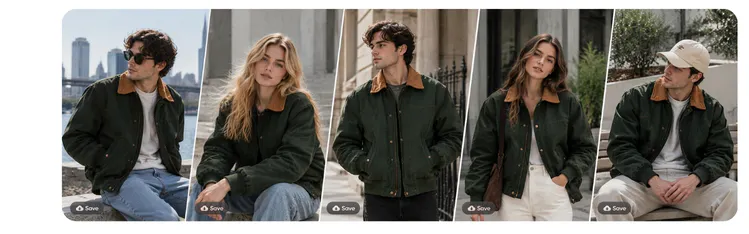
Clothing Mockup Generator — Jacket, Dress & Apparel Mockups

+ Create now

How to make a clothing mockup?

Upload your garment photo

Upload a flat lay, ghost mannequin shot or garment photo of your jacket, dress or other piece. A clean, well-lit photo with the garment fully visible gives the most accurate result.

Upload your garment photo

Choose your model

Pick from diverse AI models with different body types and skin tones. Choose a pose direction and a front or back view.

Choose your model

Generate and export

Generate multiple on-model mockups from a single product image. Export in 1:1, 9:16 or 16:9 for your platform, or turn your mockups into short videos with AI Videos.

Generate and export

Clothing mockups from your real garment

Traditional mockup templates give you a fixed angle, background and lighting. With Blend you start from a photo of your actual garment, and the AI builds the on-model mockup around it. You don’t need design software or smart-object layers.

Jacket, dress and everyday apparel mockups

Blend works with tops, bottoms, dresses and suits. Jackets and coats work too, as either an on-model shot or a ghost mannequin shot. Men’s, women’s and kids’ clothing are all supported.

Edit and extend your mockups

Describe the pose, setting and lighting you want. Change the background, adjust the pose or add accessories without starting over. Use Magic Eraser to clean up tags, wrinkles or stray objects, then bring a still mockup to life as a short video.

Frequently asked questions

It creates realistic visuals of clothing without design software or paid templates. With Blend, you upload a garment photo and the AI places it on a model.