
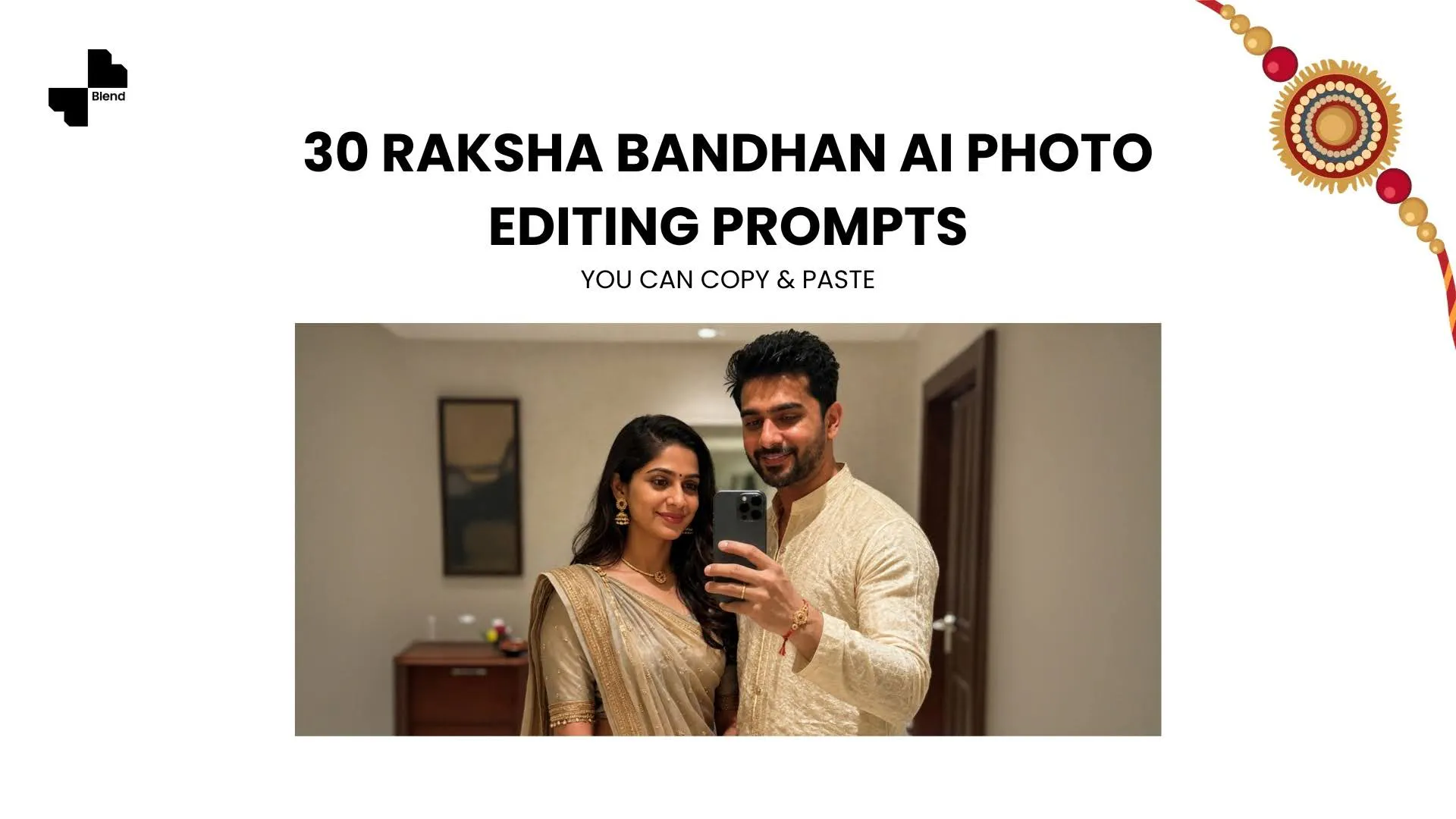


Want your Raksha Bandhan photos to look like they came from an actual photoshoot instead of a quick phone snap before the tilak dries? These 30 Raksha Bandhan AI photo editing prompts can help you get there. You can use AI to create everything from traditional tilak-and-thali portraits to candid sibling photos, festive Instagram pictures, and Rakhi photo edit ideas you would normally need a studio for.
AI photo editing tools like Blend make it easy to create these festive edits by uploading a reference image and describing the setting, outfit, lighting, mood, and other details you want in the final photo. You don't need professional photography or Photoshop skills to get started. The trick is not simply asking AI to “make a happy Raksha Bandhan photo.” That leaves too much room for guesswork.
A stronger prompt tells the AI what to keep, what to change, and how the final image should look and feel. So if you've been searching for Rakhi images, a happy Raksha Bandhan photo edit, or AI prompts for Rakhi pictures you can copy and paste, you're in the right place. Raksha Bandhan 2026 falls on Friday, August 28, so you can use these prompts to plan your festive photos before the day.
30 Raksha Bandhan Photo Edit Prompts You Can Copy And Paste
You can use Blend’s AI Image feature to create Raksha Bandhan photos from a simple prompt. It gives you a quick way to generate studio-like images, change settings, and experiment with different looks without starting from an existing photo. The prompts below can also be used as starting points with ChatGPT, Gemini, and other AI image tools. If you’re using your own photos, upload clear reference images first and tell the AI which faces, outfits, and other details should remain unchanged.
1. Rakhi Tying Moment Close-Up
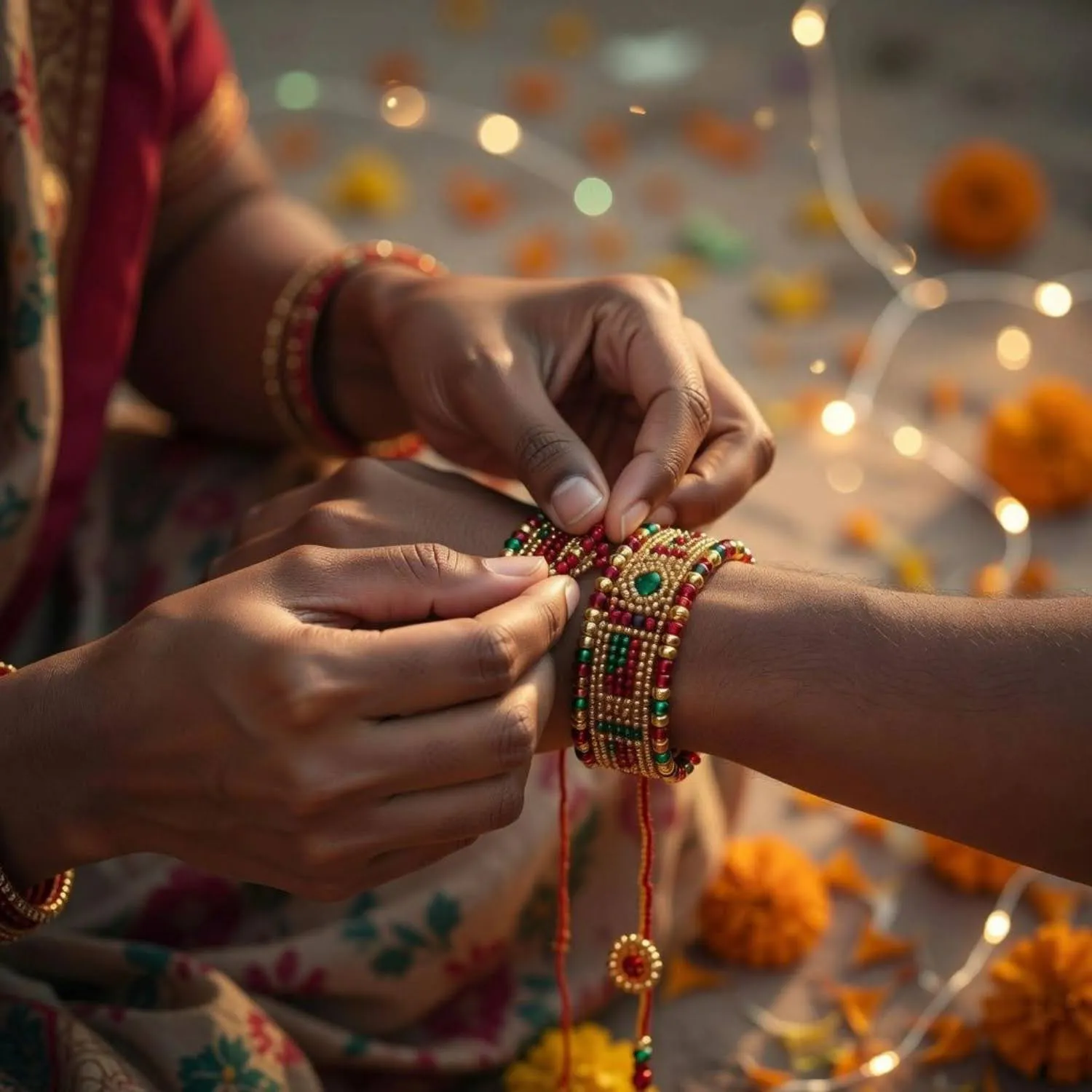
Create a warm close-up photo of a sister tying a rakhi on her brother’s wrist. Focus on their hands and the rakhi thread, with soft festive light and a blurred background. Use natural skin texture, gentle shadows, shallow depth of field and a candid, emotional feel. For a cooler variation, swap golden-hour light for soft blue-hour tones and keep the same close, hand-focused framing.
2. Candid Laughing Siblings
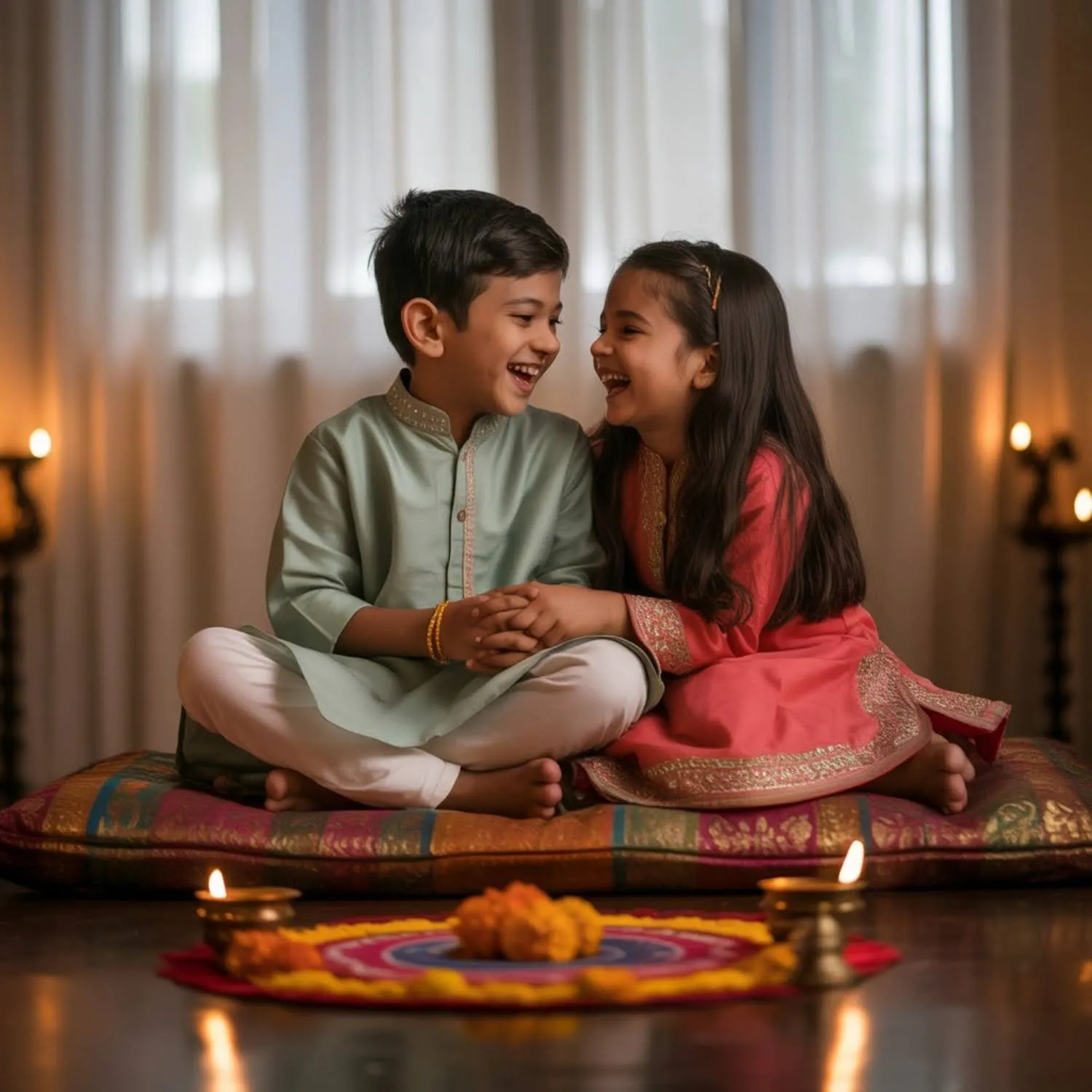
Create a natural candid photo of siblings laughing together during Raksha Bandhan celebrations at home. They are dressed in coordinated festive outfits. Capture the moment as if taken by a professional photographer without posing, with soft daylight, realistic expressions and an authentic lifestyle photography feel.
3. Sibling Mirror Selfie in Ethnic Wear
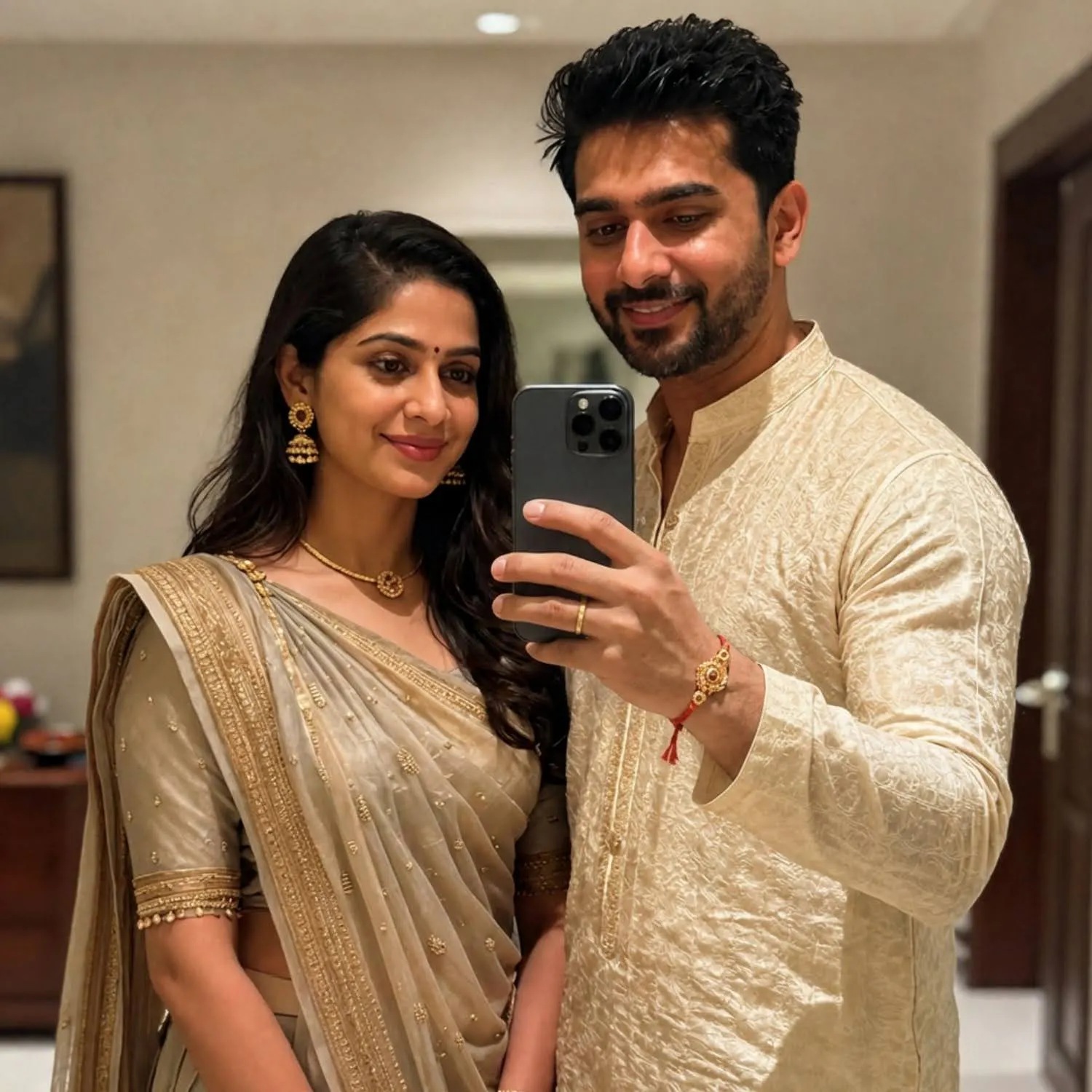
Turn the reference image into a realistic sibling mirror selfie in festive ethnic wear. Keep both faces recognisable and natural. They stand close together, smiling casually, with warm indoor lighting, realistic reflections and a relaxed Instagram aesthetic.
RELATED READING: Best Background Remover Tools Compared in 2026
4. Polaroid-Style Rakhi Photo
Create a nostalgic Polaroid-style photo of siblings sitting together after the rakhi ceremony, sweets and thali visible beside them. Add warm analogue colours, subtle film grain, soft flash and slightly imperfect framing for an authentic disposable-camera feel.
5. Sunset Rooftop Rakhi Photo
Create a realistic Raksha Bandhan photo of siblings standing together on a rooftop during golden hour. They are smiling and looking at each other naturally, rakhi visible on the wrist. Add warm sunlight, soft shadows and cinematic depth of field. If shooting indoors instead, swap the rooftop for a balcony or window with the same warm backlighting.
6. Rainy Monsoon Sibling Photo
Create a cinematic photo of siblings sharing one umbrella on a rainy street, since Raksha Bandhan always falls during the monsoon. Reflections from wet pavement and soft rain add atmosphere. Use realistic rain, warm-cool lighting contrast, shallow depth of field and subtle film grain.
7. Black-and-White Sibling Portrait
Create an elegant black-and-white portrait of siblings standing close together after the rakhi ceremony. Preserve their natural facial features and expressions. Use soft directional lighting, gentle shadows, classic editorial composition and timeless film photography.
RELATED READING: 35 AI Prompts for Instagram Influencers to Create High-Engagement Photos
8. Traditional Indian Rakhi Ceremony Portrait
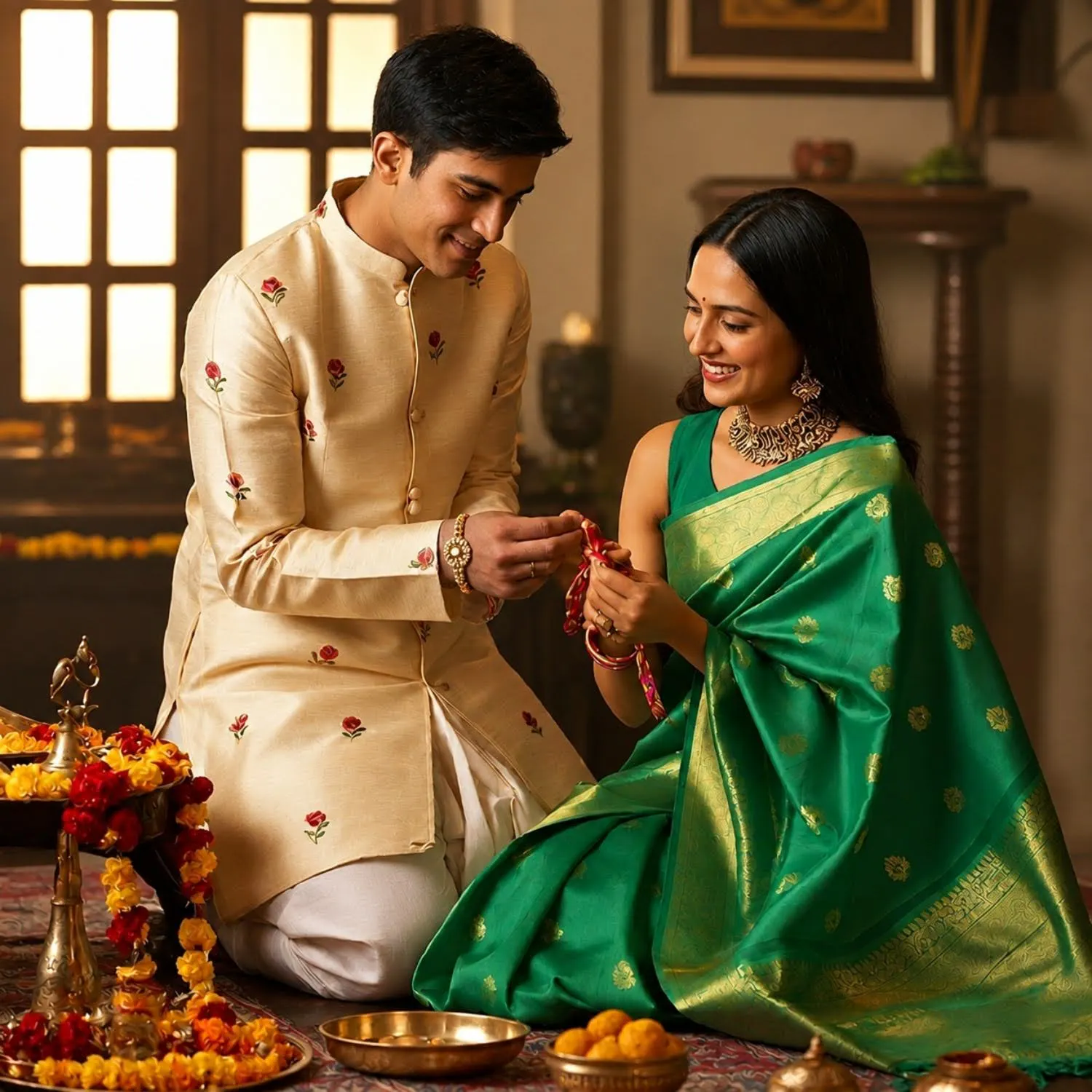
Create a photorealistic traditional Raksha Bandhan portrait using the uploaded reference images. Preserve both people’s facial features and natural appearance. Dress the sister in an elegant saree and the brother in a classic kurta, with a rakhi thali between them. Use warm golden lighting, traditional details and natural expressions. For a festival market backdrop instead of a heritage setting, describe strings of marigolds and diyas in place of interior décor.
9. Retro 90s Sibling Photo
Create a nostalgic 1990s-style sibling photograph using the reference images. Keep both faces recognisable. Dress them in simple vintage outfits and place them against an old textured wall. Use warm muted colours, direct flash, subtle film grain and an authentic 90s photography aesthetic.
10. Cinematic Festive Sibling Portrait
Create a cinematic Raksha Bandhan portrait with dramatic festive lighting. The siblings stand close together against a decorated backdrop, wearing elegant outfits with natural, expressive faces. Add soft wind, rich warm colours and a look closer to a film still than an overly posed studio photo.
11. Rakhi Thali Flatlay With Siblings
Create a realistic photo of siblings sitting together with a decorated rakhi thali, sweets and rakhi threads laid out in front of them. Include warm morning sunlight, realistic textures on the thali items and shallow depth of field. Keep facial expressions natural and unposed. Swap the thali items for a rakhi-and-sweets-only arrangement if you want a simpler, more minimal flatlay.
RELATED READING: Top Mistakes to Avoid When Using AI Video Generators from Images
12. Cozy Home Raksha Bandhan Photo
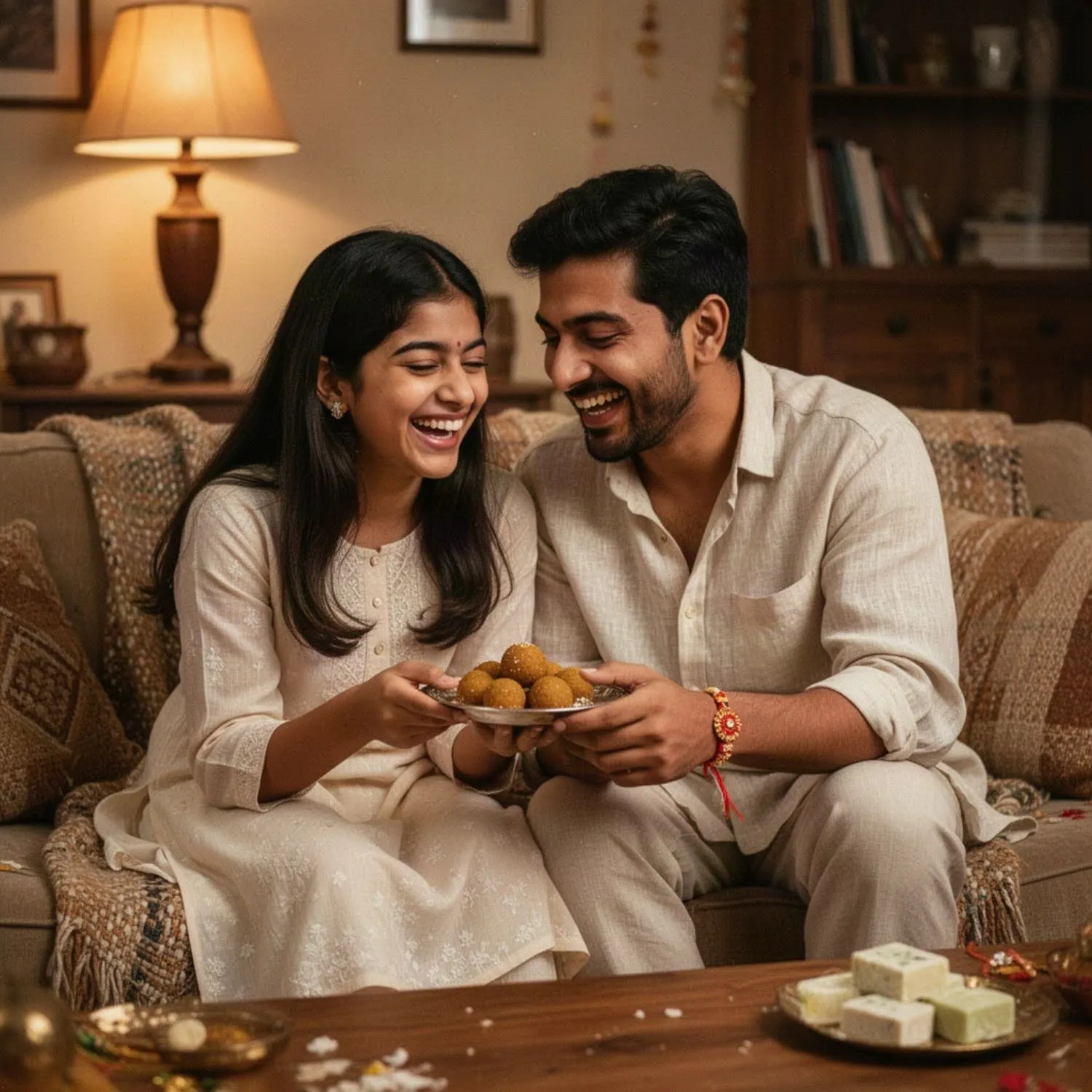
Create a warm candid photograph of siblings relaxing together at home after the rakhi ceremony. They are sitting close, laughing naturally while sharing sweets. Use soft lamp light, cosy textures, realistic shadows and intimate lifestyle photography.
13. Sibling Photo Under Fairy Lights
Create a dreamy evening sibling portrait beneath warm fairy lights and festive decorations. They stand close together, smiling naturally at the camera. Use soft bokeh, warm ambient lighting, realistic skin texture and cinematic photography.
14. Long-Distance Sibling Reunion Photo
Create a realistic reunion photo of siblings meeting for Raksha Bandhan after time apart, hugging warmly by a doorway or airport gate. Preserve both faces from the uploaded images. Use soft natural light, genuine emotional expressions and shallow depth of field.
Trending Gemini AI Raksha Bandhan Photo Prompts
If you specifically want a Gemini rakhi photo prompt, you can make the instructions more precise about facial consistency and the reference photos.
Gemini is commonly used for image-based edits where you upload a photo and describe the changes you want. Recent prompt collections also emphasise keeping faces, skin tone, hair and other identifying visual details consistent when creating festive portraits.
15. Gemini AI Raksha Bandhan Photo Prompt (Copy Paste)
Using the two uploaded reference photos, create a realistic Raksha Bandhan portrait while preserving each person’s facial features, skin tone, hairstyle and natural appearance. Place them together in a festively decorated setting during golden hour, rakhi visible on the wrist. Use realistic lighting, natural skin texture and cinematic depth of field. Do not change their identities or facial structure.
16. Google Gemini Rakhi Photo Prompt
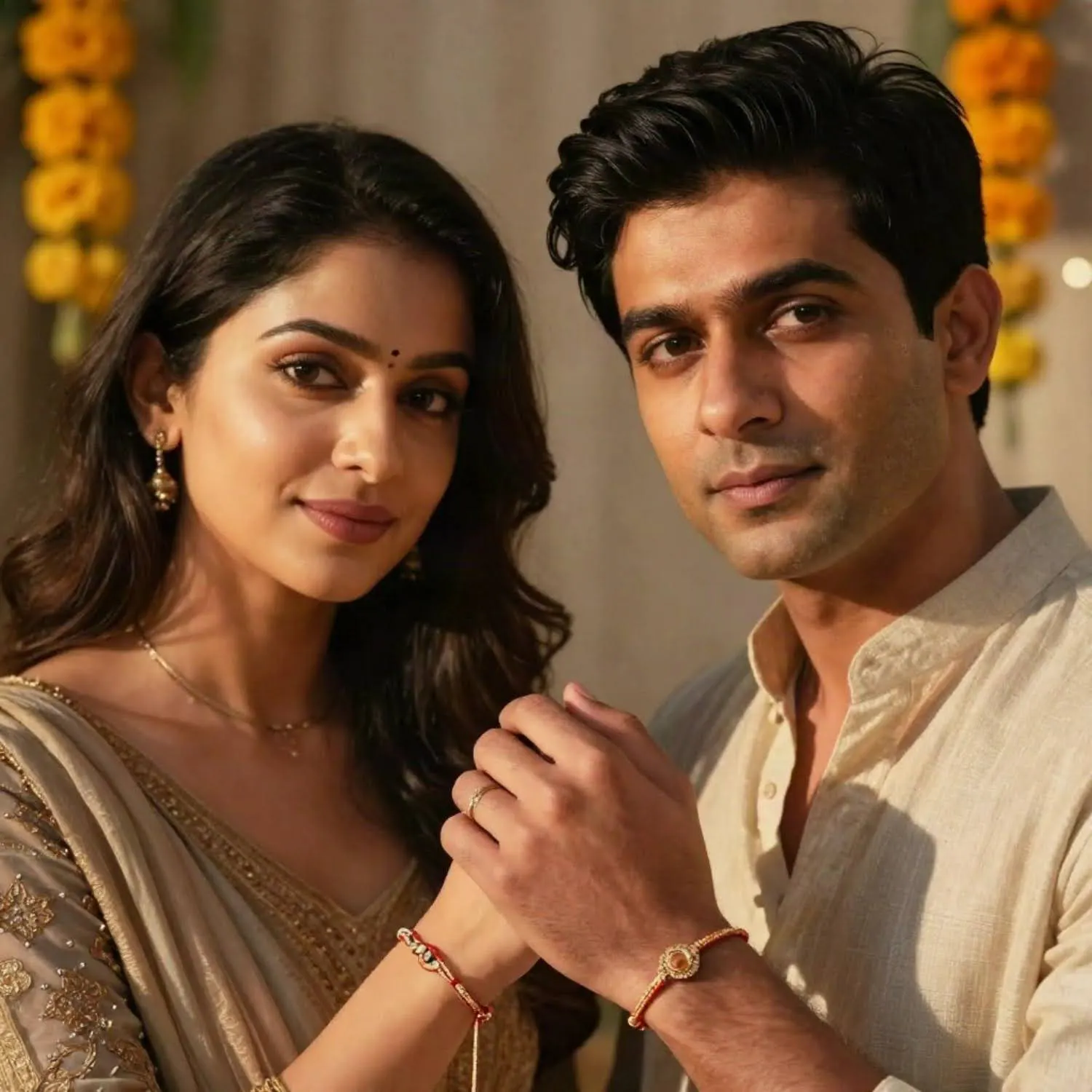
Using the uploaded sibling reference image, create a realistic editorial rakhi photo while keeping both faces and natural features consistent with the original photo. Change the background to a warm, festively decorated home setting. Keep the pose relaxed, expressions genuine and proportions realistic. Use cinematic photography and shallow depth of field.
RELATED READING: 45 Detailed AI Prompts for Fashion and Apparel Model Shots
17. Prompt for Gemini AI Traditional Rakhi Photo
Using the uploaded reference photos, recreate the siblings in traditional festive outfits for Raksha Bandhan. Preserve both faces, skin tones and natural facial features. Place them in a warm heritage-style setting with a rakhi thali nearby. Give them realistic fabric textures, natural lighting and authentic expressions rather than an overly polished look. You can swap the heritage backdrop for a home courtyard setting by changing only that one phrase in the prompt.
18. Gemini AI Happy Raksha Bandhan Image Prompt
Use the uploaded reference images to create a photorealistic happy Raksha Bandhan image of siblings smiling together after the rakhi ceremony. Preserve both people’s faces and natural appearance. Add realistic warm daylight, soft shadows and cinematic colour grading for a genuinely happy, unposed feel.
19. Gemini AI Rakhi Picture Prompt (Festive Edit)
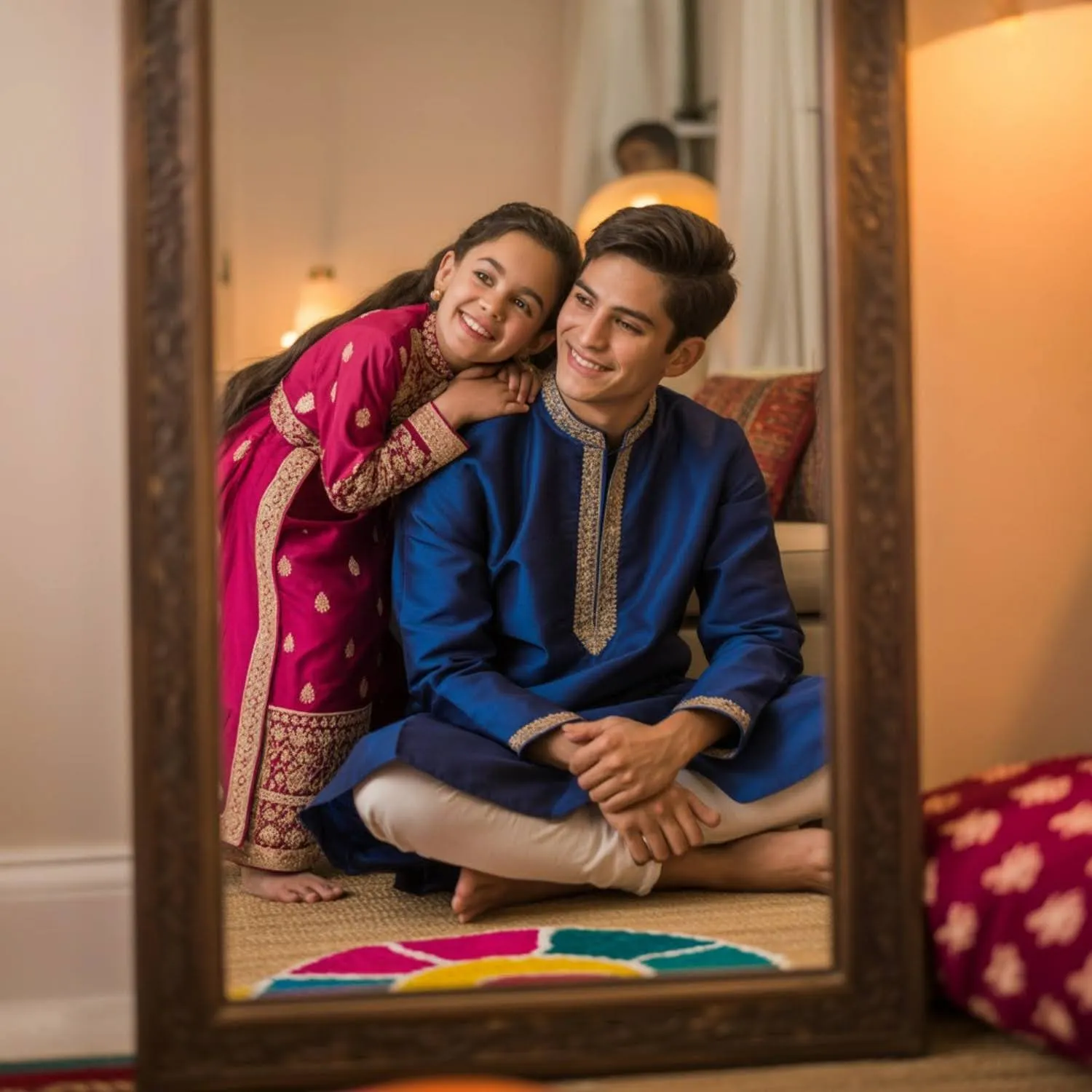
Use both uploaded reference images to create a realistic festive rakhi picture. Preserve their original facial features, skin tones and hairstyles. Dress them in coordinated festive outfits and place them among warm decorative lights. Use realistic skin tones, cinematic lighting and joyful natural expressions.
20. AI Rakhi Photo Prompt (Cinematic Sibling Portrait)
Create a warm, cinematic sibling portrait from the uploaded photos. Preserve both people’s facial features and natural proportions. Place them on a quiet terrace at sunset with festive lights in the background. Use warm backlighting, subtle lens flare, realistic shadows and an emotional but natural expression. For a daytime version, replace “sunset” with “soft midday light” and drop the lens flare instruction.
More Rakhi Photo Ideas for Instagram
The biggest advantage of using AI for Raksha Bandhan photos is that you don’t have to stop at one style. You can take the same reference image and turn it into completely different festive visuals.
21. Matching Outfit Sibling Photo
Create a stylish sibling portrait where both people wear coordinated festive outfits in complementary colours. Keep their faces natural and recognisable. Place them in a softly lit indoor setting with neutral décor, subtle shadows and modern editorial photography.
22. Rakhi Thali and Tilak Close-Up
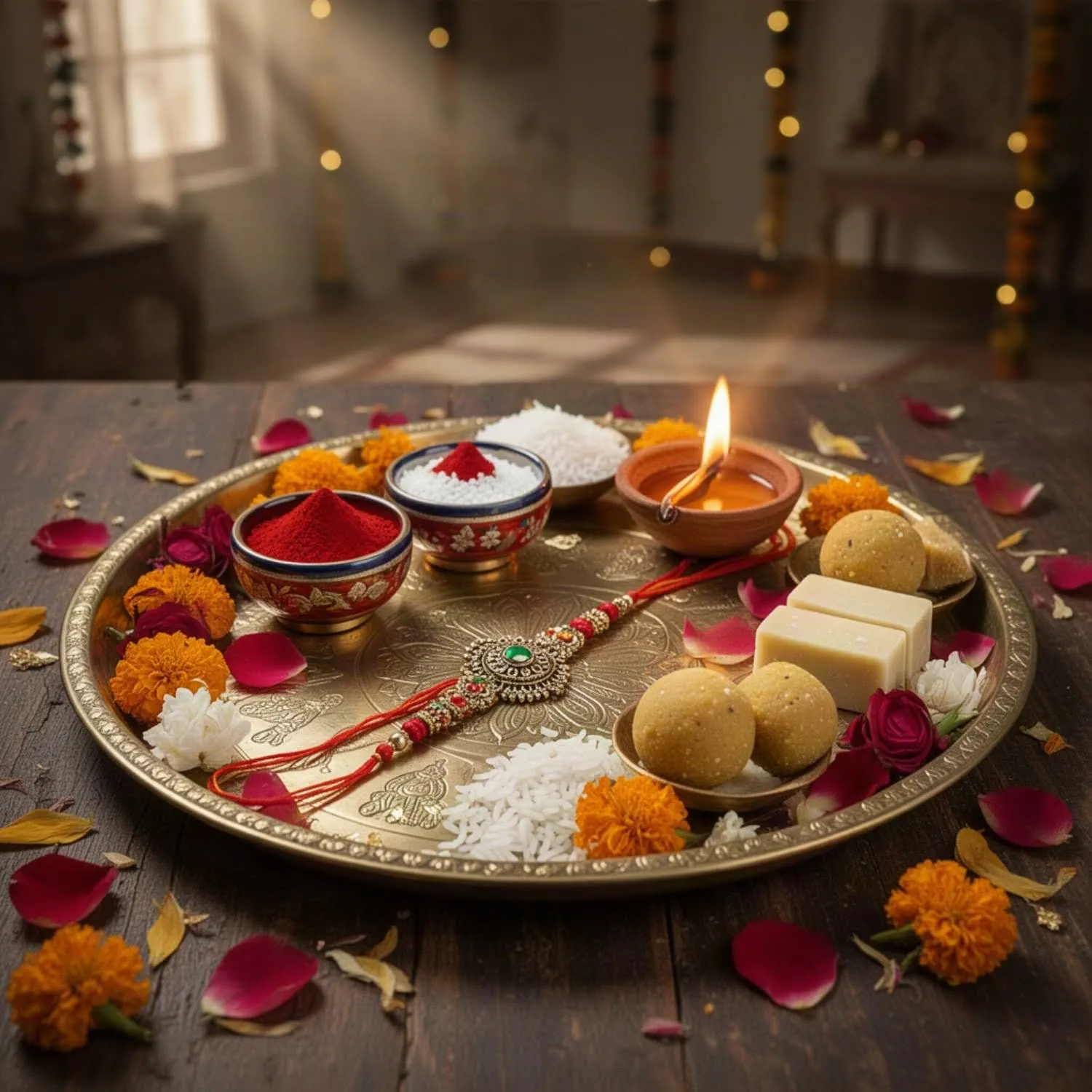
Create a realistic close-up photo of the tilak and aarti moment during the rakhi ceremony. Focus on the thali, diya and rakhi thread with soft warm light. Use realistic textures, gentle shadows and shallow depth of field for an intimate ritual feel.
RELATED READING: What Is Lifestyle Photography? Steps, Examples, and Tips
23. Festival Decor Flatlay With Rakhi
Create a flat lay photograph of Raksha Bandhan decor items, including rakhi threads, sweets, diyas, and flowers, arranged on a decorated surface. Use soft natural window light, realistic textures, and a warm festive colour palette. Keep the composition clean and centred. Add a mobile phone or handwritten note to the flat lay if you want a more personal, less staged feel.
24. Sibling Photo With Sweets and Rakhi
Create a candid photo of siblings sharing sweets after tying the rakhi. They are smiling naturally, sweets and rakhi thread visible between them. Use warm indoor lighting, realistic textures and an authentic, unposed lifestyle photography feel.
25. Joint Family Raksha Bandhan Photo
Create a realistic group photo of an extended family gathered for Raksha Bandhan, siblings in front with rakhi visible. Preserve everyone’s facial features from the uploaded images. Use warm natural lighting, genuine expressions and a relaxed, editorial family-portrait style.
26. Rakhi Wishes Photo Card
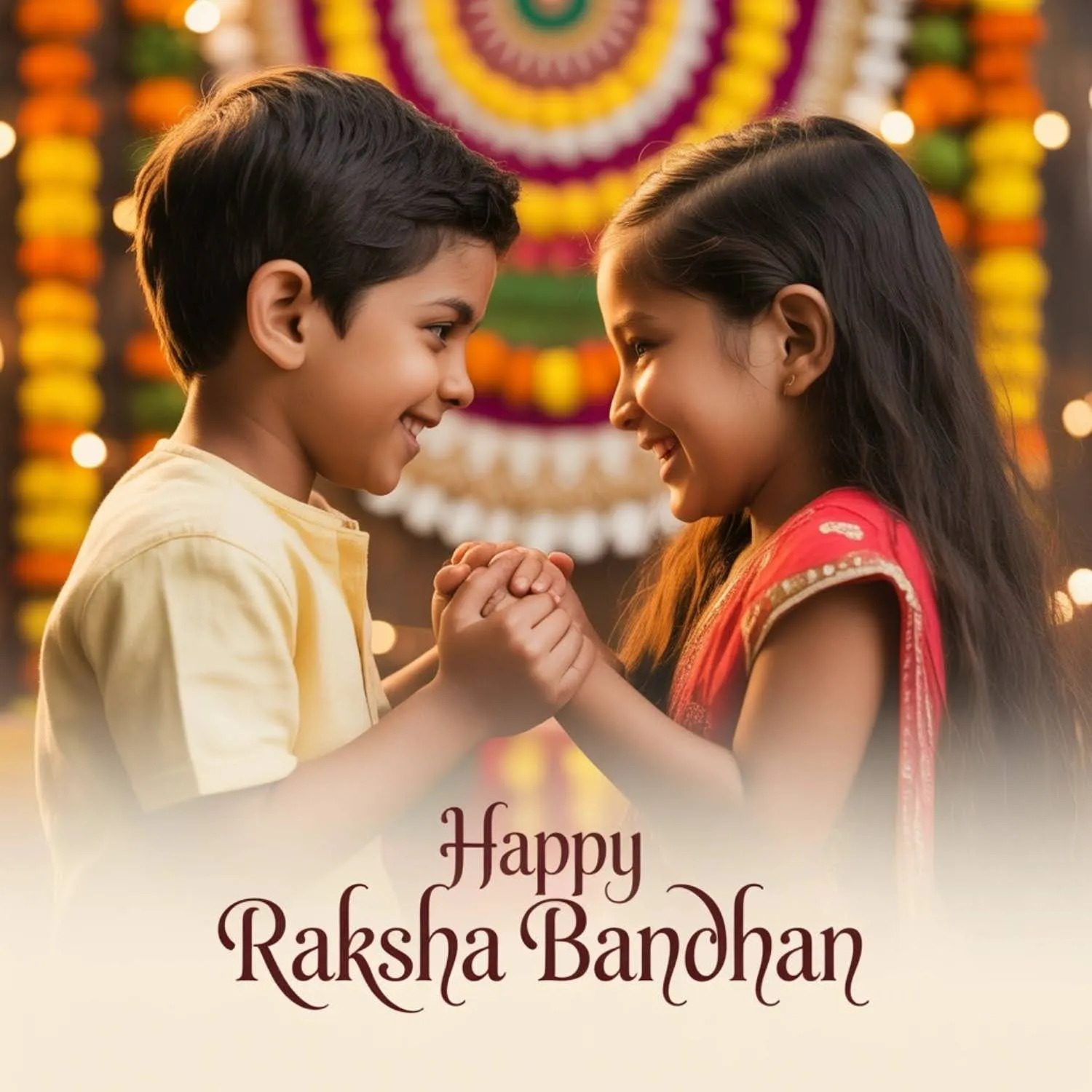
Create a shareable Raksha Bandhan photo card using the uploaded sibling photo, with clean space at the bottom for a Happy Raksha Bandhan wishes message. Keep both faces natural and unedited. Use warm festive colours, soft lighting and a balanced, social-media-ready layout.
RELATED READING: The Complete Guide to Lifestyle Product Photography for Beginners
27. Vintage Childhood Sibling Photo
Create a nostalgic photograph of siblings recreating a childhood Raksha Bandhan memory, styled with a slightly faded, vintage film look. Preserve their current facial features. Use warm afternoon light, subtle film grain and gentle, natural colours.
28. Vertical Rakhi Photo for Instagram Stories
Create a vertical-format Raksha Bandhan photo of siblings, framed for Instagram Stories with clean negative space at the top. Keep faces and outfits natural and recognisable. Use soft festive lighting, realistic detail and a simple, uncluttered background.
29. Customized Photo Rakhi Gift Mockup
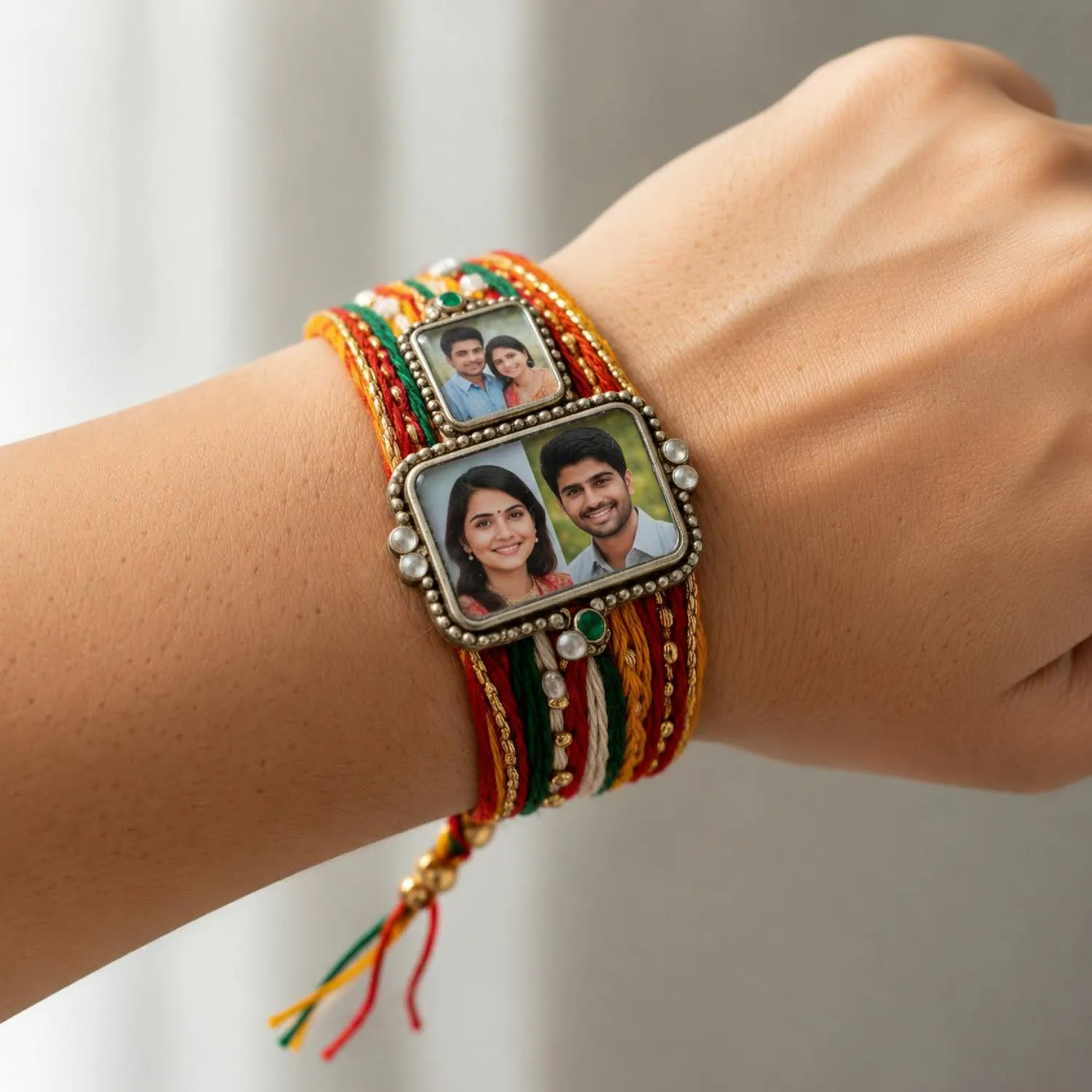
Create a realistic mockup of a customized photo rakhi featuring the siblings’ photo woven into the rakhi design, worn on the wrist. Preserve the facial likeness from the uploaded photo. Use natural lighting, realistic fabric and thread texture, and a close, detailed focus on the wrist. This works equally well as a gift-box mockup if you describe a small decorative box in place of the wrist.
30. Rakhi Festival Street Photo
Create a candid street photo of siblings shopping for rakhi at a festive market stall, colourful rakhis displayed around them. Preserve their natural facial features. Use warm daylight, realistic crowd blur in the background and an authentic documentary photography feel.
How to Write Your Own Raksha Bandhan AI Prompt
Every prompt above follows the same basic structure, and once you see it, you can create endless variations of your own. A strong AI photo prompt has four parts: the scene, the action, the technical details, and, if you’re using a reference photo, what to preserve. Skip any one of these, and the AI fills the gap with guesswork, which is often where a good photo turns into a generic one.
Start with the scene: who is in the photo and where. “Siblings on a rooftop at sunset” gives the AI far more to work with than “a nice Rakhi photo.” Then describe the action: are they standing, hugging, tying the rakhi, or sharing sweets? A static pose reads as posed; a small action reads as candid. Next, add the technical details that shape the mood: lighting (golden hour, soft window light), texture (film grain, natural skin texture) and depth of field (shallow, blurred background). These three details do more to make a photo look real than any amount of extra adjectives.
If you’re editing your own photo rather than generating one from scratch, add a preservation line telling the AI exactly which faces, skin tones and features to keep unchanged. A sentence as simple as “preserve both people’s facial features and natural appearance” is the difference between an edited photo that still looks like your family and one that looks like a stranger wearing their outfit. Gemini and similar tools respond especially well to this instruction when you’re working from an uploaded reference image.
Put it together, and a custom prompt might read: “Create a candid photo of siblings decorating the house for Raksha Bandhan, with string lights in the background. Preserve both faces from the uploaded photo. Use warm evening light, natural expressions, and shallow depth of field.”
Notice it borrows the same building blocks as the 30 prompts above: scene, action, lighting, texture, and depth of field, just applied to a new moment. Once you know the pattern, you don’t need a list of prompts at all.
How to Create Your Raksha Bandhan Photos with Blend
You don’t need a professional photoshoot to create a Raksha Bandhan image that looks camera-ready. With Blend’s AI Image feature, you can describe the scene you have in mind in plain language and generate an image around your idea. You can then refine the result using Blend’s AI photo editing tools instead of starting from scratch whenever you want to change something.
Step 1: Open Blend’s AI Image Feature
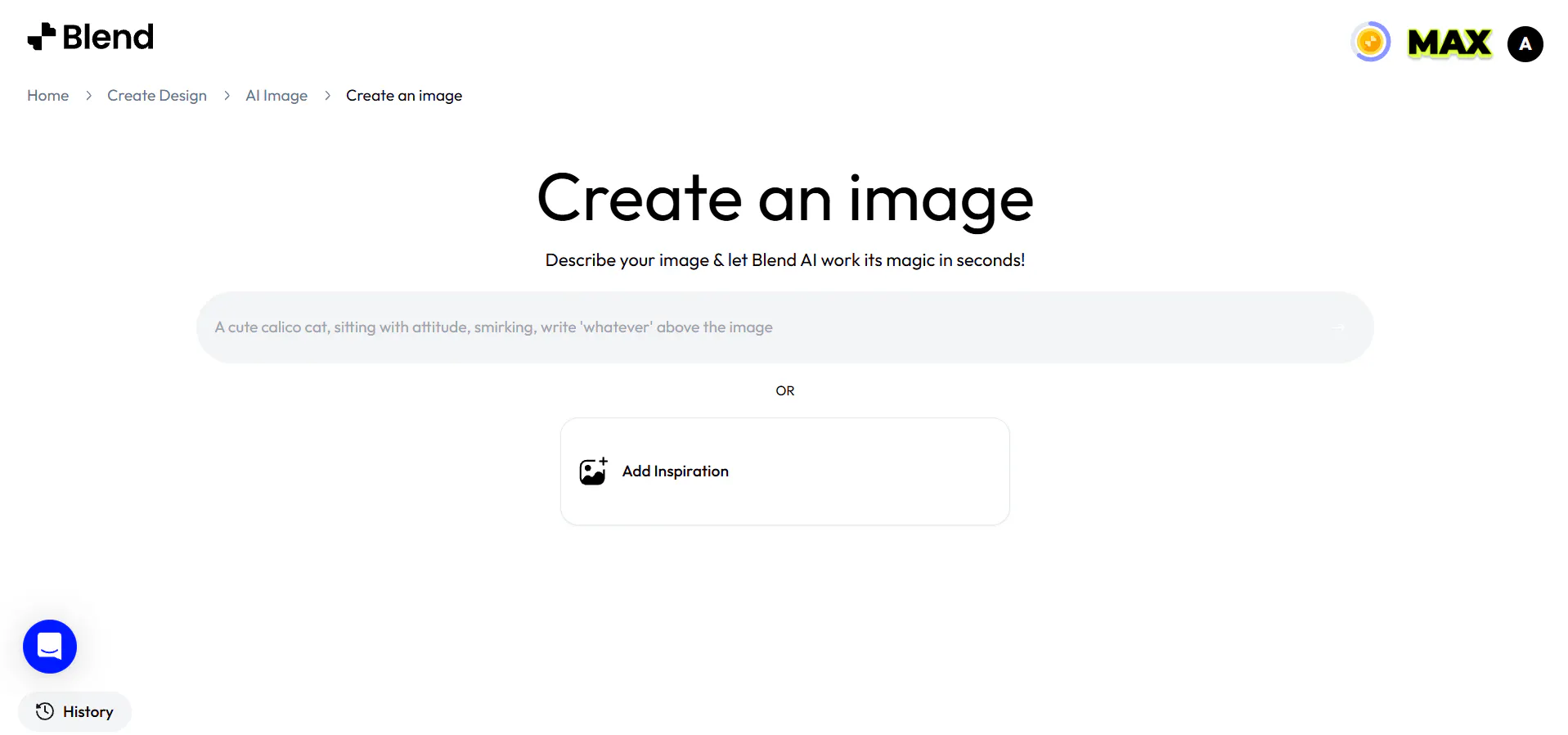
Open Blend and head to its AI Image feature. You’ll find a prompt box where you can describe the Raksha Bandhan image you want to create. You don’t need complicated prompt syntax; simply describe your idea in natural language, just as you would explain a photo concept to a photographer.
Step 2: Describe Your Rakhi Photo

This is where your Rakhi photo prompt does the heavy lifting. Mention the setting, subjects, pose, outfits, lighting, mood, colours, and photography style you want.
For example:
“Create a realistic Raksha Bandhan portrait of siblings on a rooftop during golden hour, with the rakhi clearly visible on the wrist. Add warm sunlight, soft shadows, realistic skin texture, natural expressions, and cinematic depth of field.”
The more specific your description, the closer the first result is likely to be to what you have in mind. Instead of using a generic request, describe the visual details that matter most to you.
Step 3: Generate Your AI Rakhi Photo
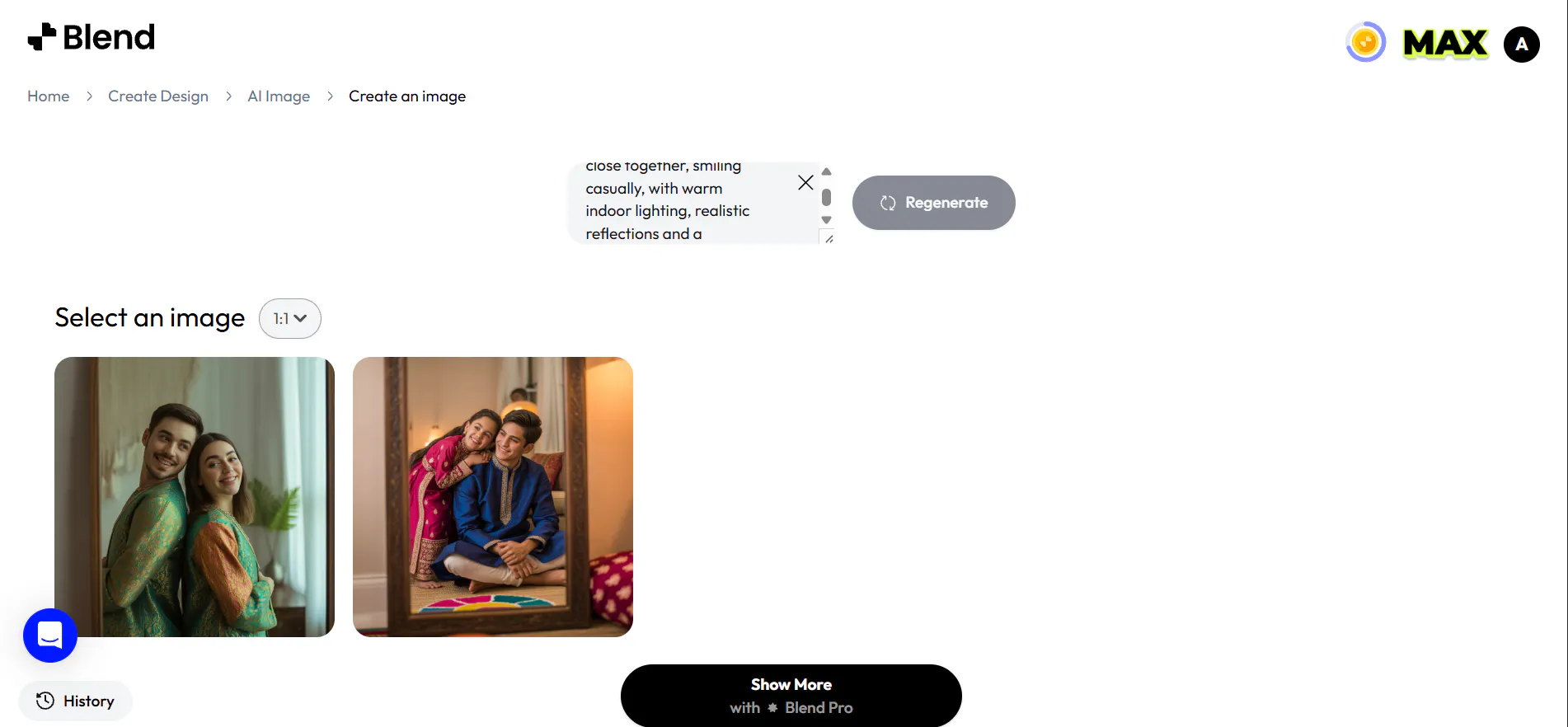
Submit your prompt and let Blend generate the image. If the first version isn’t quite right, you don’t need to start over. Adjust the prompt with a more specific instruction and generate another version.
For example, you could ask for softer festive lighting, a different outfit colour, a closer pose, or a more candid expression. This makes it easy to explore different versions of the same Rakhi photo idea until you find one you like.
Step 4: Edit the Generated Photo
Once you have a version you like, use Blend’s AI photo editing tools to make smaller changes without recreating the entire image. You can replace backgrounds or objects, remove unwanted elements, and adjust specific parts of the design.
For example, if the siblings look perfect but the background feels cluttered, you can change the setting instead of generating the entire image again. You can also remove distracting objects that take attention away from the main subjects.
Step 5: Refine the Details With AI
Want to make a more specific change? Tell Blend what you want adjusted in plain language. Its AI-assisted editing workflow lets you describe changes and refine the image until it matches your idea more closely.
This can be particularly useful for Raksha Bandhan photos, where small details can change the overall mood. You might ask for softer lighting, a warmer colour palette, a cleaner background, more natural expressions, or a more festive look.
Step 6: Turn Your Idea Into an AI Video

You don’t have to stop at a still image. If you want to create more dynamic Raksha Bandhan content, explore Blend’s AI Video feature to bring your visual ideas to life.
Describe the movement, mood, setting, and camera style you want, such as a sibling giving a Rakhi, sharing sweets, or smiling together during a festive celebration. This can be useful for creating short Raksha Bandhan clips, social media content, or animated versions of your festive concepts.
Step 7: Save and Share Your Rakhi Photo
Once you’re happy with the result, export the finished image in a format and size that suits where you plan to use it. You can share your AI Rakhi photo on Instagram, use it for a Raksha Bandhan wishes card, or simply keep it as a personal memory.
The best part is that you can keep experimenting. Start with one Rakhi photo prompt, generate different scenes, refine your favourite, and even turn some ideas into short videos. You can create a small collection of Raksha Bandhan content without booking another photoshoot.
Frequently Asked Questions
When is Raksha Bandhan in 2026?
Raksha Bandhan 2026 falls on Friday, 28 August, observed on Shravan Purnima. It’s a good idea to plan and generate your photos a few days ahead of the date.
Can AI edit a rakhi photo without making it look fake?
Yes. AI inpainting tools analyse surrounding textures, lighting and skin tone and rebuild the edited area to match, instead of simply blurring or pasting over it. The result holds up to zooming in, unlike basic clone-stamp edits.
Can I add Raksha Bandhan wishes to my photo using AI?
Yes. You can generate or edit a photo with clean space left for a wishes message, then add your own Happy Raksha Bandhan text using Blend’s editing tools before sharing it.
Does Blend have a tool for Raksha Bandhan photo editing?
Yes. Blend’s AI Image feature generates rakhi and sibling photos from a text prompt, and its editing tools let you adjust backgrounds, lighting and details afterward.
Can I turn an old rakhi photo into a new one with AI?
Yes. You can upload an old or low-quality rakhi photo and use AI to recreate it with better lighting, a new setting or a different style, while keeping both siblings’ faces recognisable.
Will editing reduce my photo quality?
With AI-based tools, no. Inpainting and generation preserve the original resolution and detail, so the final image stays sharp enough for printing or full-size social posts.
What’s the difference between using ChatGPT, Gemini and Blend for Raksha Bandhan photos?
ChatGPT and Gemini are general AI tools that can generate or edit images from a text prompt, but they don’t specialise in photo editing workflows. Blend is built specifically for this, its AI Image feature generates from a prompt, and its editing tools let you refine the result afterward without switching apps or starting over.
Do I need a reference photo to create an AI rakhi photo?
No. You can generate a rakhi photo from a text prompt alone if you don’t have a suitable photo to start from. A reference photo helps if you want the siblings’ actual faces in the final image without one, the AI creates realistic people rather than a likeness of anyone specific.
What image format and size should I upload for the best results?
JPG, PNG and WebP all work. Use the highest-resolution version of your photo you have, since AI tools generate more accurate detail from a clearer source image. Avoid heavily compressed or already-edited screenshots, as visible artefacts can carry through into the final result.
Can I use these prompts for a solo Raksha Bandhan photo?
Yes. Most of these prompts work with one person instead of two, just remove references to “siblings” or “both people” and describe the single subject instead. This works well for a solo rakhi photo to send to a sibling who lives elsewhere.
Can I use AI-edited rakhi photos for printed gifts or photo rakhis?
Yes, as long as you export at full resolution. AI inpainting and generation preserve image detail rather than degrading it, so the file should hold up for printing on cards, frames, or a customized photo rakhi, not just for sharing online.
Conclusion
The best Raksha Bandhan photo prompt doesn’t need to be complicated. You just need to give the AI enough information to understand the moment you want the picture to capture. Start with one strong idea. Add the setting, pose, lighting and mood. If you’re using reference photos, be clear about what should stay the same. Then generate a few versions and refine the details that matter.
And once you have an image you love, don’t stop at generation. Use Blend to clean up the background, remove distractions, sharpen the final image or create a few different social-ready versions. With a workflow that combines AI generation and smart editing, one ordinary rakhi photo can become a whole collection of festive visuals.