
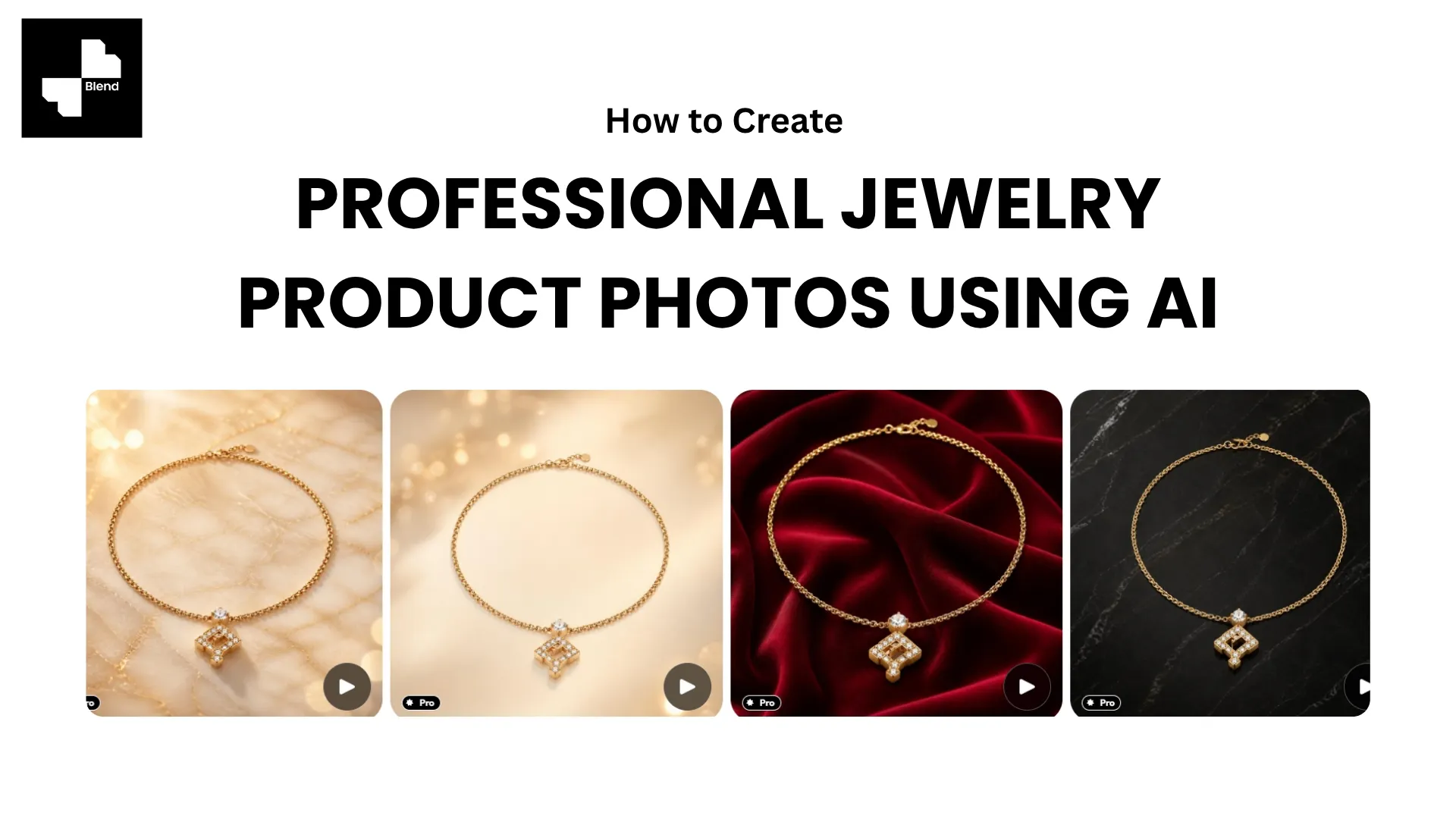



A pair of gold earrings on a white background tells a shopper the design. The same earrings on a model tell them the drop length, the scale against the face, and how light catches the metal when worn. For jewelry, that context is often the difference between a browse and a buy.
Jewelry is one of the hardest product categories to photograph well. Small pieces demand macro-level detail. Reflective metals catch every flaw in your lighting. Gemstones need precise color accuracy or customers return them. And traditional jewelry photography, with specialized macro lenses, controlled studio lighting, and hand models, can run $200 to $500 per piece.
AI tools now handle most of that workflow from a single phone photo. You still need a good starting image, but the background removal, styled scenes, on-model shots, and product video all happen through AI without a studio or a retoucher. Here is the practical process.
Why Jewelry Is Uniquely Challenging to Photograph
Before jumping into the workflow, understanding what makes jewelry difficult helps you avoid the mistakes that AI cannot fix for you.
Reflective Surfaces and the Detail Problem
Gold, silver, platinum, and polished metals reflect everything around them, including the camera and the room. Gemstones refract light in complex patterns. A diamond that looks brilliant in person can appear flat in a photo if the lighting is wrong.
Jewelry shoppers also expect fine detail. The texture of a hammered band, the prong setting on a solitaire, the clasp on a bracelet. Product photography for jewelry needs to control reflections while preserving the details that communicate craftsmanship.
What Shoppers Need to See Before Buying Online
Jewelry is a high-consideration purchase. Shoppers cannot try the piece on, hold it, or feel its weight. Your images need to compensate by showing:
- Scale and proportion. How big is the pendant? How long is the earring drop? An on-model shot answers these instantly.
- Material quality. The grain of the gold, the clarity of the stone, the finish on the band. Close-up detail shots build confidence.
- How it looks when worn. A necklace draped on velvet looks elegant but does not tell the shopper how it sits on a neckline. On-model context matters.
- Color accuracy. Rose gold vs yellow gold vs champagne gold are different products. If the photo shifts the tone, returns increase.
A complete jewelry listing needs at least 5 images: a clean studio shot, a detail close-up, a styled scene, an on-model shot, and ideally a short video.
RELATED READING: 49 High-Converting AI Product Photography Prompts for Jewelry Brands in 2026
Get Your Jewelry Photo AI-Ready
AI generates backgrounds and scenes, but the jewelry itself comes from your photo. Getting the starting image right is the most important step.
Step 1. Shoot for Detail with Simple, Controlled Lighting
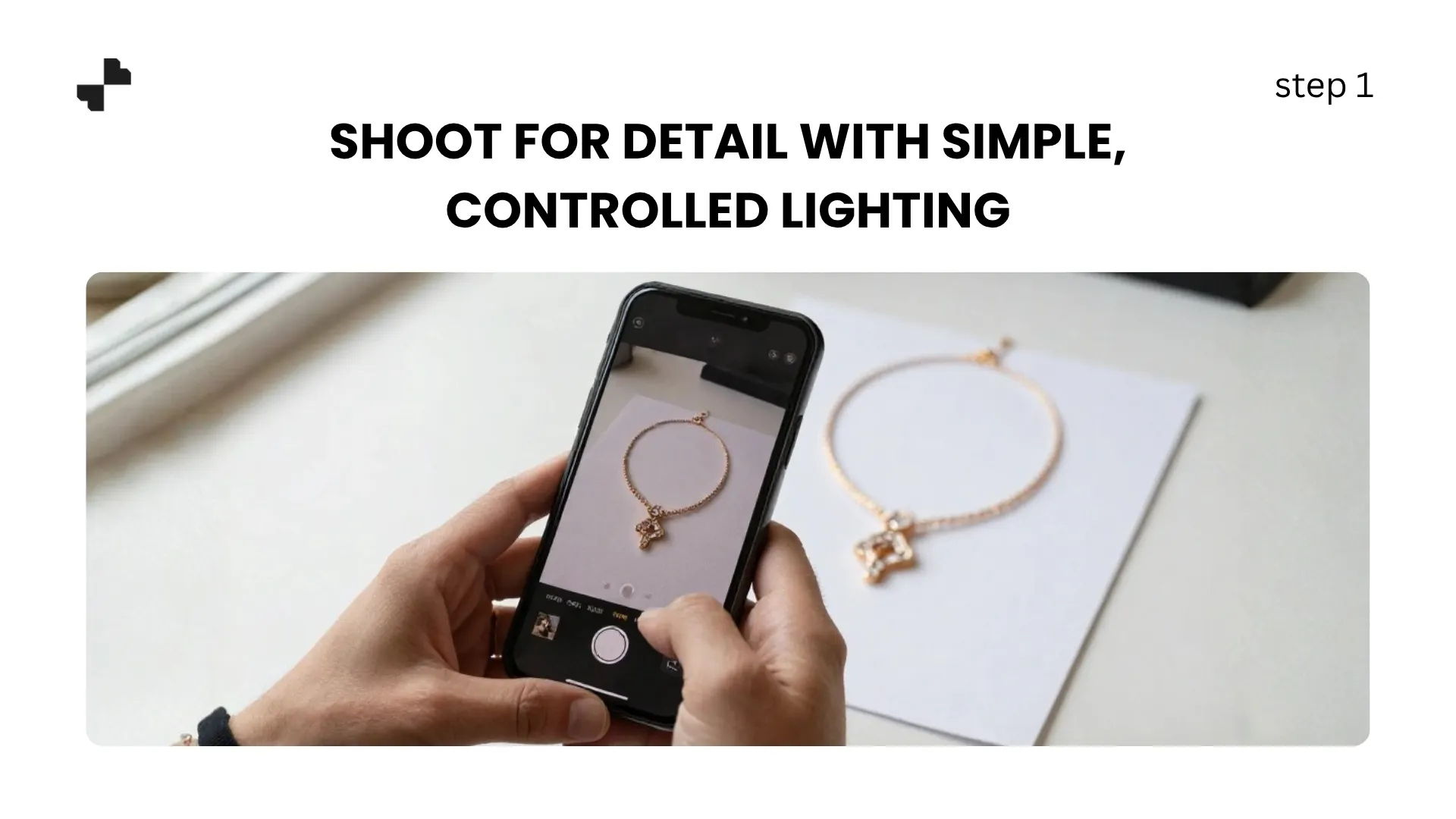
You do not need a professional macro lens, but you do need diffused, controlled light. Harsh direct light creates hot spots on metal and kills gemstone sparkle. A simple setup:
- Place the piece on a white or neutral surface near a window with indirect light
- Use white paper or foam board opposite the window to fill shadows
- Shoot with your phone's portrait mode or a macro attachment for close-ups
- Take both a full-piece shot and a tight detail crop
For polished gold or silver, angle the jewelry 10 to 15 degrees so flat surfaces do not directly reflect the camera.
Step 2. Remove the Background and Clean Up
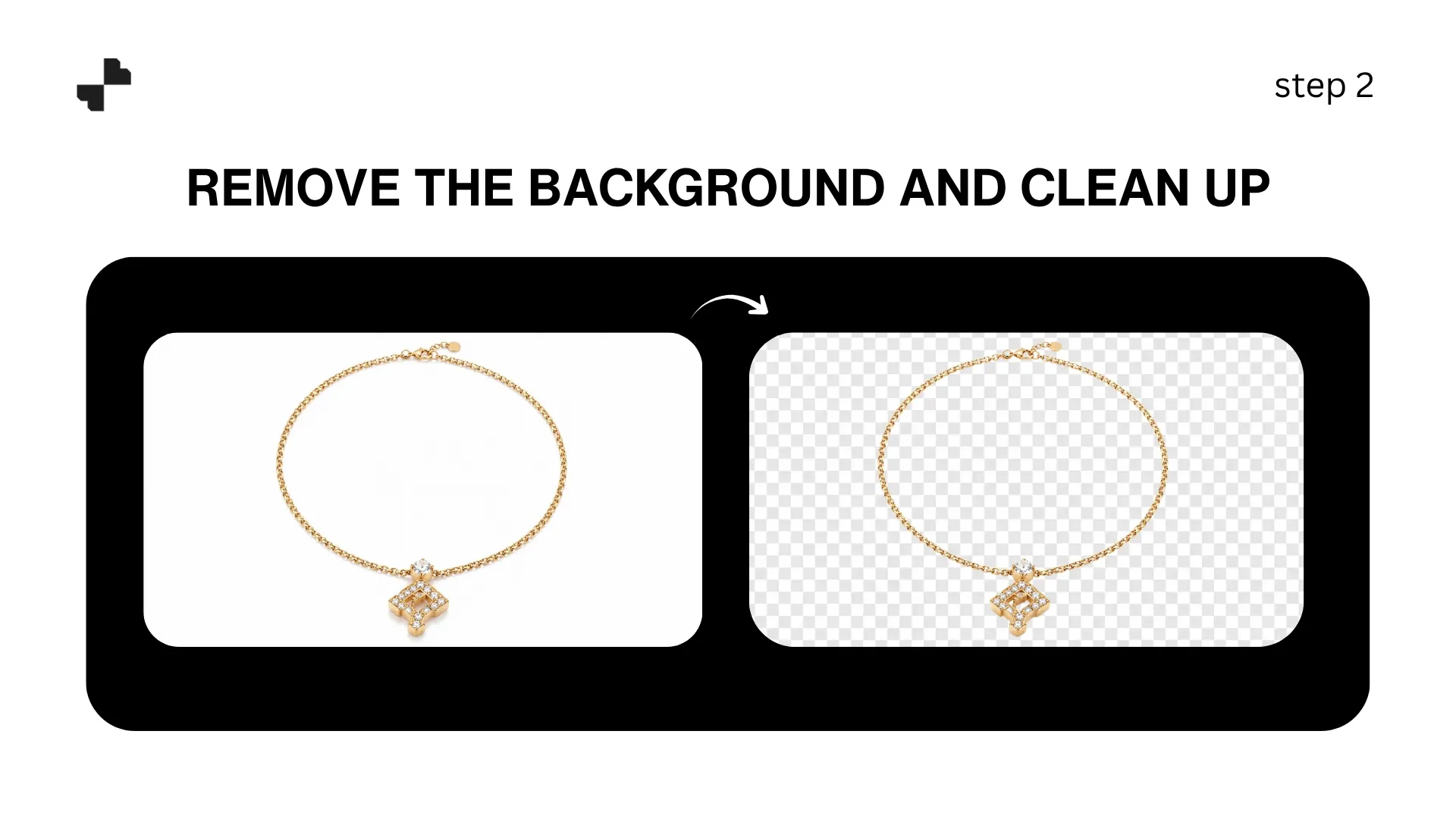
Run your photo through an AI tool to remove background completely and get a clean cutout. Jewelry chains, thin prongs, and delicate filigree are the trickiest elements for background removal, so zoom in and check edges after processing.
For cleanup, an AI image editing tool removes dust particles, minor fingerprints on metal, and small reflection artifacts without affecting the surrounding surface. Be careful with gemstones. AI erasers can sometimes smooth out the natural faceting that gives a stone its sparkle. Remove only genuine flaws, not the light interactions that make the jewelry look real.
RELATED READING: AI Product Photography for Skincare: How to Get Studio Results
Build Listing Images That Sell
With a clean product cutout, AI handles the two visual types that matter most for jewelry product images: styled scenes and on-model shots.
Step 3. Generate Styled Scene Shots
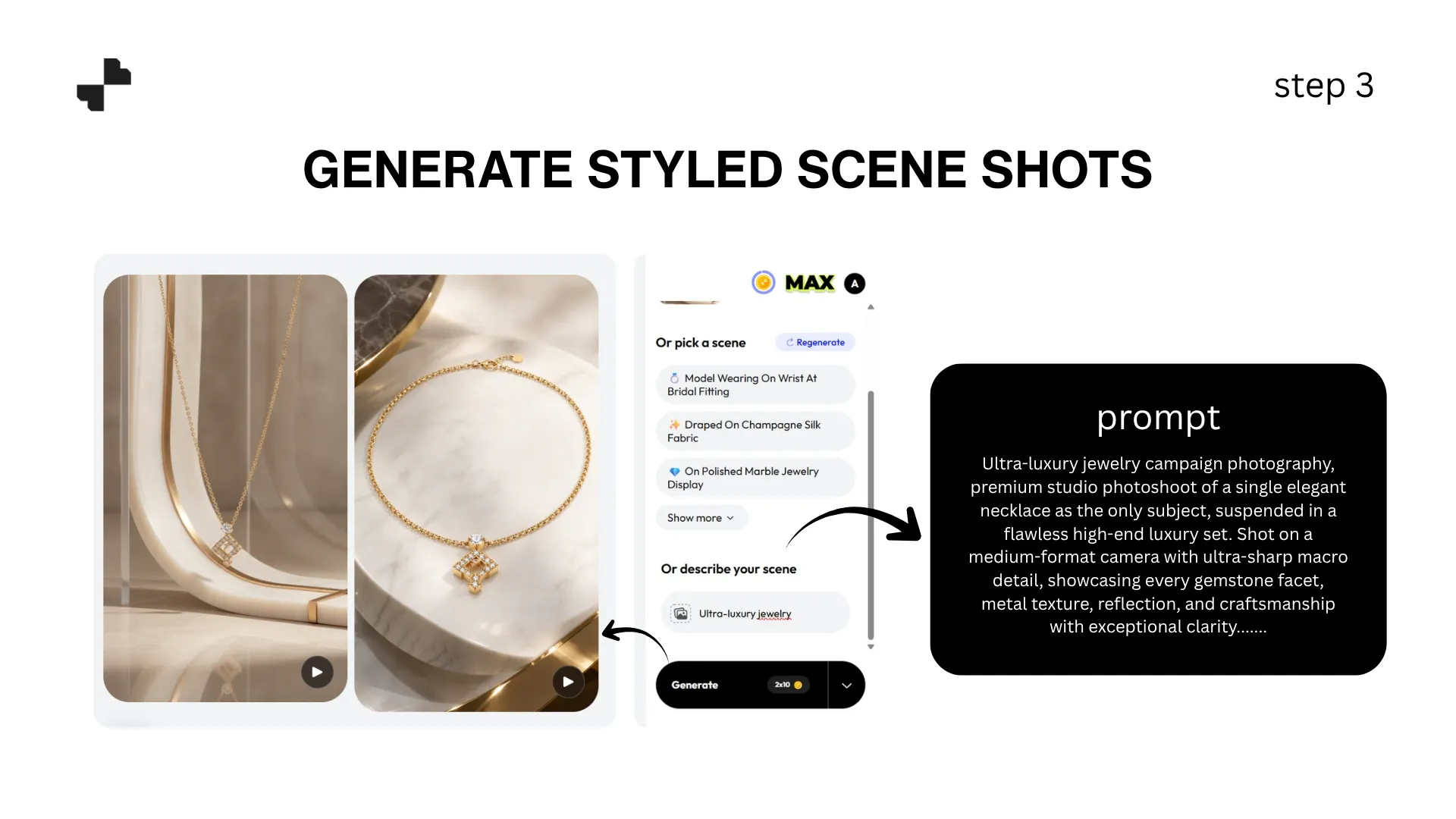
Jewelry visualization in a styled setting communicates brand positioning. The surface, lighting, and props you choose tell the shopper whether this is everyday affordable jewelry or luxury fine jewelry.
Scene prompts that work well by positioning:
- Fine jewelry and luxury: Dark velvet or satin surface, single focused spotlight, minimal props, soft bokeh background
- Everyday and fashion jewelry: Light marble or ceramic surface, soft natural light, a small botanical accent
- Bridal and occasion: Soft white fabric surface, warm diffused glow, subtle floral element
- Handmade and artisan: Raw wood or stone surface, warm directional light, natural textures
Keep compositions minimal. Jewelry is small, and a busy background competes with the piece. One surface, one light source, and at most one complementary prop is usually enough.
Step 4. Create On-Model Shots for Scale and Context
On-model shots are where jewelry listings go from adequate to compelling. Earring shoppers need to see how they frame the face. Ring buyers want to see band width on a finger. Necklace buyers need to know how the pendant sits on a neckline.
Blend's AI Models feature supports jewelry including necklaces, earrings, rings, bracelets, anklets, and watches. Upload your product photo, select model attributes, and the AI generates a realistic on-model shot.
For the best results:
- Choose model skin tones that complement the metal (warm tones for gold, cooler for silver)
- Keep clothing simple so the jewelry stays the focal point
- Generate multiple variations to find the strongest presentation
On-model shots are especially valuable as the second or third image in a marketplace listing, right after the clean studio shot.
Complete Your Listing Package
A strong jewelry listing combines studio shots, styled scenes, on-model images, and ideally video. The last two steps round out the full package.
Step 5. Add Short Video for Sparkle and Dimension
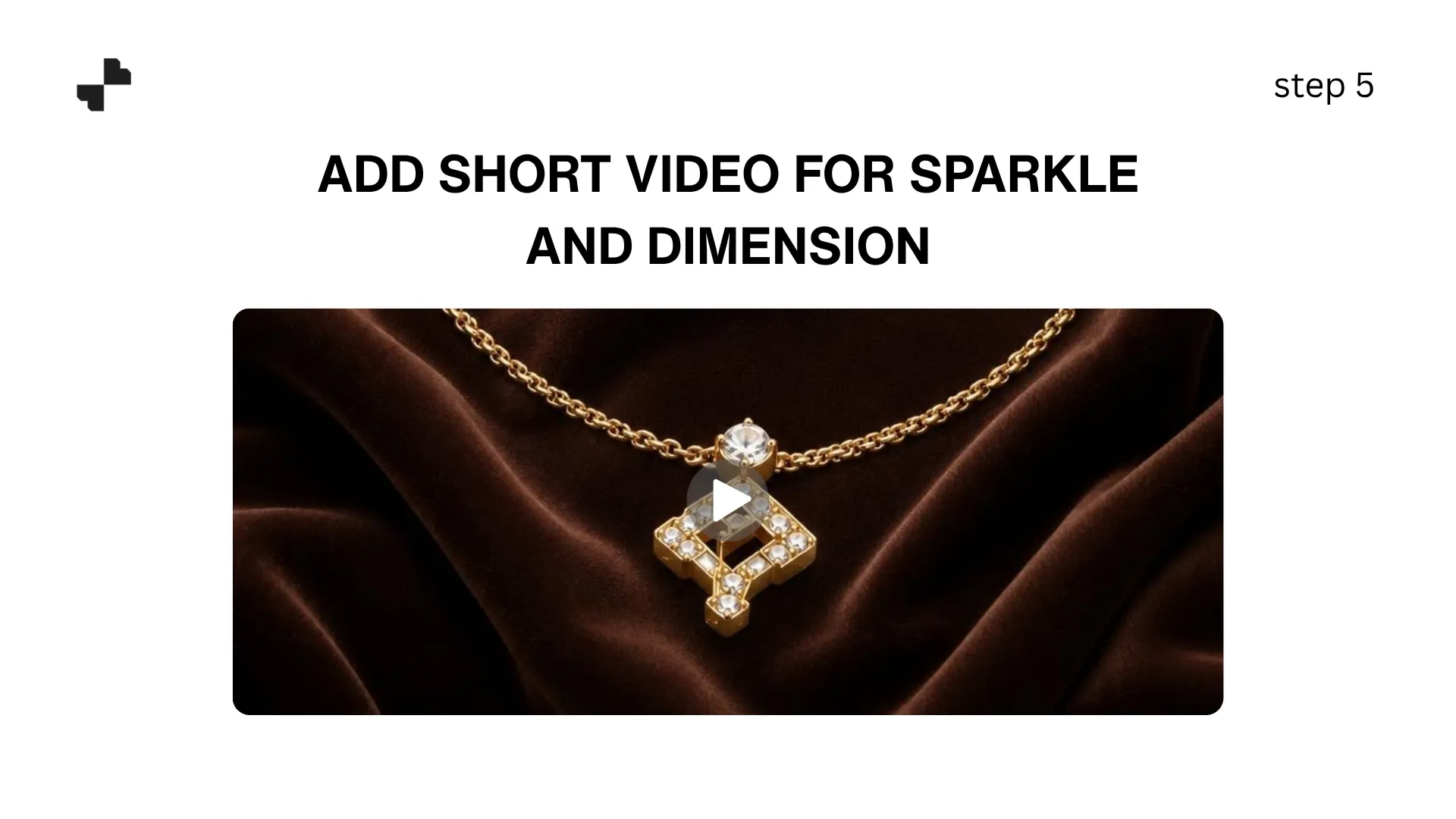
Static photos cannot capture how light moves across a diamond or how a pendant swings when worn. Short product video fills that gap. AI video tools generate clips from your still photos, including slow rotations, light-catch moments, and gentle zoom-ins on detail.
For beauty product photography and jewelry especially, video adds a dimension that stills simply cannot communicate. A 5-to-10-second clip showing light interacting with a gemstone or metal finish gives shoppers confidence in the piece's quality.
Step 6. Keep Your Collection Visually Consistent
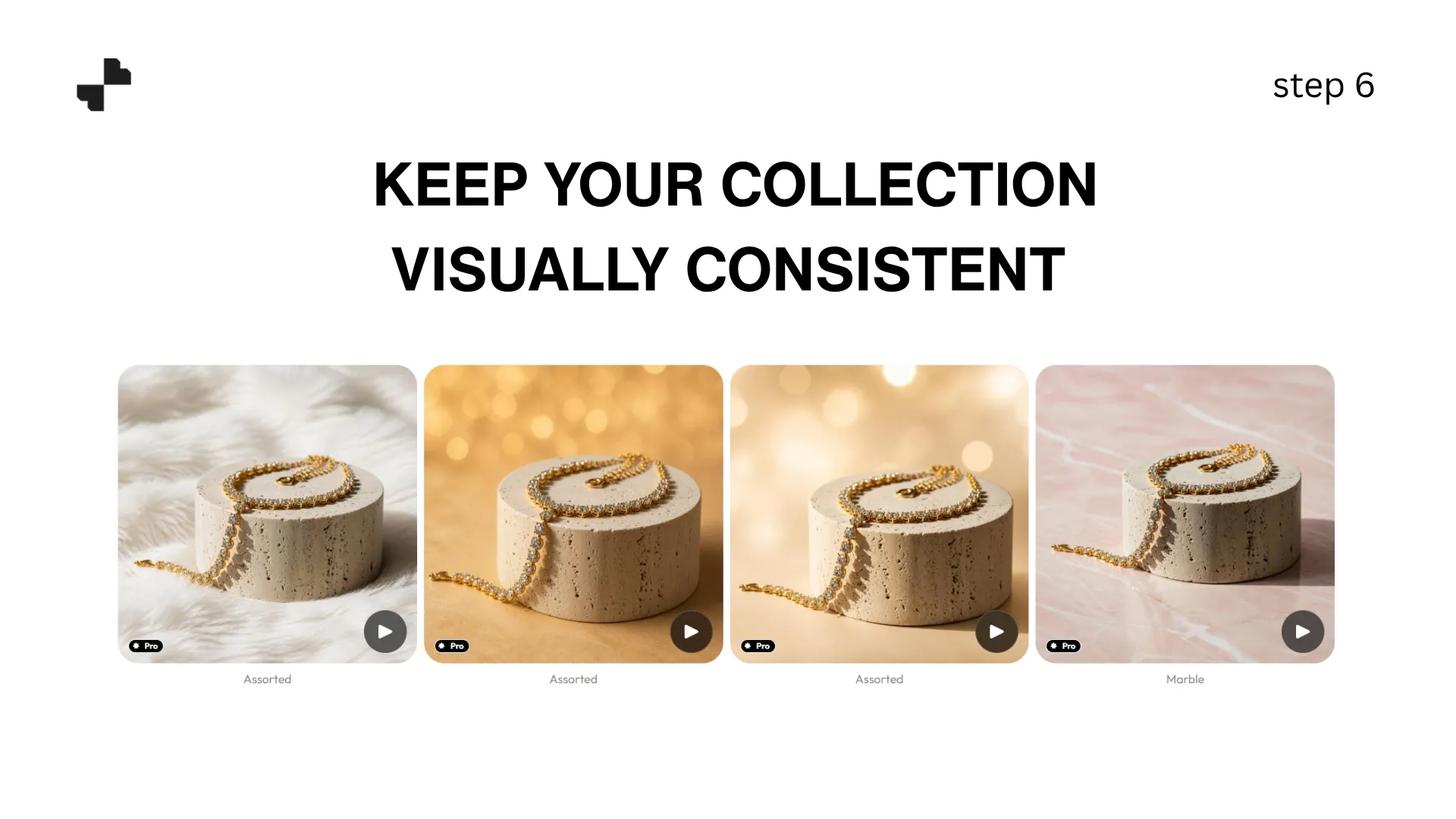
A jewelry brand selling matching sets or curated lines needs product images that look cohesive across every piece. Save your best scene prompts and model settings, then apply them consistently.
When a shopper browses your collection page, every piece should feel like it was photographed in the same session. Same lighting, same surface, same mood. That consistency builds trust and makes your jewelry look like a curated collection.
RELATED READING: How to Create an AI Photoshoot for Your Jewellery Brand
From One Photo to a Complete Jewelry Listing
Professional jewelry photography used to require specialized equipment, hand models, and hours of retouching. AI handles the lifestyle scenes, on-model shots, and product video from a single phone photo. Blend covers the full workflow, including background removal, styled scenes, model shots for every jewelry category, and short-form video, all in one platform. Upload your first piece and build a complete listing set.
Frequently Asked Questions
Can AI handle the reflections on polished gold and silver jewelry?
AI preserves the product exactly as photographed, so the metal reflections in your starting image carry through to the final output. Controlling reflections happens during the photo stage, not the AI stage. Use diffused lighting and a slight tilt to reduce harsh reflections before uploading.
Does Blend support on-model shots for all jewelry types?
Yes. Blend's AI Models feature works with necklaces, earrings, rings, bracelets, anklets, and watches. You can select model attributes to match your target audience.
How do I show accurate gemstone color in AI-generated scenes?
Start with a well-lit, color-accurate source photo. The AI preserves product colors as uploaded. Avoid warm-toned scene prompts for cool-toned stones (and vice versa) to prevent the background from casting a visible tint on the gemstone.
How many images should a jewelry listing have?
Aim for at least 5: a clean studio shot, a detail close-up, a styled scene, an on-model shot, and a short video. More images help shoppers feel confident about the piece and reduce returns.
Will AI alter the fine details on my jewelry?
Good AI tools only modify the background, not the product. The prong settings, engravings, and gemstone faceting in your original photo stay intact. Always compare the output against your source image before publishing.
Can I use AI-edited jewelry photos on Amazon and Etsy?
Yes. Both platforms accept AI-enhanced product photos. Amazon main images require a white background, which AI studio shot tools handle easily. Lifestyle and on-model images work well in secondary slots.