


You have a great product but you are struggling with selling them. That’s a problem many brand owners face. You have to show your customers why your products are worth buying. And how can you do that? By learning how to create product videos that are attractive.
Buyers want to see your product in action, understand it instantly, and feel confident enough to click “buy.” Thanks to modern AI video creation tools like Blend, you can now turn simple product photos into high-quality, engaging videos in minutes.
If you don’t know how to use AI video makers, you have arrived at the right place. Read along and find out how you can use Blend’s AI product video generator feature to start creating videos that actually sell.
What Are Product Videos And Why They Matter More Than Ever
Product videos are short, engaging videos designed to showcase your product’s features, benefits, and how it can be used in the real world. Understand that you aren’t just creating videos. You are removing doubt from the user’s mind.
When you use product video marketing, you:
- Help customers understand your product instantly
- Reduce hesitation and confusion
- Build trust faster than images alone
And in a world where attention spans are shrinking, video isn’t just helpful. It is essential. If you are not using a product video maker or product video generator, you are making it harder for your customers to say yes.
Types of Product Videos You Can Create
Before you jump into creation, you need to understand what kind of video works best.
- Demo Videos: Show how your product works. Perfect for functionality.
- Lifestyle Videos: Show your product in real-life situations. This is great for emotional connection.
- Short-Form Videos: This type of AI video generation is ideal for TikTok, Instagram Reels, and ads.
- Explainer Videos: Here, you have to break down complex features in a simple way.
How to Create Product Videos with Blend
Now let’s get into exactly how to create product videos using a modern AI product video generator like Blend:
Step 1: Start with the Product Video Feature

You start by selecting the Product Video feature in the Blend app. Right away, you will notice this isn’t a traditional editor. There are no complicated timelines or tools to learn.
That’s the advantage of using a product video generator. You skip the technical friction and move straight to creation. By doing this, not only do you save time but you also let AI do the heavy lifting.
Step 2: Upload Your Product Images

Next, upload your product photos. With Blend, you can:
- Add multiple angles
- Include close-ups
- Use up to 20 images
When you give the app better pictures, it will deliver better results. Even the best AI product video generator needs strong visuals to work with.
Step 3: Let AI Process Your Images
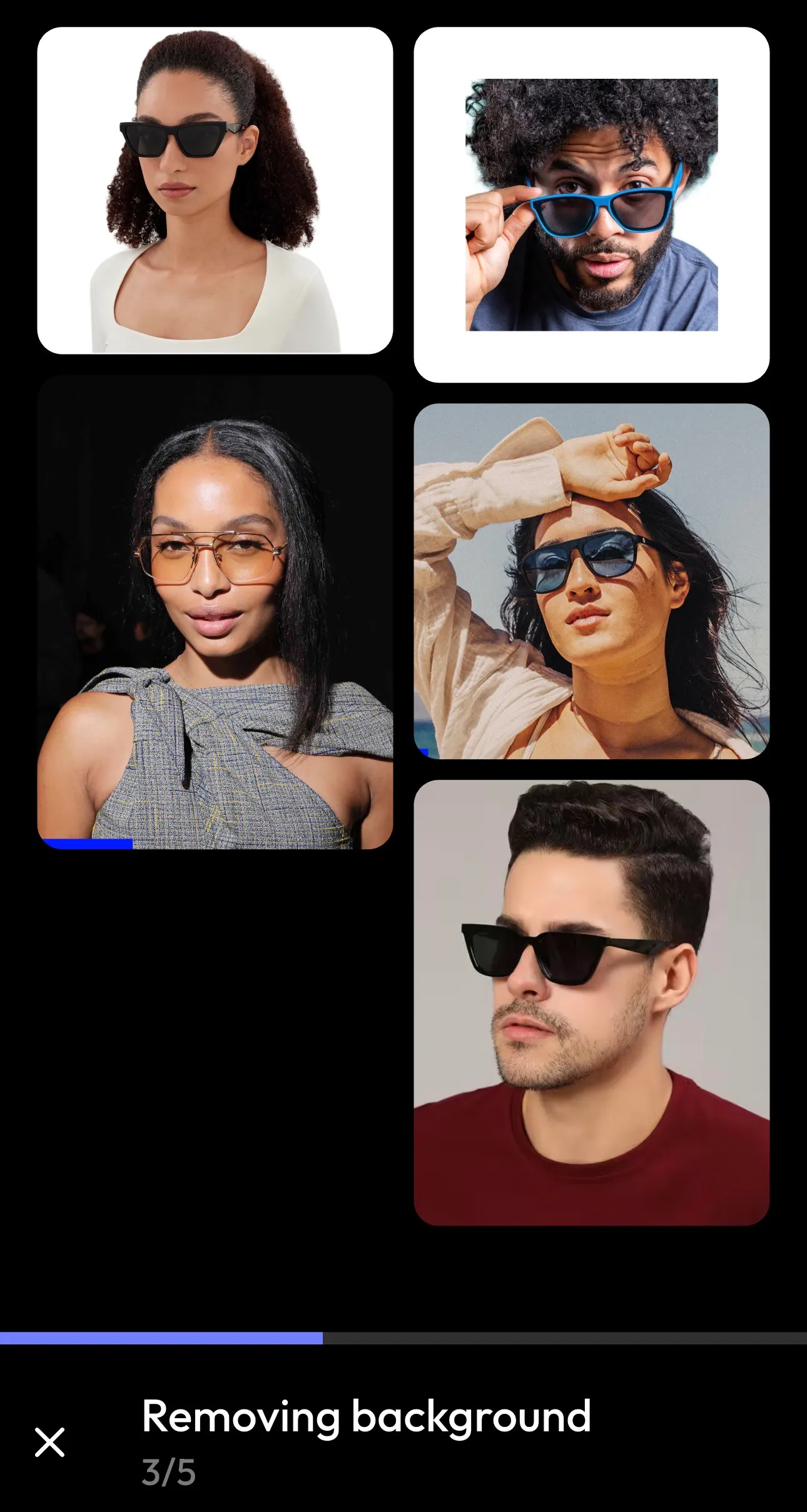
Now the magic happens. Blend’s AI video creation engine will automatically remove the background, enhance the visuals, and prepare it to frame as per video generation requirements.
This is where you truly create AI videos without manual editing. The AI handles the work so you can focus on results.
Step 4: Customize Your Video by Changing Backgrounds
Now you refine your video. You can add a background color or import a picture from your gallery.
This step turns your video from generic to branded. A good product video maker gives you control without overwhelming you and that’s exactly what you get here.
Step 5: Add a Template
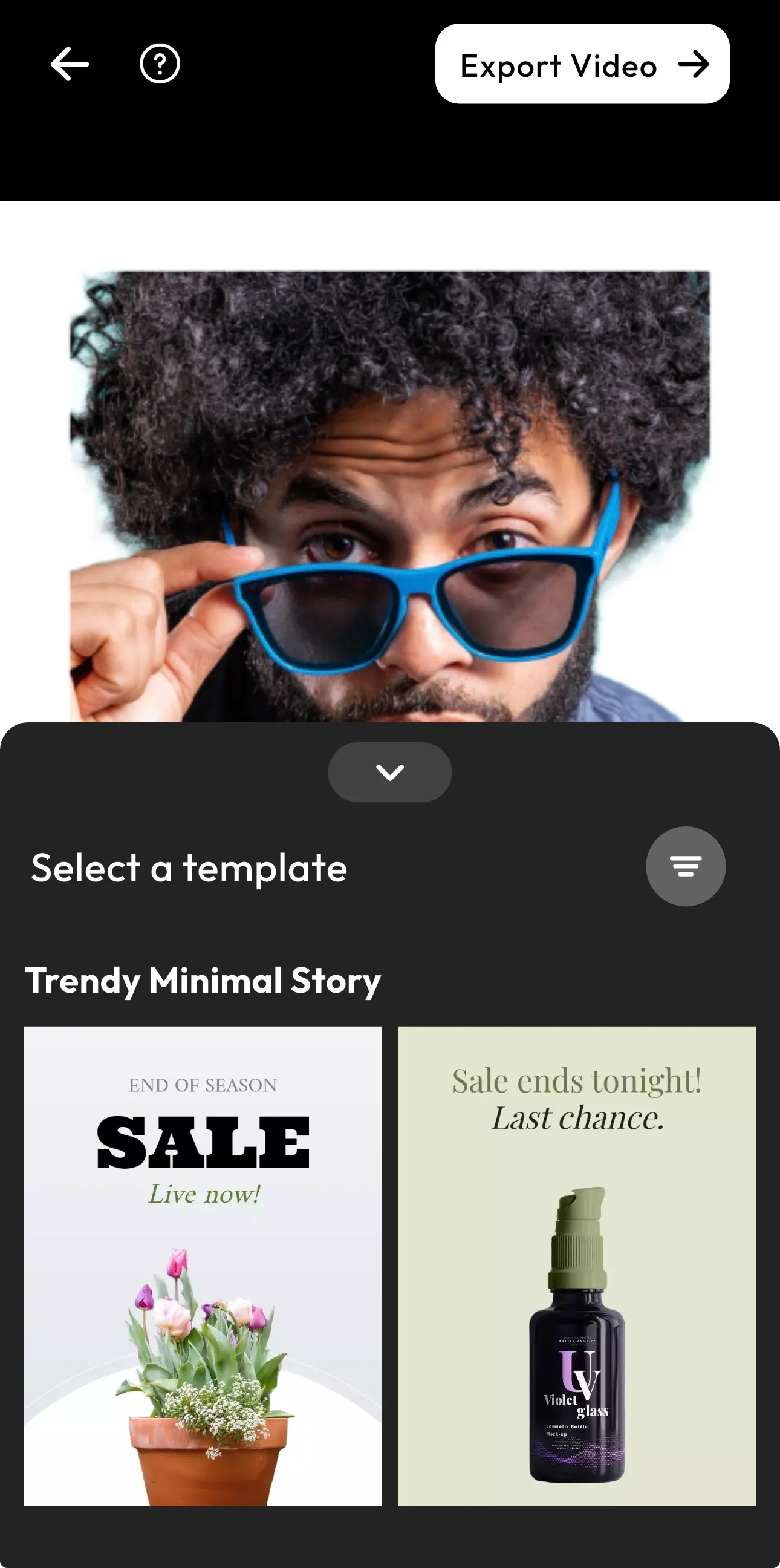
This is where a true product video generator stands apart. If you are having a sale, then you can create a sale template and promote your product.
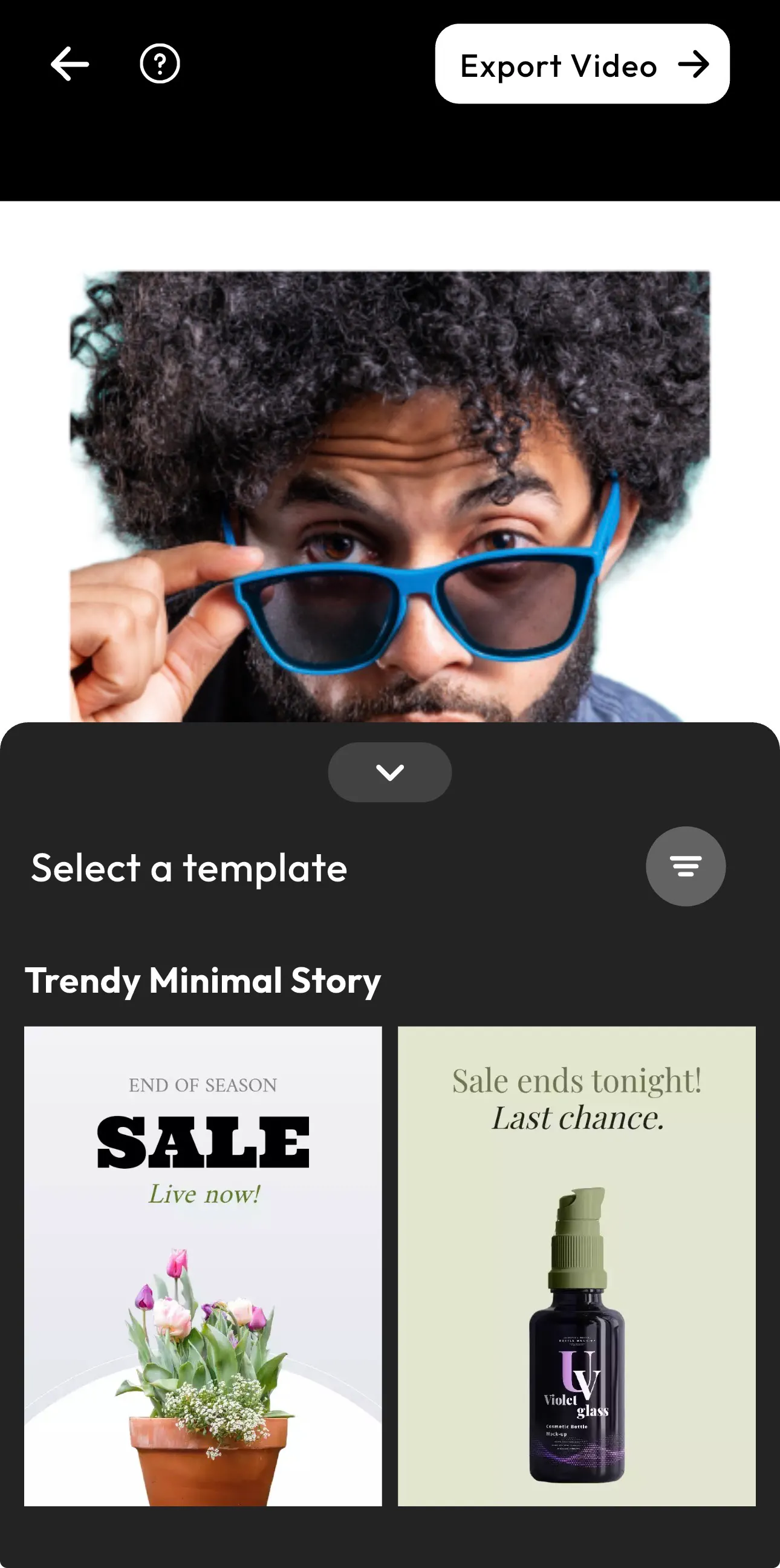
Step 5: Reorder and Structure Your Video
Sequence matters more than you think. So, start with your strongest visual, follow with key angles, and end your video with a clear highlight. This is how you guide your viewers that your products are worth buying.
You aren’t just showing your product. You are telling them why it’s worth buying through these visuals. not just show your product.
Step 6: Adjust Speed and Flow
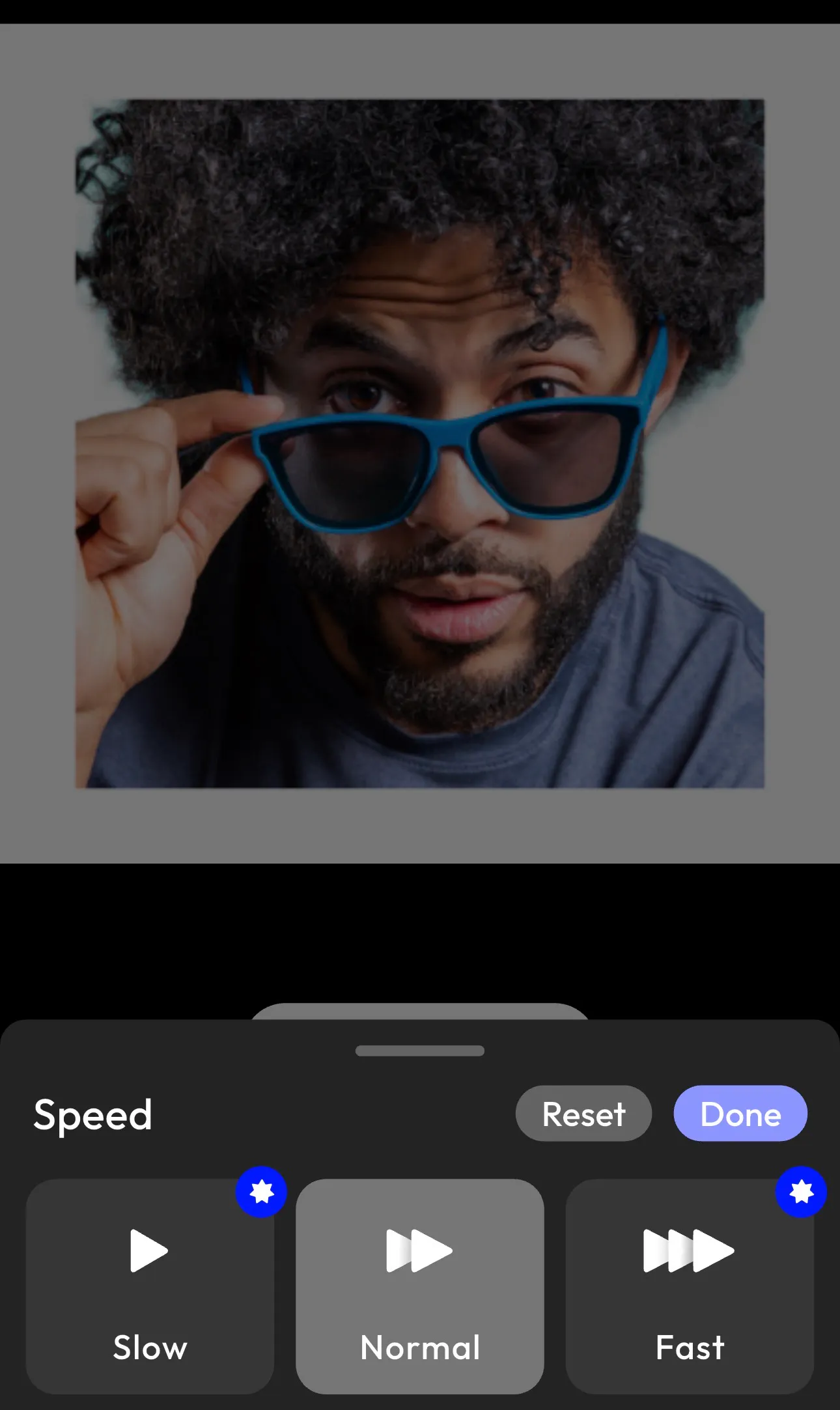
Now decide how your video feels. You can use slow motion if you want to show premium and cinematic visuals. On the contrary, if you want energetic and social media type of content, you can select the fast option. This is where your AI video creation becomes strategic.
Step 7: Export Your Video
Finally, export your video. In just a few minutes, you have created a professional video using a product video generator.
5 Best Practices for High-Converting Product Videos
Now that you know how to create AI videos, let’s make them perform. Here are some tips on creating product videos that can catch your customers’ attention in a second:
- Hook viewers instantly: Your first 3 seconds matter most.
- Focus on benefits: Show what your product does for the customer.
- Keep it short: 15–45 seconds works best.
- Optimize for mobile: Most viewers are on their phones.
- Use clear visual storytelling: Every frame should move the story forward.
Common Mistakes to Avoid
Even with the best product video maker, these mistakes can hurt performance:
- Too much text
- Poor-quality images
- Weak opening visuals
- No clear message
- Ignoring pacing
Fix these, and your videos instantly improve.
Conclusion
Now you know exactly how to create product videos that don’t just look good but also convert and sell. With the rise of AI video creation, what used to take hours now takes minutes. And with apps like Blend, you don’t need technical skills to produce high-quality videos. So instead of overthinking the process, start creating.
FAQs
How do I create product videos for free?
You can use a product video maker like Blend to create videos quickly without needing expensive tools or editing skills.
What is the best product video generator?
The best product video generator is one that combines ease of use with powerful features, especially AI automation like Blend.
Can AI create product videos?
Yes. With an AI product video generator, you can automatically turn images into videos using smart automation and templates.
How long should a product video be?
Most product videos perform best between 15–45 seconds, especially for social media.
What makes a product video effective?
Clear visuals, strong messaging, short duration, and a focus on benefits.