
What Is Guaranteed Safe Checkout Badge
A Safe Checkout Badge is one of the Trust Badges that e-commerce owners use to build the trust of their customers. As the name suggests, it is a badge that is being shown by the sellers in their shops to reassure the buyers that they can safely checkout via online payment, in other words, it works as a seal to ensure the safety of the buyer’s personal and internet details while purchasing a product online.
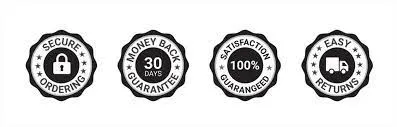
Trust Badges
Importance of Trust Badge
Trust Badges are one of the key elements that buyers look for while purchasing from an online store or website. A Guaranteed Safe Checkout is just a simple PNG file or a certificate provided by SSL (Secure Socket Layer) which guarantees the safety of online payment. Badge Studies show that trust badges reassure around 48% of consumers, that the site is secure and trustworthy. By securing the checkout process, customers feel a sense of security while providing their card details as their information becomes encrypted, and the internet connection is safe.
How To Add A Trust Badge
Adding a Trust Badge is very simple. Use trustworthy sources to get your Trust Badges. You can use the badges that are provided by the services that you use to get the payments. For example, if you own a Shopify store then use the Shopify Guaranteed Safe Checkout Badge, or you can also use the Paypal Guaranteed Safe Checkout Badge if you use Paypal for transactions. Register your shop with reliable sources and get your badges easily.
Once you are done downloading the logos, just go to the settings of your store and upload them. You can place them anywhere you want. Commonly used places for Trust Badges are on the Homepage and the Checkout page, which are clearly visible to visitors.

Use Guaranteed Safe Checkout Badges From Trusted Sources
How to Add a Guaranteed Safe Checkout Badge in WooCommerce
Adding a trust badge to your WooCommerce checkout page is all about placing it near the “Place Order” button — the point where customers feel the most hesitation before completing a payment.
You can do this in two simple ways:
Using a plugin (no coding required)
This is the easiest method and recommended for most store owners.
Install a WooCommerce trust badge plugin such as WooCommerce SSL Seal or a trusted app like Conversion Bear. After activation, open the plugin settings, upload your “guaranteed safe checkout” badge (PNG format), and select the display position as below the Place Order button on the checkout page.
Once you save the changes, the badge will automatically appear on your checkout page. No technical skills or coding are needed.
Advanced method (for developers only)
Some WooCommerce stores prefer a custom setup using code. This method is optional and only meant for users or developers who have access to theme files.
It involves adding a small code snippet inside the WordPress child theme’s functions.php file and using WooCommerce hooks to display the trust badge near the checkout or cart totals area.
If you are not familiar with coding or WordPress development, you can safely ignore this method and use the plugin option instead.
In most cases, the plugin method is enough to properly display a guaranteed safe checkout badge and improve customer trust during checkout.
Where to Get a Guaranteed Safe Checkout Badge PNG
Finding a high-quality guaranteed safe checkout badge PNG is easier than most store owners expect. You have three reliable options depending on your setup:
- Your Payment Processor: PayPal, Stripe, and Shopify Payments all provide official safe checkout badge images free of charge once you sign up. Log into your account dashboard, navigate to the marketing or branding assets section, and download the PNG directly.
- Free Design Tools: Canva and Freepik offer hundreds of customizable secure checkout badge PNG templates at no cost. Search for "secure checkout badge" or "safe payment seal" within either platform, edit the colors to match your brand, and export as a transparent-background PNG.
- SSL Certificate Providers: If you use Norton, McAfee Secure, or Comodo for your SSL certificate, each provider supplies a verified trust seal PNG you can embed on your checkout page. These carry the highest consumer recognition and conversion impact.
Always use a transparent background PNG so the badge integrates cleanly into any page section without white-box artifacts.
Final Thought
With all the scammers and hackers out in the market, it really is challenging to gain the trust of people who do not know you resulting in abandoned carts and lower conversions. Therefore, a Guaranteed Safe Checkout Badge can be a lifesaver for all the small and new eCommerce business owners who provide premium products and purchase experiences to their customers. Use all the necessary and useful Trust Bages that help you gain the trust of your buyers and increase conversion.
FAQ
1. What is a guaranteed safe checkout badge?
A guaranteed safe checkout badge is a trust seal - either a free PNG from your payment provider or an SSL-backed certificate - displayed at checkout to signal that customer payment data is encrypted and secure.
2. How do I get a free guaranteed safe checkout badge?
You can get a free guaranteed safe checkout badge from your payment processor (PayPal, Stripe, Shopify Payments) directly, or download a generic PNG from design tools like Canva or Freepik and upload it to your store.
3. Where should I place a safe checkout badge on my store?
Place your safe checkout badge next to the Place Order or Proceed to Checkout button for maximum impact. Product pages below the Add to Cart button and your site footer are equally effective secondary placements.