


Let’s be honest. Not a lot of people can spend a chunk of their hard-earned money on a costume they’ll only wear for a few hours. Plus, the added stress of transforming your living room into a set, or hiring a photographer just to get a cool Halloween photo. Today, if you’ve got a decent selfie, that’s more than enough. With some good Halloween ai photo prompts, AI will do all the heavy lifting and will give you your desired results.
Want to see what you’d look like as a 19th-century vampire, a high-fashion witch, or just someone hanging out at a moody pumpkin patch? It all comes down to giving the AI a little direction. Describe the outfit, set the scene, tune the lighting, and you are set. If you already have a photo where you actually like your face, you can just toss it into an editor like Blend, swap out the boring living room background for a misty forest, and call it a day.
35 Halloween AI Photo Prompts You Can Copy
Here are Halloween AI photo prompts you can copy and adjust. Replace details such as your outfit, hair, location or pose to make each image fit you.
1. Classic Witch Portrait
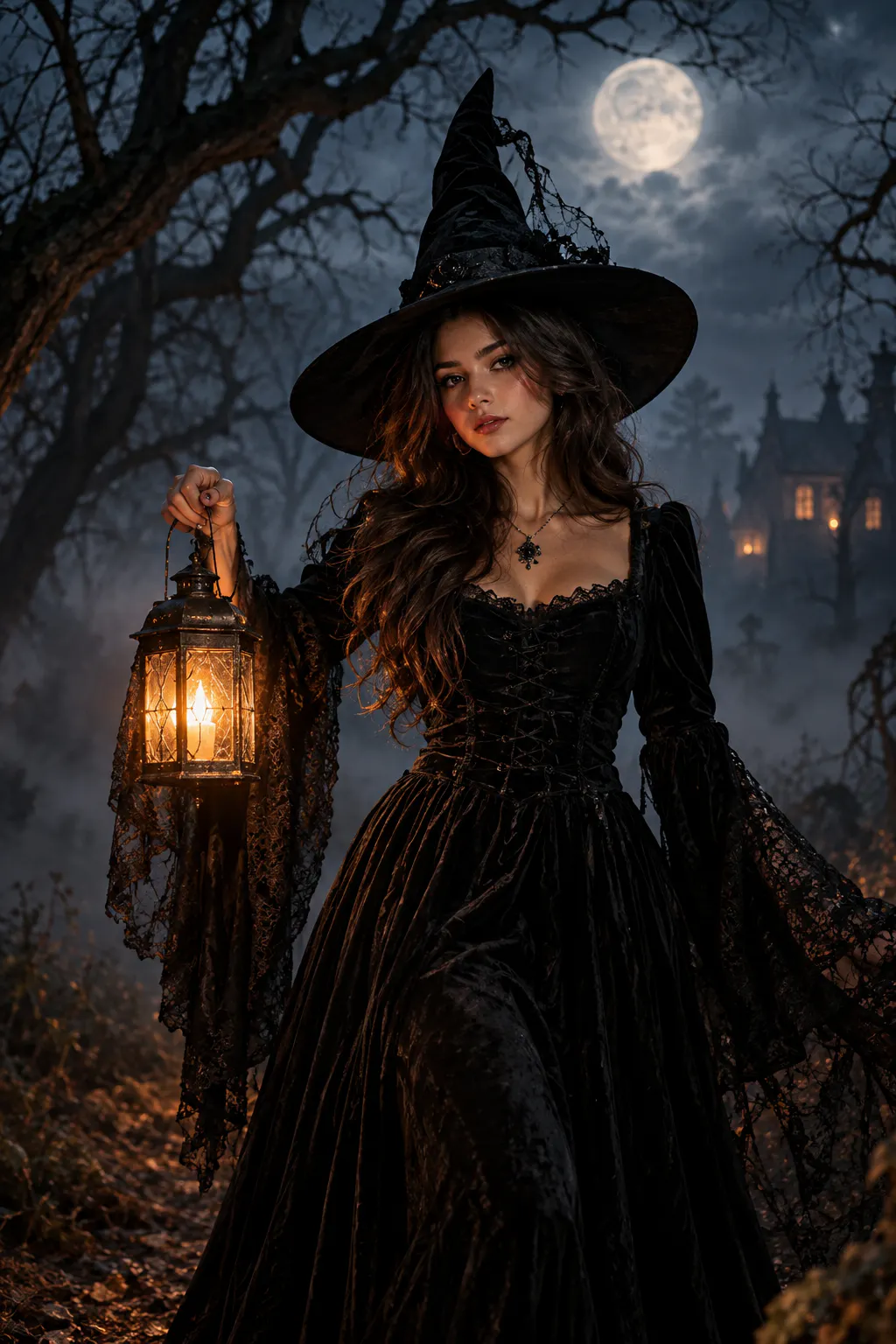
Create a realistic Halloween portrait of me dressed as a classic witch, wearing a long black velvet dress and pointed black hat. Place me in a dark forest at night with a full moon, light fog and twisted trees in the background. Use soft moonlight on my face with a subtle warm glow from a lantern, cinematic photography, realistic skin texture and a mysterious expression.
2. Glamorous Witch Photoshoot
Turn my photo into a glamorous Halloween witch photoshoot. Keep my face and natural features unchanged. Give me a stylish black lace dress, dark smoky eye makeup and a wide-brimmed black hat. Place me inside an elegant gothic room with candles, old books and deep shadows. Use dramatic editorial lighting and a luxury fashion photography style.
3. Halloween Vampire Portrait
Create a realistic Halloween vampire portrait using my photo. Keep my facial identity, skin tone and features unchanged. Dress me in a sophisticated black velvet outfit with a high collar and subtle red details. Place me inside an old gothic mansion with candlelight and soft fog, using dramatic shadows and cinematic portrait lighting.
4. Gothic Halloween Photoshoot
Create a dark gothic Halloween photoshoot using my photo. Keep my face exactly the same. Dress me in a black Victorian-inspired outfit and place me in an old stone room with candles, antique furniture and dark curtains. Use low-key lighting, soft shadows and a realistic professional photography style.
5. Pumpkin Patch Portrait
Turn my photo into a cosy Halloween pumpkin patch photoshoot. Keep my face and natural appearance unchanged. Dress me in a warm autumn outfit with boots and a knitted sweater. Place me among pumpkins, fallen leaves and wooden crates during golden hour. Use warm natural sunlight and a realistic lifestyle photography style.

6. Spooky Forest Photo
Create a realistic Halloween photo of me standing in a misty forest at night. Keep my face unchanged. Dress me in a dark outfit with subtle gothic details. Add a full moon, bare trees and a light layer of fog in the background. Use cool moonlight with a small warm light on my face for a cinematic spooky atmosphere.
7. Haunted House Portrait
Transform my portrait into a Halloween photo outside an old haunted house. Keep my face, skin tone and facial features unchanged. Give me a dark Halloween outfit and place me on the front steps of the house with pumpkins, lanterns and light fog. Make the house look old and mysterious without adding gore. Use realistic night photography and dramatic lighting.
8. Halloween Party Photo
Turn my ordinary photo into a fun Halloween party picture. Keep my face unchanged and dress me in a stylish Halloween costume. Put me inside a decorated party room filled with pumpkins, candles, balloons and warm string lights. Add a few blurred people in the background and use realistic event photography with warm, natural lighting.
9. Haunted Mirror Selfie
Create a realistic Halloween mirror selfie using my photo. Keep my face and body proportions natural. Dress me in a dark gothic outfit and place me in an old room with candles and vintage furniture. Add a slightly eerie reflection in the mirror while keeping the main image realistic. Use low warm lighting and a subtle film grain effect.
10. Halloween Selfie
Turn my selfie into a stylish Halloween portrait. Keep my exact facial identity and natural skin texture. Add elegant Halloween makeup, a black outfit and subtle spooky accessories. Use a dark blurred background with warm orange lighting and create a realistic social media portrait.
RELATED READING: 60+ AI Video Ideas for YouTube, TikTok, Instagram and More
11. Cute Halloween Photo
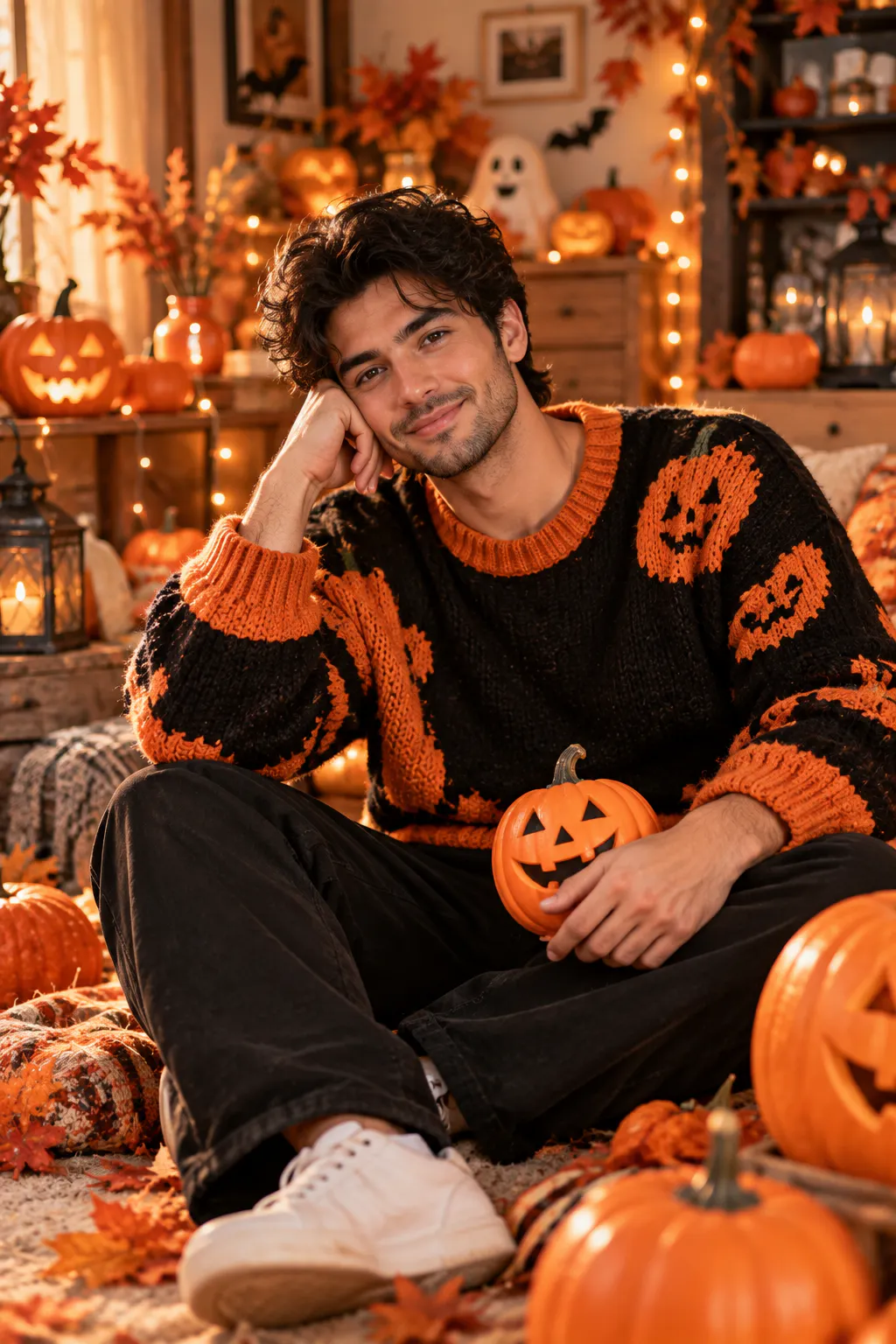
Turn my photo into a cute Halloween-themed portrait. Keep my face unchanged. Give me a cosy orange and black outfit with a small pumpkin accessory. Place me in a warm room decorated with pumpkins, fairy lights and autumn leaves. Use soft natural lighting and a cheerful Halloween mood.
12. Scary Halloween Portrait
Create a spooky but realistic Halloween portrait using my photo. Keep my face and facial structure unchanged. Dress me in a dark hooded outfit and place me in a foggy abandoned setting at night. Use dramatic side lighting, deep shadows and a cold blue-grey colour palette. Keep the image atmospheric rather than gory.
13. Dark Fairy Halloween Look
Transform my portrait into a dark fairy Halloween photoshoot. Keep my facial features and skin tone unchanged. Add a flowing dark dress, delicate black wings and subtle glowing details. Place me in an enchanted forest at night with soft mist and tiny lights in the background. Use cinematic lighting and realistic photography.
14. Skeleton Makeup Portrait
Create a Halloween portrait of me with elegant skeleton-inspired makeup. Keep my face shape and identity unchanged. Add detailed black-and-white makeup around the eyes, nose and cheeks while keeping the skin texture realistic. Dress me in a simple black outfit and place me against a dark studio background with soft dramatic lighting.
15. Retro Halloween Photo
Turn my photo into a 1980s-inspired Halloween portrait. Keep my face unchanged. Give me retro Halloween clothing, soft curls and subtle Halloween makeup. Add a dark studio background with orange and purple lighting and a slight vintage film grain. Make it look like a real old photograph rather than an illustration.
16. Vintage Halloween Portrait
Create a vintage Halloween portrait from my photo. Keep my facial identity unchanged. Dress me in an old-fashioned black outfit and place me inside a candlelit room with antique furniture. Use warm sepia tones, soft shadows and subtle film grain to create the look of an old studio photograph.
17. Halloween Couple Photo
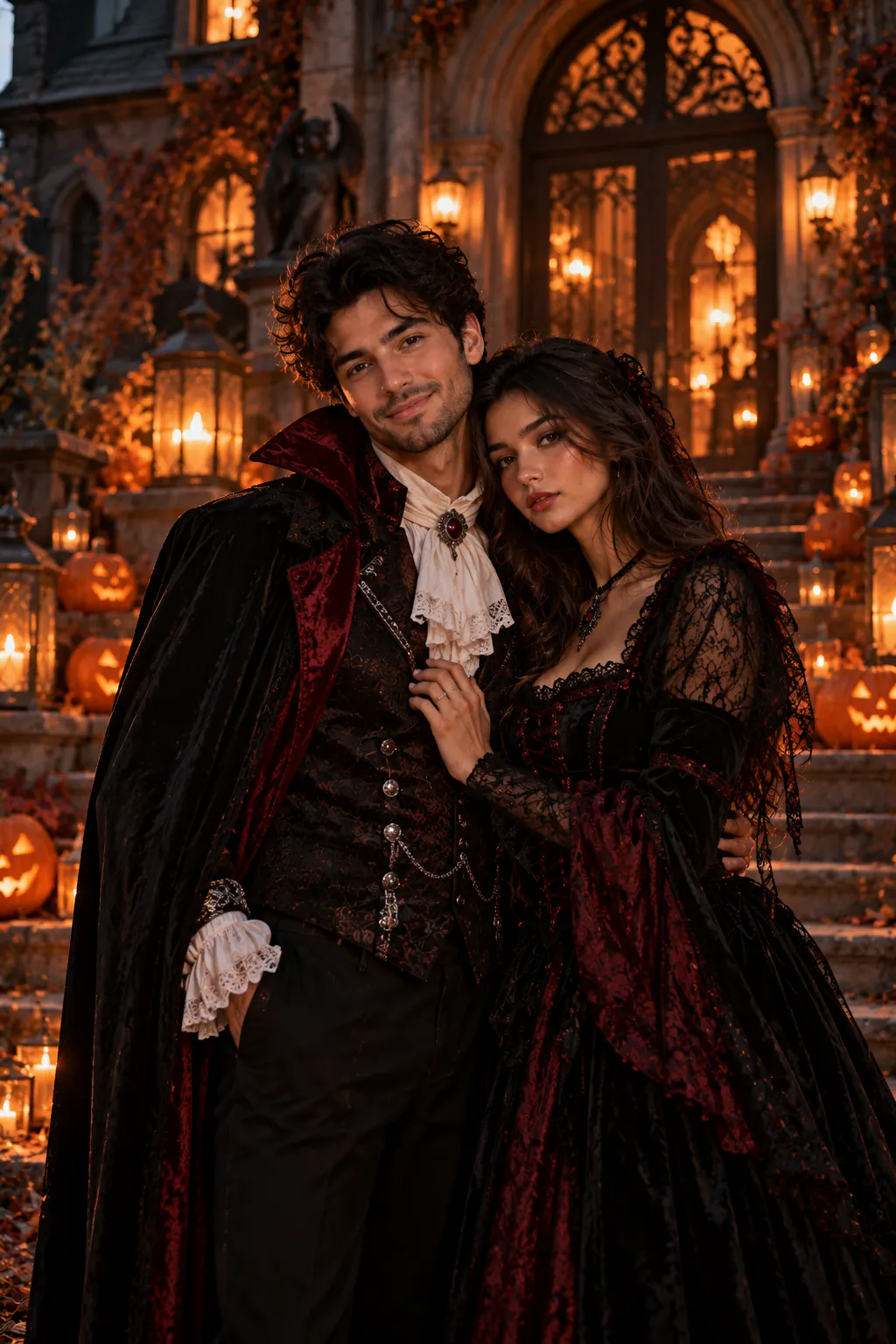
Create a realistic Halloween couple photoshoot using our photo. Keep both faces and natural features unchanged. Dress one person in a sophisticated vampire-inspired outfit and the other in an elegant gothic costume. Place us outside a decorated gothic mansion with pumpkins and lanterns. Use cinematic evening lighting and natural poses.
18. Matching Halloween Costumes
Turn our photo into a fun Halloween couple portrait with coordinated costumes. Keep both faces unchanged. Give us stylish black and orange Halloween outfits with subtle spooky accessories. Place us in front of a decorated house with pumpkins, candles and autumn leaves. Use warm evening light and realistic lifestyle photography.
19. Halloween Best Friends Photo
Transform our photo into a Halloween best-friends photoshoot. Keep both faces unchanged. Give us different but coordinated Halloween costumes and place us outside a pumpkin-covered house at night. Add warm lanterns, autumn leaves and subtle fog. Use a fun editorial photography style with natural poses.
20. Halloween Family Photo
Turn our family photo into a warm Halloween family portrait. Keep everyone's faces and natural features unchanged. Give each person a different Halloween-inspired outfit and place us in a cosy home decorated with pumpkins, candles and autumn leaves. Use soft warm lighting and realistic family photography.
RELATED READING: Baby AI Videos: How to Make AI Baby Videos With Prompts
21. Pet Halloween Photo
Create a realistic Halloween portrait of my pet using the uploaded photo. Keep my pet's face, markings, fur colour and natural features unchanged. Add a cute Halloween costume and place the pet beside pumpkins and autumn leaves. Use soft studio lighting and a clean background so the pet remains the main focus.
22. Black Cat Halloween Portrait
Create a realistic Halloween photo featuring a black cat sitting beside glowing pumpkins at night. Add a dark wooden porch, warm candlelight and a little mist in the background. Use shallow depth of field, realistic fur detail and cinematic night photography.
23. Halloween Costume Try-On
Use my photo to show me wearing a sophisticated Halloween costume. Keep my exact face, body proportions, skin tone and natural features unchanged. Change only my outfit, hair styling and makeup. Give me a detailed gothic costume with realistic fabric, natural folds and believable lighting that matches the original photograph.
24. Halloween Makeup Transformation
Transform my portrait with a dramatic Halloween makeup look while keeping my facial identity unchanged. Add dark smoky eye makeup, subtle face paint and deep red lipstick. Keep the skin texture realistic and place me against a dark studio background with soft dramatic lighting.
25. Halloween Queen Portrait
Create a cinematic Halloween portrait of me as a gothic queen. Keep my face unchanged. Dress me in a long black gown with subtle silver details and a dark crown. Place me inside an old castle with candles and tall windows behind me. Use soft moonlight and dramatic shadows for a realistic editorial photograph.
26. Halloween Angel And Demon Theme
Create a Halloween-inspired portrait with a dark fantasy theme. Keep my face and natural features unchanged. Give me a dramatic black-and-white outfit inspired by an angel and demon contrast, with one side of the scene softly lit and the other in deeper shadow. Keep the result elegant, realistic and suitable for a fashion photoshoot.
27. Halloween In The City
Turn my photo into a stylish Halloween night-out picture. Keep my face unchanged. Dress me in a modern black Halloween outfit and place me on a city street decorated with pumpkins, orange lights and Halloween signs. Use realistic street photography, shallow depth of field and natural evening lighting.
28. Halloween Café Photo
Create a cosy Halloween café portrait using my photo. Keep my face unchanged. Dress me in a stylish autumn outfit and place me inside a café decorated with pumpkins, candles and subtle Halloween decorations. Add a warm coffee cup on the table and use soft window light with realistic lifestyle photography.
29. Halloween Prom Photo
Turn my photo into an elegant Halloween prom portrait. Keep my face and natural features unchanged. Dress me in a dark formal outfit with subtle Halloween details. Place me in a decorated ballroom with candles, pumpkins and warm orange lights. Use professional event photography with a cinematic background blur.
30. Haunted Carnival Photo
Create a realistic Halloween portrait of me at an abandoned carnival at night. Keep my face unchanged. Dress me in a dark Halloween outfit and place me beside an old carousel with faded lights and light fog. Use cinematic lighting, realistic textures and a mysterious atmosphere without gore.
RELATED READING: AI Prompts for Book Covers: 70+ Prompts for Wattpad, Kindle, and Self-Publishing Covers
31. Moonlit Halloween Portrait
Create a realistic full-body Halloween portrait using my photo. Keep my face and body proportions unchanged. Dress me in a long dark outfit and place me on an empty road beneath a large full moon. Add light mist, distant trees and subtle moonlight around my hair and shoulders. Use cinematic night photography.
32. Halloween Social Media Profile Picture
Create a stylish Halloween profile picture using my photo. Keep my face, skin tone and natural features unchanged. Add subtle Halloween makeup and a black outfit. Use a dark blurred background with soft orange and purple lighting. Crop the image as a clean square portrait suitable for a social media profile picture.
33. Halloween Instagram Portrait
Turn my photo into an Instagram-ready Halloween portrait. Keep my face unchanged. Give me a stylish modern Halloween outfit and place me in front of a dramatic backdrop with pumpkins, candles and autumn leaves. Use a 4:5 portrait composition, realistic skin texture, soft background blur and cinematic lighting.
34. Halloween Photoshoot In Autumn
Create an editorial Halloween photoshoot using my photo. Keep my face and natural features unchanged. Place me in an autumn forest surrounded by orange leaves, pumpkins and soft mist. Give me a dark elegant outfit and use low golden sunlight coming through the trees. Make the image look like a professional outdoor fashion photograph.
35. Cinematic Halloween Poster
Create a cinematic Halloween poster using my photo. Keep my face and identity unchanged. Place me in a dark Halloween setting with a large full moon, fog, pumpkins and an old house in the distance. Give me a dramatic black costume and strong rim lighting. Leave some clean dark space around the subject for optional text.
Halloween AI Photo Prompts Inspired By Famous Characters
Want to turn your photo into a recognisable Halloween character? You can use AI to try different character-inspired looks without buying a costume or putting together a full photoshoot. Tell the AI which character you want, then describe the outfit, setting, lighting and pose you want.
36. Wednesday Addams
Transform my photo into a realistic Wednesday Addams-inspired Halloween portrait. Keep my face, facial features and natural appearance unchanged. Dress me in a black collared dress with a gothic school-inspired style and add two long braids. Place me inside an old gothic mansion with dark wood, candles and subtle cobwebs. Use cool, moody lighting, a serious expression and realistic editorial photography.
37. Morticia Addams
Turn my photo into a glamorous Morticia Addams-inspired Halloween portrait. Keep my face and natural features unchanged. Dress me in a long, fitted black gothic gown with flowing sleeves and dark jewellery. Give me long, sleek black hair and place me inside an elegant gothic mansion with candles and deep shadows. Use dramatic soft lighting and realistic fashion photography.
38. Maleficent
Transform my photo into a realistic Maleficent-inspired Halloween portrait. Keep my face and natural features unchanged. Dress me in a dramatic black gown with structured shoulders and add an elegant black horned headpiece. Place me in a dark enchanted forest with twisted trees, mist and a faint green glow in the background. Use cinematic lighting and realistic fantasy photography.
39. Harley Quinn
Turn my photo into a playful Harley Quinn-inspired Halloween portrait. Keep my face and natural features unchanged. Give me blonde hair with subtle pink and blue highlights, a fun red-and-blue outfit and playful Halloween makeup. Place me in a colourful carnival-inspired setting with glowing lights and subtle Halloween decorations. Use vibrant cinematic lighting and realistic photography.
40. The Joker
Transform my photo into a realistic Joker-inspired Halloween portrait. Keep my facial structure and natural features unchanged. Give me a dark purple suit, green-tinted hair and theatrical face makeup inspired by the character. Place me in a dimly lit city setting with neon lights and light fog. Use dramatic cinematic lighting and realistic portrait photography.
RELATED READING: 50 Couple Photo Prompts to Create Romantic AI Photos
41. Dracula
Turn my photo into a classic Dracula-inspired Halloween portrait. Keep my face and natural features unchanged. Dress me in a sophisticated black cape, dark suit and high-collared shirt with subtle red details. Place me inside an old gothic castle with candles, tall windows and moonlight in the background. Use dramatic shadows and realistic cinematic photography.
42. Jack Sparrow
Transform my photo into a realistic pirate Halloween portrait inspired by Captain Jack Sparrow. Keep my face and natural features unchanged. Give me a weathered pirate coat, white shirt, layered jewellery, a dark bandana and subtle pirate makeup. Place me on an old wooden ship at sunset with misty water behind me. Use cinematic adventure photography and natural lighting.

43. Belle From Beauty And The Beast
Turn my photo into an elegant Belle-inspired Halloween portrait. Keep my face and natural appearance unchanged. Dress me in a beautiful golden ball gown with delicate details. Place me inside an old romantic castle decorated with candles, roses and warm golden lights. Use soft cinematic lighting and realistic editorial photography.
44. Cinderella
Transform my photo into a realistic Cinderella-inspired Halloween portrait. Keep my face and natural features unchanged. Dress me in an elegant pale blue ball gown with delicate sparkling details. Place me inside a grand castle ballroom with chandeliers and soft candlelight. Use dreamy but realistic lighting and professional fashion photography.
45. Red Riding Hood
Turn my photo into a dark Red Riding Hood-inspired Halloween portrait. Keep my face and natural features unchanged. Dress me in a deep red hooded cloak over a simple dark outfit. Place me in a misty forest at night with twisted trees and a full moon in the background. Use cinematic moonlight, soft fog and realistic photography.
46. Alice In Wonderland
Transform my photo into a whimsical Alice in Wonderland-inspired Halloween portrait. Keep my face and natural features unchanged. Dress me in a blue dress with a white collar and black ribbon. Place me in a strange enchanted garden with oversized flowers, glowing mushrooms and subtle autumn details. Use soft fantasy lighting while keeping the image photorealistic.
47. Cruella
Turn my photo into a glamorous Cruella-inspired Halloween fashion portrait. Keep my face and natural features unchanged. Give me dramatic black-and-white hair and dress me in a sophisticated black-and-white outfit with a faux-fur coat. Place me inside a luxurious dark room with dramatic lighting and vintage furniture. Use high-fashion editorial photography.
48. Poison Ivy
Transform my photo into a realistic Poison Ivy-inspired Halloween portrait. Keep my face and natural features unchanged. Dress me in an elegant deep green outfit with subtle leaf and vine details. Place me inside a lush enchanted greenhouse surrounded by plants and warm sunlight. Use cinematic natural lighting and realistic fashion photography.
49. The Mad Hatter
Turn my photo into a colourful Mad Hatter-inspired Halloween portrait. Keep my face and natural features unchanged. Give me a detailed eccentric outfit with a tall decorated hat, colourful coat and vintage accessories. Place me at a strange Halloween tea party surrounded by candles, pumpkins and unusual decorations. Use whimsical cinematic lighting and realistic portrait photography.
RELATED READING: Food Photography Prompts: 25 AI Prompts That Create Delicious, Scroll-Stopping Food Photos
Use Blend To Turn Your Photos Into Halloween Scenes
You can have a great Halloween prompt and still end up with a photo that doesn't feel quite right because the background doesn't match the idea. That's where Blend can help.
You can start with an existing photo, remove its background and replace the original setting with a Halloween scene. Instead of trying to take a new photo in a decorated location, you can turn a simple portrait into a picture with pumpkins, haunted houses, autumn forests, Halloween parties or other seasonal backgrounds.
This works especially well when you already have a photo you like. You don't have to start from scratch. Keep the person, change the setting and build the Halloween look around the original picture.
For example, you could take a simple outdoor portrait and give it a foggy forest background. Or use a plain product photo and place the product inside a Halloween-themed setting for a seasonal social post. If you don't want to go through all the hassle of changing background, then you can simple upload your picture and use their AI Image feature to transform it into a Halloween image. Just type in the details of the picture and Blend will generate it in a minute.
Blend also makes this useful beyond personal photos. If you run a small business, create social media content or sell products online, you can use Halloween backgrounds to give your existing product images a seasonal look without arranging a full photoshoot.
Conclusion
You don't need a complicated setup to create a good Halloween photo. Start with one photo you like, choose a clear idea and describe the details that matter: your outfit, the setting, the lighting and the mood. Once you have the image you want, you can use Blend to experiment with different Halloween backgrounds and turn the same photo into several seasonal versions.
Try a spooky portrait first. Then change the background, test a different costume or create a completely different autumn look. With the right Halloween AI photo prompts, one ordinary photo can give you plenty of Halloween content to work with.