


Let’s say you sell clothes online, you know this by now that the images you post decide whether the customers will like it or not. Customers can’t touch fabric, try sizes, or feel its quality. That’s why your visuals need to do all the talking. Here’s where ghost mannequin photography becomes a game-changer.
This technique creates clean, professional, 3D-looking apparel images without showing a model or mannequin the mannequin. It helps brands increase conversions and maintain consistency across their catalog.
If you want to increase conversion rates and boost your sales online, read along and learn everything about ghost mannequin photography, including how it works, how to shoot it, and how Blend can simplify the entire process.
What Is Ghost Mannequin Photography?
Ghost mannequin photography is a specialized form of apparel product photography where garments are photographed on a mannequin and then edited to remove the mannequin in post-production.
The final result is a realistic, 3D-looking garment that appears to float in space while maintaining its natural shape and structure.
This technique is widely used across ecommerce platforms like Shopify, Amazon, and fashion marketplaces because it strikes the perfect balance between simplicity and realism.
Why It’s Called the “Ghost” Effect
The name comes from the illusion it creates. Once the mannequin is removed, the clothing retains its form and makes it look like an invisible person is wearing it.
This effect highlights:
- Fit and silhouette
- Stitching and structure
- Inner details like collars and linings
Compared to flat lay photography, which can appear lifeless, ghost mannequin images provide depth and dimension that significantly improve product presentation.
How to Create Ghost Mannequin Images with Blend
Creating high-quality ghost mannequin photography used to require mannequins, studio lighting, and hours of manual editing. But with Blend, you can achieve the same professional invisible mannequin effect in minutes using just a single image.
Below is a detailed, step-by-step guide to help you create clean, high-converting ecommerce product images using Blend.
Step 1: Upload Your Product Image
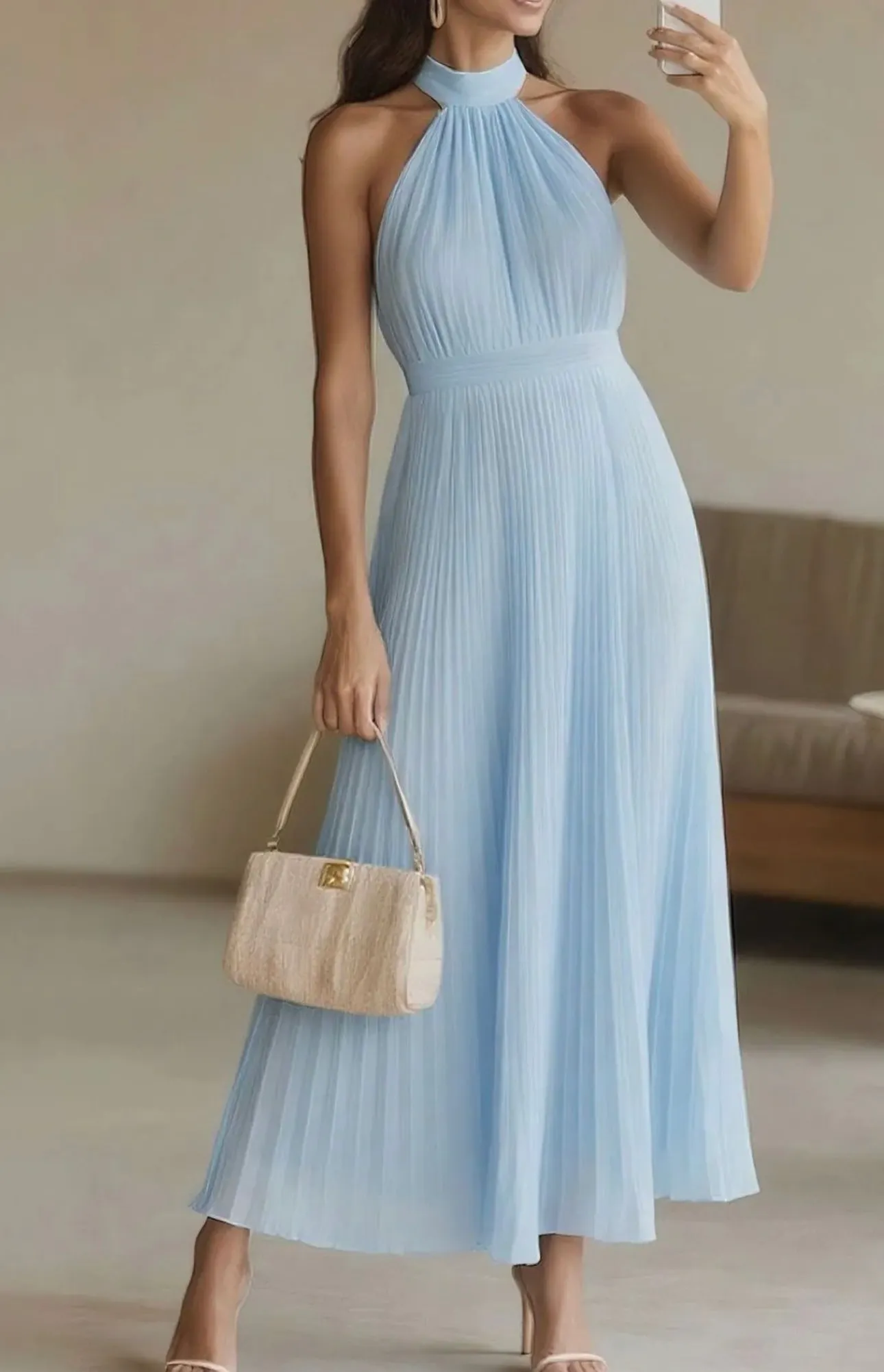
The first step is simple: upload your product image into Blend. You can start with different types of images, including:
- Model photography (a person wearing the garment)
- Mannequin shots
- Flat lay clothing images
Blend is designed to work with all of these formats. The app is incredibly flexible for brands at any stage.
Once uploaded, the platform begins analyzing your image automatically. It detects the garment, identifies key areas like edges and folds, and prepares it for ghost mannequin editing.
Step 2: Select the Model Type
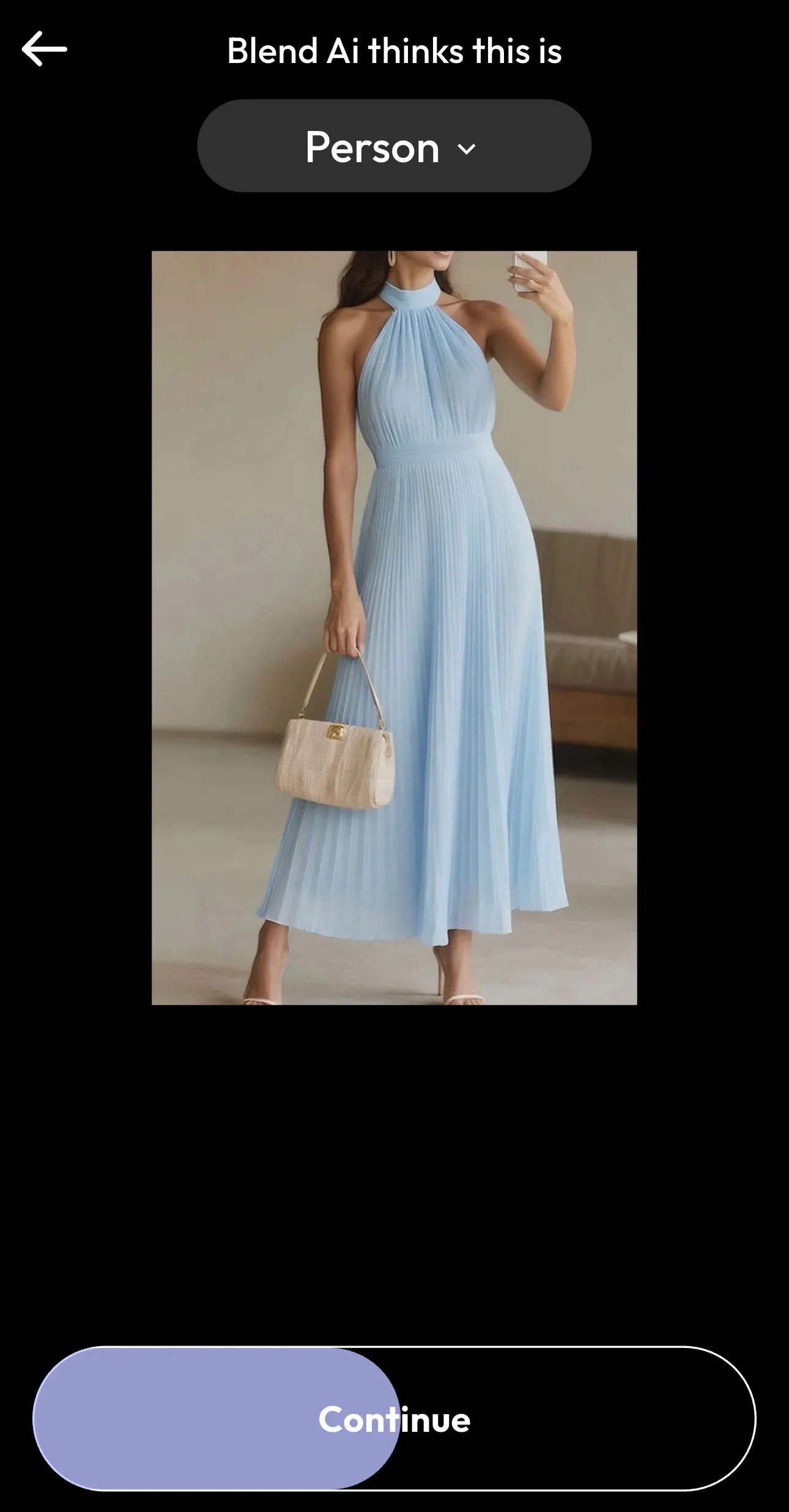
After uploading, Blend AI automatically identifies what’s in your image.
Typically, it detects whether the subject is:
- A person
- A piece of clothing
- A product
In most cases, this detection is accurate, but you can manually adjust it if needed. This step matters for precise mannequin or model removal.
Step 3: Choose or Create a Model
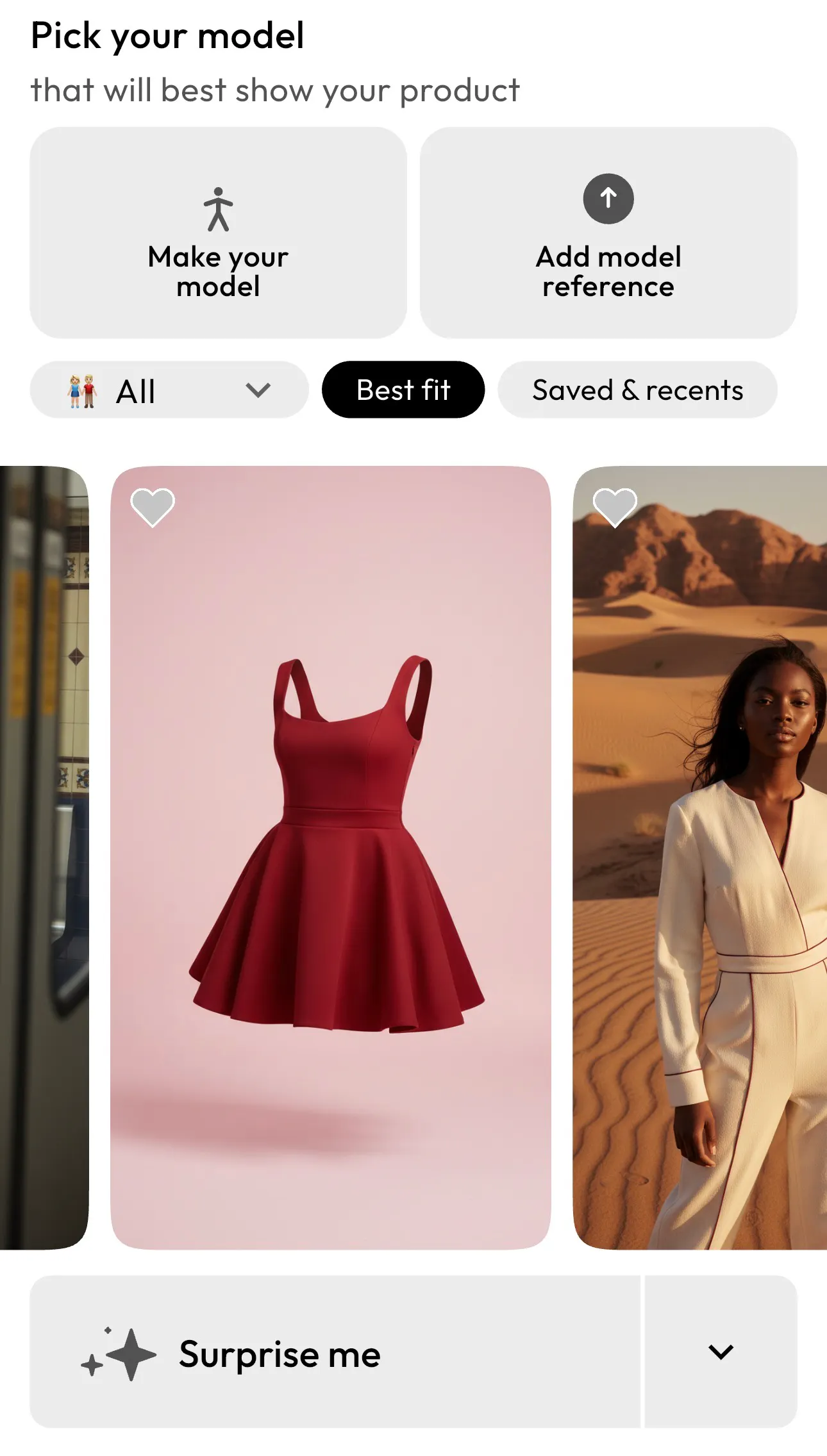
Next, Blend allows you to define how your product will be structured before applying the ghost mannequin effect. Select the ghost mannequin feature.
In traditional photoshoots, this would require a physical mannequin or live model. With the Blend app, it’s all done digitally.
Step 4: Generate the Ghost Mannequin Effect
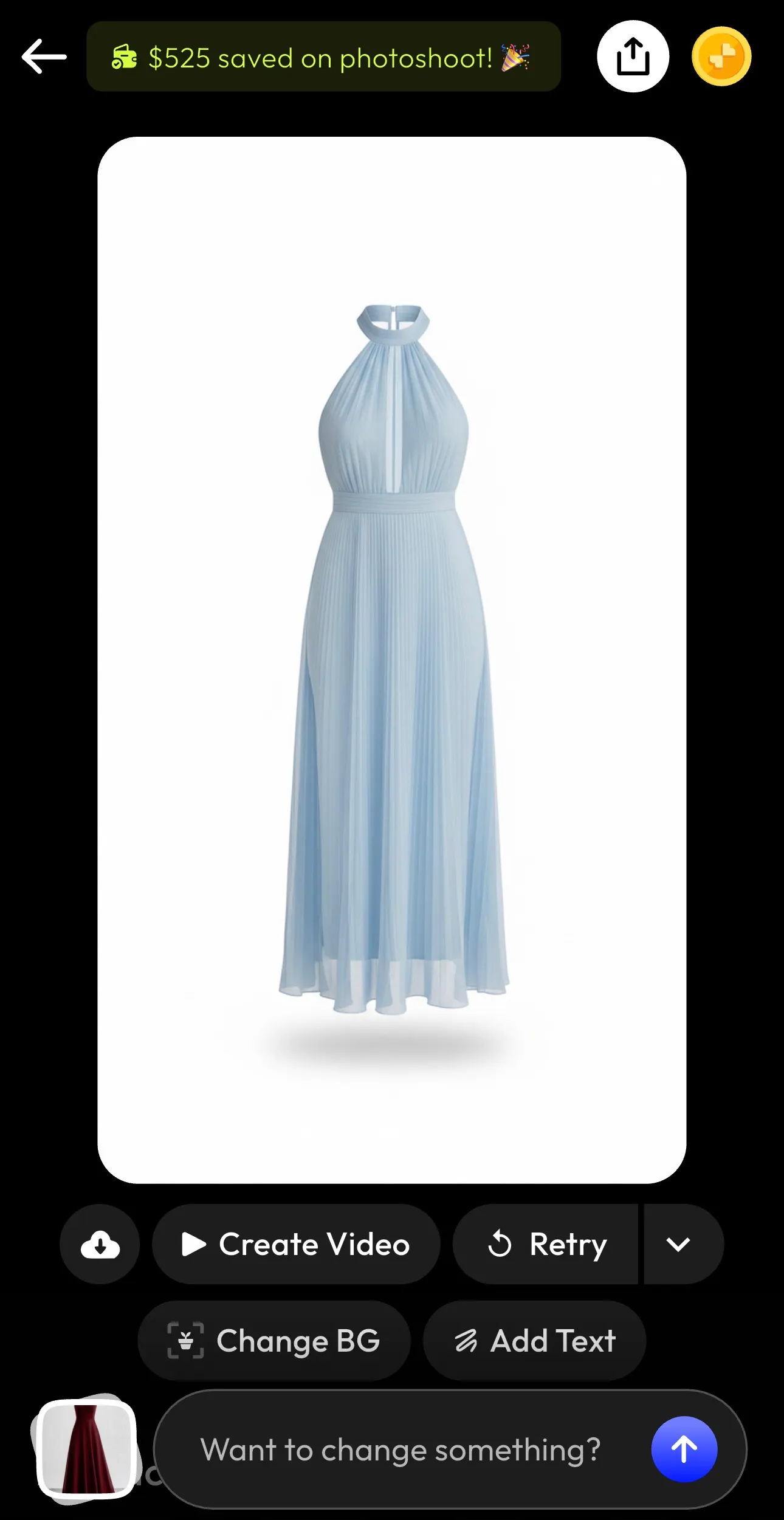
Now comes the transformation. Click “Continue”, and Blend will automatically generate your ghost mannequin image. Behind the scenes, the AI performs multiple advanced steps:
- Removes the model or mannequin
- Reconstructs hidden areas (like inner necklines or sleeves)
- Aligns fabric structure
- Creates depth and shadow for a realistic 3D effect
Within seconds, your garment appears as if it’s being worn by an invisible person. This step replaces what traditionally takes 15–30 minutes per image in Photoshop.
Step 5: Customize and Export Your Image
Once your invisible mannequin effect is created, you can further enhance your image directly within Blend.
Customization options include:
- Changing the background (white, colored, or lifestyle scenes)
- Adding props like bags or accessories
- Adjusting lighting and shadows
- Inserting branding or text overlays
You can even create short videos or dynamic visuals for product pages and ads. When you are satisfied, export your image in high resolution. You can use these images to sell on Poshmark or other eCommerce and social media platforms.
Why Ghost Mannequin Photography Matters for Ecommerce
For fashion brands, this isn’t just about aesthetics—it’s about performance.
- Higher Conversion Rates: 3D product visualization helps customers better understand fit and structure, increasing buying confidence.
- Consistency Across Catalogs: Unlike model photography, ghost mannequin shots maintain uniform styling across hundreds of SKUs.
- Cost Efficiency: With Blend app, you don’t need to pay for models, stylists, or complex shoots, which makes it ideal for scaling product photography.
- Marketplace Compliance: Platforms like Amazon require clean backgrounds and no visible mannequins. This is where ghost mannequin images fit perfectly.
Ghost Mannequin vs Flat Lay vs Model Photography
Method | Best For | Pros | Cons |
Ghost Mannequin Photography | Apparel ecommerce | 3D look, scalable, cost-effective | Requires editing |
Flat Lay Photography | Accessories, casual items | Fast and simple | No shape or fit |
Model Photography | Branding & campaigns | Lifestyle appeal | Expensive & inconsistent |
Most brands use a combination, but depend on ghost mannequin photography for product pages.
Pro Tips for Better Ghost Mannequin Photos
Ghost mannequin photography is one of the best ways to boost sales online. If you want studio-quality results, focus on these tips:
- Use the Right Mannequin: Choose one with removable parts (neck, arms) for easier editing.
- Maintain Symmetry: Ensure the garment is centered and evenly styled. This dramatically improves final output.
- Control Lighting: Soft, even lighting avoids harsh shadows and simplifies post-production.
- Shoot Interior Details Clearly: Collars, sleeves, and inner fabric are key to achieving the 3D illusion.
- Keep Framing Consistent: Use the same camera position and zoom across all products for a uniform catalog.
Conclusion
Ghost mannequin photography is more than just a trend. It has become a necessity for modern ecommerce. It provides clean and professional visuals which will dramatically increase the customers’ trust.
For brands looking to improve their ecommerce product images, this technique offers the perfect balance between quality and efficiency. And with apps like Blend, it is easier than ever to create stunning ghost mannequin images.