




Your YouTube thumbnail is a tiny ad for your video. A viewer scrolling through their feed gives it less than a second of attention before deciding to click or keep moving. The videos that win are not always the best produced or the most informative. The ones with thumbnails that stop the scroll, communicate the video's value instantly, and make the viewer curious enough to click are the ones that earn the view.
AI image generators can produce thumbnails faster than any design tool, but the quality depends entirely on your prompt. A generic prompt like "YouTube thumbnail" gives you a generic image that blends into every other video in the feed. A prompt that specifies the subject, emotion, color palette, lighting, composition, and where to leave space for text gives you something that competes with channels ten times your size.
Here are 60+ thumbnail prompts organized by niche, plus the prompt-building fundamentals that make the difference between a thumbnail that gets scrolled past and one that earns the click.
How to Write a Thumbnail Prompt That Works
Before copying any prompt below, understanding the structure behind a strong thumbnail prompt will help you customize these for your own channel and create new ones from scratch.
Start With the Subject and Emotion
Every high-performing thumbnail has a clear focal subject and a readable emotion. The subject might be a person, a product, a before-and-after comparison, or a dramatic visual metaphor. For product-focused thumbnails, starting with a clean product cutout using a background removal tool gives you a sharp, isolated subject you can composite onto any bold background. The emotion might be shock, excitement, curiosity, frustration, or satisfaction. Specify both in your prompt.
"A person holding a broken laptop" is a subject with no emotion. "A person holding a broken laptop with a shocked, wide-eyed expression" adds the emotional signal that makes viewers curious about what happened.
Specify the Color Palette and Contrast
Thumbnails compete against dozens of other images on the same screen. High contrast and bold colors win attention. Specify two to three colors in your prompt and ask for high contrast between the subject and the background.
Colors that consistently perform well in YouTube thumbnails:
- Red and yellow for urgency and energy
- Blue and white for trust and clarity
- Black and neon green for tech and gaming
- Orange and dark grey for warmth and authority
Leave Space for Text Overlay
AI-generated thumbnails should not include text. AI tools produce garbled, misspelled, or poorly placed letters. Generate the image text-free and add your headline (3 to 5 words maximum) in a design tool afterward.
In your prompt, specify where the text will go: "Leave clear negative space on the right third for text overlay" or "keep the left side of the frame open for a headline." The AI will compose the image around that space.
Design for 1280 x 720 Pixels at 16 by 9
YouTube thumbnails are 1280 x 720 pixels. Always include "16:9 aspect ratio" or "--ar 16:9" in your prompt. A thumbnail generated at 1:1 or 4:3 will need awkward cropping that ruins the composition.
Test at Thumbnail Size
After generating, shrink the image to roughly 120 pixels wide, which is close to how it appears in a mobile feed. If the main subject is not instantly clear at that size, simplify the composition, increase the contrast, or tighten the crop.
RELATED READING: 45 Detailed AI Prompts for Fashion and Apparel Model Shots
Gaming Thumbnail Prompts

Gaming thumbnails need energy, bold colors, and recognizable visual cues from the gaming world. High contrast and dynamic compositions perform best.
1. A gamer's hands gripping a controller, knuckles white, lit by the glow of a monitor in a dark room. Intense green and blue screen light on the hands, dark background. High contrast, close-up, 16:9, no text. Leave right third open for headline.
2. A gaming headset lying on a desk next to a glowing keyboard, dramatic red and blue RGB lighting. Low angle shot. Moody, cinematic gaming setup. Clean negative space on the left for text overlay. 16:9 aspect ratio.
3. A first-person perspective of hands reaching toward a glowing treasure chest in a dungeon environment. Fantasy RPG aesthetic. Gold light spilling from the chest, dark stone walls. Centered subject, text space at top. 16:9.
4. A split-screen composition: left side shows a frustrated gamer, right side shows a triumphant victory screen. Red-tinted left, green-tinted right. High energy, before-and-after concept. Bold contrast. 16:9.
5. A dramatic close-up of a gaming mouse mid-click, motion blur on the hand, sparks or energy lines radiating from the click point. Dark background, neon accent lighting. Speed and precision concept. 16:9.
6. An overhead view of a chaotic gaming desk covered in energy drink cans, snack wrappers, and multiple monitors showing different games. Warm cluttered aesthetic contrasting with cool screen glow. 16:9 with text space at top.
7. A stylized gaming arena with spotlights, fog machines, and a single empty chair in the center. Esports tournament aesthetic. Blue and purple arena lighting. Dramatic, anticipatory mood. 16:9.
8. A cracked gaming monitor with light leaking through the fractures, suggesting intense gameplay. Black background, white and red crack lines. Minimal, striking, high impact. Centered subject with text zones on either side.
Tutorial and How-To Thumbnail Prompts

Tutorial thumbnails need to communicate "you will learn something useful" instantly. Clean compositions, bright lighting, and clear focal subjects work best.
9. A pair of hands working on a clearly visible task (typing, crafting, cooking, building), shot from above at a slight angle. Bright, even lighting. Clean workspace. The hands and the task are the focal point. 16:9 with text space on the right.
10. A before-and-after split screen showing a messy "before" on the left and a clean, polished "after" on the right. Clear dividing line. The transformation should be obvious at thumbnail size. High contrast. 16:9.
11. A laptop screen showing a completed project (a website, a spreadsheet, a design), angled slightly toward the viewer. Bright background, clean desk. The screen content should be visible but not readable. Professional tutorial aesthetic. 16:9.
12. A person pointing at a floating checklist graphic (3 to 4 items), each with a checkmark. Bright, colorful background. The gesture draws the eye to the list. Educational, organized, approachable. 16:9 with text space at top.
13. A close-up of a smartphone screen showing an app interface, held in one hand with a bright, blurred background. The screen is the focal point. Clean, modern aesthetic. Tech tutorial vibe. 16:9.
14. A workspace flat lay showing the tools needed for the tutorial: a laptop, a notebook, a pen, and one niche-specific item (a camera, a paint brush, a soldering iron). Overhead shot, bright lighting, clean white surface. 16:9.
15. A person looking directly at the camera with a confident, friendly expression, holding or pointing to the subject of the tutorial. Bright, solid-color background. The person fills the left two-thirds. Text space on the right. 16:9.
16. A dramatic zoom-in on one specific detail of a larger project (a stitch on fabric, a line of code on a screen, a brush stroke on canvas). Macro shot with shallow depth of field. Clean background. The detail tells the story. 16:9.
RELATED READING: 35 AI Prompts for Instagram Influencer Photos
Vlog and Lifestyle Thumbnail Prompts

Vlog thumbnails sell personality and emotion. Expressive faces, aspirational settings, and relatable moments drive clicks. For creators who also sell products, AI model shots can generate the on-model product visuals that double as both listing images and thumbnail elements for haul or review videos.
17. A person mid-laugh against a colorful urban backdrop (graffiti wall, neon signs, a busy market). Natural, candid energy. Warm, saturated colors. The face is large and centered. 16:9 with text space on the right or left.
18. A person standing at a scenic overlook (mountain, coastline, city skyline at sunset), arms slightly raised or outstretched. Shot from behind so the landscape is the backdrop. Travel vlog aesthetic. Warm golden hour light. 16:9.
19. A cozy indoor scene: person sitting on a couch with a laptop, blanket, and coffee. Warm, soft lighting. Hygge aesthetic. Relaxed, approachable. The composition should feel like a snapshot of real life. 16:9.
20. A grocery haul spread across a kitchen counter, shot from above. Colorful produce, interesting packaging, organized arrangement. Bright, clean lighting. Lifestyle and food content aesthetic. 16:9 with text space.
21. A person packing a suitcase, shot from above. Folded clothes, a passport, sunglasses, and a camera visible. Travel prep aesthetic. Bright, organized, aspirational. 16:9.
22. A split image: one side showing a person in workout clothes at sunrise, the other showing the same person relaxed on the couch at night. Morning routine vs. night routine concept. Warm morning light vs. cool evening glow. 16:9.
23. A person holding a shopping bag and looking surprised at the camera, colorful products spilling out of the bag. Bright background. Haul video energy. Exaggerated but genuine expression. 16:9.
24. A couple cooking together in a warmly lit kitchen, ingredients spread out, mid-action (chopping, stirring, tasting). Candid, joyful energy. Warm amber tones. Couple's channel aesthetic. 16:9.
Reaction and Commentary Thumbnail Prompts

Reaction thumbnails live and die on facial expression. The emotion has to be readable at thumbnail size, which means exaggerated, well-lit faces.
25. A close-up face showing genuine shock: wide eyes, open mouth, hands on cheeks. Bright, solid-color background (yellow or red). The face fills most of the frame. One side left open for text. 16:9.
26. A person squinting skeptically at a screen or object just out of frame. One eyebrow raised. "I do not believe this" expression. Clean background with high contrast. Judgment and curiosity combined. 16:9.
27. A side-by-side layout: person's skeptical face on the left, the subject of the reaction (a product, a screenshot, an image) on the right. A visual arrow or glow connecting the two. Clear division. 16:9.
28. A person covering their mouth with one hand, eyes wide, as if witnessing something unbelievable. Dramatic side lighting creating a cinematic mood. Dark background with a single warm accent light. 16:9.
29. A person sitting in front of a large TV or monitor, leaning forward with intense focus. The screen shows a colorful blur (not readable content). The engagement and immersion are the focal point. 16:9.
30. A face caught between two emotions: half laughing, half cringing. Split-lighting (warm on one side, cool on the other) emphasizing the duality. Bold background. 16:9.
RELATED READING: How to Create a YouTube Thumbnail
Business and Entrepreneurship Thumbnail Prompts

Business thumbnails need to communicate authority and value. Clean, professional compositions with a single bold focal element.
31. A confident person in business-casual attire, arms crossed, looking directly at the camera. Bright, clean background (white, light blue, or light grey). Professional but approachable. The person fills the left half. Text space on the right. 16:9.
32. A stack of cash or a financial chart trending upward, lit with dramatic contrast against a dark background. Green and gold accents. Money and growth concept. Bold, attention-grabbing. 16:9 with text space.
33. A laptop showing a dashboard with graphs and numbers (content not readable at thumbnail size, just the suggestion of data). Clean desk, modern workspace. Business analytics aesthetic. 16:9.
34. A person pointing at a whiteboard with a diagram or flowchart. Teaching pose. Bright office setting. The whiteboard content is visible but the person's gesture is the focal point. Educational business content. 16:9.
35. A dramatic comparison: a small seedling on the left growing into a full tree on the right. Growth metaphor. Split composition with a clear timeline implication. Green and brown on white. 16:9.
36. A person looking stressed, surrounded by floating papers, emails, and notifications (illustrated or composited). Overwhelm concept. Then paired or contrasted with a clean, calm version. Problem-solution visual. 16:9.
Cooking and Food Thumbnail Prompts

Food thumbnails sell with color, texture, and appetite appeal. Close-ups and steam work especially well. For food creators who also run ecommerce (cookbooks, merch, kitchen products), short-form product videos can turn a single dish photo into an animated clip that works as both a thumbnail element and an ad creative.
37. A dramatic close-up of a dish being plated, sauce being drizzled from a spoon. Steam rising. Rich, warm lighting. The food fills most of the frame. Deep reds, golds, and browns. Appetizing, cinematic. 16:9.
38. A top-down flat lay of ingredients arranged in a grid or circle pattern. Each ingredient distinct and colorful. Bright white surface. Clean, organized, recipe prep aesthetic. 16:9 with a clear center space for text.
39. A person biting into food with an expression of pure enjoyment. Close-up, warm lighting, slightly messy and genuine. The reaction sells the food. Bright background. 16:9.
40. A sizzling pan on a stovetop, steam and oil visible, food mid-flip or mid-stir. Action shot. Warm, dynamic energy. Close-up angle from slightly above. 16:9.
41. A before-and-after split: raw ingredients on the left, finished dish on the right. Clear transformation. Both sides well-lit and appetizing. The finished dish should look significantly more impressive. 16:9.
42. A person in a kitchen, mid-taste, eyes wide with approval. A pot or pan visible beside them. Warm kitchen lighting. Genuine, unposed energy. The person and the food share the frame. 16:9.
Fitness and Health Thumbnail Prompts
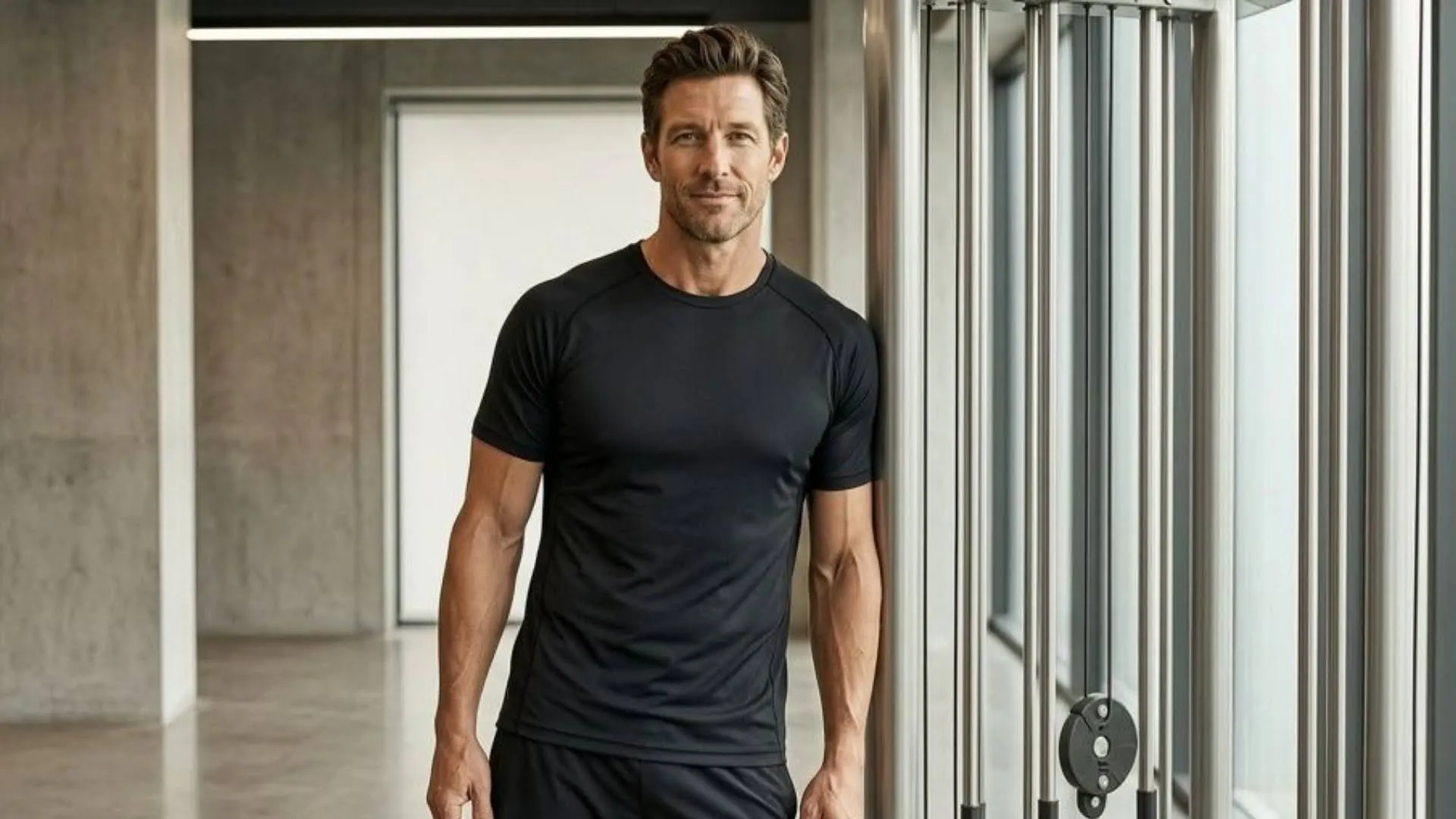
Fitness thumbnails communicate energy, transformation, and achievable results.
43. A person mid-exercise (push-up, squat, running), captured at the peak of effort. Dynamic, athletic pose. Bright gym or outdoor lighting. Bold background color. The body fills the frame. 16:9.
44. A before-and-after transformation split screen. Left: starting point. Right: current result. Clear visual difference. Both shots well-lit, same angle and framing for honest comparison. 16:9.
45. A close-up of a healthy meal prep spread: containers of portioned food, colorful vegetables, protein sources. Overhead shot, bright lighting, organized arrangement. Nutrition content aesthetic. 16:9.
46. A person in workout clothes checking a fitness tracker or smartwatch, gym environment blurred in the background. Focus on the wrist and screen. Tech-fitness crossover content. 16:9.
47. A dramatic silhouette of a person running or jumping against a sunrise or sunset sky. Bold, inspirational. Warm oranges and golds against a dark figure outline. Motivational fitness content. 16:9.
48. A gym bag spilling open with its contents visible: shoes, towel, shaker bottle, headphones. Flat lay on a clean surface. Getting-ready or essentials-list video concept. Bright, organized. 16:9.
Tech Review Thumbnail Prompts

Tech thumbnails need to showcase the product clearly while communicating the reviewer's verdict. For review channels that feature physical products, lifestyle product photography can generate the styled product shots you use as thumbnail elements without setting up a dedicated photo station for every review.
49. A product (phone, laptop, headphones) glowing in the center of the frame against a dark background. Clean, futuristic lighting. Blue or purple accent glow. The product is the sole focal point. 16:9 with text space on one side.
50. A person holding a product next to their face, looking impressed or skeptical. The expression is the verdict. The product and the face share equal visual weight. Bright, clean background. 16:9.
51. Two competing products placed side by side with a "VS" graphic implied by their positioning (no actual text). Different colored lighting on each side (warm vs. cool). Comparison concept. 16:9.
52. A close-up of a product being unboxed, hands pulling it out of packaging. Anticipation and reveal energy. The product is partially visible, creating curiosity. Clean desk surface. 16:9.
53. An overhead shot of a desk covered in tech gear: laptop, phone, tablet, headphones, cables, chargers. "My setup" or "gear review" concept. Clean arrangement, warm desk lamp lighting. 16:9.
54. A product with a dramatic crack, scratch, or defect highlighted. "Honest review" or "problem with this product" concept. Close-up. The defect is the focal point against an otherwise clean product. High contrast. 16:9.
Travel Thumbnail Prompts
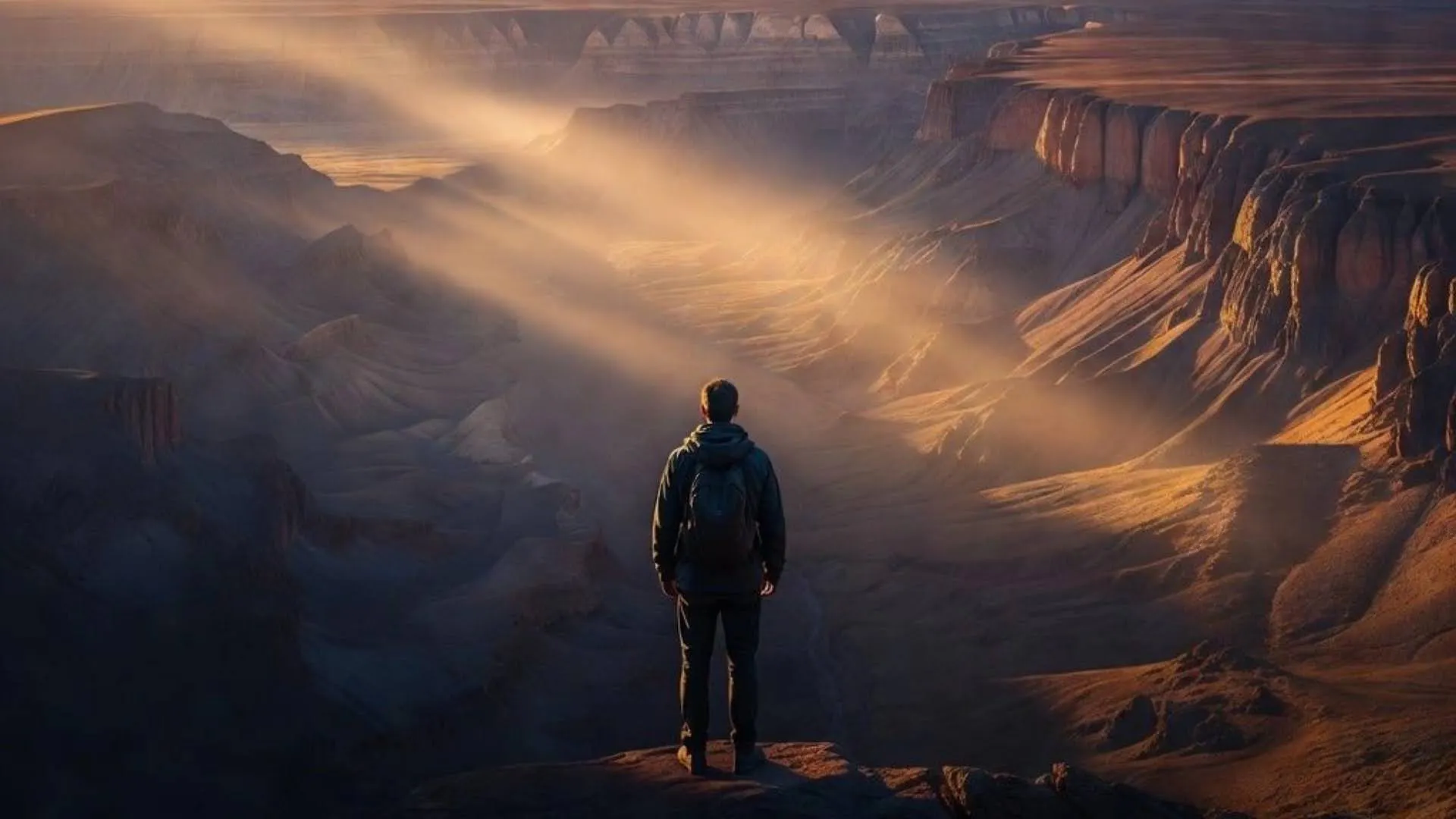
Travel thumbnails sell destinations and experiences. Vibrant colors and sense of place drive clicks.
55. A person standing at the edge of a famous landmark (bridge, temple, natural wonder), back to the camera, looking out at the view. The destination fills the background. Golden hour or blue hour lighting. Awe and scale. 16:9.
56. An aerial or elevated view of a destination (a beach, a city grid, a mountain range) with vivid, saturated colors. No people. The landscape is the subject. Wide, sweeping composition. 16:9.
57. A close-up of local food at a market stall or street vendor, vibrant colors, steam or smoke visible. The food represents the destination's culture. Warm, immersive, sensory. 16:9.
58. A person jumping or posing playfully in front of a recognizable travel backdrop. Joyful energy. Bright, warm colors. Travel vlog personality. The person and the place share the frame equally. 16:9.
59. A hotel room window view showing a spectacular cityscape or ocean vista. Shot from inside the room, curtains pulled aside. Aspirational "room with a view" concept. Bright, inviting. 16:9.
60. A suitcase, passport, and boarding pass arranged on a wooden surface. Travel prep flat lay. Clean, bright, organized. Anticipation and planning energy. 16:9 with text space.
Bonus Prompt Templates You Can Customize
The templates below work for any niche. Fill in the brackets with your specific details.
61. A [person/object] in front of a [bold colored] background, [specific emotion or action], dramatic [warm/cool] lighting, high contrast, 16:9 YouTube thumbnail, no text, clean negative space on [left/right] for headline overlay.
62. A split composition showing [concept A] on the left and [concept B] on the right, divided by [a line/gradient/color shift]. [Color A] on the left, [color B] on the right. Clear visual contrast. 16:9, no text.
63. An extreme close-up of [a specific detail: hands, eyes, a product feature, a tool], shallow depth of field, [warm/cool] lighting, [bold background color]. The detail is the entire story. 16:9, text space at [top/bottom].
64. A [person] looking directly at the camera with a [specific emotion] expression, holding [object relevant to the video topic] at chest height. [Bright/Dark] solid background. The face and object share focus. 16:9.
65. An overhead flat lay of [objects relevant to video topic] arranged on a [surface color] surface. [Number] items visible, evenly spaced. Bright, even lighting. Clean, organized, aspirational. 16:9.
Build Better Thumbnails With Blend
Strong thumbnails start with strong visuals. If you create content around products, whether reviews, tutorials, hauls, or comparisons, Blend's AI product photography tools generate clean product images, lifestyle scenes, and styled compositions from a single photo. Use them as thumbnail elements, ad visuals, or content assets alongside your video production workflow. For a full walkthrough on creating thumbnails with Blend's specific tools, see our YouTube thumbnail creation guide.
Frequently Asked Questions
What is a good AI prompt for a YouTube thumbnail?
A good prompt specifies the subject, emotion, color palette, lighting style, composition, and where to leave negative space for text. "A person with a shocked expression on a bright yellow background, high contrast, 16:9, no text, left third open for headline" outperforms "YouTube thumbnail."
How do I write my own thumbnail prompt instead of copying one?
Use the formula: [subject] + [emotion or action] + [color palette] + [lighting] + [composition] + [aspect ratio] + "no text" + [text space location]. Customize each element for your niche and video topic.
What colors work best for YouTube thumbnails?
Red and yellow for urgency and energy, blue and white for trust, black with neon accents for tech and gaming. High contrast between the subject and background is more important than any specific color choice.
What fonts should I use for a YouTube thumbnail?
Bold, sans-serif fonts at large size. The text must be readable at 120 pixels wide (mobile feed size). Three to five words maximum. Popular choices include Impact, Montserrat Bold, Bebas Neue, and Oswald. Add text in a design tool after generating the AI image.
What makes a YouTube thumbnail get more clicks?
A clear focal subject, readable emotion, bold contrasting colors, and a composition that communicates the video's value instantly at thumbnail size. Faces with exaggerated expressions consistently outperform faceless thumbnails for most content types.
Can AI generate my YouTube thumbnail for me?
AI generates the background image and composition. You still need to add text, arrows, and branding elements in a design tool. The AI handles the visual foundation. The headline overlay is the final step that turns an image into a thumbnail.