



A brand sends you a product, a brief, and a deadline. You take 40 photos with your phone, none of them look polished enough to post, and you end up using the one that is "good enough" rather than the one that is actually great. The post goes up, the engagement is average, and the brand does not reach out again.
Most influencers lose brand deals not because of their audience size but because of their content quality. Brands increasingly evaluate creators on the visual standard of their product photography, not just their follower count. AI product photography tools like Blend give creators a way to produce professional lifestyle visuals from a single product photo, without a studio, a photographer, or a $500 lighting kit. Here is how to use that advantage to increase engagement and land more partnerships.
Why Brands Care About Your Product Photography More Than Your Follower Count
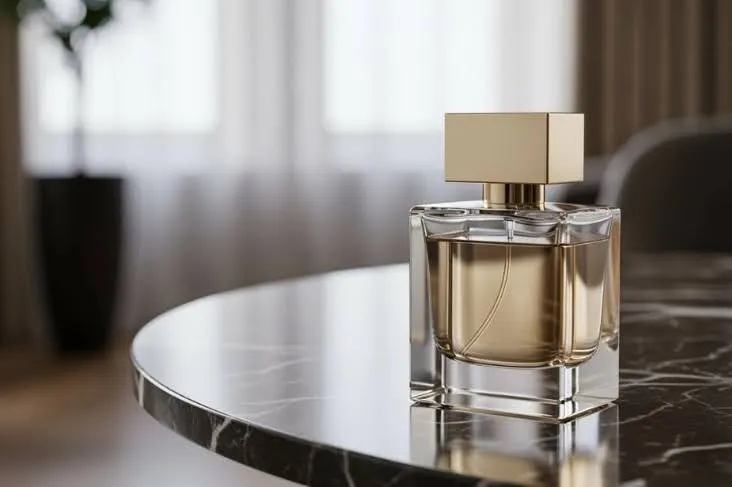
The influencer market has matured. Brands are no longer impressed by reach alone. What they want is content they can reuse, repurpose, and trust to represent their product well.
Visual Quality Determines Whether Brands Reuse Your Content
When a brand partners with an influencer, the best outcome for them is not just one Instagram post. Brands want images they can use on their own website, in paid ads, in email campaigns, and across their own social channels. If your product photos are high enough quality to be repurposed, you become a content production partner, not just a promotional channel. That shift in value is what turns a one-time sponsored post into a long-term relationship.
Professional Product Photos Signal Reliability
A creator who consistently delivers clean, styled product visuals signals that they take the partnership seriously. Brands review an influencer's feed before reaching out, and what they see in your past product posts directly affects whether they send a brief. Dim, cluttered, or inconsistent product photos suggest that the creator cannot be relied on to represent the brand well.
How AI Product Photography Works for Influencers
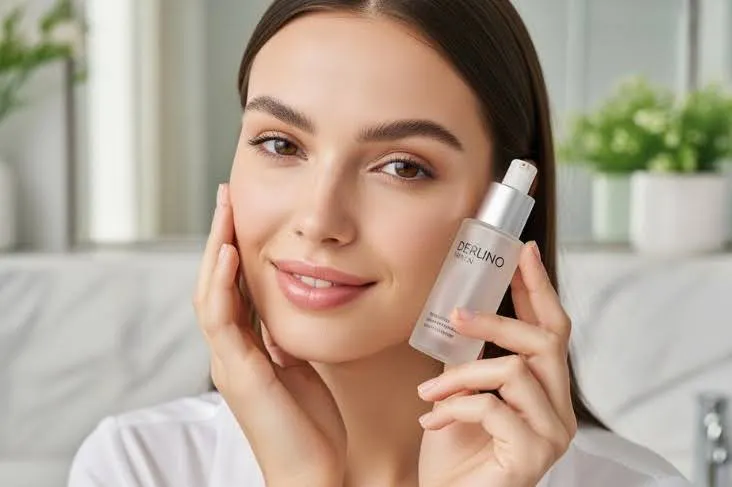
AI product photography is not about generating fake images. You start with a real photo of the actual product, and the AI builds a styled scene around it with realistic lighting, shadows, and surface interactions.
Upload the Product and Generate Styled Scenes
Upload your product photo to Blend. If the background is cluttered, use background removal to isolate the product cleanly. Then use the lifestyle photography tool to place the product into a styled setting: a marble bathroom counter for skincare, a wooden desk for tech accessories, a cozy bedside table for candles. The AI matches the shadow direction, surface reflections, and ambient light of the generated scene.
- Upload the product photo as-is or remove the background first
- Choose a scene style that matches your content aesthetic
- Generate 3-5 variations to find the one that fits your feed best
Create On-Model Shots Without a Photographer
For fashion, accessories, and wearable products, Blend's AI model photography generates on-model shots from a flat lay or garment photo. You can select diverse model types, poses, and backdrops to match your brand's visual identity. For influencers who receive apparel in brand deals but do not have time for a full outfit shoot, this creates polished on-model content from a single garment photo.
Turn Stills into Short-Form Video Content
Instagram's algorithm prioritizes Reels and video content. Blend's product video tool turns your best product stills into short-form videos with motion, transitions, and platform-ready formatting. You can produce Reels-ready content from the same photos you generated for your feed post, giving you both formats from one product image.
How to Use AI Visuals to Increase Instagram Engagement
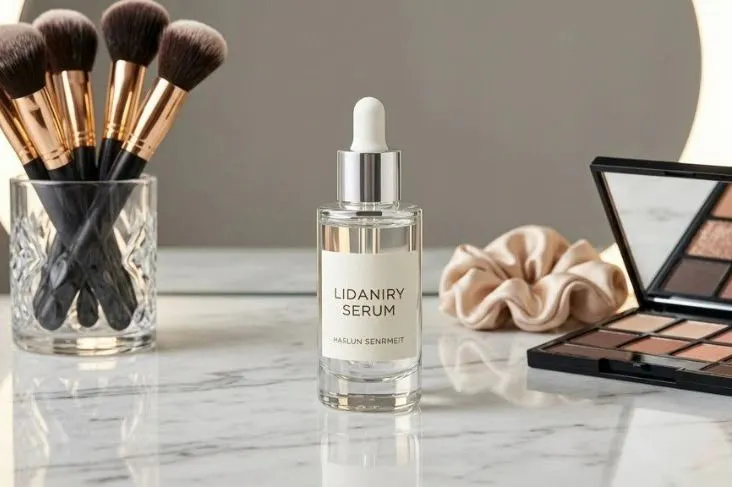
Better product photos do not just look good. Quality visuals change how the algorithm treats your content.
Lifestyle Scenes Drive Saves and Shares
A skincare bottle sitting on a marble counter with morning light gets saved. The same bottle on a messy desk does not. Instagram's algorithm weighs saves and shares more heavily than likes when deciding which posts to push to the Explore page and into non-follower feeds. Aspirational, styled product photos trigger the "save for later" behavior that compounds your reach over time.
Visual Consistency Builds Follower Trust
Followers stick around when they know what to expect from your feed. A consistent visual identity (same warm tones, same styling approach, same level of polish) builds recognition and trust. AI tools help maintain that consistency by letting you apply the same scene style and lighting across every product you feature, even when the products come from different brands in different categories.
- Consistent color palette across your product posts
- Same lighting mood (warm, bright, moody) applied to every brand deal
- Uniform styling approach that becomes your visual signature
How to Use AI Product Photography to Land More Brand Deals
Quality product content is not just a posting tool. Smart creators use the same visuals to pitch new partnerships.
Build a Portfolio That Shows Range
Create a dedicated highlight or portfolio page showing your best product photography across multiple categories (beauty, fashion, food, home, tech). Use AI-generated lifestyle scenes to fill gaps in your portfolio for categories you have not been paid to shoot yet. A brand considering you for a skincare campaign wants to see that you can make beauty products look great, and a few well-styled AI-generated shots demonstrate that capability even before the deal closes.
Pitch with Ready-Made Content Samples
When reaching out to brands, include sample product visuals in your pitch. Upload one of their products from their website, generate a styled lifestyle scene using Blend, and include it as a "here is what I could create for you" preview. A concrete visual sample is far more persuasive than a media kit full of follower counts and engagement percentages.
- Generate 2-3 styled scenes featuring the brand's product as pitch samples
- Show the brand that you can produce content that matches their visual standard
- Demonstrate range by showing the same product in different settings and moods
Stop Settling for "Good Enough" Product Content
The difference between an influencer who gets one sponsored post and one who becomes a brand's go-to creator usually comes down to content quality. AI product photography tools like Blend let you deliver professional creator visuals that meet brand expectations, drive higher engagement, and give you a portfolio that pitches itself.
Upload the product, generate the scene, and post content that earns the save, the share, and the callback.
Ready to level up your product content? Start creating for free with Blend and turn every brand deal into a repeat partnership.
Frequently Asked Questions
Can influencers use AI-generated product photos for sponsored posts?
Yes. AI-generated lifestyle visuals meet the quality standards most brands expect. If your partnership agreement or platform guidelines require disclosure of AI-assisted content, note it in your caption or story.
Do brands prefer AI-generated product photos over phone photos?
Brands prefer professional-quality visuals regardless of how they were produced. An AI-generated lifestyle scene that looks polished and on-brand will outperform a mediocre phone photo every time in terms of brand satisfaction and content reuse potential.
How does better product photography improve Instagram engagement?
Styled product photos drive higher save and share rates than plain shots. Instagram's algorithm weighs saves and shares heavily when deciding which posts to surface on the Explore page and in non-follower feeds.
What is the best way to pitch brands with AI-generated content?
Upload one of the brand's own products, generate 2-3 styled lifestyle scenes using AI, and include them in your pitch as "sample content." A concrete visual preview is more persuasive than engagement statistics alone.
How many content variations should I create per brand deal?
Aim for 5-8 variations: a hero shot, 2-3 lifestyle scenes, a flat lay, a detail close-up, and a Reel or video. More variations give you content for the feed post, Stories, and future reposting without repeating the same image.
Do I need expensive equipment to create professional product content?
No. A phone photo on a clean background is enough as a starting point. AI tools like Blend generate styled scenes, on-model shots, and product videos from that base image, producing studio-quality results without any additional gear.