
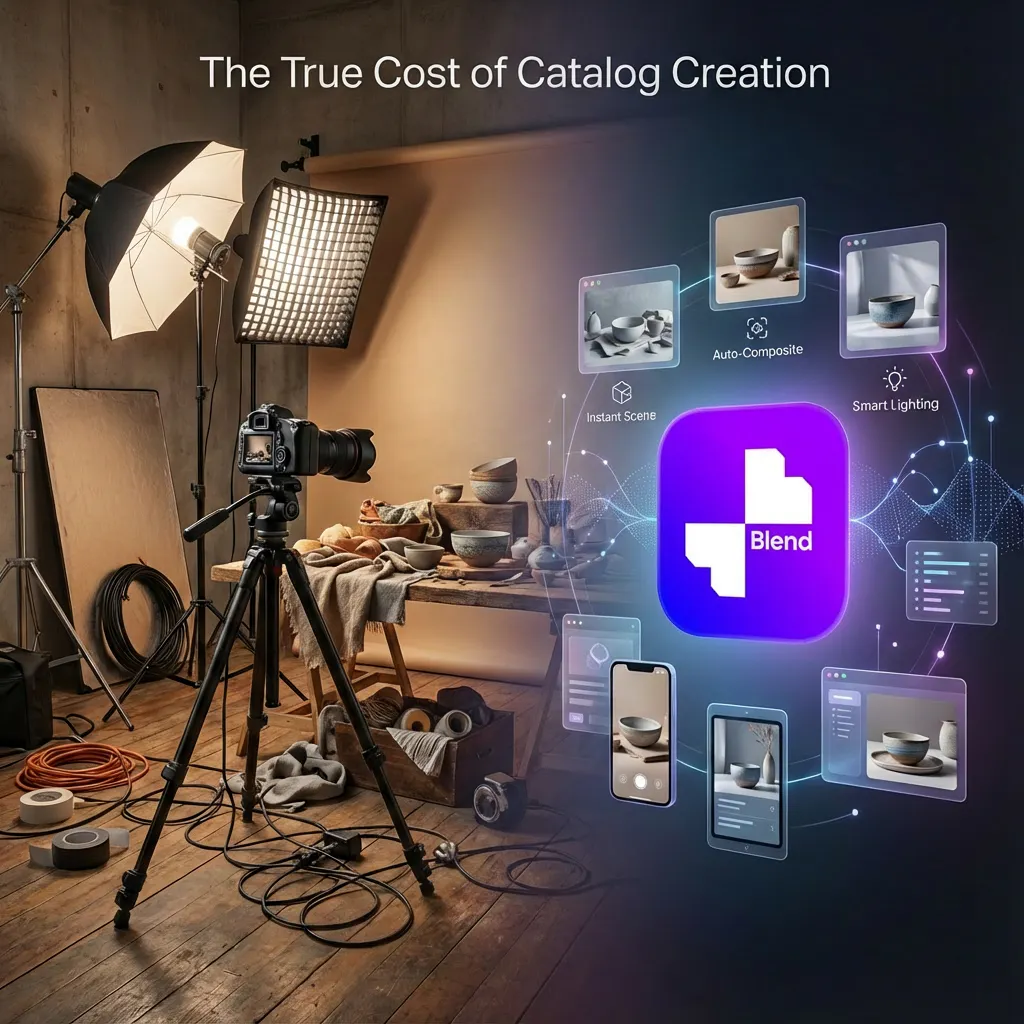
If you have been following the previous blocks, one theme should be very clear by now:
The cost difference between traditional catalogue photoshoots and using Blend.
In the earlier section, we walked through how Blend can be used to build seasonal catalogs efficiently. This blog focuses on a more direct question:
How effective is Blend compared purely on cost?
The Reality of Traditional Catalogue Photoshoots
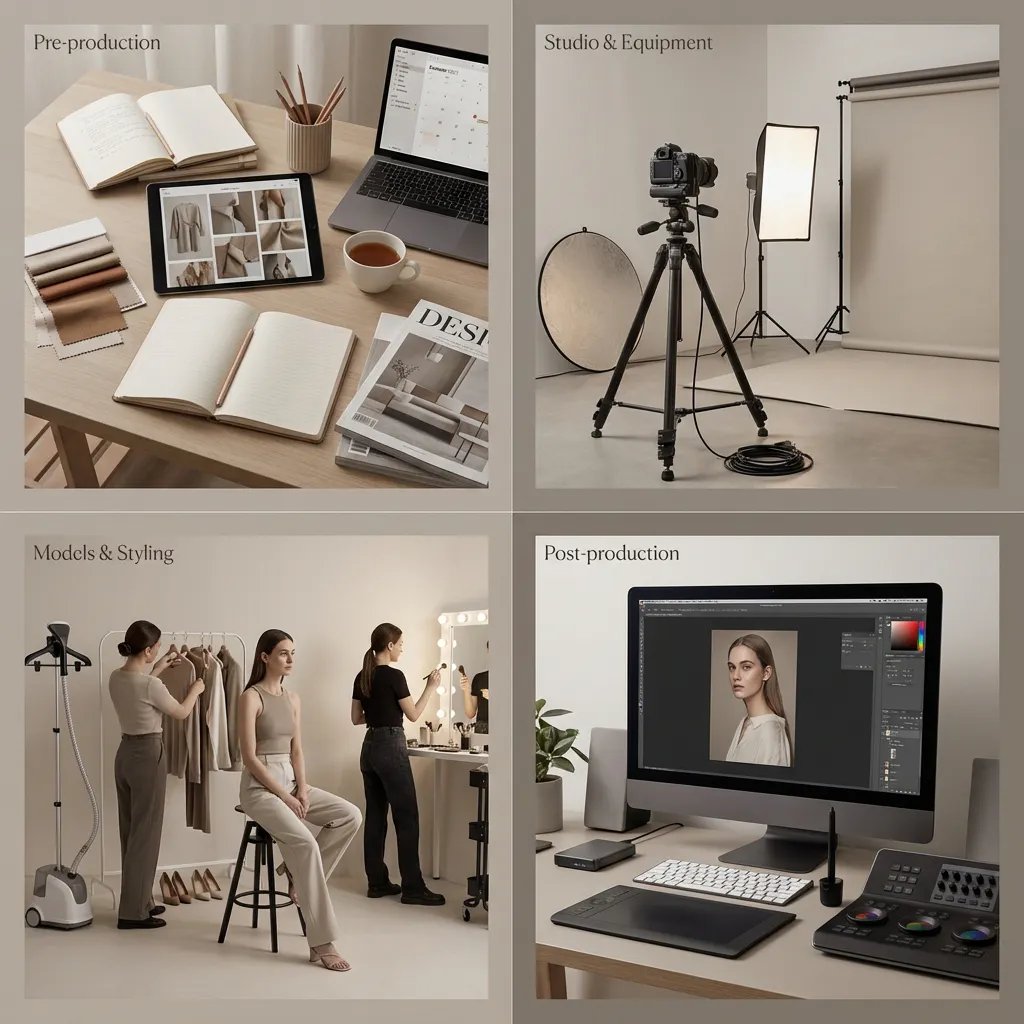
Traditional catalogue photography is not a single expense; it is a multi-phase production process with several cost variables that can add up quickly.
1. Pre-production
This includes:
- Concept development
- Creative planning
- Shot lists and styling direction
None of this is optional if consistency and brand quality matter.
2. Models
If the catalogue requires model-based shots, additional costs are introduced:
- Models
- Styling
- Hair and makeup
- Fittings and prep time
These costs increase further when multiple categories, looks, or seasons are involved.
3. Studio and Equipment
A professional setup typically includes:
- Studio rental
- Cameras, lenses, and lighting rigs
- Props and set elements
4. Photography Team
A standard shoot often involves:
- Photographer
- Assistant
- Lighting specialist
- Digital technician managing live files
5. Post-production (Where Costs Escalate)
Post-production is where expenses quietly multiply:
- Manual background cleanup
- Color correction
- Retouching
- Multiple revision rounds
- Platform-specific exports
This stage is unavoidable if you want marketplace-ready images that are visually appealing and aesthetic.
Typical Pricing Ranges (US Averages)
Photography studios usually price services in multiple ways, such as hourly, per product, or per final image.
Standard ranges look like this:
- Studio space: $50–200 per hour
- Pro-grade equipment: $200–500 per day
- Lighting specialist: $75–150 per hour
- Photographer: $75–150 per hour
- Assistant: $30–60 per hour
- Stylist / set designer: $50–100 per hour
- Digital tech: $50–100 per hour
Post-production costs:
- Basic retouching: $50–100 per hour
- File management: $25–75 per hour
- Color correction and formatting for multiple platforms
For complex products, post-production alone can take several hours per image.
So it's self-explanatory that the total is enough to empty your pockets.
Why Brands Still Pay This (And Why It Hurts)
These costs are not unjustified. Traditional shoots involve:
- Significant creative effort
- Time-intensive setup and teardown
- Multiple feedback and revision cycles
- Precision work for different angles and platforms
However, for newer brands or brands operating under tight budgets, this becomes a difficult but unavoidable expense. You cannot skip visuals if you want to sell online.
The situation worsens for:
- Seasonal campaigns
- Holiday shoots (often ~50% higher cost)
- Frequent catalog refreshes
Traditional shoots are asset-bound, meaning every update requires new spending, new logistics, and more time.
How Blend Changes the Equation
Blend removes nearly all of these variables.
There is:
- No studio coordination
- No photographer scheduling
- No model logistics
- No repeated post-production cycles
Instead, brands work through web and mobile apps, turning catalogue creation into a software workflow rather than a production exercise.
Traditional shoots:
- Require repeated spend
- Scale linearly with volume
- Lock brands into logistics

Whereas Blend:
- Converts catalogs into designed digital assets
- Turns cost into a predictable subscription
- Enables continuous refresh
- Decouples visuals from physical constraints
Real Usage at Scale (Actual Numbers)
Here is what brands are already generating with Blend in a single month:
- Clothing:
4,000 users → ~40,000 AI model images - Jewellery:
2,500 users → ~20,000 AI model images - Lifestyle shots:
~25,000 generations per month
To generate even 10% of this volume using traditional photoshoots, brands would collectively spend:
- Hundreds of thousands of dollars per month
- Across multiple agencies
- With weeks of turnaround time
How the Blend Credit System Works (Example)
Blend operates on a credit-based system, giving brands clear visibility into usage and cost.
Let’s assume you have 3,000 credits per month.
Credit Cost per Feature
- Try-on (AI model): 10 credits per generation
- Stage It / background generation: 0.5 credits per image
- AI image generation: 5 credits per image
- Logo generation: 5 credits per logo
- Video generation: 50 credits per video
What You Can Generate with 3,000 Credits
- Try-ons:
3,000 ÷ 10 = 300 try-on images - AI images:
3,000 ÷ 5 = 600 images - Stage It backgrounds:
3,000 ÷ 0.5 = 6,000 images - Videos:
3,000 ÷ 50 = 60 videos - Logos:
3,000 ÷ 5 = 600 logos
All within a single month, without any additional coordination or production overhead.
Blend Plans: What Do You Actually Get?
Blend currently offers two primary plans: Pro and Max. Both are designed to replace different levels of traditional catalog production.
Blend Pro (Best for Small Teams & Early Brands)
- Access to all AI features
- HD exports + 4K upscaling
- Works across desktop and mobile
- Lower monthly commitment
This plan is ideal if you’re:
- Testing catalog workflows
- Launching your first few collections
- Operating with tight budgets, but still need consistency
Blend Max (Built for Scale)
- Everything in Pro
- 50× more credits
- 50 videos/month
- 500 logos + images/month
- 500 try-ons/month
This plan is designed for:
- Brands running frequent drops
- Seasonal refreshes
- Large catalogs and marketplaces
Assumption: A 30-Product Catalogue Using Blend
Now, let’s take a realistic catalog scenario:
For 30 products, assume the brand wants:
- AI model images (primary catalog)
- Lifestyle shots (contextual visuals)
- Short videos (ads / PDP / social)
Per Product (Conservative Estimate)
- 4 AI model images
- 2 lifestyle shots
- 1 short video
Total Assets Generated
- AI model images: 30 × 4 = 120 images
- Lifestyle shots: 30 × 2 = 60 images
- Videos: 30 × 1 = 30 videos
Credit Consumption Breakdown
Now look at the graphic to see how many credits are consumed to get these assets, which include AI model images, lifestyle shorts, and videos. The total credit consumed at the end for 30 products across the entire catalogue is around 3300.
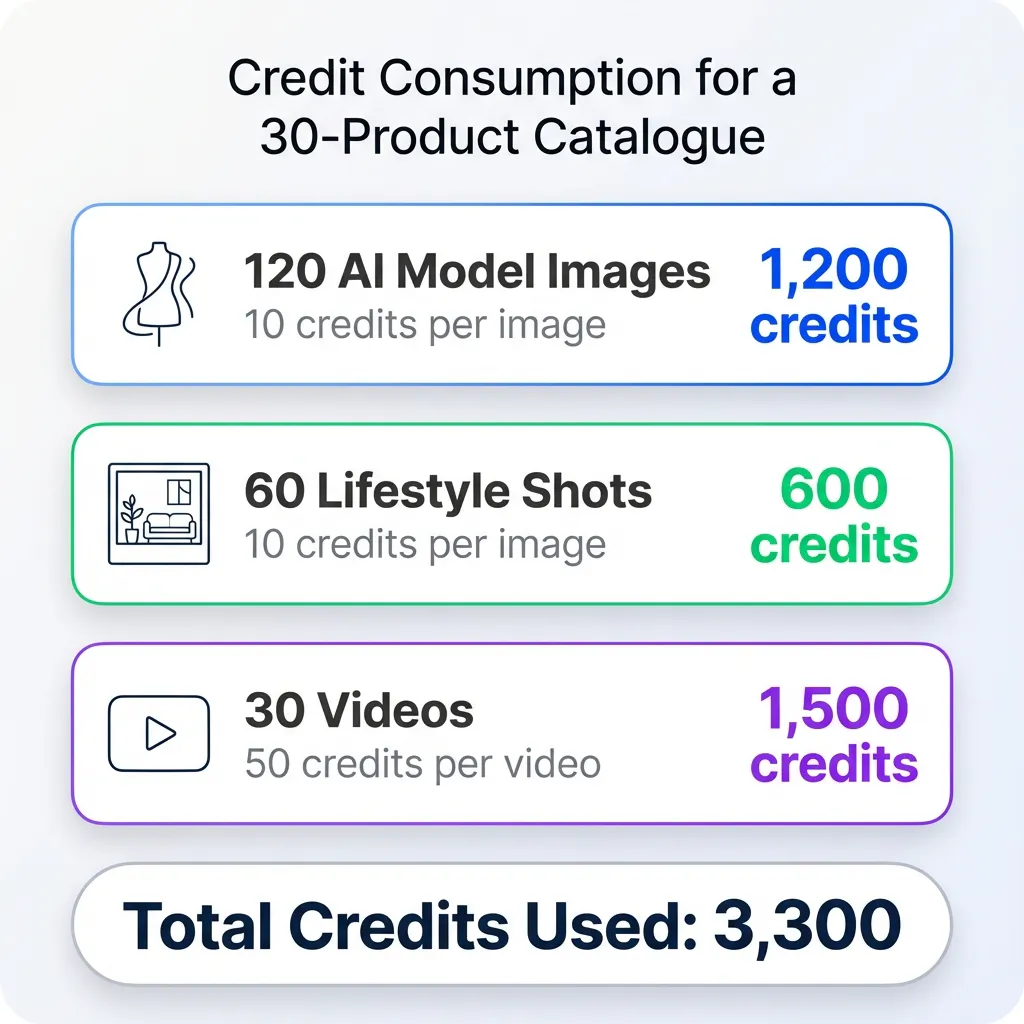
You will see how cheap these are when we convert their credits to their real cost in dollars.
Converting Credits to Real Cost
Let’s now translate this into money.
Assume a monthly Blend spend of ~$80–$100 (rounded conservatively to include plan + top-up buffer).
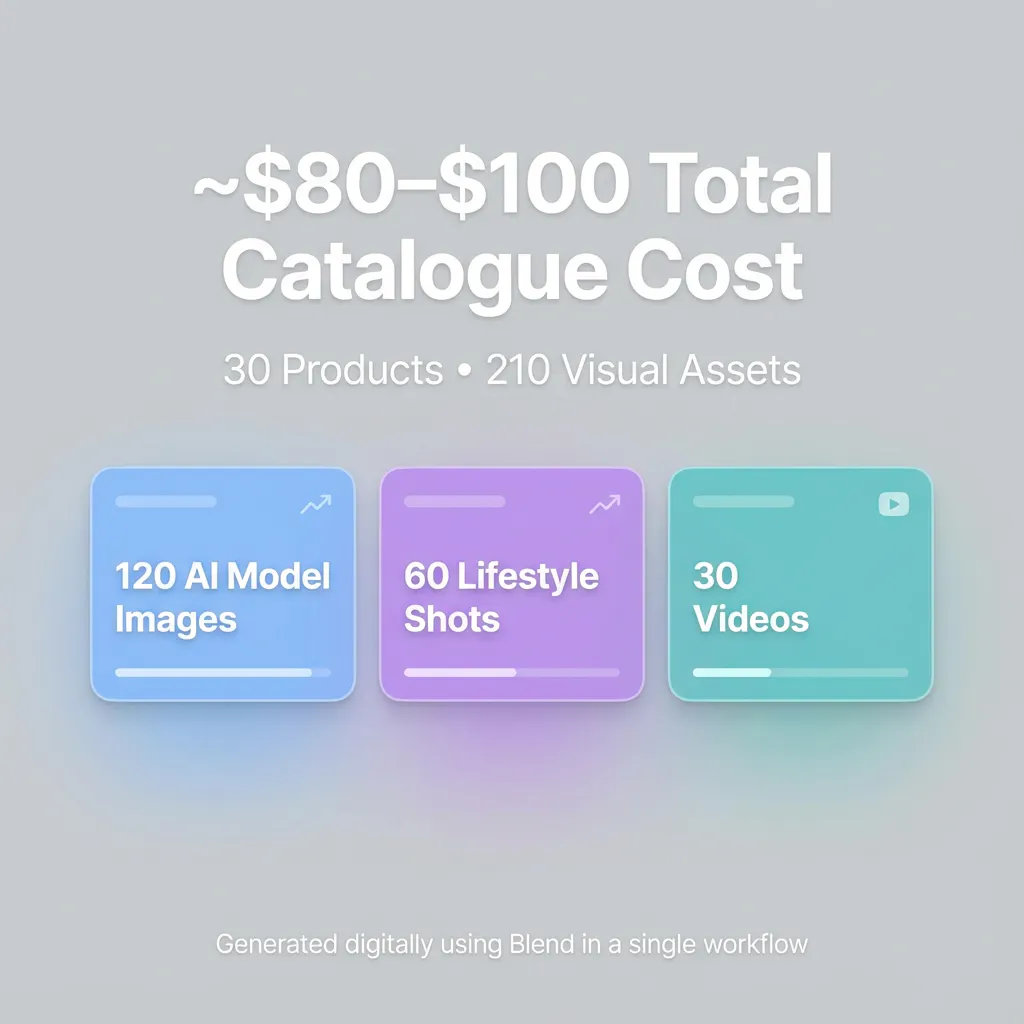
Total Outputs Created
- 210 assets (images + videos)
Effective Cost per Asset
- $90 ÷ 210 ≈ $0.43 per asset
Even after rounding up:
- <$0.50 per image or video
Shocking numbers right now, with around $80-$100 spent, you can have a catalogue of more than 200 assets for 30 products, which is worth a lot when it comes to having an initial comparison with traditional methods.
Traditional Photoshoot Cost (Same Scope)
For the same 30 products, a conservative US estimate:
- Studio + equipment: $1,500–3,000
- Photographer + crew: $2,000–5,000
- Models + styling + HMU: $2,000–4,000
- Post-production (multiple edits & crops): $3,000–6,000
Total Traditional Cost
$8,500 – $18,000
That translates to:
- $280–$600 per product
- $40–$120 per final image
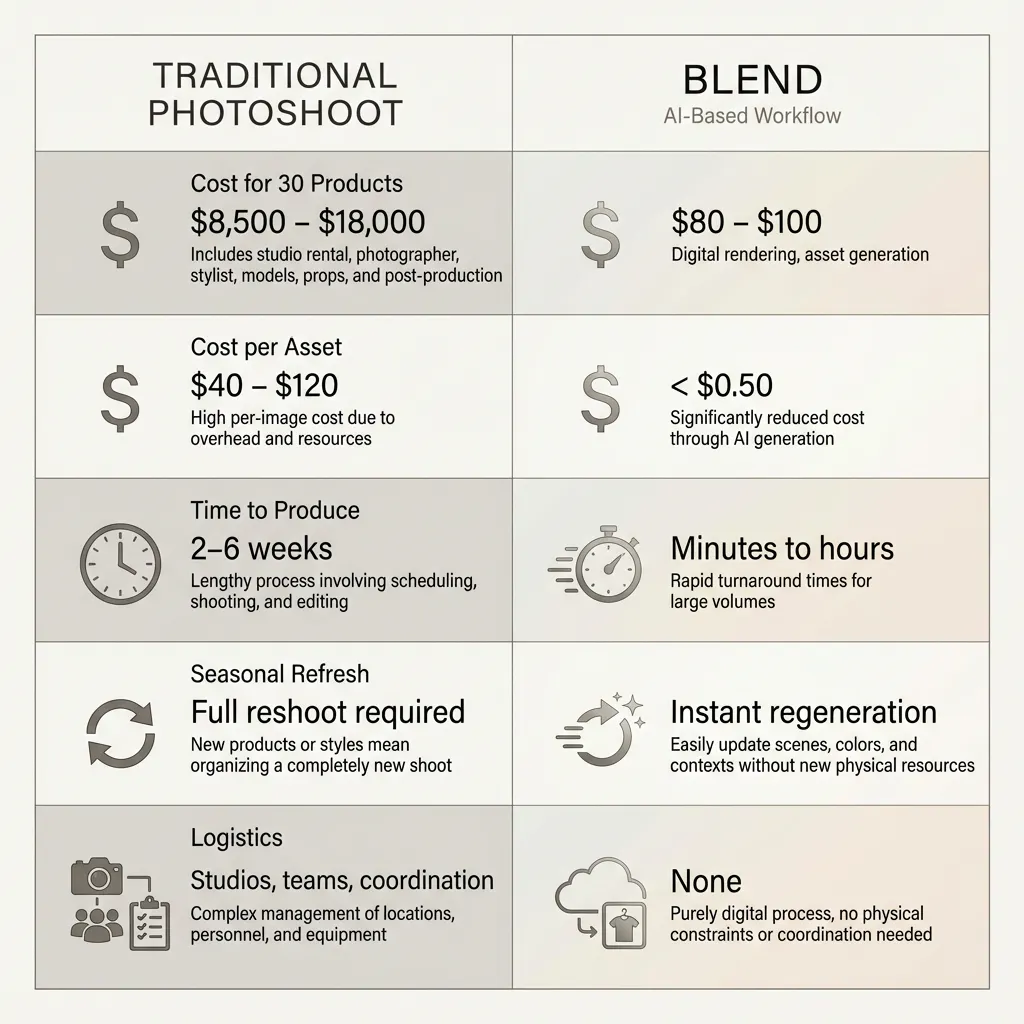
Numbers don’t lie. For the same set of assets, Blend delivers results for under $100, while traditional photoshoots typically cost four to five times more. As illustrated in the graphic above, conventional shoots are significantly more expensive, whereas Blend delivers equal or better results at a fraction of the cost.
Conclusion
Traditional catalogue photography scales through people, logistics, and repeated spending. Blend scales through software.
By turning catalogue creation into a digital workflow, Blend removes the operational friction that slows and costs visual production. What used to require studios, crews, and weeks of coordination can now be generated, refreshed, and adapted on demand.
For brands producing frequent drops, seasonal updates, or marketplace listings, this shift isn’t just about saving money; it’s about moving faster without compromising quality.
Want to see how Blend fits into your catalogue workflow?
Explore how brands use Blend to build seasonal catalogs at scale → Seasonal Catalogs with Blend