
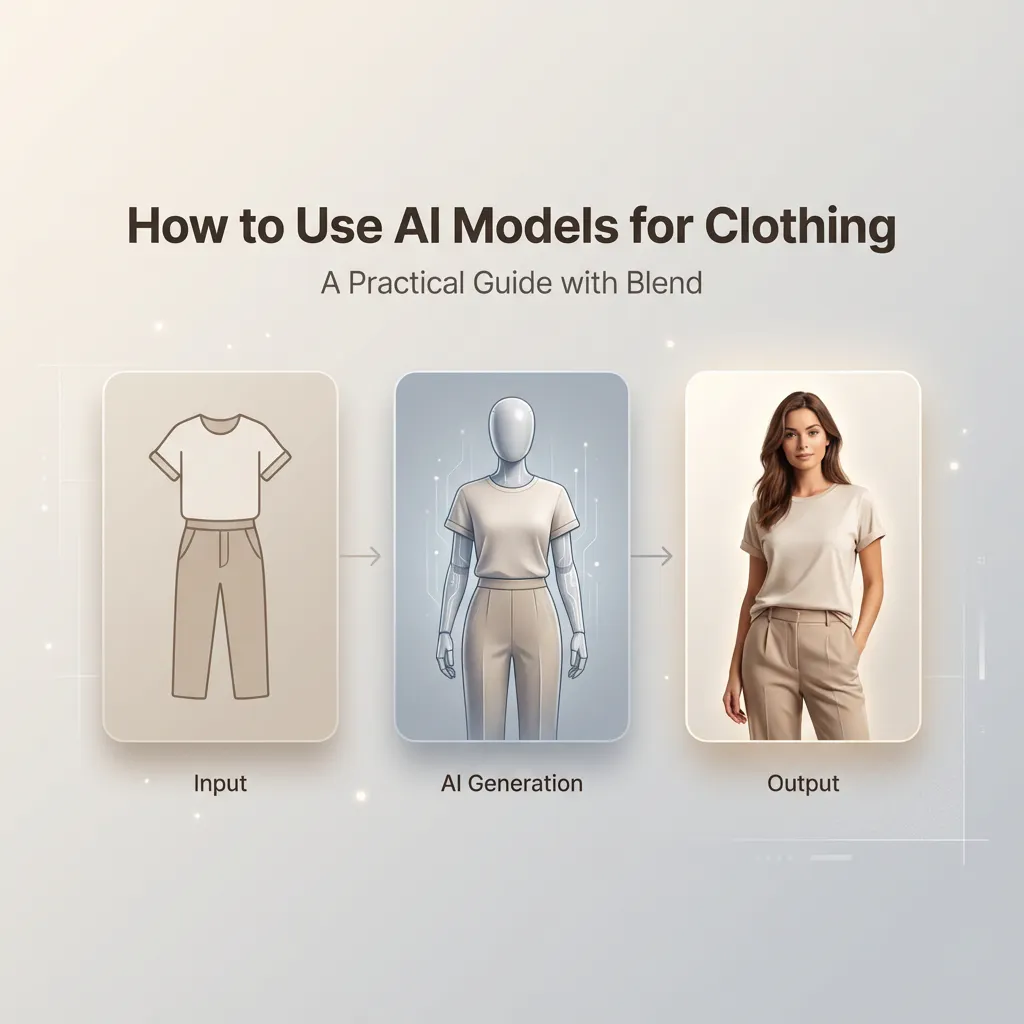
Lately, it feels like everyone is trying to ride the AI hype train. But very few people are actually explaining how to use AI meaningfully in day-to-day business. AI can absolutely reduce manual work and streamline workflows. But when used without clarity, it can just as easily add confusion instead of value.
This becomes even more critical in industries like e-commerce and fashion, where every detail matters. If a customer does not pause, engage, or feel something when they see your product, your business eventually takes the hit. Randomly implementing AI without understanding how it fits into your system is not the right approach.
This is precisely what is happening with many brands today. They jump straight into generating AI models for marketing without understanding which inputs matter, which configurations to use, or which mistakes to avoid. When outputs look off, AI gets blamed. In reality, most of the time, it is a setup issue on the human end.
The Harsh Reality of Using AI Models in Fashion and E-commerce
AI can help you only when you give it the proper instructions.
If you feel stuck or unsure about using AI for branding and marketing, this guide is for you. And if you are still figuring out why AI visuals matter in the first place, we strongly recommend checking out our previous blog in this series, where we broke down Seasonal Catalogs and how AI-powered brand tools create real impact for e-commerce brands. That piece sets the foundation for everything we are about to discuss here.
In this blog, we will focus solely on how to use Blend to train AI models for clothing. From understanding which types of clothing images to upload to choosing the right AI model options to post-creation customization, this is a practical, end-to-end walkthrough. Think of it as a zero-to-one guide to creating professional, export-ready visuals without traditional shoots.
Why AI Models for Clothing Are a Game-Changer
We have already discussed the shift toward AI-driven visuals in our earlier blogs, but it is worth revisiting the context here.
Traditional apparel photoshoots are expensive, time-consuming, and challenging to scale. Every new angle, model, or environment usually means another shoot. AI models change that workflow entirely.
When used correctly, AI models allow you to maintain consistent brand aesthetics, experiment with multiple looks, visualize apparel on diverse models, create front and back views without reshoots, and test creative ideas quickly. This guide exists to help you unlock those benefits without trial-and-error frustration.
What Kind of Clothing Images Should You Upload?
Before thinking about model styles, presets, or poses, everything starts with the clothing image itself.
AI models can work with many types of apparel images, but following a few best practices will significantly improve your results.
Best practices to follow
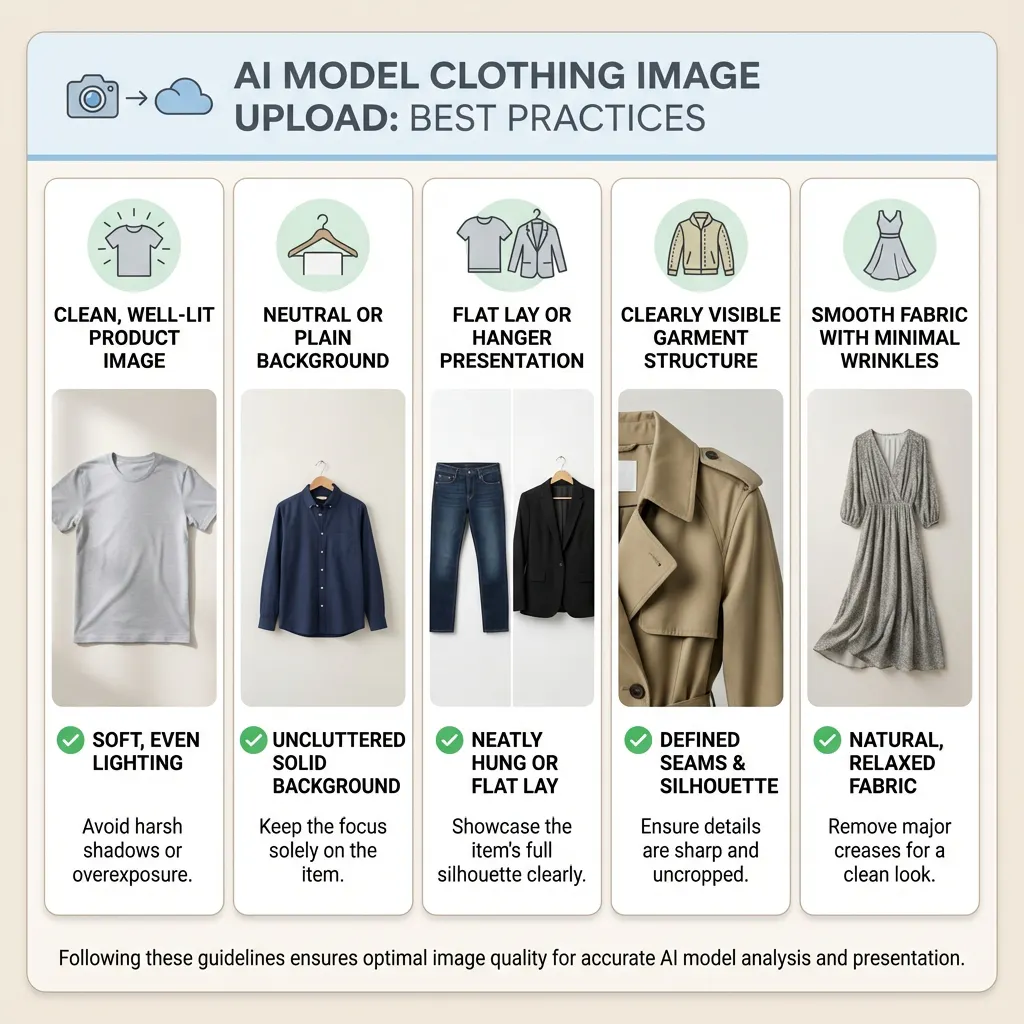
- Use clean, well-lit product images
- Prefer neutral or plain backgrounds
- Lay clothing flat or place it on a hanger
- Ensure the garment structure is clearly visible
- Avoid heavy folds or extreme wrinkles
What you should avoid
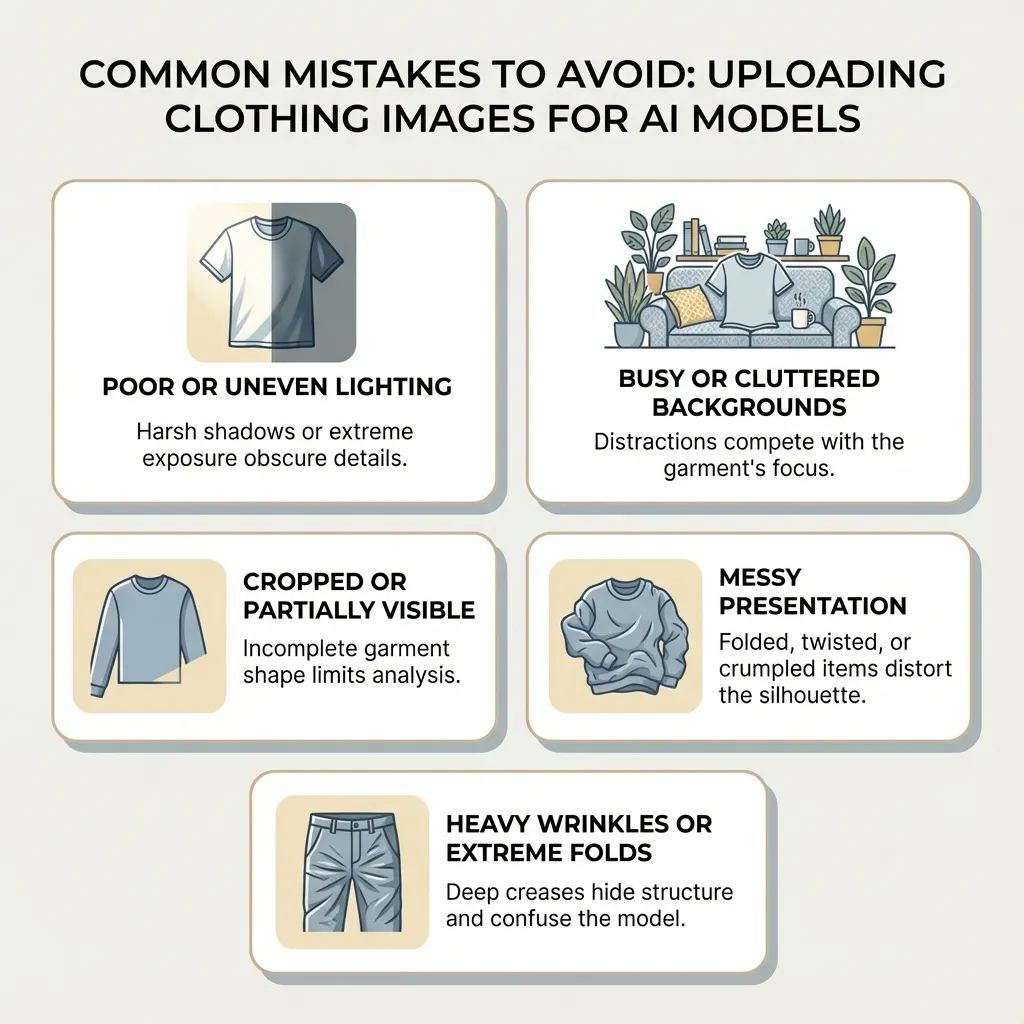
- Busy or cluttered backgrounds
- Cropped garments
- Multiple items overlapping in one image
- Low-resolution or blurry photos
As we mentioned in our earlier catalog-focused vlog, AI amplifies what you give it. Strong inputs lead to strong outputs.
Choosing How You Want to Generate AI Models in Blend
Blend gives you multiple ways to generate AI models depending on how much control you want over the final output.
Surprise Me
This option is best when you are experimenting or exploring aesthetics. Blend automatically selects model features and styling.
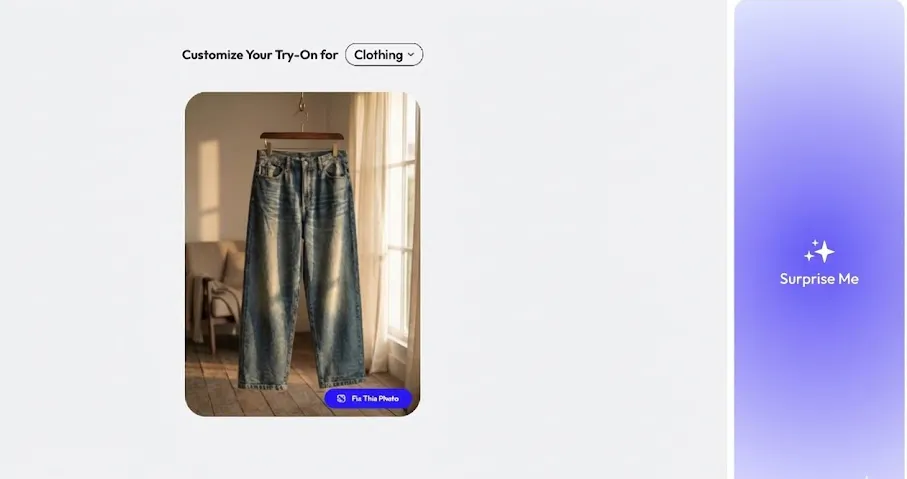
Use this when you are early in experimentation, looking for inspiration, or prioritizing speed over control.
AI Model Presets
These are pre-built, optimized model designs created specifically for fashion use cases.
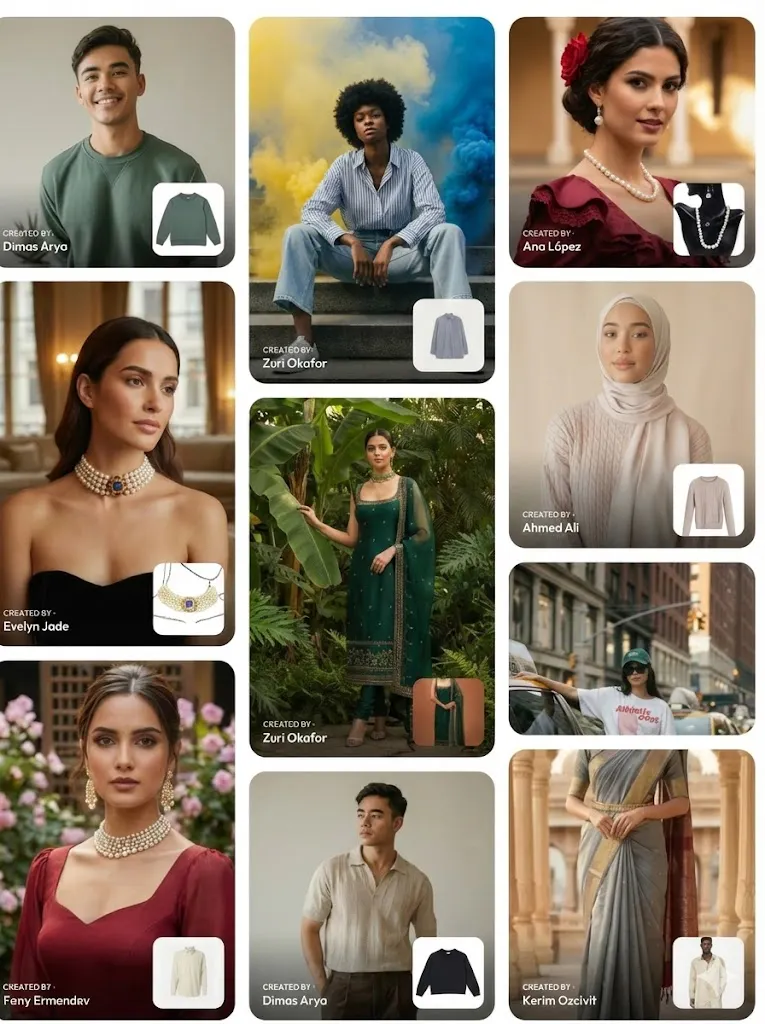
Presets are ideal when you want consistent outputs, are building catalogs at scale, or need predictable results. For most e-commerce brands, this is the most practical starting point.
Make Your Own AI Model or Upload Your Own Image
Blend also allows you to upload an absolute model reference and apply clothing onto it.
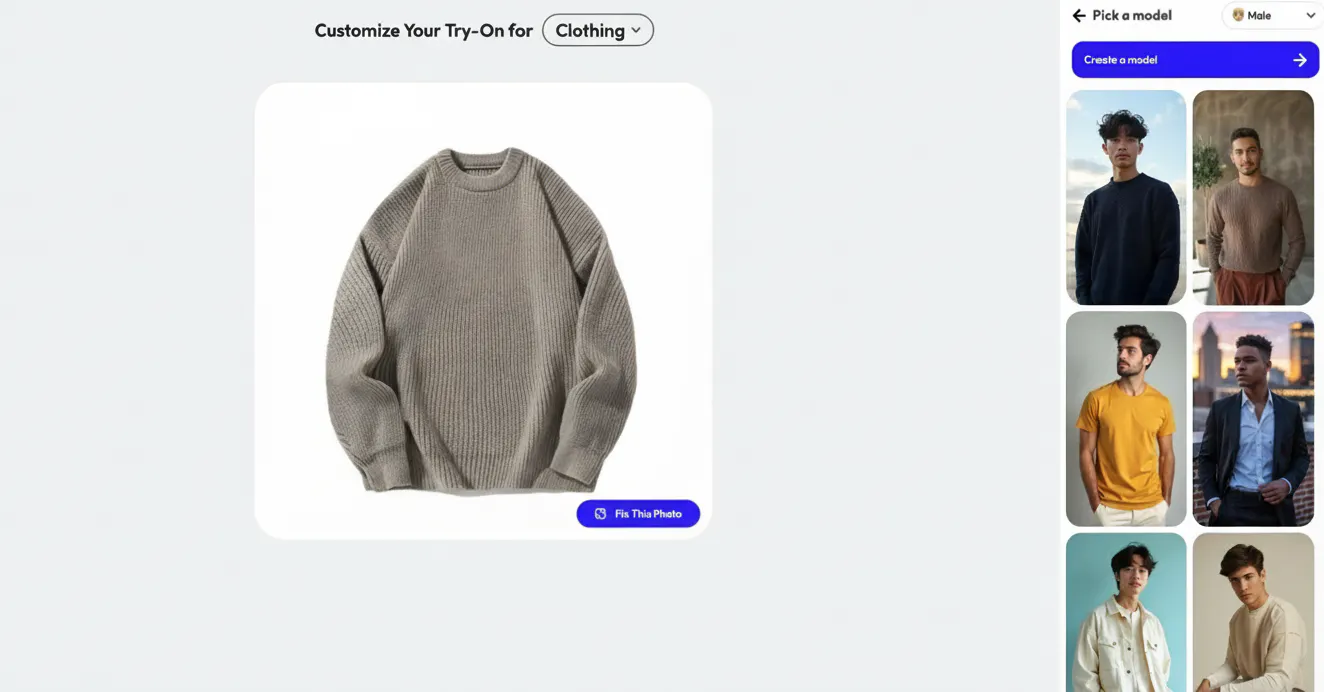
This is useful when you already have brand models, want continuity with past campaigns, or are transitioning from traditional photoshoots to AI-generated visuals while maintaining brand familiarity.
Front and Back Views Matter More Than You Think
One of the most common mistakes we see brands make, and something we touched upon briefly in our earlier vlogs, is relying on a single angle for apparel visuals.
Customers want to see products from multiple perspectives. Front and back views are essential for trust, clarity, and marketplace compliance.
With Blend, you can generate front views for hero images, back views for detailed clarity, and maintain consistent lighting and pose across angles. This removes the need for multiple shoots while improving transparency for shoppers.
Post-Creation Customization Is Where Control Comes In
Once your AI model is generated, the process is not finished.
Blend allows post-generation customization, including lighting adjustments, background changes, shadow intensity control, cropping, and framing refinements. This step is crucial to make the image feel intentional and polished rather than randomly generated.
This is where AI stops feeling automated and starts feeling professional.
How This Fits Into a Bigger Catalog Strategy
If you have followed our earlier blogs on seasonal catalog refreshes and festive catalogs, the overlap here should feel natural.
AI models let you reuse the same apparel across seasons, swap environments without reshooting, and scale visuals much faster than traditional workflows. This is how brands move from one-off experiments to a repeatable, scalable visual system that supports long-term growth.
Final Thoughts
AI models amplify what you give them, both good and bad. Uploading poor-quality images and expecting AI to fix everything will not work. Over-customizing without respecting your brand language will not work either.
AI is not here to replace creativity. It is here to remove friction. It still needs human direction, but it eliminates unnecessary manual work while giving you speed, flexibility, and consistency.
At Blend, we make this process practical, scalable, and accessible, whether you are new to AI or already building a complete catalog system.
If you are serious about modern fashion visuals, AI is no longer optional. It is simply the more innovative way forward.
Start experimenting with AI models using Blend’s presets or create your own at
https://app.blendnow.com