
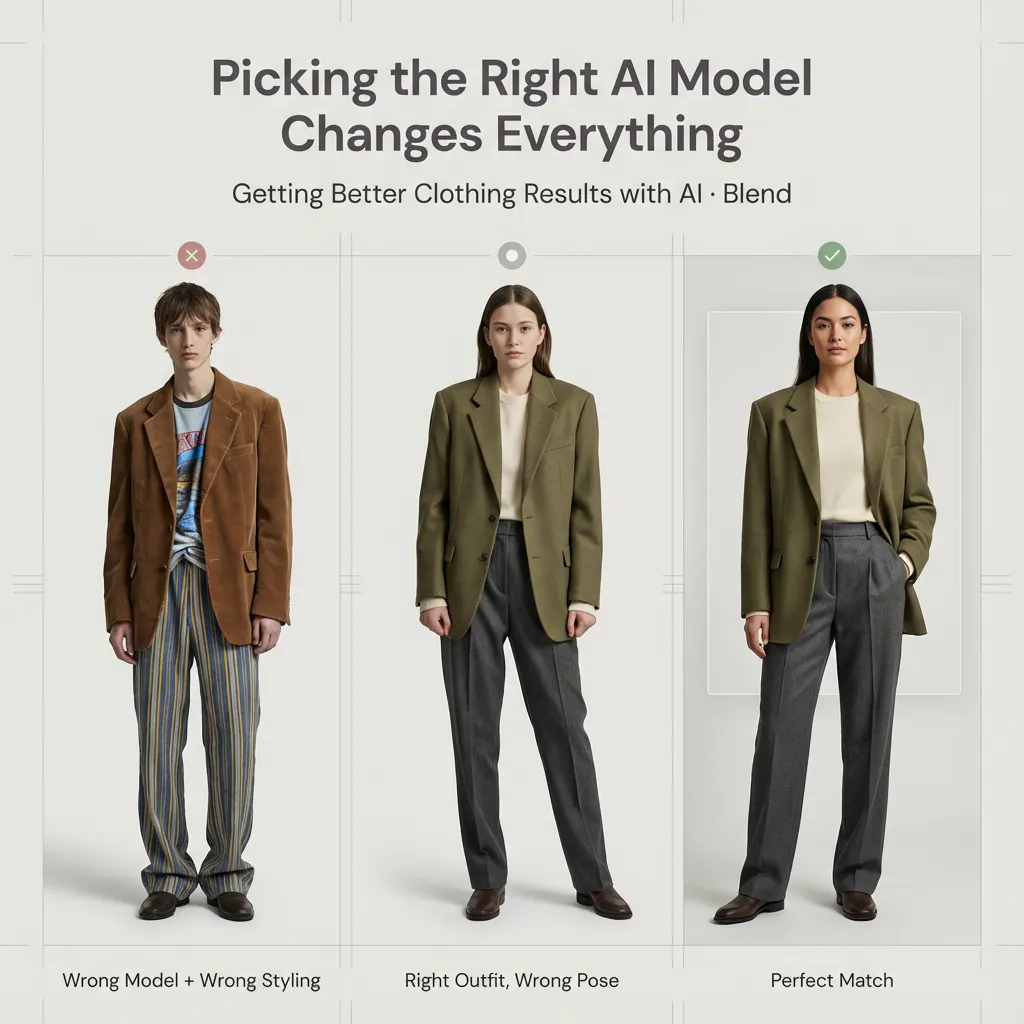
By now, if you’ve been consistently following our blog series on transforming catalogs, marketing, and branding through AI, you already know two important things:
- Visuals matter more than ever when it comes to selling, and AI makes high-quality visuals both cost-effective and scalable.
- Using AI for clothing catalogs only works when it’s implemented correctly.
In a previous guide, we walked you through how to use AI models for Clothing, which types of apparel images work best, and the basic practices you need to follow. But once you get past the basics, a bigger question naturally shows up:
Which AI model should you actually choose to get the best results?
Most people assume that AI models are interchangeable and that any model will eventually work. That’s a myth.
If you think about a traditional photoshoot, there are a few things that always matter:
- How the clothing falls on the body
- How realistic does the output feel
- Whether the final image looks premium or average
The same logic applies when using AI. Even with a perfect clothing image, the wrong model choice can easily lead to an underwhelming result.
This blog is about helping you make these decisions confidently and avoid the most common rookie mistakes.
And if you’re still wondering why visuals matter so much in the first place, we break it down in detail in our blog post on whether better product photos really increase sales.
Why Model Selection Matters More Than You Think
Many brands assume that since AI does the heavy lifting, any model will work as long as the clothing image is good. That’s rarely the case.
Just as in traditional photoshoots, different models yield different visual outcomes. Body proportions, pose, posture, and overall structure all influence how a garment drapes and how realistic it looks in the final image.
If you’ve already gone through our previous guides, think of this blog as the next step. Once the foundation is in place, model selection is the most significant lever for improving quality.
1) Pick Models Wearing Similar Clothing
The most critical factor in choosing an AI model is how closely it aligns with your final use case.
Structured clothing behaves best on models designed for structured silhouettes.
Forcing heavy tailoring onto models designed for casual or lightweight outfits results in awkward drape and unnatural proportions.
The closer the reference model is to your final use case, the better the result. In Blend, you can usually see what kind of garment the model is already wearing. Use that as a signal.
For example, you can clearly see that we are using this short dress. The Blend Web App itself offers several preset model options, and we selected the one that best suited our use case. As shown, the result works very well; the model wearing the dress looks professional, polished, and visually appealing.
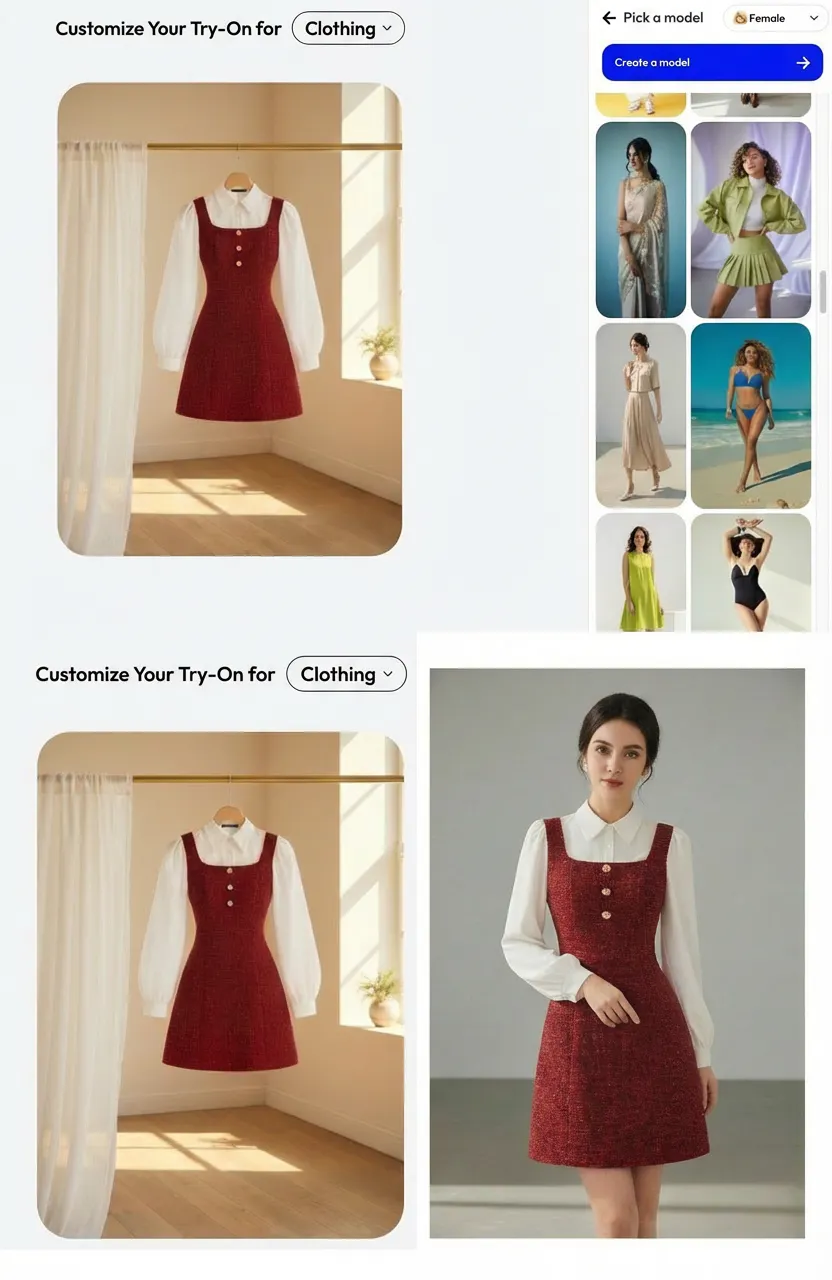
In short, similar clothing leads to more natural outputs.
2) Evaluate Body Type, Pose, and Proportions
Model selection is not just about appearance.
Posture, stance, and body proportions directly affect how a garment reads.
Neutral, confident poses work best for catalog imagery.
Overly dynamic or casual poses can distort structured apparel and reduce perceived quality.
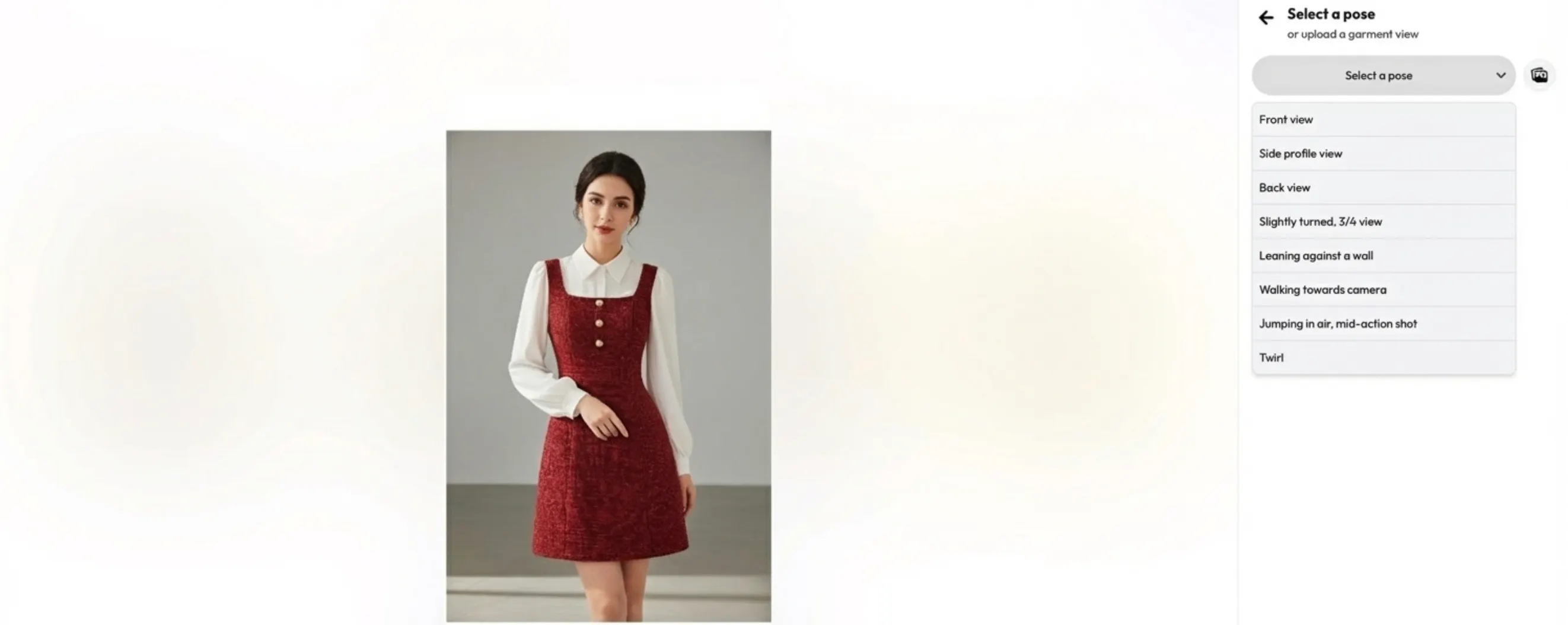
As you can see in the attached image, the Blend app already provides multiple pose options—such as front and side poses, depending on the type of view you want to showcase for the dress.
Choose body types that support the intended fit, especially for tailored or oversized pieces.
3. Match the Model’s Energy to the Garment’s Intent
Professional clothing needs professional body language.
If the model’s posture feels unsure, slouched, or passive, the garment inherits that energy.
Confident garments require confident stances.
Model energy directly influences how premium the output feels.
4) Representation and Audience Fit
Choosing an AI model is not just a technical decision. It’s a brand decision.
If your brand serves a specific region or audience, your visuals should reflect that. Thoughtful representation helps customers relate to the product and builds trust.
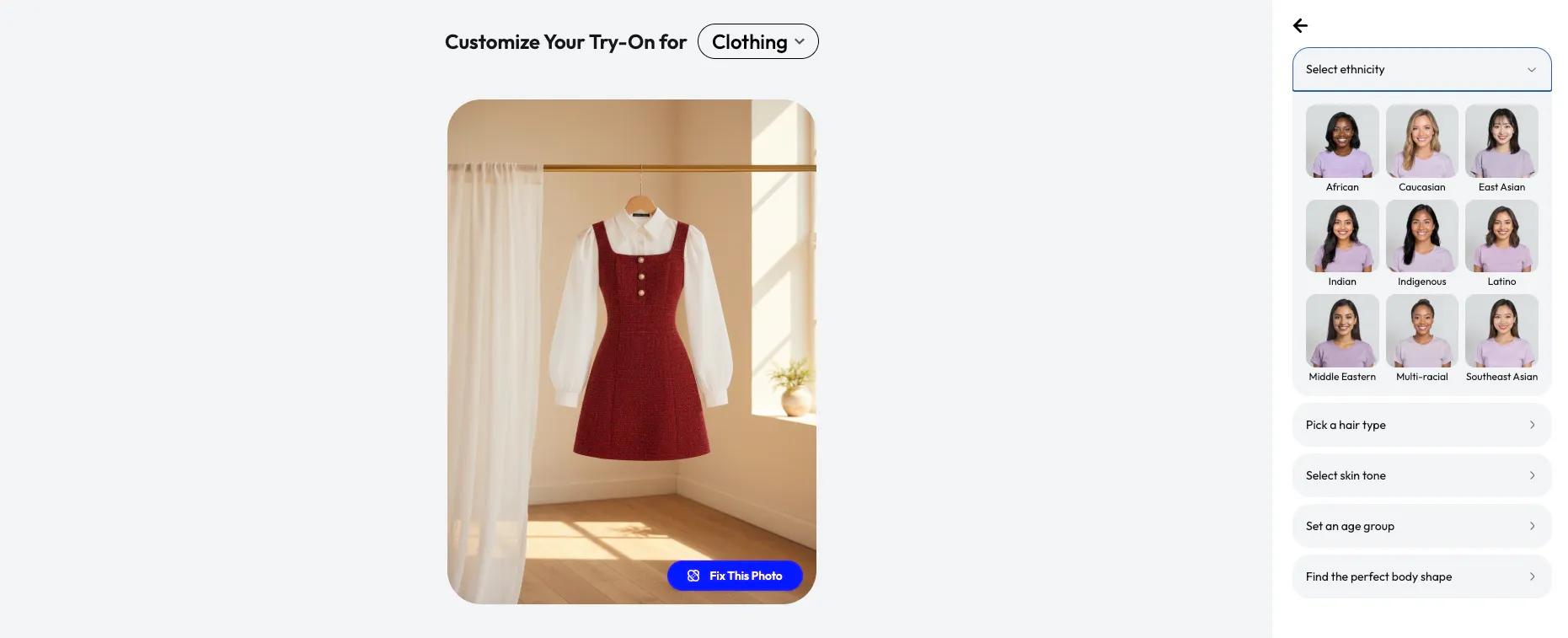
Blend not only lets you choose from hundreds of existing models but also lets you create your own custom models. You can tailor them to your specific needs by selecting attributes such as ethnicity, hair type, skin tone, age group, and even the body type you want to represent.
So, instead of randomly selecting models, align them with your brand identity and target market. For example, if your primary audience is in Asia, using Asian models will often feel more natural and relatable than defaulting to Western ones.
5. Let the System Do the Heavy Lifting
With Blend, you do not need to over-instruct or manually tweak outcomes.
The goal is to:
- Select wisely
- Let the system align fit, posture, and realism
- Fine-tune only when necessary
Better inputs lead to better outputs.
Model selection is where quality starts.
When to Create Your Own AI Models
Sometimes, presets are enough. Sometimes they aren’t.
Creating your own AI model makes sense when:
- You want continuity across campaigns
- You’ve used the same models in previous shoots
- You want long-term consistency across seasons and collections
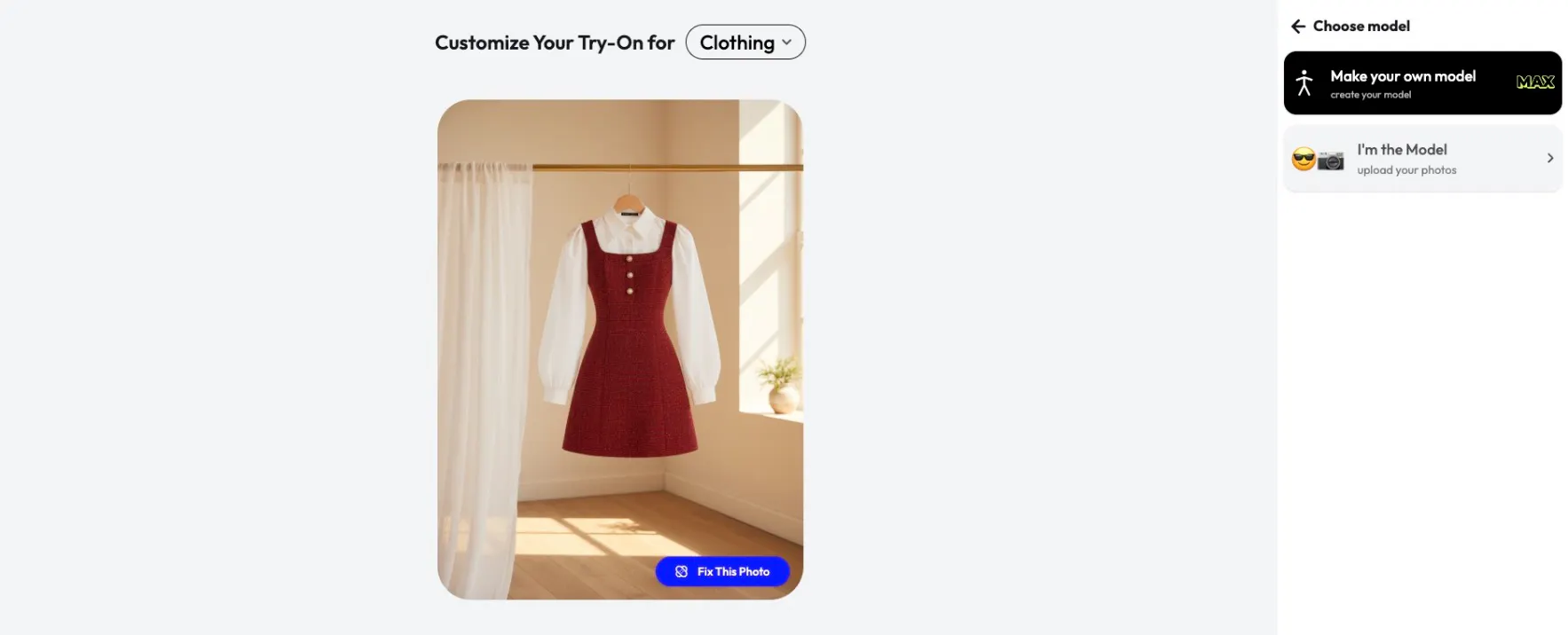
With Blend, you can upload reference images and build visuals around them, making it easier to transition from traditional shoots to AI-powered catalogs without losing familiarity. When doing this, you still need to be mindful of pose, structure, and body shape, just like you would in a real shoot.
Tips for Uploading Model Images
If you’re creating your own models, image quality becomes critical. A few non-negotiables:
- The target clothing area must be clearly visible
- Avoid extreme poses that hide the torso or legs
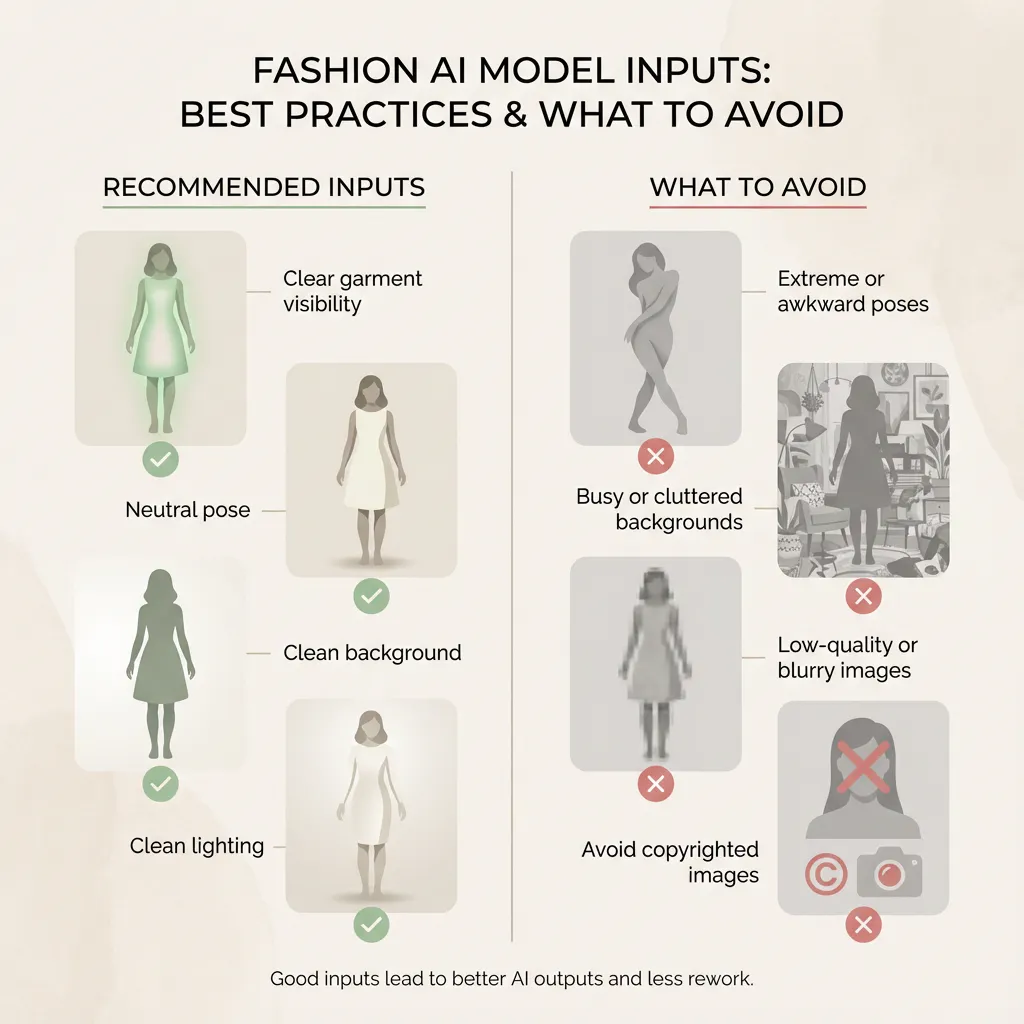
- Use clear, high-resolution images
- Prefer natural lighting and clean backgrounds
One important note: do not use celebrity images or copyrighted photos. This can create legal and copyright issues and should be avoided at all times. It can also hurt trust if users recognize the source.
Good inputs here directly influence how usable your outputs will be later, reduce unnecessary rework, and let you create some really cool catalogs.
Post-Creation Customization: Where Good Becomes Great
Selecting the right model gets you most of the way there. Customization is the final touch.
Once your AI model image is generated, Blend allows you to:
- Change or simplify backgrounds
- Adjust lighting and shadows
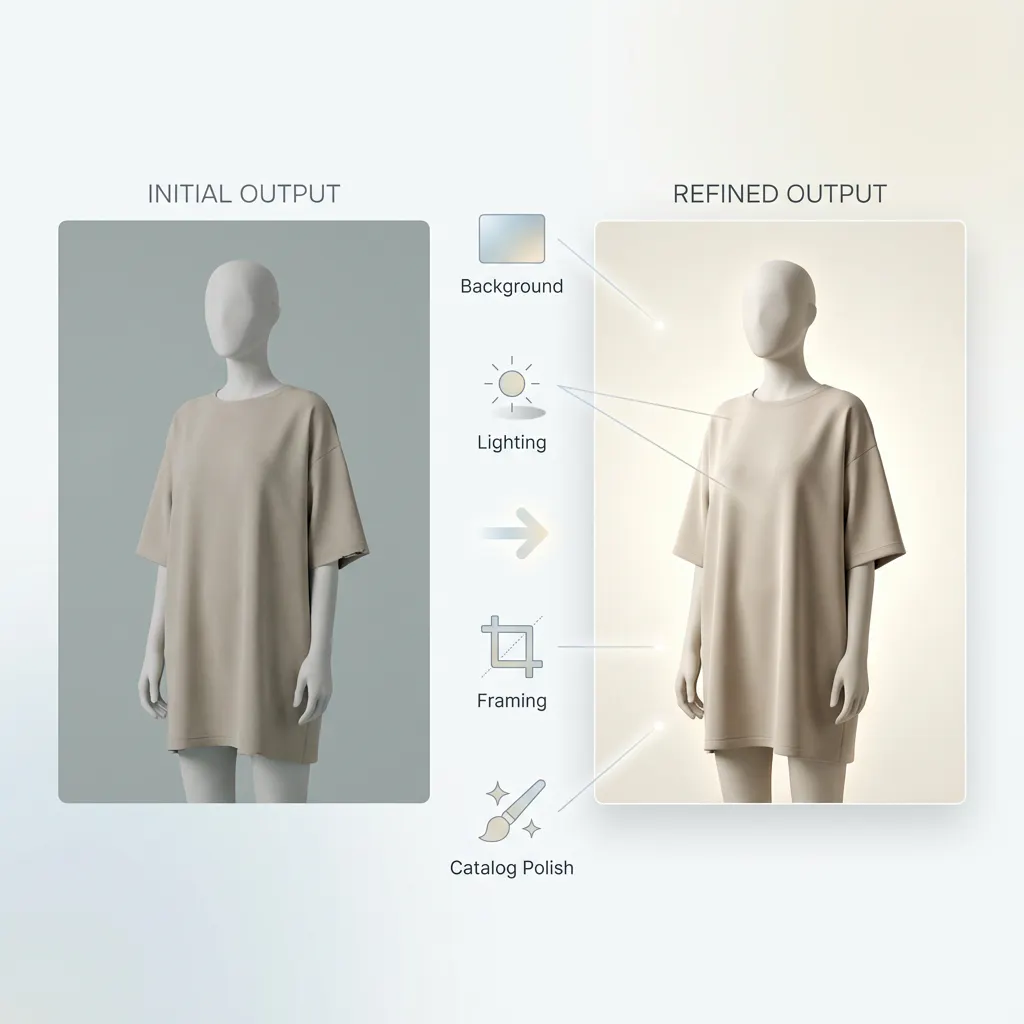
- Refine framing and cropping.
- Make outputs more catalog-friendly
This is where images stop feeling automated and start feeling intentional. You don’t need to over-instruct the system. The goal is to fine-tune, not rebuild. Blend’s templates handle most of the heavy lifting, with room for manual tweaks when needed.
So now you have some pretty cool Product Photos in less than half the price of Traditional Photoshoots.
How This Fits Into a Bigger Catalog Strategy
If you’ve been following this series, you’ll notice how everything connects.
When you choose the right models and customize them properly, you can reuse the same apparel across seasons, swap environments without reshooting, and maintain consistency at scale. This ties directly back to our earlier discussions on seasonal catalogs and cost efficiency.
Instead of running one-off experiments, you build a repeatable visual system.
Conclusion
AI models are not about replacing creativity. They’re about removing friction.
You’re not training models or managing technical complexity. You’re making smarter selections and letting the system handle the heavy lifting. When done right, this approach gives you speed, consistency, and flexibility without sacrificing quality.
If you’re serious about improving your clothing visuals and scaling catalogs efficiently, model selection and customization are where the real gains happen.
At Blend, we’ve built the experience so brands don’t need to overthink or over-instruct. The focus stays on outcomes, not mechanics. So hop on the journey now.