


If your business/work mainly revolves around e-commerce platforms, then there is one thing you absolutely need to know. Great products don’t sell themselves. Visuals do. The main criteria of an online brand is that customers cannot touch, smell, or feel the product. All they do is scroll.
That’s precisely why visual content has become one of the biggest growth levers in e-commerce. It also creates one of the biggest bottlenecks for business owners. As catalogs grow and channels multiply, many brands hit the same wall:
- Too many SKUs
- Too many platforms
- A lack of models, photographers, graphic designers
- Slow turnaround times
This is where modern AI-powered visual content platforms like Blend come in. It’s not just a time-saver but also a lifesaver that can help you scale your product immensely.
Top 7 Features E-Commerce Platforms Need to Scale Visual Content
Let’s break down the seven essential features e-commerce platforms need to scale visual content without sacrificing quality, consistency, or speed.
1. Creating Smart Ad Posters
Running ad posters today isn’t just about showing the words “Sale” or “70% Off”. It’s about relevance. Social media users prefer ads that have different visuals, formats, and messaging. Each time you have a sale, you can’t hire a photographer, editor, and a designer to create new templates.
Instead, you can use Blend’s “DesignGPT” feature for smart ad creation. Here, sellers can generate ad-ready visuals optimized for different social media platforms and placements. Plus, you can create as many variations you want without having to stick to one ad poster all the time.

2. Instant Background Removal and Generation
Background removal is one of the most common and most underestimated tasks in e-commerce. It’s laborious and many sellers get frustrated during this process. Hence, they upload the picture as it is. Trust me, the cluttered background is hurting your conversions.
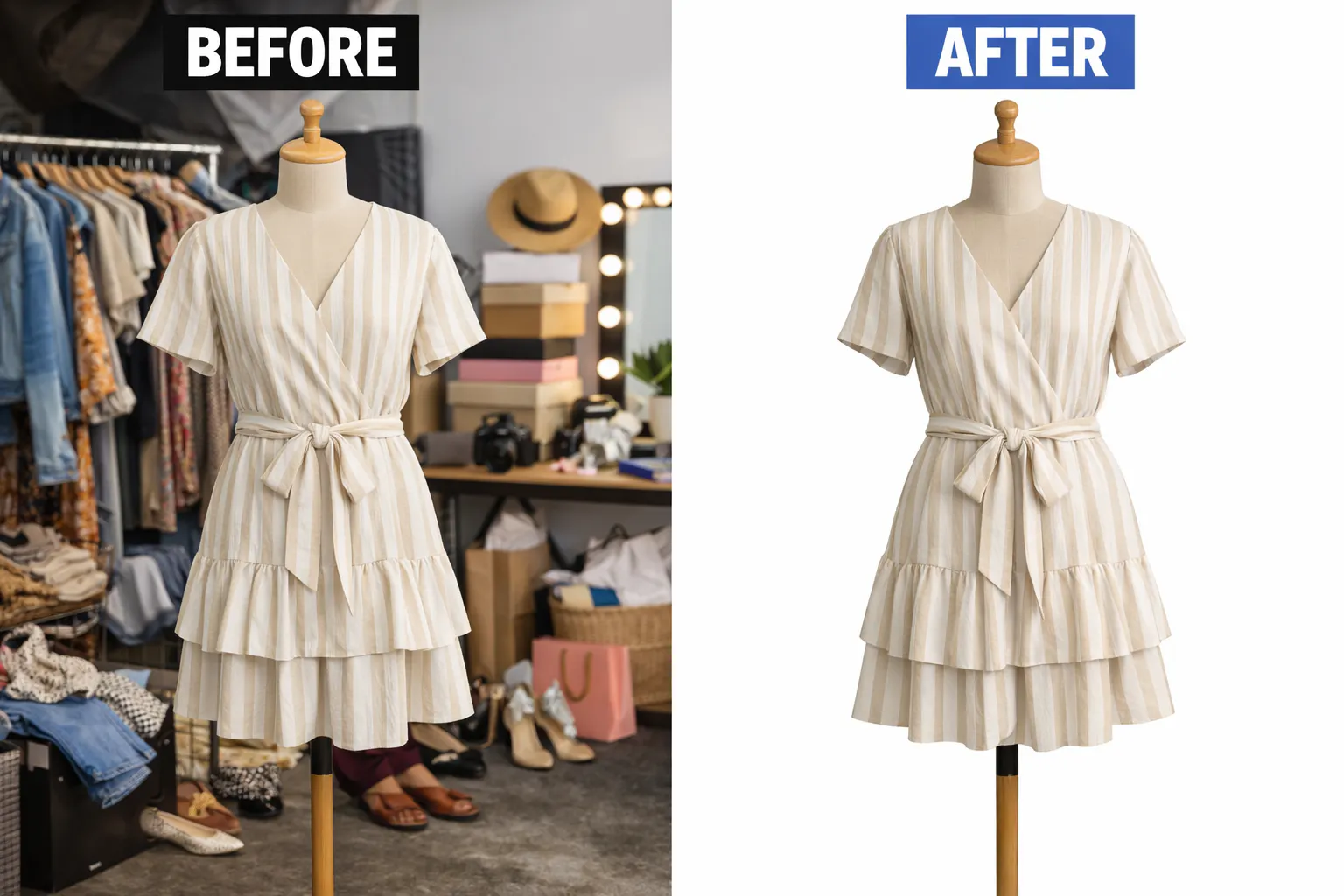
Go to blendnow.com and try out their “Remove Background” feature. Blend uses AI to automatically detect products, remove backgrounds cleanly, and export transparent or ready-to-use images in seconds.
This alone will save hours of repetitive work for sellers who are managing large catalogs.
You can use the “After” picture as it is on catalogs and e-commerce websites.
However, if you want to promote them on social media, you can generate an aesthetic background using the “AI Background" feature from Blend.
With AI-generated backgrounds, brands can:
- Place products into clean studio scenes
- Create lifestyle or seasonal contexts
- Match visuals to campaign themes
Instead of re-shooting products, teams can regenerate visuals digitally, keeping content fresh while maintaining brand consistency.

I chose this background because it supports the product instead of competing with it. It enhances the look of the dress. Always remember that the right background reduces distractions, highlights key details, and helps shoppers quickly understand the product’s style, quality, and intended use.
3. AI Models to Boost Engagement
If your business belongs to the following categories: fashion, accessories, and lifestyle products, then flat images often leave customers guessing. How does it fit?
How does it look on a person? How does it feel in real life?
There’s just too much uncertainty. This uncertainty fuels the buyer’s hesitation. And even if they purchase the item, they may be dissatisfied with it when they receive it and it could contribute to your company’s higher return rates.
That’s another reason why AI models and virtual try-ons are becoming essential for scaling visual engagement. Blend allows products to be placed on realistic AI-generated models.
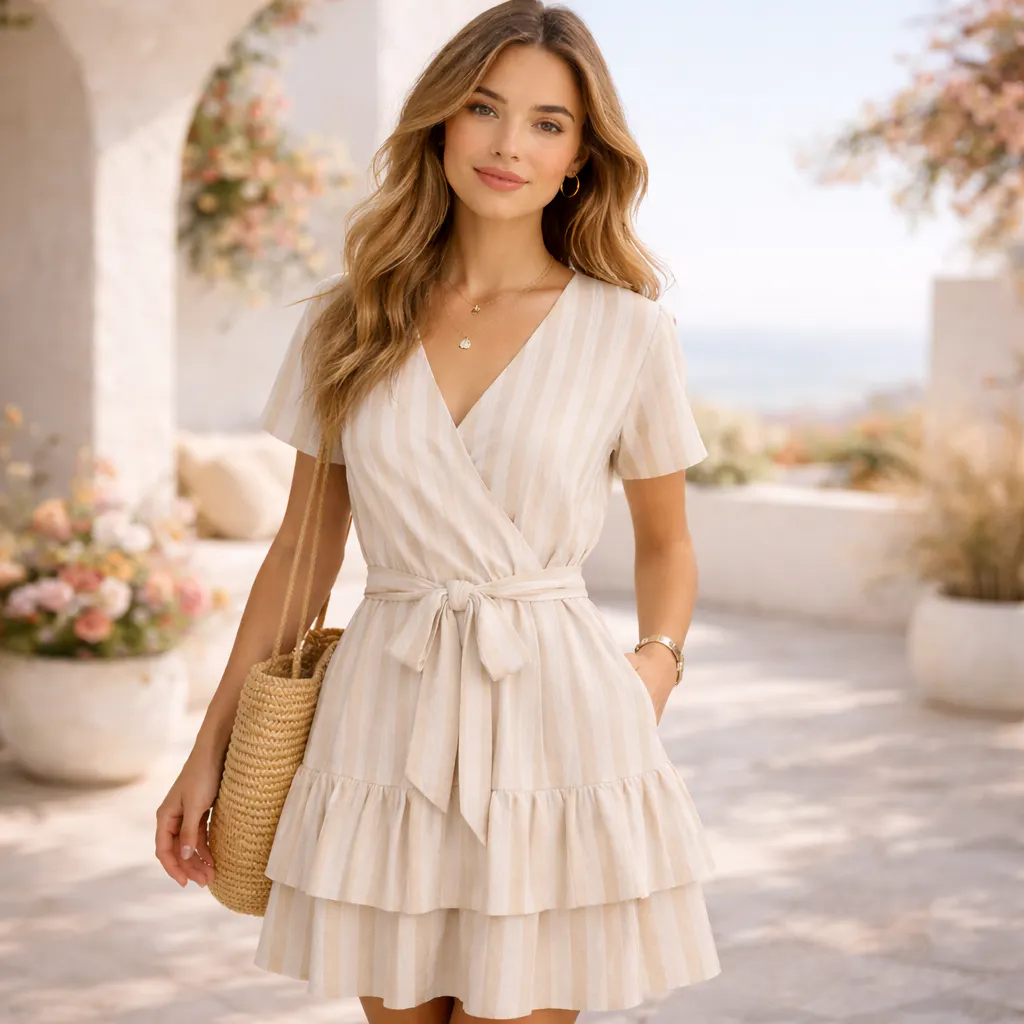
If that isn’t convincing the buyers to purchase your product, you can tell them to use Blend to virtually try on your product. Instead of using an AI Model, users can select “I’m the Model” feature and upload their photos.
This will create a strong emotional connection and it’ll build confidence before purchase.
4. AI-Generated Videos
If you think static images are enough to boost sales, you couldn’t be more wrong. Short-form video has become one of the most powerful drivers of engagement across:
- Product detail pages
- Social media
- Paid advertising
The problem? Hiring models, having a photoshoot, and spending hours editing the final cut. It’s expensive and time-consuming. Blend has “AI Videos” feature that allows brands to turn product images into engaging video content without filming, editing timelines, or specialized software.
You just have to select a video preset, apply the effect to the image, and select the starting frame. There you have it. An AI video in under 5 minutes.
5. Using Brand Identity Tools: Logos and Social Posters
When you start creating more visual content without clear brand control, things can get messy fast. As different people work on ads, social posts, product listings, and campaigns, small changes start to creep in.
Your fonts aren’t matching. Colors are looking off. Layouts seem inconsistent. Over time, your brand becomes harder for customers to recognize. Thus, the need for brand identity tools to scale visual content.
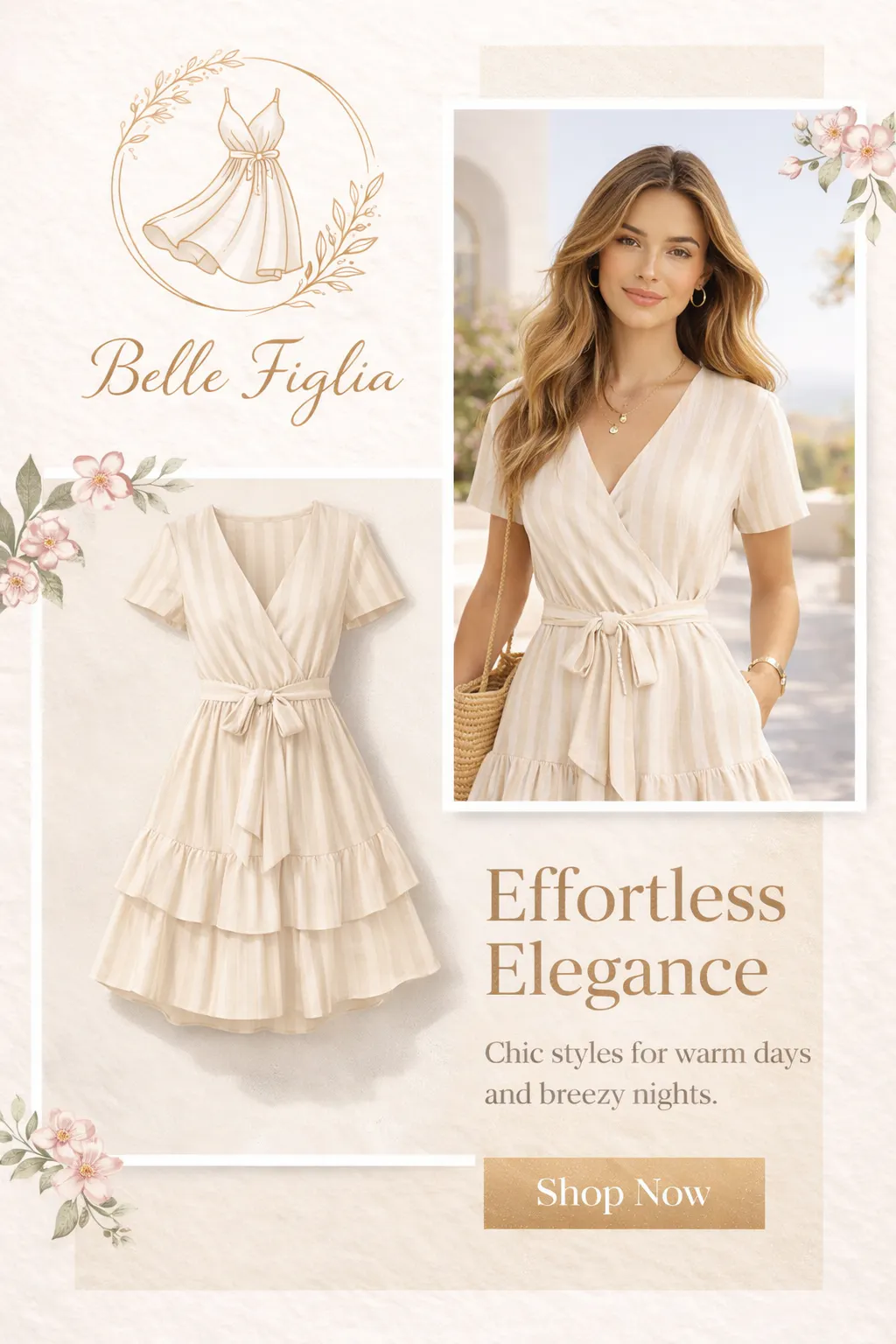
Here’s a logo and poster I created using Logo Maker by Blend for a clothing brand using Blend:

6. Product Enhancer
It doesn’t matter if your image isn’t perfect. You could have taken a picture with your phone or from a catalog. Reshooting isn’t an option. This is where product enhancement becomes a key feature for scaling visual quality.
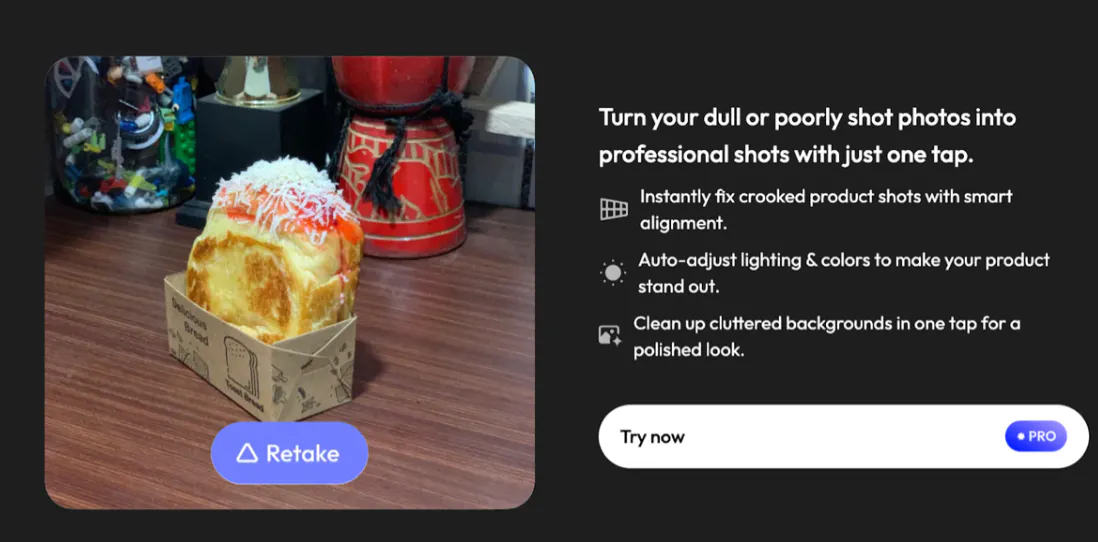
You don’t have to over-edit the pictures. All you need to do is make the products look cleaner, clearer, and more professional. Go to the “Studio Shot” feature and click the “Fix this Photo” option. As seen on the image below, you can align the crooked product shots, adjust the lighting, and clean your cluttered backgrounds.
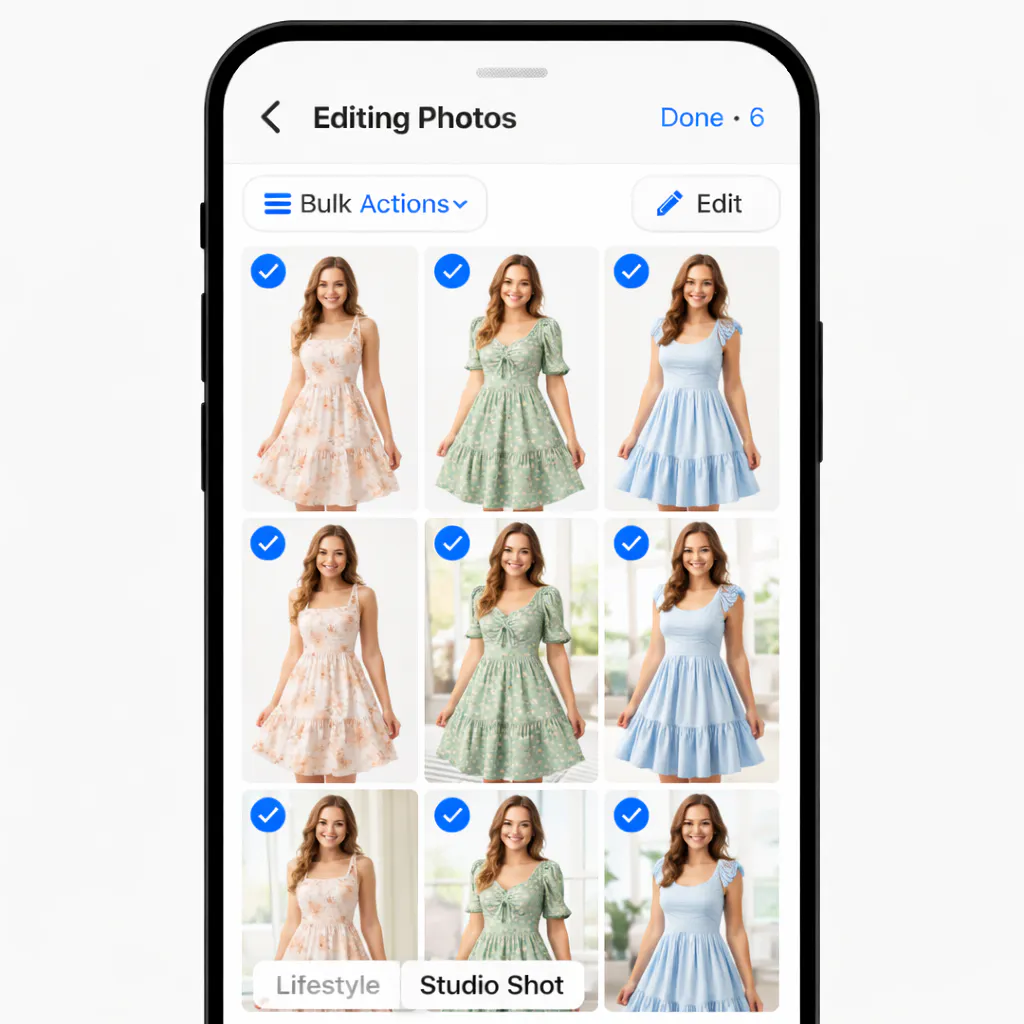
7. Editing Photos in Bulk
Editing pictures one-by-one sounds like a grueling task, doesn’t it? As your product catalog grows, you lose the ability to edit photos in bulk. However, it’s a non-negotiable requirement when you run a business on an e-commerce platform. Thanks to Blend, you can edit your photos in bulk.
You can do this through Lifestyle Shot or Studio Shot. Once your picture is ready to be downloaded, you can press the batch button and upload upto 20 product images and the exact setting will be applied to those 20 products. These pictures can easily be downloaded.
Conclusion
Brands that scale successfully are the ones that build visual infrastructure, not just better images. And when you have a tool like Blend, it removes friction from this process. Its features can turn visual creation into a system rather than a series of one-off tasks. Go ahead, try it out, and see how scaling visual content can finally feel simple, efficient, and built for growth.