
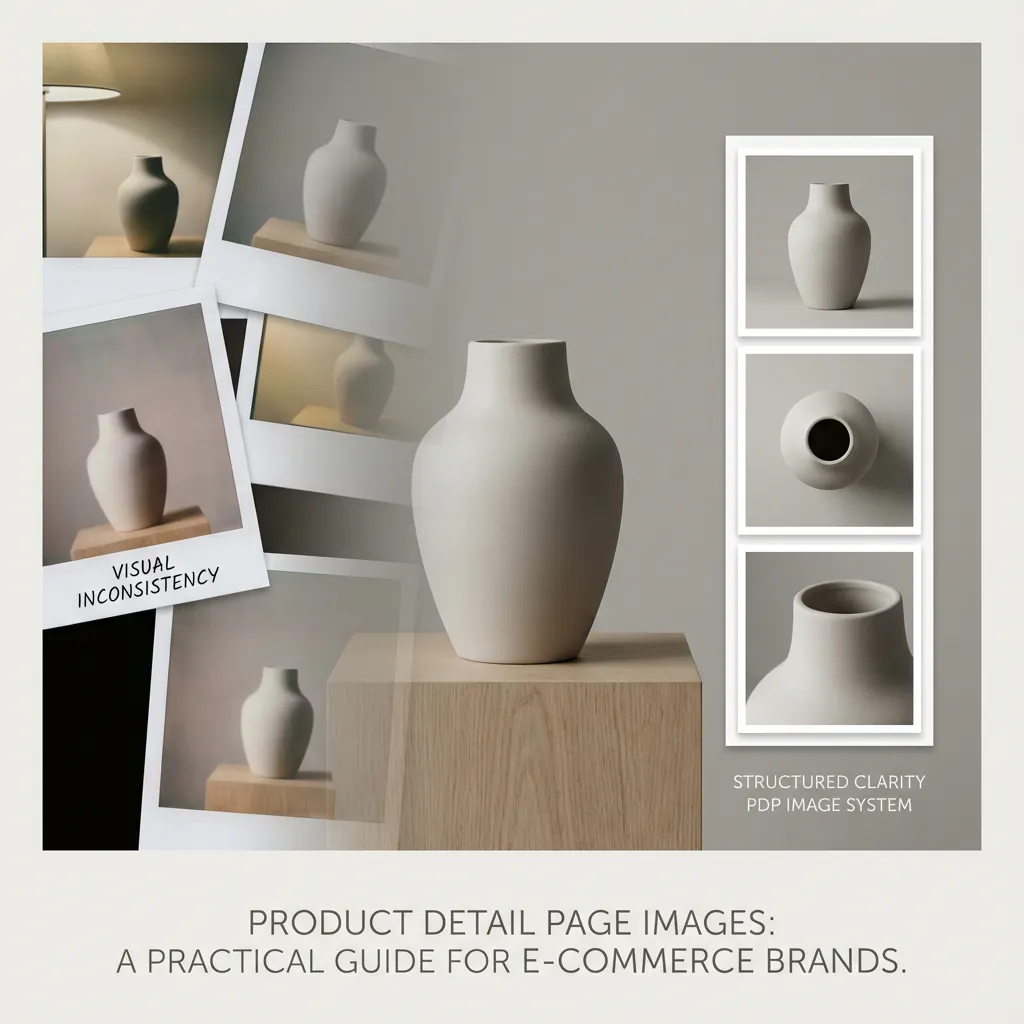
If your brand’s marketing, positioning, and growth depend heavily on e-commerce, then this is a blog you cannot afford to skip.
You may already be familiar with Product Detail Pages (PDPs). Still, if you are looking for a deeper understanding of why PDPs matter so much and how the right images can elevate both conversions and brand perception, this guide is for you.
At this point, no modern brand can realistically survive without a strong e-commerce strategy. And at the heart of every successful e-commerce experience lies one critical touchpoint: the PDP.
What Are Product Details Pages and Why They Matter
In e-commerce, a Product Detail Page (PDP) is a page for a single product where customers decide whether to purchase. A catalogue with 100 products, therefore, has 100 individual sales pages, each responsible for explaining the product and building trust. Since shoppers cannot physically inspect products online, the PDP serves as a proxy for an in-store sales associate, with visuals as the primary signal for evaluating products and reducing uncertainty, driving Add-to-Cart actions.
Industry research supports this strongly. A Baymard Institute UX benchmark shows that 51% of ecommerce sites still have average or poor PDP UX, leading to preventable drop-offs. While at the same time, according to ConvertCart, 87% of customers say product content, including images and descriptions, is the most critical factor in online purchase decisions.
The impact is visible in conversion performance. While the typical ecommerce conversion rate sits between 2% and 4%, well-optimised PDPs can achieve 8% to 10%. Category benchmarks further illustrate the opportunity: apparel and fashion typically convert at 1.8–3%, while beauty and skincare average 2.5–4%.
For brands in these categories, PDP optimisation is not optional. It is the highest-leverage point in the ecommerce funnel, with product retail images at its core.
What High-Converting PDP Images Must Do
Before we even talk about visuals, there are a few non-negotiables every PDP must get right.
1) Fast Load Time
If your page takes too long to load or breaks, users leave. No matter how good your product is, a slow PDP is a missed opportunity. Slow images increase bounce rates and reduce conversion probability.
What Typically Causes Slow PDP Images: Slow PDP images are usually caused by uploading camera-resolution files, skipping compression, or using inefficient image formats. These factors unnecessarily increase file sizes, leading to longer load times and a poorer browsing experience.
How to Achieve Fast Load Times: Fast load times can be achieved by resizing images to their actual display dimensions, using modern formats such as WebP or optimised JPEGs, compressing images without visible quality loss, and lazy-loading secondary photos that appear below the fold.
Fast PDPs are achieved through disciplined image practices, not just engineering.
2) Mobile Optimisation
Mobile optimisation is not just about image resizing automatically. It is about maintaining clarity on small screens.
What Mobile Optimisation Actually Means: Mobile optimisation means the product remains centred and legible on smaller screens, key details are visible without excessive zooming, and images do not rely on embedded text that becomes unreadable on mobile.
How to Achieve It: This is achieved by cropping images with mobile framing in mind, avoiding wide or overly horizontal compositions, and testing PDP images on real devices rather than relying only on desktop previews.
Given that a majority of e-commerce traffic is mobile-driven, mobile-first image decisions are no longer optional.
3) Clear Product Attributes
Vague visuals and vague language increase misinterpretation and returns. Buyers respond to concrete, specific information such as “100% cotton, 240 GSM,” “18K gold, round cut, 0.3 carat,” or “solid wood frame, matte finish,” which sets clear expectations. This clarity should be supported visually with close-ups of materials, texture and detail shots, and simple callouts where necessary.
Attributes should be verifiable through images, not just claimed in copy.
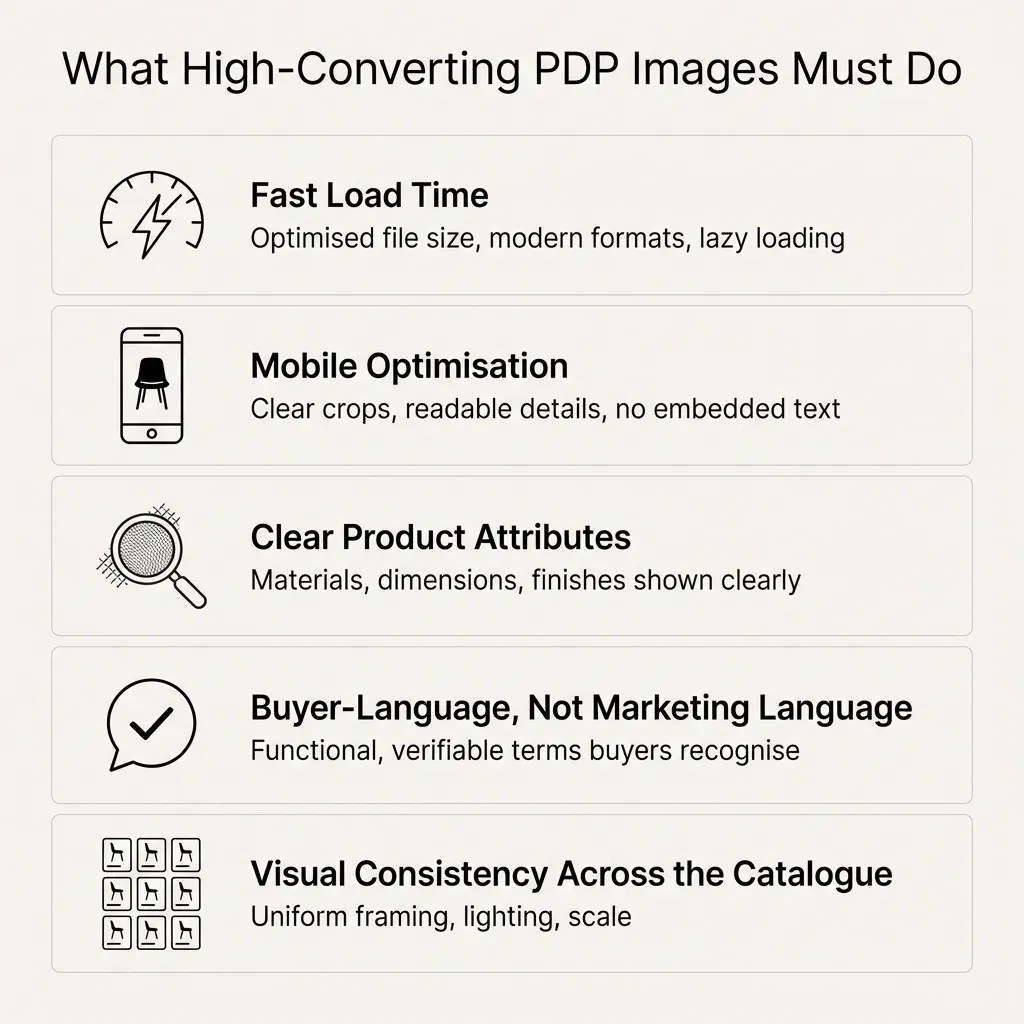
4) Language Your Audience Actually Uses
PDP images and accompanying cues should reflect buyer language, not marketing language.
What to Avoid: PDPs should avoid vague, marketing-led phrases such as “crafted for modern lifestyles,” “elevated elegance,” or “designed for everyday living.” These expressions are subjective, lack measurable meaning, and invite interpretation, which weakens buyer confidence.
What to Use Instead: Clear, buyer-aligned language such as “scratch-resistant surface,” “fits a 13-inch laptop,” or “waterproof up to 30m” communicates specific, verifiable attributes. This kind of language sets accurate expectations and makes it easier for customers to evaluate suitability.
Buyers scan PDPs functionally. Concrete, familiar language speeds up decision-making.
5) Visual Consistency as a Requirement
Why Inconsistent PDP Imagery Hurts: Inconsistent PDP imagery erodes trust by making the catalogue feel unreliable, complicates comparison between products, and signals low operational maturity. When images vary widely in presentation, buyers are forced to mentally adjust for differences rather than focus on the product itself, increasing friction and hesitation.
Where Consistency Must Apply: Consistency should be maintained across framing, lighting, backgrounds, and scale so products are presented in a uniform, predictable manner. This allows customers to easily compare items, understand differences at a glance, and navigate the catalogue with greater confidence.
As catalogues grow, consistency must be treated as a system requirement, not a manual effort.
How Different PDP Image Types Work Together
Customers don’t rely only on text. Images carry equal, if not more, weight.
An ideal PDP usually includes:
- At least 5–8 product images
- One video (optional but powerful)
- 3D or interactive views where relevant
Images are not aesthetic elements; they are functional. Now, let's see what type of product images to use and how.
1) The Hero Image: Establishing Immediate Trust
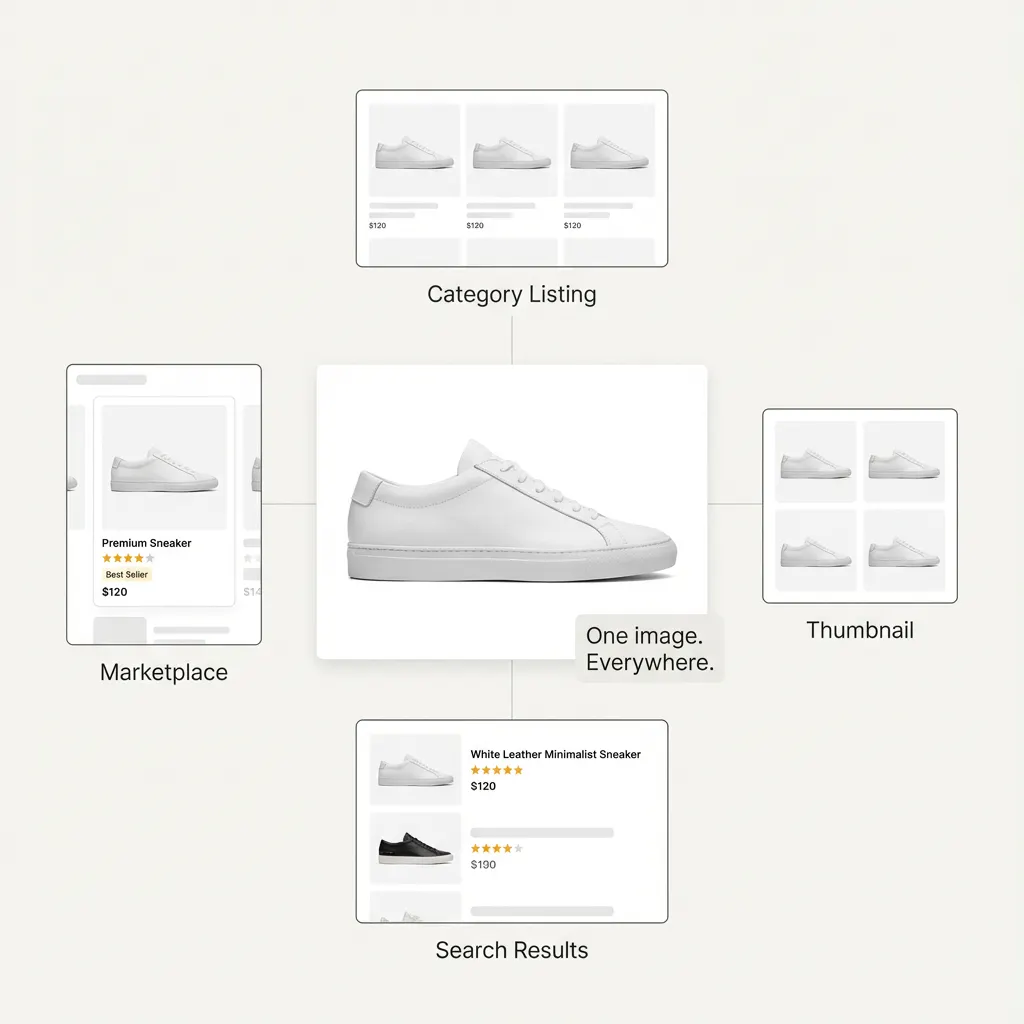
The hero image is the buyer’s first filter on a PDP, answering one key question quickly: “Is this the product I’m looking for?” Because it appears across listings, search results, marketplaces, and thumbnails, it must prioritise clarity and accuracy over creativity. A strong hero image clearly shows the complete product, uses a neutral or white background, accurately represents colour and proportions, and avoids props or text. If it fails to establish trust, buyers often never engage with the rest of the PDP.
Getting the hero image right requires disciplined execution. Products should be shot straight-on with minimal perspective distortion, framed and cropped consistently across SKUs, and lit using controlled lighting to avoid harsh shadows or colour shifts.
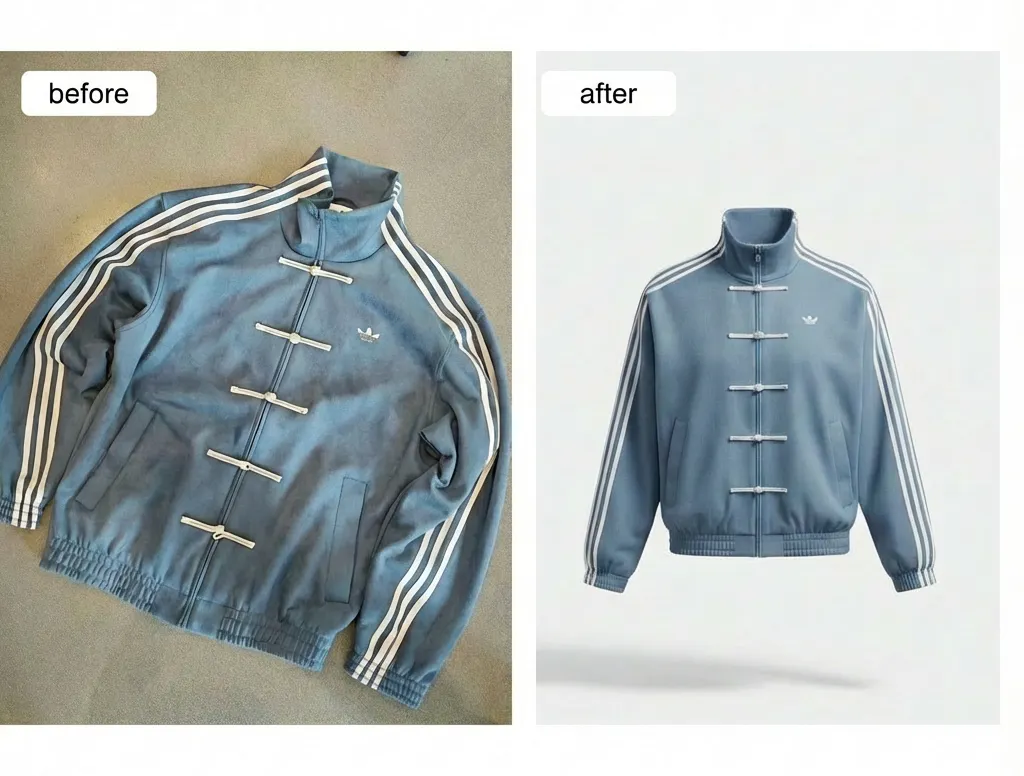
You can easily create hero images using Blend. Upload your product image to the Blend app, and it automatically analyses the image to produce a clean, aesthetically polished studio-style visual of the product, as shown in the attached image.
2) Multi-Angle and Detail Images: Building Understanding
Once relevance is established, buyers look for confirmation before committing to a purchase. Multi-angle and detailed images help them understand the product more completely—its shape, structure, proportions, materials, and finish. These images reduce uncertainty by showing how the product looks from different angles, how thick or thin it is, and the quality of its materials, stitching, or hardware, which cannot be assessed from a single view.
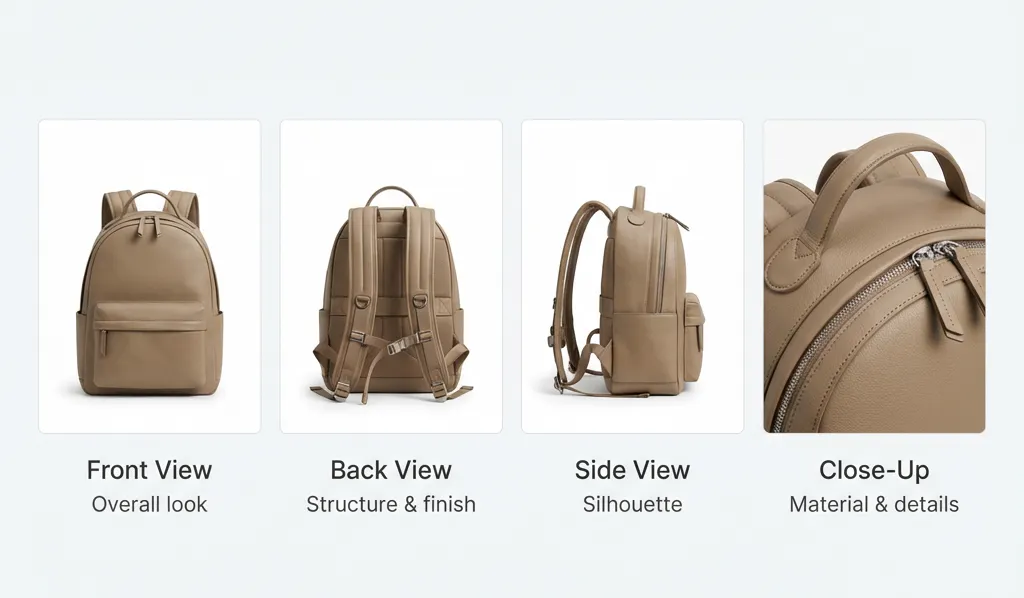
Each additional image should serve a clear purpose in answering a buyer’s question. Missing views introduce doubt and force buyers to make assumptions, while redundant or repetitive angles add noise without increasing clarity. Well-curated multi-angle imagery builds confidence by replacing guesswork with visual proof, allowing buyers to move forward with greater certainty.
3) Clean Background Images: Enabling Comparison
Clean or neutral background images play a key role in enabling comparison across a catalogue. By removing visual noise and distractions, they allow buyers to focus on the product itself, making it easier to evaluate differences when viewing multiple options side by side. These images help buyers quickly answer a fundamental question: “How does this compare to other options?”
This becomes especially important when comparing variants of the same product, browsing catalogues with multiple similar SKUs, or scanning marketplace listings where attention is limited. Consistency in framing, scale, and lighting ensures products are presented on equal footing, making comparisons intuitive and reinforcing trust in the catalogue.
4) Lifestyle Images: Providing Context and Reassurance
Lifestyle images serve a supporting role on the PDP and are most effective when used last. Their purpose is not to explain the product but to provide context, helping buyers imagine how it fits into their lives. By showing real-world usage, scale, proportions, and placement, lifestyle images add reassurance once the product is already understood.
Used at the right stage, they reinforce confidence and emotional connection. Used too early, however, lifestyle images can distract or confuse buyers by obscuring product details instead of clarifying them.

Pretty cool, right?
Blend’s approach ensures realism without over-styling, so context enhances the product rather than overpowering it.
How Blend Approaches PDP Images
Blend treats PDP imagery as a system, not a one-off creative task. The focus is on repeatable visual standards, product-first realism, and workflows that scale with growing catalogues. This helps brands maintain quality across SKUs, refresh images quickly, and reuse visuals across websites, marketplaces, and ads.
Instead of creating images in isolation, Blend designs PDP imagery to work together consistently. Clear standards, structured image sequencing, and reusable assets make it easier to launch, update, and scale without redoing everything. The goal is not to impress, but to answer buyer questions clearly and reliably—building trust, reducing hesitation, and improving conversion.
Conclusion
Product detail pages (PDPs) are often the first meaningful interaction customers have with your product, and when conversions are low, retention is weak, or traction has stalled, they are usually the first place to look. Strong PDP images build trust, reduce hesitation, improve conversion rates, and strengthen brand positioning. If you have not invested adequately here, you are likely leaving meaningful growth on the table.
Explore how Blend helps brands create high-quality PDP visuals at scale, from hero images to lifestyle and seasonal catalogues, and start treating PDPs like the growth lever they actually are.